<?xml version="1.0" encoding="utf-8"?>
<feed xmlns="http://www.w3.org/2005/Atom">
    <id>https://testchimp.io/blog/</id>
    <title>TestChimp Blog</title>
    <updated>2026-10-26T00:00:00.000Z</updated>
    <generator>https://github.com/jpmonette/feed</generator>
    <link rel="alternate" href="https://testchimp.io/blog/"/>
    <subtitle>TestChimp Blog</subtitle>
    <icon>https://testchimp.io/img/favicon.ico</icon>
    <entry>
        <title type="html"><![CDATA[How to ship AI-written code you don't fully understand]]></title>
        <id>https://testchimp.io/blog/ship-ai-written-code-you-dont-understand/</id>
        <link href="https://testchimp.io/blog/ship-ai-written-code-you-dont-understand/"/>
        <updated>2026-10-26T00:00:00.000Z</updated>
        <summary type="html"><![CDATA[You can't read every line Claude Code writes. Here's how dev teams ship agent-written code safely: own the design, pin down intent, check behaviour independently, and keep a human sign-off.]]></summary>
        <content type="html"><![CDATA[<p>You can ship AI-written code you haven't read line by line, as long as you understand and can check the product behaviour it's supposed to deliver. Read the parts with a big blast radius yourself, own the design, write down the intended behaviour before the agent codes, check it with tests the coding agent didn't grade for itself, and keep a named human signing off on each release. Moving your understanding up from lines of code to product behaviour is how you stay accountable for code you didn't type.</p>
<h2 class="anchor anchorTargetStickyNavbar_Vzrq" id="why-this-question-blew-up-on-hacker-news">Why this question blew up on Hacker News<a href="https://testchimp.io/blog/ship-ai-written-code-you-dont-understand/#why-this-question-blew-up-on-hacker-news" class="hash-link" aria-label="Direct link to Why this question blew up on Hacker News" title="Direct link to Why this question blew up on Hacker News" translate="no">​</a></h2>
<p>On 19 October an <a href="https://news.ycombinator.com/item?id=50151036" target="_blank" rel="noopener noreferrer" class="">Ask HN thread</a> quoted a Meta engineer saying the code he ships now "feels like a black box" and asking how much he needs to understand before he's comfortable moving on. It passed 600 points and 700 comments, so plenty of people feel the same.</p>
<p>The replies split into roughly two camps. One says <a href="https://news.ycombinator.com/item?id=50160436" target="_blank" rel="noopener noreferrer" class="">you must read the code before shipping it</a>, because "this is less a matter of quality and more a matter of responsibility." The other says engineers <a href="https://news.ycombinator.com/item?id=50161151" target="_blank" rel="noopener noreferrer" class="">have always shipped code they didn't fully read</a>: principal engineers and engineering managers have relied on testing, design docs and release management for years.</p>
<p>Both camps are right about something. Responsibility doesn't move to the agent. And reading every line of a 1,000-line agent diff every day doesn't scale. Here's the middle path the most useful replies point to.</p>
<h2 class="anchor anchorTargetStickyNavbar_Vzrq" id="1-decide-where-you-still-read-every-line">1. Decide where you still read every line<a href="https://testchimp.io/blog/ship-ai-written-code-you-dont-understand/#1-decide-where-you-still-read-every-line" class="hash-link" aria-label="Direct link to 1. Decide where you still read every line" title="Direct link to 1. Decide where you still read every line" translate="no">​</a></h2>
<p>Blast radius should decide how much you read. One commenter vibe codes the UI freely but <a href="https://news.ycombinator.com/item?id=50158780" target="_blank" rel="noopener noreferrer" class="">still writes the SQL schema entirely by hand</a>, because getting that wrong "tends to be far more catastrophic." Another <a href="https://news.ycombinator.com/item?id=50158733" target="_blank" rel="noopener noreferrer" class="">puts it plainly</a>: a stateless frontend needs little more than a visual check, while payments or client-server security deserve a real audit.</p>
<p>Make that list explicit for your codebase. Data migrations, auth, money movement, permissions and anything irreversible go on the "a human reads it" list. Copy changes and layout tweaks don't.</p>
<h2 class="anchor anchorTargetStickyNavbar_Vzrq" id="2-own-the-design-and-let-the-agent-fill-it-in">2. Own the design and let the agent fill it in<a href="https://testchimp.io/blog/ship-ai-written-code-you-dont-understand/#2-own-the-design-and-let-the-agent-fill-it-in" class="hash-link" aria-label="Direct link to 2. Own the design and let the agent fill it in" title="Direct link to 2. Own the design and let the agent fill it in" translate="no">​</a></h2>
<p>The most upvoted reply in the thread comes from someone who <a href="https://news.ycombinator.com/item?id=50157475" target="_blank" rel="noopener noreferrer" class="">doesn't let the LLM design the code at all</a>. They lay out the abstractions and how they interact, and the agent implements the gaps. They might not know how each unit is written, but they know each unit's job and how the units connect.</p>
<p>That's enough understanding to debug, to review a diff at the boundary level, and to notice when the agent is quietly reshaping your architecture.</p>
<h2 class="anchor anchorTargetStickyNavbar_Vzrq" id="3-write-down-what-the-product-should-do-before-the-agent-writes-code">3. Write down what the product should do before the agent writes code<a href="https://testchimp.io/blog/ship-ai-written-code-you-dont-understand/#3-write-down-what-the-product-should-do-before-the-agent-writes-code" class="hash-link" aria-label="Direct link to 3. Write down what the product should do before the agent writes code" title="Direct link to 3. Write down what the product should do before the agent writes code" translate="no">​</a></h2>
<p>If you can't read all the code, you need something else you can read. One commenter's workflow starts with <a href="https://news.ycombinator.com/item?id=50158650" target="_blank" rel="noopener noreferrer" class="">interview-based design and spec</a>: the agent asks about whatever it finds ambiguous before writing anything. Someone else boiled it down to "<a href="https://news.ycombinator.com/item?id=50156506" target="_blank" rel="noopener noreferrer" class="">get really good at defining acceptance criterion</a>."</p>
<p>Keep these as short user stories and scenarios in the repo, next to the code. A scenario like "a guest can't check out without a delivery address" is something a reviewer can understand in five seconds, and it gives tests something to point at.</p>
<h2 class="anchor anchorTargetStickyNavbar_Vzrq" id="4-keep-that-description-current-as-decisions-happen">4. Keep that description current as decisions happen<a href="https://testchimp.io/blog/ship-ai-written-code-you-dont-understand/#4-keep-that-description-current-as-decisions-happen" class="hash-link" aria-label="Direct link to 4. Keep that description current as decisions happen" title="Direct link to 4. Keep that description current as decisions happen" translate="no">​</a></h2>
<p>The same commenter cites Peter Naur's idea that programming is building a theory of the system in your head. Writing code by hand was how we built that theory. With agents, a lot of the real product decisions now happen in agent chats and meetings instead: "guests must enter an address", "retry the webhook twice, then alert".</p>
<p>If those decisions never make it back into your stories and scenarios, the written description goes stale within weeks, and so does every check built on it. Make "update the scenario" part of finishing a change, or use tooling that picks those decisions up for you.</p>
<h2 class="anchor anchorTargetStickyNavbar_Vzrq" id="5-dont-let-the-agent-grade-its-own-work">5. Don't let the agent grade its own work<a href="https://testchimp.io/blog/ship-ai-written-code-you-dont-understand/#5-dont-let-the-agent-grade-its-own-work" class="hash-link" aria-label="Direct link to 5. Don't let the agent grade its own work" title="Direct link to 5. Don't let the agent grade its own work" translate="no">​</a></h2>
<p>This is the sharpest worry in the thread. One commenter is <a href="https://news.ycombinator.com/item?id=50151648" target="_blank" rel="noopener noreferrer" class="">uneasy when the AI writes both the code and the tests</a>: "They might agree with each other and still miss the same thing." The replies have practical fixes:</p>
<ul>
<li class=""><a href="https://news.ycombinator.com/item?id=50158987" target="_blank" rel="noopener noreferrer" class="">Split the roles</a>: "The agent writing the code never writes the checks it's judged by", and those separate checks caught far more.</li>
<li class=""><a href="https://news.ycombinator.com/item?id=50164571" target="_blank" rel="noopener noreferrer" class="">Test the tests with mutation testing</a>. One team added Stryker to CI and its first run surfaced hundreds of mutations the suite didn't catch.</li>
<li class="">Ask for a failing test first. <a href="https://news.ycombinator.com/item?id=50157171" target="_blank" rel="noopener noreferrer" class="">One reply</a> argues that seeing a test fail before the fix goes in gives you a lot of confidence.</li>
</ul>
<p>For a deeper checklist, see our guide on <a class="" href="https://testchimp.io/guides/trust-ai-written-tests/">how to trust AI-written tests</a>.</p>
<h2 class="anchor anchorTargetStickyNavbar_Vzrq" id="6-measure-coverage-against-intent-not-test-count">6. Measure coverage against intent, not test count<a href="https://testchimp.io/blog/ship-ai-written-code-you-dont-understand/#6-measure-coverage-against-intent-not-test-count" class="hash-link" aria-label="Direct link to 6. Measure coverage against intent, not test count" title="Direct link to 6. Measure coverage against intent, not test count" translate="no">​</a></h2>
<p>An agent can write 400 tests that all hit the happy path. What you need to know is which of your scenarios have a test that would fail if the behaviour broke, which API operations and error responses were exercised at all, and whether the flows real users depend on are covered. A test count answers none of that. Track coverage against the scenarios from step 3, and against your API spec, and review the gaps rather than the totals.</p>
<h2 class="anchor anchorTargetStickyNavbar_Vzrq" id="7-turn-every-escaped-bug-into-a-guardrail">7. Turn every escaped bug into a guardrail<a href="https://testchimp.io/blog/ship-ai-written-code-you-dont-understand/#7-turn-every-escaped-bug-into-a-guardrail" class="hash-link" aria-label="Direct link to 7. Turn every escaped bug into a guardrail" title="Direct link to 7. Turn every escaped bug into a guardrail" translate="no">​</a></h2>
<p>One of the most practical replies treats agents the way <a href="https://news.ycombinator.com/item?id=50161151" target="_blank" rel="noopener noreferrer" class="">engineering management treats teams</a>. Every time the agent ships a bug, ask how to rule out that whole class of bug. Their example: agents kept writing broken database migrations, so they added a migration testing framework that runs each migration over data in the old schema and checks the result. Do that repeatedly and trust is something you earn one bug class at a time.</p>
<h2 class="anchor anchorTargetStickyNavbar_Vzrq" id="8-keep-a-named-human-on-every-release">8. Keep a named human on every release<a href="https://testchimp.io/blog/ship-ai-written-code-you-dont-understand/#8-keep-a-named-human-on-every-release" class="hash-link" aria-label="Direct link to 8. Keep a named human on every release" title="Direct link to 8. Keep a named human on every release" translate="no">​</a></h2>
<p>Someone still has to say "this is ready." As <a href="https://news.ycombinator.com/item?id=50157943" target="_blank" rel="noopener noreferrer" class="">one commenter put it</a>, you can't fire the agent when things go wrong. Before each release, a person should look at which scenarios changed, which have reviewed tests behind them, what's still uncovered, and what changed in the high blast radius areas from step 1. Then they sign off by name.</p>
<h2 class="anchor anchorTargetStickyNavbar_Vzrq" id="the-catch-doing-all-of-this-by-hand-every-week">The catch: doing all of this by hand every week<a href="https://testchimp.io/blog/ship-ai-written-code-you-dont-understand/#the-catch-doing-all-of-this-by-hand-every-week" class="hash-link" aria-label="Direct link to The catch: doing all of this by hand every week" title="Direct link to The catch: doing all of this by hand every week" translate="no">​</a></h2>
<p>Each of those steps works. The trouble is keeping them going when an agent ships ten changes a day. Specs drift, nobody updates the scenarios, the suite fills with tests nobody reviewed, and "are we covered?" turns into a gut call again. Claude Code can write the tests. It won't tell you on its own whether the right things are tested or whether the description it tested against is still true.</p>
<h2 class="anchor anchorTargetStickyNavbar_Vzrq" id="how-testchimp-makes-this-ongoing">How TestChimp makes this ongoing<a href="https://testchimp.io/blog/ship-ai-written-code-you-dont-understand/#how-testchimp-makes-this-ongoing" class="hash-link" aria-label="Direct link to How TestChimp makes this ongoing" title="Direct link to How TestChimp makes this ongoing" translate="no">​</a></h2>
<p><a href="https://testchimp.io/" target="_blank" rel="noopener noreferrer" class="">TestChimp</a> runs the loop around your coding agents so the steps above happen on every change instead of when someone remembers.</p>
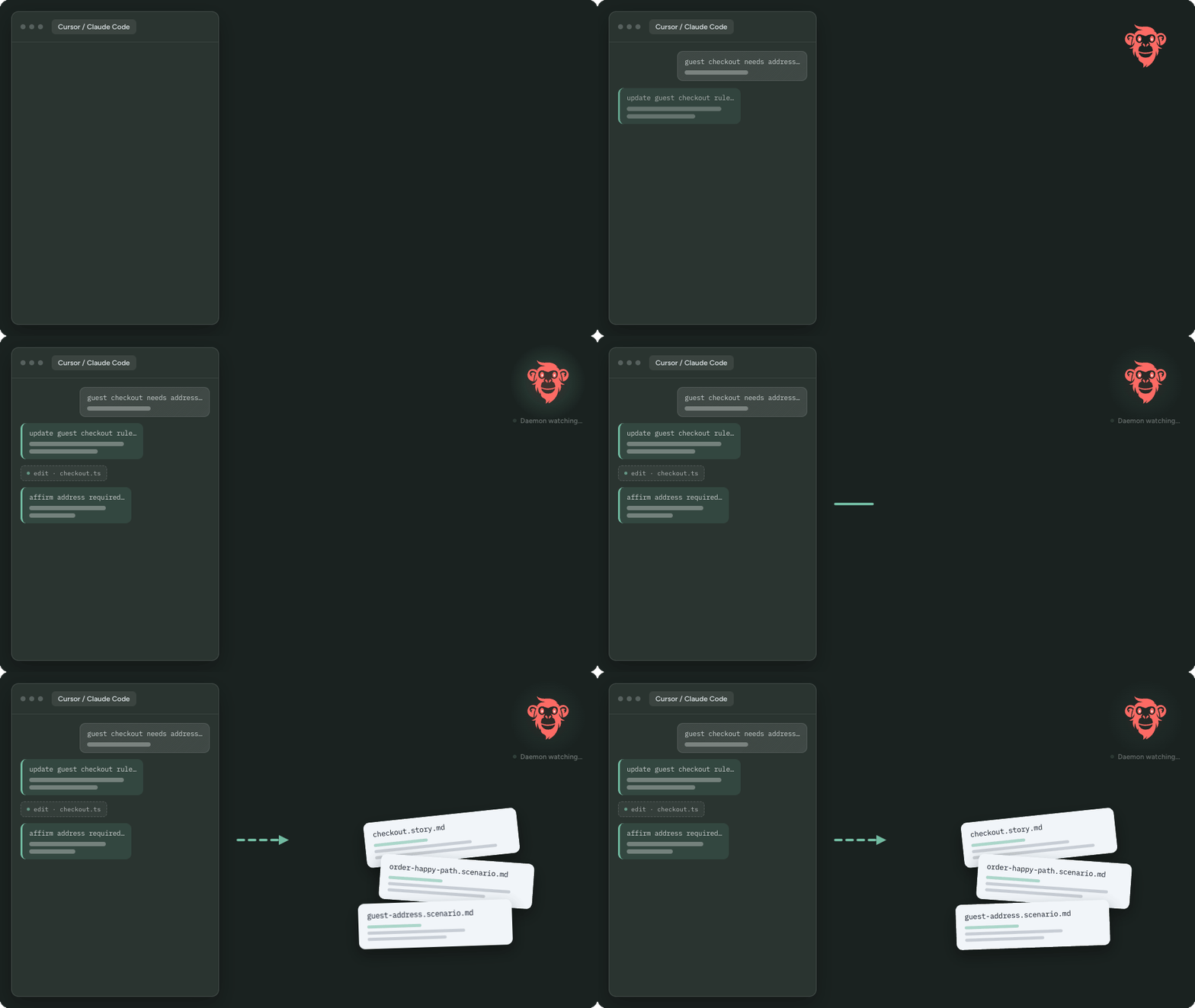
<p><strong>The product description stays current.</strong> <a class="" href="https://testchimp.io/docs/agent-watch/intro/">AgentWatch</a> watches your team's coding agent sessions (Cursor, Claude Code, Codex and others), spots product decisions, and proposes updates to your stories and scenarios. <a class="" href="https://testchimp.io/blog/meeting-bots-qa-brain-in-the-call/">MeetBots</a> do the same for decisions made on Meet, Zoom, Teams or Webex calls. You approve each update, and it lands as Markdown in your repo. That covers steps 3 and 4.</p>
<p><strong>QA runs against that description.</strong> Tests link back to scenarios, so every check points at a behaviour someone agreed on.</p>
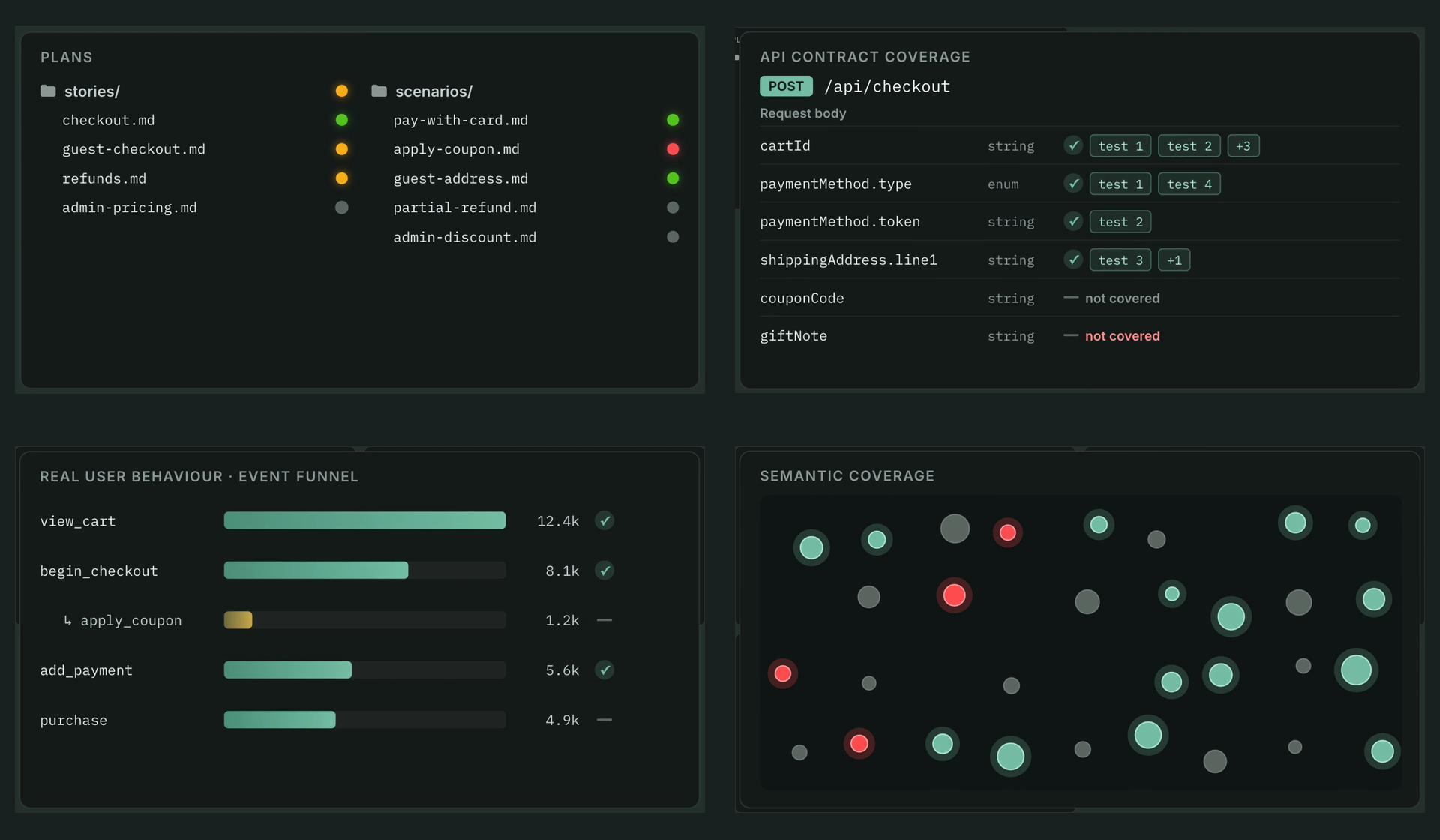
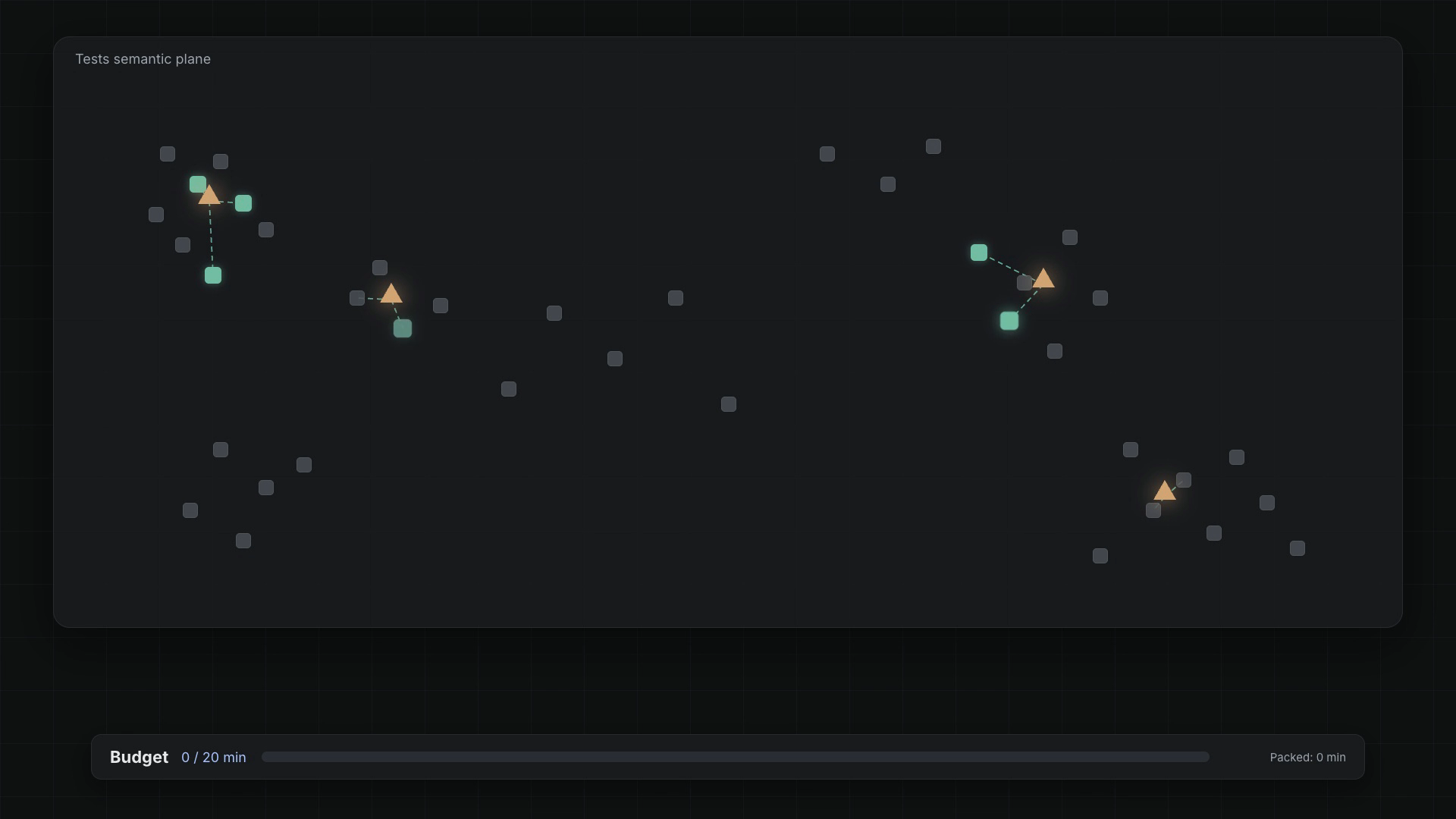
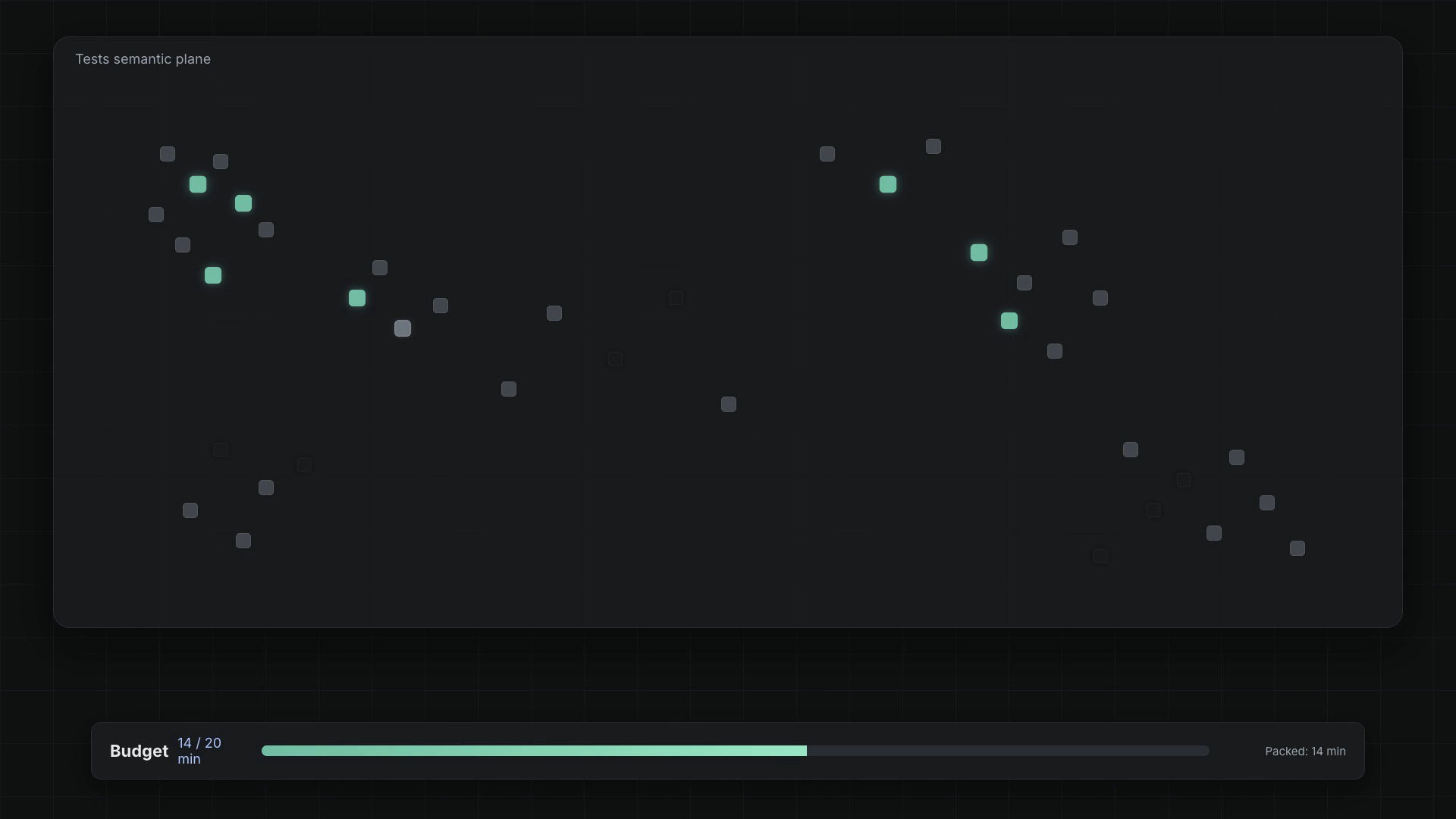
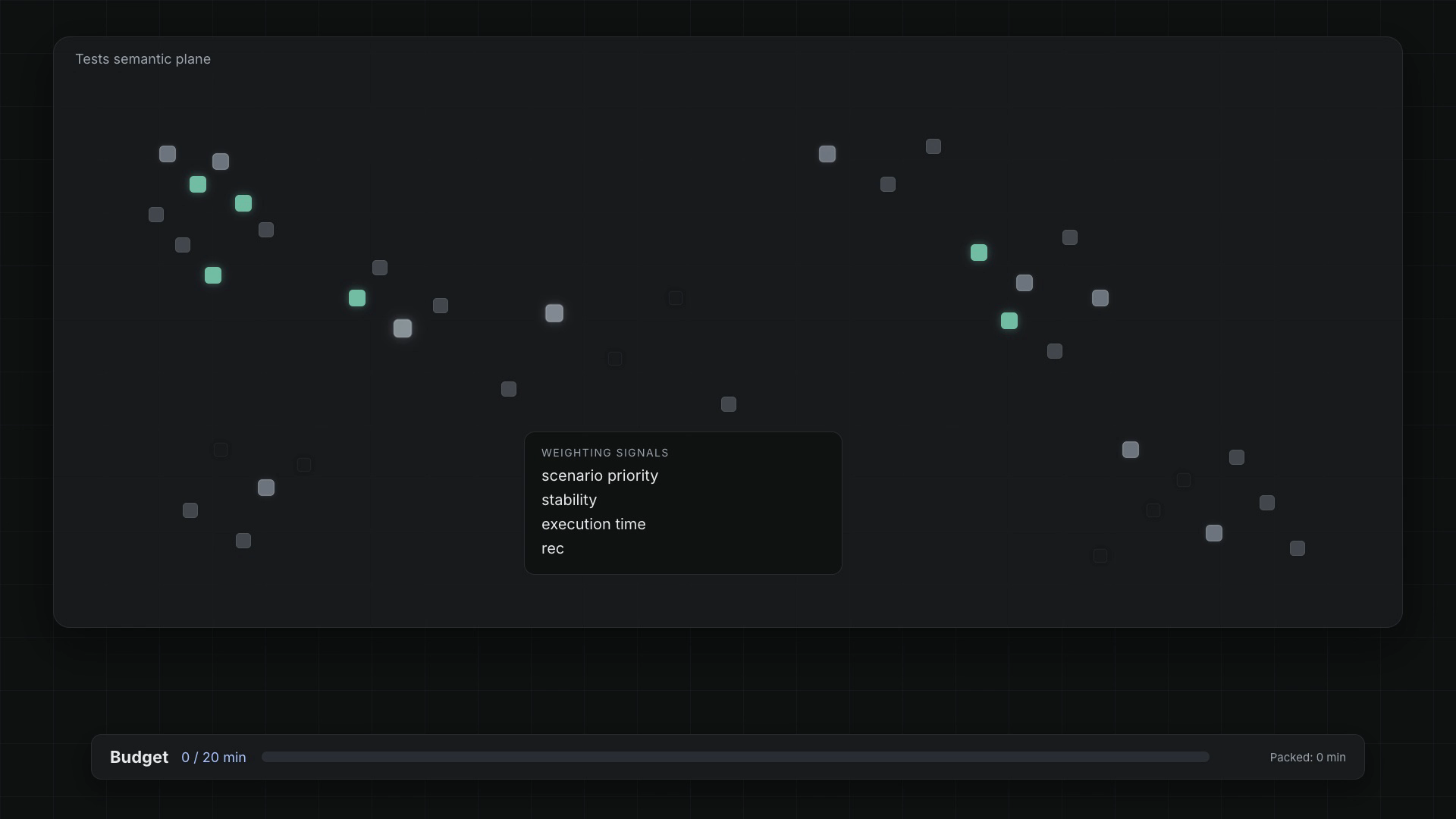
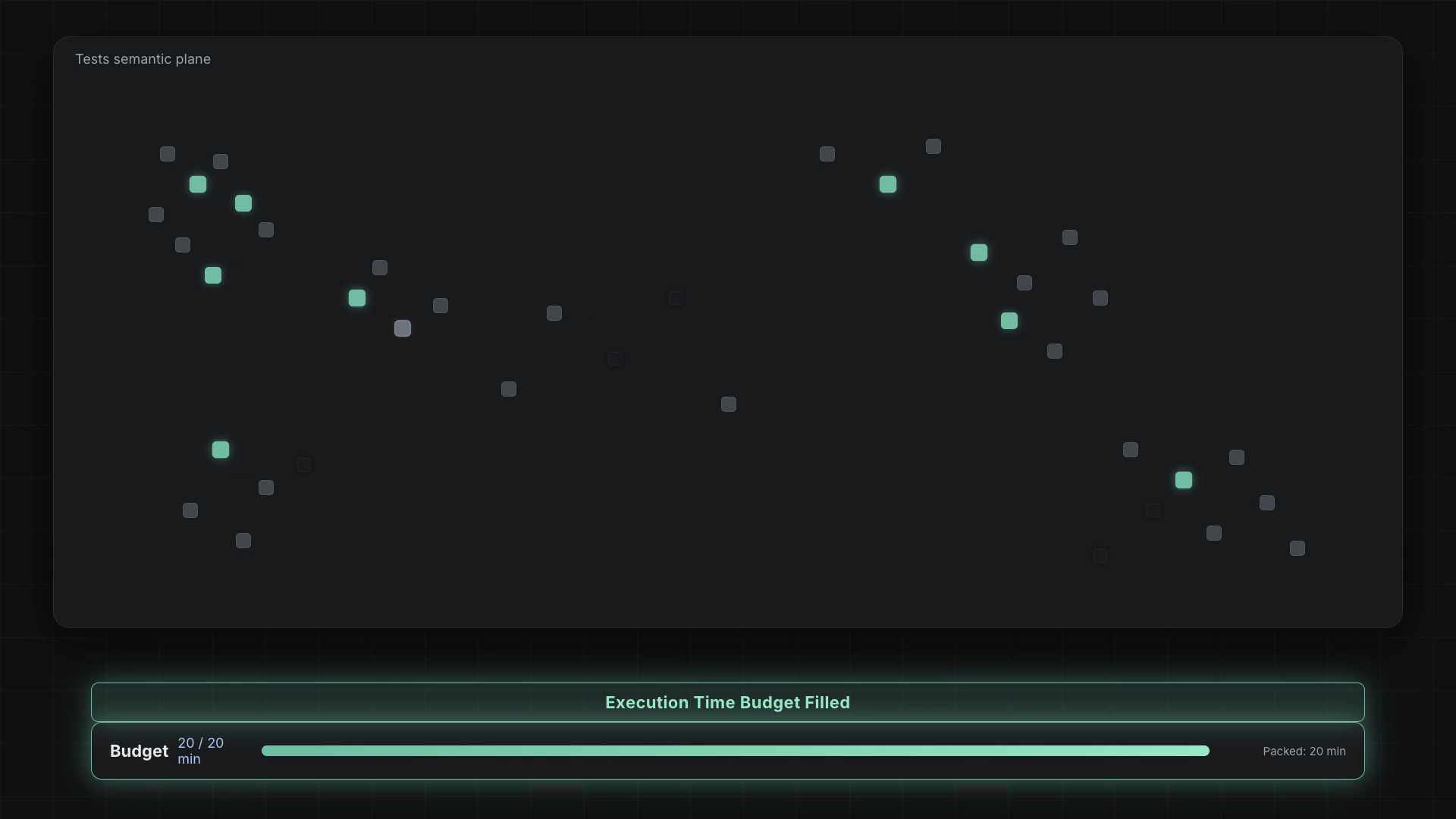
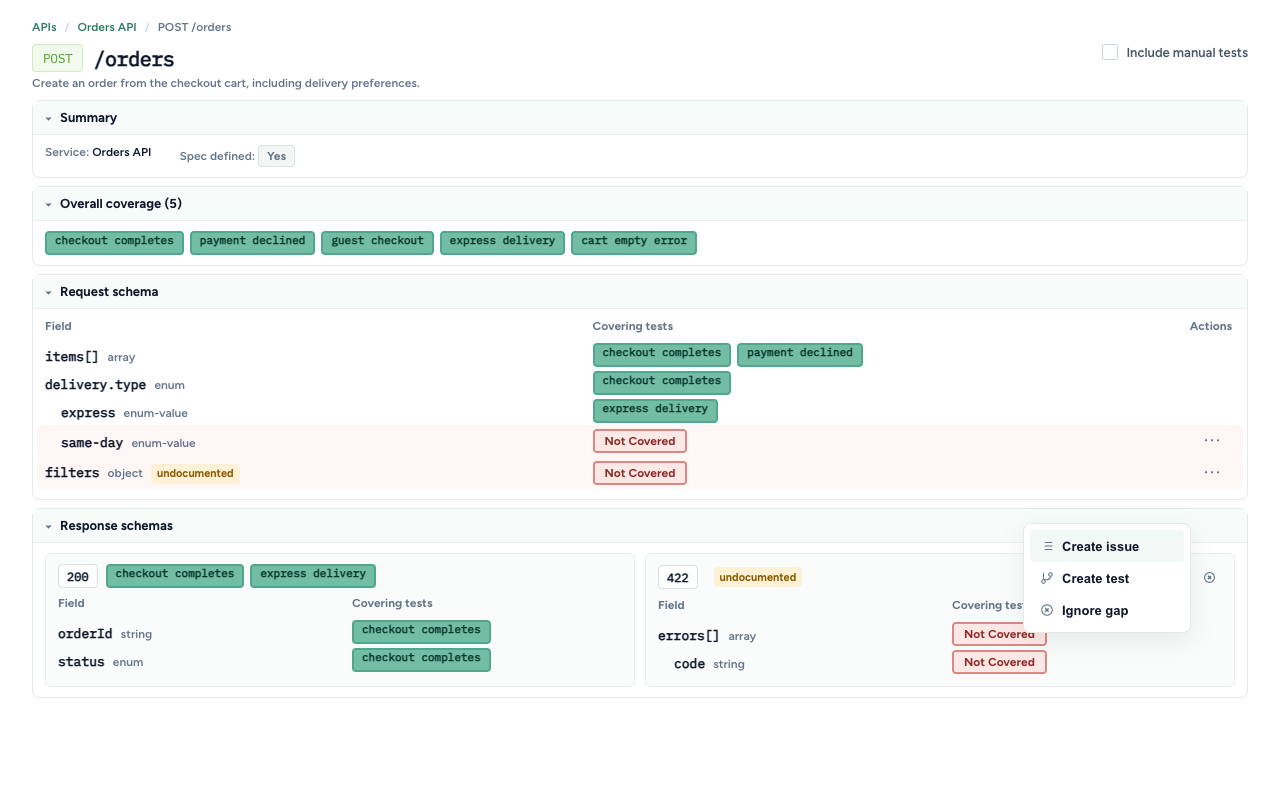
<p><strong>You see what's actually covered.</strong> Semantic coverage shows which parts of the product's scenario space have tests and where duplicates pile up. <a class="" href="https://testchimp.io/blog/api-contract-governance-cover-the-spec/">API contract coverage</a> overlays real request and response payloads from test runs on your OpenAPI spec to show untested operations, fields and status codes. <a class="" href="https://testchimp.io/docs/truecoverage/how-it-works/">TrueCoverage</a> is a Growth-plan feature that compares what real users do in production with what your tests exercise. Your coding agents get those gaps as work to close, which is step 6 running continuously.</p>
<p><strong>Humans approve agent-written tests and releases.</strong> With <a class="" href="https://testchimp.io/docs/smart-tests/human-review-of-agent-written-tests/">Verified Tests</a>, a person reviews a test against its scenario and stamps it as verified. If an agent later patches that test, the verification can be marked stale until someone checks it again. <a class="" href="https://testchimp.io/blog/release-governance-confidence-to-ship/">Release governance</a> rolls test runs, issues and release checks into one readiness view per version, and CI can <a class="" href="https://testchimp.io/docs/release-management/release-gating/">gate on the same data</a>. That's step 8 with evidence attached.</p>
<p>You still own the design and the high blast radius code. TestChimp makes sure the behaviour you agreed on is written down, tested and visible every time the agent ships.</p>
<h2 class="anchor anchorTargetStickyNavbar_Vzrq" id="faq">FAQ<a href="https://testchimp.io/blog/ship-ai-written-code-you-dont-understand/#faq" class="hash-link" aria-label="Direct link to FAQ" title="Direct link to FAQ" translate="no">​</a></h2>
<h3 class="anchor anchorTargetStickyNavbar_Vzrq" id="do-i-need-to-read-every-line-of-ai-generated-code-before-shipping">Do I need to read every line of AI-generated code before shipping?<a href="https://testchimp.io/blog/ship-ai-written-code-you-dont-understand/#do-i-need-to-read-every-line-of-ai-generated-code-before-shipping" class="hash-link" aria-label="Direct link to Do I need to read every line of AI-generated code before shipping?" title="Direct link to Do I need to read every line of AI-generated code before shipping?" translate="no">​</a></h3>
<p>No, but someone needs to read the high blast radius parts: schema and migrations, auth, payments, permissions. For the rest, focus on understanding the design and checking behaviour against written scenarios with tests the coding agent didn't grade for itself.</p>
<h3 class="anchor anchorTargetStickyNavbar_Vzrq" id="how-do-i-review-code-from-claude-code-when-the-diffs-are-huge">How do I review code from Claude Code when the diffs are huge?<a href="https://testchimp.io/blog/ship-ai-written-code-you-dont-understand/#how-do-i-review-code-from-claude-code-when-the-diffs-are-huge" class="hash-link" aria-label="Direct link to How do I review code from Claude Code when the diffs are huge?" title="Direct link to How do I review code from Claude Code when the diffs are huge?" translate="no">​</a></h3>
<p>Review at the boundaries. Check the diff against your design (did it add a dependency, change an interface, touch a high-risk module?), then check the behaviour against the scenarios it was meant to satisfy. Ask the agent to split large changes into smaller commits and to explain parts you don't follow, then confirm the explanation against the code.</p>
<h3 class="anchor anchorTargetStickyNavbar_Vzrq" id="can-i-trust-tests-that-the-same-ai-wrote-along-with-the-code">Can I trust tests that the same AI wrote along with the code?<a href="https://testchimp.io/blog/ship-ai-written-code-you-dont-understand/#can-i-trust-tests-that-the-same-ai-wrote-along-with-the-code" class="hash-link" aria-label="Direct link to Can I trust tests that the same AI wrote along with the code?" title="Direct link to Can I trust tests that the same AI wrote along with the code?" translate="no">​</a></h3>
<p>Only after checking them. The code and tests can share the same blind spot. Have the tests derived from scenarios written before the code, review that each test can fail for the right reason, and add mutation testing or a separate checking agent where the risk is high.</p>
<h3 class="anchor anchorTargetStickyNavbar_Vzrq" id="what-should-a-team-check-before-releasing-agent-written-code">What should a team check before releasing agent-written code?<a href="https://testchimp.io/blog/ship-ai-written-code-you-dont-understand/#what-should-a-team-check-before-releasing-agent-written-code" class="hash-link" aria-label="Direct link to What should a team check before releasing agent-written code?" title="Direct link to What should a team check before releasing agent-written code?" translate="no">​</a></h3>
<p>Which scenarios changed, which have a reviewed test behind them, which API operations and error paths were exercised, what real-user flows remain uncovered, and whether anything changed in high-risk areas. Then a named person signs off.</p>
<h3 class="anchor anchorTargetStickyNavbar_Vzrq" id="how-do-we-keep-specs-current-when-decisions-happen-in-agent-chats">How do we keep specs current when decisions happen in agent chats?<a href="https://testchimp.io/blog/ship-ai-written-code-you-dont-understand/#how-do-we-keep-specs-current-when-decisions-happen-in-agent-chats" class="hash-link" aria-label="Direct link to How do we keep specs current when decisions happen in agent chats?" title="Direct link to How do we keep specs current when decisions happen in agent chats?" translate="no">​</a></h3>
<p>Treat "update the scenario" as part of done, or capture decisions automatically. TestChimp's AgentWatch proposes story and scenario updates from coding agent sessions, and MeetBots do the same from meetings, with a human approving each change.</p>
<h3 class="anchor anchorTargetStickyNavbar_Vzrq" id="is-testchimp-a-replacement-for-claude-code-or-playwright">Is TestChimp a replacement for Claude Code or Playwright?<a href="https://testchimp.io/blog/ship-ai-written-code-you-dont-understand/#is-testchimp-a-replacement-for-claude-code-or-playwright" class="hash-link" aria-label="Direct link to Is TestChimp a replacement for Claude Code or Playwright?" title="Direct link to Is TestChimp a replacement for Claude Code or Playwright?" translate="no">​</a></h3>
<p>No. Claude Code and other coding agents write the code and the tests. TestChimp works alongside them: it keeps the product description current, measures QA coverage against it, feeds the gaps back to the agents, and gives humans approval over tests and releases.</p>]]></content>
        <author>
            <name>Nuwan Samarasekera</name>
            <uri>https://linkedin.com/in/nuwansam</uri>
        </author>
        <category label="AI" term="AI"/>
        <category label="Agents" term="Agents"/>
        <category label="QA" term="QA"/>
        <category label="Testing" term="Testing"/>
    </entry>
    <entry>
        <title type="html"><![CDATA[TestChimp weekly changelog: week ending 23 October 2026]]></title>
        <id>https://testchimp.io/blog/weekly-changelog-2026-10-23/</id>
        <link href="https://testchimp.io/blog/weekly-changelog-2026-10-23/"/>
        <updated>2026-10-23T00:00:00.000Z</updated>
        <summary type="html"><![CDATA[Claude Code plugin with hosted MCP, ExploreChimp on your machine, safer runner credentials, and Git sync that handles large pushes and rate limits.]]></summary>
        <content type="html"><![CDATA[<h2 class="anchor anchorTargetStickyNavbar_Vzrq" id="week-ending-23-october-2026">Week ending 23 October 2026<a href="https://testchimp.io/blog/weekly-changelog-2026-10-23/#week-ending-23-october-2026" class="hash-link" aria-label="Direct link to Week ending 23 October 2026" title="Direct link to Week ending 23 October 2026" translate="no">​</a></h2>
<p><strong>Highlights:</strong> TestChimp now installs as a Claude Code plugin with the hosted MCP server built in, ExploreChimp runs on your own machine through your coding agent, and Git sync copes with large pushes and provider rate limits.</p>
<h3 class="anchor anchorTargetStickyNavbar_Vzrq" id="install-testchimp-as-a-claude-code-plugin">Install TestChimp as a Claude Code plugin<a href="https://testchimp.io/blog/weekly-changelog-2026-10-23/#install-testchimp-as-a-claude-code-plugin" class="hash-link" aria-label="Direct link to Install TestChimp as a Claude Code plugin" title="Direct link to Install TestChimp as a Claude Code plugin" translate="no">​</a></h3>
<p>The <a href="https://github.com/testchimphq/testchimp-skills" target="_blank" rel="noopener noreferrer" class="">testchimp-skills</a> repo is now a Claude Code plugin that bundles the skill and the hosted MCP server at <code>https://mcp.testchimp.io/mcp</code> (skill v1.0.64 to v1.0.73, 18 Oct).</p>
<div class="language-text codeBlockContainer_Ckt0 theme-code-block" style="--prism-color:#F8F8F2;--prism-background-color:#282A36"><div class="codeBlockContent_QJqH"><pre tabindex="0" class="prism-code language-text codeBlock_bY9V thin-scrollbar" style="color:#F8F8F2;background-color:#282A36"><code class="codeBlockLines_e6Vv"><div class="token-line" style="color:#F8F8F2"><span class="token plain">/plugin marketplace add testchimphq/testchimp-skills</span><br></div><div class="token-line" style="color:#F8F8F2"><span class="token plain">/plugin install testchimp@testchimp</span><br></div></code></pre></div></div>
<p>Restart the session, run <code>/mcp</code>, choose <code>plugin:testchimp:testchimp</code> and sign in. You pick the TestChimp project on the consent screen, so there are no API keys or project IDs in your MCP config. Other changes in the same releases:</p>
<ul>
<li class="">Setup is split in two: one person runs <code>/testchimp project-init</code> once per project, and everyone else runs <code>/testchimp init</code>.</li>
<li class="">Claude Code's <code>/</code> menu lists the core QA commands as <code>/testchimp:&lt;name&gt;</code> (for example <code>/testchimp:run-qa</code>), trimmed to 16 core commands in v1.0.73.</li>
<li class="">The README documents a permissions rule (<code>mcp__plugin_testchimp_testchimp__*</code>) so TestChimp's MCP tools don't prompt on every call.</li>
<li class="">Non-Claude hosts keep working with the same repo (<code>npx skills add testchimphq/testchimp-skills</code>, or a git clone into your agent's skills folder).</li>
</ul>
<h3 class="anchor anchorTargetStickyNavbar_Vzrq" id="safer-runner-credentials-and-mcp-tool-annotations-testchimpcli-0192-and-0193-18-oct">Safer runner credentials and MCP tool annotations (@testchimp/cli 0.1.92 and 0.1.93, 18 Oct)<a href="https://testchimp.io/blog/weekly-changelog-2026-10-23/#safer-runner-credentials-and-mcp-tool-annotations-testchimpcli-0192-and-0193-18-oct" class="hash-link" aria-label="Direct link to Safer runner credentials and MCP tool annotations (@testchimp/cli 0.1.92 and 0.1.93, 18 Oct)" title="Direct link to Safer runner credentials and MCP tool annotations (@testchimp/cli 0.1.92 and 0.1.93, 18 Oct)" translate="no">​</a></h3>
<ul>
<li class="">0.1.92 adds a title and the standard MCP hints (read-only, destructive, idempotent, open-world) to all 97 tools on <code>tools/list</code>, so agents and MCP clients can tell read-only tools from ones that change data.</li>
<li class="">0.1.93: agents on the hosted MCP server write the runner key to the gitignored <code>.testchimp/mcp.json</code> with a file-write tool, so the key never appears in a shell command. The local-only <code>save-workspace-creds</code> tool is hidden on the hosted (HTTP) server, and init status values use one consistent format.</li>
</ul>
<h3 class="anchor anchorTargetStickyNavbar_Vzrq" id="explorechimp-runs-on-your-machine-1015-14-oct">ExploreChimp runs on your machine (1.0.15, 14 Oct)<a href="https://testchimp.io/blog/weekly-changelog-2026-10-23/#explorechimp-runs-on-your-machine-1015-14-oct" class="hash-link" aria-label="Direct link to ExploreChimp runs on your machine (1.0.15, 14 Oct)" title="Direct link to ExploreChimp runs on your machine (1.0.15, 14 Oct)" translate="no">​</a></h3>
<p>ExploreChimp UX analysis now runs locally through your coding agent instead of in TestChimp's cloud. The app gives you a ready-to-copy prompt from SmartTests and onboarding. The cloud-hosted exploration wizards and the older UI Test Studio and Test Tree Map screens are retired. Team invitations also got smoother: accepting an email invite keeps its verification, and re-inviting a removed teammate sends a fresh invite.</p>
<h3 class="anchor anchorTargetStickyNavbar_Vzrq" id="git-sync-for-big-and-busy-repos-1016-and-1017-14-oct">Git sync for big and busy repos (1.0.16 and 1.0.17, 14 Oct)<a href="https://testchimp.io/blog/weekly-changelog-2026-10-23/#git-sync-for-big-and-busy-repos-1016-and-1017-14-oct" class="hash-link" aria-label="Direct link to Git sync for big and busy repos (1.0.16 and 1.0.17, 14 Oct)" title="Direct link to Git sync for big and busy repos (1.0.16 and 1.0.17, 14 Oct)" translate="no">​</a></h3>
<ul>
<li class="">Pushes that touch many tests or plans, or create a new branch, sync reliably, with heavy updates processed in the background.</li>
<li class="">When GitHub or GitLab rate limits are hit, sync now pauses and finishes after the limit resets instead of skipping files. A repo connected to several projects downloads each changed file once per push.</li>
<li class="">New users can watch the TestChimp intro video from the dashboard.</li>
</ul>
<h3 class="anchor anchorTargetStickyNavbar_Vzrq" id="smaller-fixes-and-docs-1018-17-oct">Smaller fixes and docs (1.0.18, 17 Oct)<a href="https://testchimp.io/blog/weekly-changelog-2026-10-23/#smaller-fixes-and-docs-1018-17-oct" class="hash-link" aria-label="Direct link to Smaller fixes and docs (1.0.18, 17 Oct)" title="Direct link to Smaller fixes and docs (1.0.18, 17 Oct)" translate="no">​</a></h3>
<ul>
<li class="">Smart Smoke selection through the agent API no longer fails with HTTP 400 when an agent sends <code>testSuite</code> or <code>folderPath</code> as a string.</li>
<li class="">If a repo is connected but the plans or tests folder isn't mapped, Plans and Sync now say so and link to the mapping screen.</li>
<li class="">With only the demo project, Quick Actions offers Create Project.</li>
<li class="">New comparison pages: <a class="" href="https://testchimp.io/guides/alternatives/meticulous-alternatives/">Meticulous alternatives</a>, <a class="" href="https://testchimp.io/guides/alternatives/autosana-alternatives/">Autosana alternatives</a>, <a class="" href="https://testchimp.io/guides/alternatives/testerarmy-alternatives/">TesterArmy alternatives</a> and <a class="" href="https://testchimp.io/guides/compare/testchimp-vs-klarent/">TestChimp vs Klarent</a>.</li>
</ul>
<h3 class="anchor anchorTargetStickyNavbar_Vzrq" id="packages">Packages<a href="https://testchimp.io/blog/weekly-changelog-2026-10-23/#packages" class="hash-link" aria-label="Direct link to Packages" title="Direct link to Packages" translate="no">​</a></h3>
<ul>
<li class=""><strong>@testchimp/playwright 0.3.0 (14 Oct) and 0.3.1 (16 Oct):</strong> now requires Node.js 20.9 or later. Dependency updates include axios 1.20.0, ai-wright 0.0.13 and Mobilewright 0.0.65.</li>
<li class=""><strong>ai-wright 0.0.13 (14 Oct):</strong> axios bumped to ^1.20.0 for Dependabot security advisories.</li>
</ul>
<p>Full product release notes: <a class="" href="https://testchimp.io/docs/changelog/">/changelog</a>.</p>]]></content>
        <author>
            <name>Nuwan Samarasekera</name>
            <uri>https://linkedin.com/in/nuwansam</uri>
        </author>
        <category label="Changelog" term="Changelog"/>
        <category label="Announcement" term="Announcement"/>
        <category label="Build in Public" term="Build in Public"/>
    </entry>
    <entry>
        <title type="html"><![CDATA[Claude Writes Your Tests. Who Decides Which Ones Matter?]]></title>
        <id>https://testchimp.io/blog/claude-writes-tests-testchimp-decides-which-matter/</id>
        <link href="https://testchimp.io/blog/claude-writes-tests-testchimp-decides-which-matter/"/>
        <updated>2026-10-20T00:00:00.000Z</updated>
        <summary type="html"><![CDATA[Claude and Cursor can write Playwright tests fast. TestChimp measures requirement, API contract and real user coverage so your agent knows which tests to write next.]]></summary>
        <content type="html"><![CDATA[<p><strong>Last updated: 2026-10-20</strong></p>
<p><strong>TL;DR:</strong> If Claude or Cursor already writes your tests, keep it that way. The hard part was never typing the test. It is knowing which tests matter, whether anyone checked them, and whether the release is ready. TestChimp measures your QA posture (requirement coverage, API contract coverage and real user behaviour coverage) so your coding agent knows exactly where the gaps are and can close them. Claude writes tests. TestChimp tells it which ones matter.</p>
<h2 class="anchor anchorTargetStickyNavbar_Vzrq" id="claude-can-write-tests-too-so-why-bother">"Claude can write tests too, so why bother?"<a href="https://testchimp.io/blog/claude-writes-tests-testchimp-decides-which-matter/#claude-can-write-tests-too-so-why-bother" class="hash-link" aria-label="Direct link to &quot;Claude can write tests too, so why bother?&quot;" title="Direct link to &quot;Claude can write tests too, so why bother?&quot;" translate="no">​</a></h2>
<p>It's a fair question, and we hear it often. The answer starts with agreeing: yes, Claude can write tests, and it should. A coding agent with Playwright and a decent <code>CLAUDE.md</code> will produce a working end-to-end test in minutes.</p>
<p>But look at what happens a few months after a team starts doing this at scale. The suite has grown fast. CI is mostly green. And yet nobody on the team can answer a few basic questions:</p>
<ul>
<li class="">Are our requirements actually tested?</li>
<li class="">How much of our API is exercised?</li>
<li class="">Are the flows our users actually use covered?</li>
<li class="">Which of these tests has a person ever looked at?</li>
<li class="">What should we test next?</li>
<li class="">Are we ready to ship this release?</li>
</ul>
<p>None of these are test-writing problems. Writing more tests doesn't answer them. They are measurement problems, and what you can't measure, you can't improve.</p>
<h2 class="anchor anchorTargetStickyNavbar_Vzrq" id="what-the-agent-cant-see-on-its-own">What the agent can't see on its own<a href="https://testchimp.io/blog/claude-writes-tests-testchimp-decides-which-matter/#what-the-agent-cant-see-on-its-own" class="hash-link" aria-label="Direct link to What the agent can't see on its own" title="Direct link to What the agent can't see on its own" translate="no">​</a></h2>
<p>A coding agent works from its context window: the code it's touching, the prompt, maybe a rules file. That is plenty for writing a test. It isn't enough to decide which tests are worth writing.</p>
<table><thead><tr><th>The agent knows</th><th>The agent doesn't know</th></tr></thead><tbody><tr><td>The code it just changed</td><td>What was decided in last week's planning call</td></tr><tr><td>The test it was asked to write</td><td>Which requirements have no tests at all</td></tr><tr><td>The endpoints in the files it opened</td><td>Which API operations and response codes nothing exercises</td></tr><tr><td>How the feature should work, per the prompt</td><td>Which flows real users take most, and where they drop off</td></tr><tr><td>That its test passed</td><td>Whether anyone has checked the test asserts the right thing</td></tr></tbody></table>
<p>So the agent does the reasonable thing: it writes tests near whatever it built most recently. Coverage clusters. Important but unglamorous flows stay untested. And because the agent wrote both the code and the test, a misread requirement shows up in both, and the suite stays green.</p>
<h2 class="anchor anchorTargetStickyNavbar_Vzrq" id="measure-first-three-questions-a-dev-lead-should-be-able-to-answer">Measure first: three questions a dev lead should be able to answer<a href="https://testchimp.io/blog/claude-writes-tests-testchimp-decides-which-matter/#measure-first-three-questions-a-dev-lead-should-be-able-to-answer" class="hash-link" aria-label="Direct link to Measure first: three questions a dev lead should be able to answer" title="Direct link to Measure first: three questions a dev lead should be able to answer" translate="no">​</a></h2>
<p>TestChimp gives your agent, and your team, three measures of what is actually covered.</p>
<h3 class="anchor anchorTargetStickyNavbar_Vzrq" id="1-requirement-coverage-are-your-requirements-tested">1. Requirement coverage: are your requirements tested?<a href="https://testchimp.io/blog/claude-writes-tests-testchimp-decides-which-matter/#1-requirement-coverage-are-your-requirements-tested" class="hash-link" aria-label="Direct link to 1. Requirement coverage: are your requirements tested?" title="Direct link to 1. Requirement coverage: are your requirements tested?" translate="no">​</a></h3>
<p>Stories and scenarios live as markdown files in your repo, in a <code>plans/</code> folder that syncs with TestChimp. Tests declare the scenario they cover with a Playwright annotation:</p>
<div class="language-ts codeBlockContainer_Ckt0 theme-code-block" style="--prism-color:#F8F8F2;--prism-background-color:#282A36"><div class="codeBlockContent_QJqH"><pre tabindex="0" class="prism-code language-ts codeBlock_bY9V thin-scrollbar" style="color:#F8F8F2;background-color:#282A36"><code class="codeBlockLines_e6Vv"><div class="token-line" style="color:#F8F8F2"><span class="token function" style="color:rgb(80, 250, 123)">test</span><span class="token punctuation" style="color:rgb(248, 248, 242)">(</span><span class="token string" style="color:rgb(255, 121, 198)">'guest can cancel a booking'</span><span class="token punctuation" style="color:rgb(248, 248, 242)">,</span><span class="token plain"> </span><span class="token punctuation" style="color:rgb(248, 248, 242)">{</span><span class="token plain"></span><br></div><div class="token-line" style="color:#F8F8F2"><span class="token plain">  annotation</span><span class="token operator">:</span><span class="token plain"> </span><span class="token punctuation" style="color:rgb(248, 248, 242)">[</span><span class="token punctuation" style="color:rgb(248, 248, 242)">{</span><span class="token plain"> type</span><span class="token operator">:</span><span class="token plain"> </span><span class="token string" style="color:rgb(255, 121, 198)">'scenario'</span><span class="token punctuation" style="color:rgb(248, 248, 242)">,</span><span class="token plain"> description</span><span class="token operator">:</span><span class="token plain"> </span><span class="token string" style="color:rgb(255, 121, 198)">'#TS-214'</span><span class="token plain"> </span><span class="token punctuation" style="color:rgb(248, 248, 242)">}</span><span class="token punctuation" style="color:rgb(248, 248, 242)">]</span><span class="token punctuation" style="color:rgb(248, 248, 242)">,</span><span class="token plain"></span><br></div><div class="token-line" style="color:#F8F8F2"><span class="token plain"></span><span class="token punctuation" style="color:rgb(248, 248, 242)">}</span><span class="token punctuation" style="color:rgb(248, 248, 242)">,</span><span class="token plain"> </span><span class="token keyword" style="color:rgb(189, 147, 249);font-style:italic">async</span><span class="token plain"> </span><span class="token punctuation" style="color:rgb(248, 248, 242)">(</span><span class="token punctuation" style="color:rgb(248, 248, 242)">{</span><span class="token plain"> page </span><span class="token punctuation" style="color:rgb(248, 248, 242)">}</span><span class="token punctuation" style="color:rgb(248, 248, 242)">)</span><span class="token plain"> </span><span class="token operator">=&gt;</span><span class="token plain"> </span><span class="token punctuation" style="color:rgb(248, 248, 242)">{</span><span class="token plain"></span><br></div><div class="token-line" style="color:#F8F8F2"><span class="token plain">  </span><span class="token comment" style="color:rgb(98, 114, 164)">// ...</span><span class="token plain"></span><br></div><div class="token-line" style="color:#F8F8F2"><span class="token plain"></span><span class="token punctuation" style="color:rgb(248, 248, 242)">}</span><span class="token punctuation" style="color:rgb(248, 248, 242)">)</span><span class="token punctuation" style="color:rgb(248, 248, 242)">;</span><br></div></code></pre></div></div>
<p>Coverage rolls up per folder, release and environment, so you can see which scenarios have no tests, no recent runs or a failing latest run.</p>
<p>Requirements also go stale. Decisions now happen in meetings and in coding-agent chats, and rarely make it back into a spec. <strong>MeetBots</strong> capture what was agreed on calls, and <strong>AgentWatch</strong> spots product decisions made in Claude Code or Cursor sessions. Both propose story and scenario updates that you approve, so the plans your agent tests against stay current.</p>
<h3 class="anchor anchorTargetStickyNavbar_Vzrq" id="2-api-contract-coverage-how-much-of-your-product-surface-is-tested">2. API contract coverage: how much of your product surface is tested?<a href="https://testchimp.io/blog/claude-writes-tests-testchimp-decides-which-matter/#2-api-contract-coverage-how-much-of-your-product-surface-is-tested" class="hash-link" aria-label="Direct link to 2. API contract coverage: how much of your product surface is tested?" title="Direct link to 2. API contract coverage: how much of your product surface is tested?" translate="no">​</a></h3>
<p>Connect your OpenAPI specs and run your tests with API capture on. TestChimp shows per-operation coverage, plus request field, response field and response code coverage. Traffic that hits undocumented paths or fields is flagged too. Each gap can go straight to your agent as a create-tests task.</p>
<h3 class="anchor anchorTargetStickyNavbar_Vzrq" id="3-real-user-behaviour-coverage-are-the-flows-your-users-actually-use-tested">3. Real user behaviour coverage: are the flows your users actually use tested?<a href="https://testchimp.io/blog/claude-writes-tests-testchimp-decides-which-matter/#3-real-user-behaviour-coverage-are-the-flows-your-users-actually-use-tested" class="hash-link" aria-label="Direct link to 3. Real user behaviour coverage: are the flows your users actually use tested?" title="Direct link to 3. Real user behaviour coverage: are the flows your users actually use tested?" translate="no">​</a></h3>
<p><strong>TrueCoverage</strong> captures the same user events in production and during test runs, on web, iOS and Android. Lay them over each other and you see which real user pathways have no test coverage, ranked by demand, duration and drop-off. That turns "what should we test next?" from a guess into a ranked list.</p>
<h2 class="anchor anchorTargetStickyNavbar_Vzrq" id="then-improve-let-the-agent-close-the-gaps">Then improve: let the agent close the gaps<a href="https://testchimp.io/blog/claude-writes-tests-testchimp-decides-which-matter/#then-improve-let-the-agent-close-the-gaps" class="hash-link" aria-label="Direct link to Then improve: let the agent close the gaps" title="Direct link to Then improve: let the agent close the gaps" translate="no">​</a></h2>
<p>Measurement is only useful if it changes what the agent does next. That is where the TestChimp skill comes in. Install it in Claude Code, Cursor or another agent host, and you get workflows that turn the measures into work:</p>
<ul>
<li class=""><strong><code>/testchimp run QA</code></strong> on a PR: works out what the change affects, updates plans, writes or fixes tests for the scenarios in scope, and runs the related tests.</li>
<li class=""><strong><a class="" href="https://testchimp.io/docs/workflows/upkeep/"><code>/testchimp upkeep</code></a></strong> on a cadence: pulls the highest-value requirement and TrueCoverage gaps, fixes recently failing tests, and keeps instrumentation current.</li>
<li class=""><strong><a class="" href="https://testchimp.io/docs/smart-smoke/intro/">Smart-Smoke</a>:</strong> impact analysis picks the tests related to a change and an optimal subset of a large suite, so every PR doesn't have to run everything.</li>
</ul>
<p>Your agent still writes the tests. It just starts from a prioritised list of gaps instead of a blank page. The result is usually fewer, better-aimed tests rather than a bigger suite.</p>
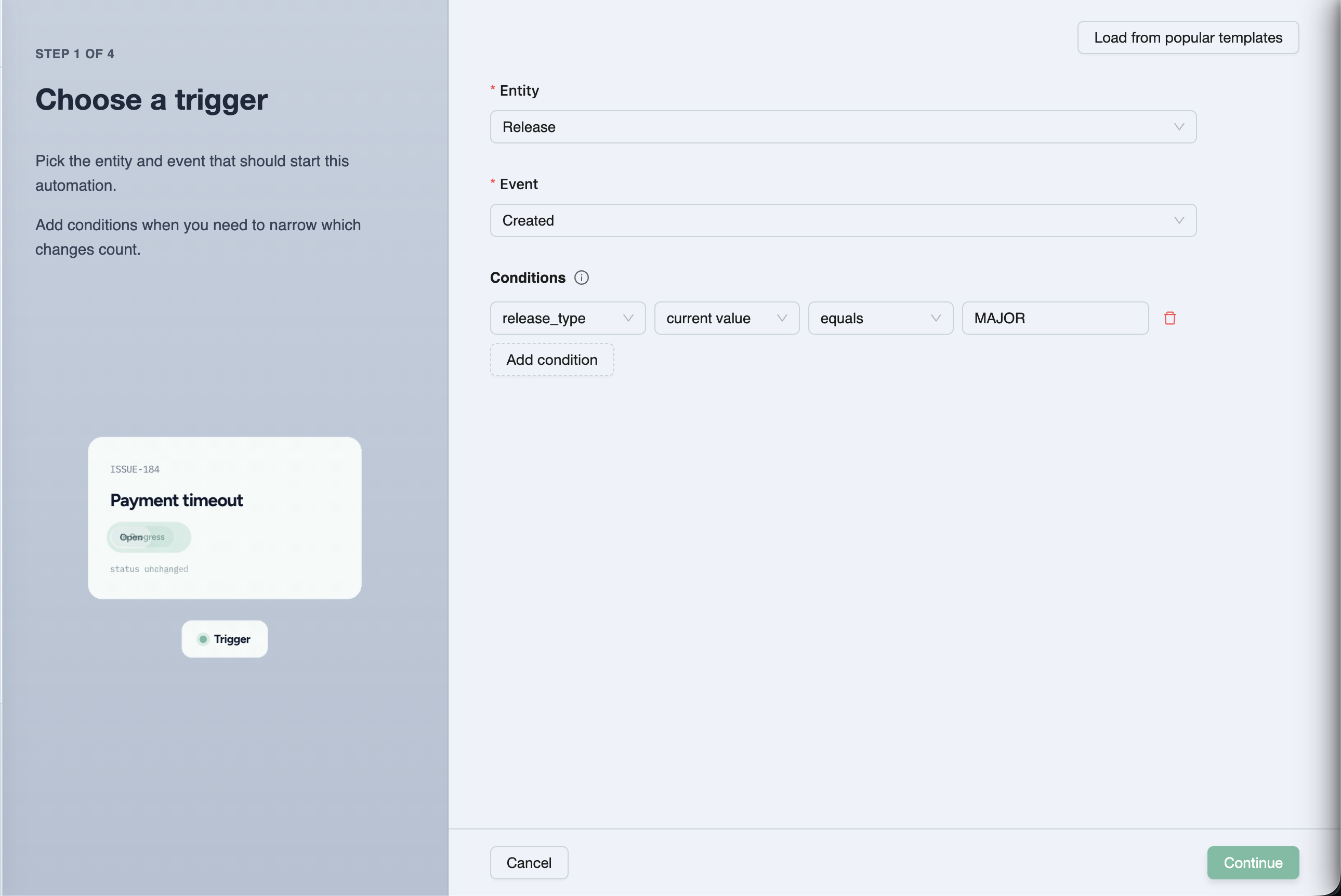
<p>You can run these yourself in your agent, or let them run automatically on events like a failing CI batch or a release moving to ready.</p>
<h2 class="anchor anchorTargetStickyNavbar_Vzrq" id="keep-humans-on-the-parts-that-need-judgment">Keep humans on the parts that need judgment<a href="https://testchimp.io/blog/claude-writes-tests-testchimp-decides-which-matter/#keep-humans-on-the-parts-that-need-judgment" class="hash-link" aria-label="Direct link to Keep humans on the parts that need judgment" title="Direct link to Keep humans on the parts that need judgment" translate="no">​</a></h2>
<p>Agent-written tests need a second pair of eyes, and that person shouldn't have to re-read the whole suite. In TestChimp, a person inspects the run (steps, screen captures and code) and marks a test <strong>verified</strong>. When an agent later patches a verified test, the test is flagged for human re-verification by default, so a quiet "fix" that loosens an assertion doesn't slip through.</p>
<p>Run evidence such as screenshots, traces and video follows your Playwright config, so you decide how much is captured.</p>
<h2 class="anchor anchorTargetStickyNavbar_Vzrq" id="know-whether-the-release-is-ready">Know whether the release is ready<a href="https://testchimp.io/blog/claude-writes-tests-testchimp-decides-which-matter/#know-whether-the-release-is-ready" class="hash-link" aria-label="Direct link to Know whether the release is ready" title="Direct link to Know whether the release is ready" translate="no">​</a></h2>
<p>All of this comes together per release. Each release gets one clear picture of how ready it is to ship: test runs, requirement coverage, and verification status. Verified tests show a verified badge; unverified tests are visible. The gate can be checked programmatically, so CI can ask "is this release ready?" and get an answer based on evidence, not on a green tick.</p>
<h2 class="anchor anchorTargetStickyNavbar_Vzrq" id="what-doesnt-change">What doesn't change<a href="https://testchimp.io/blog/claude-writes-tests-testchimp-decides-which-matter/#what-doesnt-change" class="hash-link" aria-label="Direct link to What doesn't change" title="Direct link to What doesn't change" translate="no">​</a></h2>
<ul>
<li class=""><strong>Your tests stay standard.</strong> Playwright on web, Mobilewright for native iOS and Android, in your own repo. <code>npx playwright test</code> still runs them.</li>
<li class=""><strong>Your plans stay readable.</strong> Markdown with frontmatter, reviewed by pull request.</li>
<li class=""><strong>Your agent stays your agent.</strong> TestChimp supplies the signals and the playbooks. Claude or Cursor does the work.</li>
</ul>
<h2 class="anchor anchorTargetStickyNavbar_Vzrq" id="who-this-is-for">Who this is for<a href="https://testchimp.io/blog/claude-writes-tests-testchimp-decides-which-matter/#who-this-is-for" class="hash-link" aria-label="Direct link to Who this is for" title="Direct link to Who this is for" translate="no">​</a></h2>
<p>If your team only just found out that Claude can write tests, enjoy it. You'll feel the problems above soon enough. If you are already shipping a lot of agent-written code and your suite has grown faster than your confidence in it, that is the point where measurement pays off.</p>
<p>Claude writes tests. TestChimp tells it which ones matter.</p>
<h2 class="anchor anchorTargetStickyNavbar_Vzrq" id="frequently-asked-questions">Frequently asked questions<a href="https://testchimp.io/blog/claude-writes-tests-testchimp-decides-which-matter/#frequently-asked-questions" class="hash-link" aria-label="Direct link to Frequently asked questions" title="Direct link to Frequently asked questions" translate="no">​</a></h2>
<h3 class="anchor anchorTargetStickyNavbar_Vzrq" id="if-claude-already-writes-our-tests-what-does-testchimp-add">If Claude already writes our tests, what does TestChimp add?<a href="https://testchimp.io/blog/claude-writes-tests-testchimp-decides-which-matter/#if-claude-already-writes-our-tests-what-does-testchimp-add" class="hash-link" aria-label="Direct link to If Claude already writes our tests, what does TestChimp add?" title="Direct link to If Claude already writes our tests, what does TestChimp add?" translate="no">​</a></h3>
<p>Measurement and direction. TestChimp shows requirement coverage, API contract coverage and real user behaviour coverage, then feeds the gaps to your agent through workflows like <code>/testchimp run QA</code> and <a class="" href="https://testchimp.io/docs/workflows/upkeep/"><code>/testchimp upkeep</code></a>. Your agent writes the tests; TestChimp decides which ones are worth writing.</p>
<h3 class="anchor anchorTargetStickyNavbar_Vzrq" id="do-i-have-to-change-test-frameworks">Do I have to change test frameworks?<a href="https://testchimp.io/blog/claude-writes-tests-testchimp-decides-which-matter/#do-i-have-to-change-test-frameworks" class="hash-link" aria-label="Direct link to Do I have to change test frameworks?" title="Direct link to Do I have to change test frameworks?" translate="no">​</a></h3>
<p>No. Tests are standard Playwright specs on web and Mobilewright specs on native mobile. Optional natural-language steps (<code>ai.act</code>, <code>ai.verify</code>, <code>ai.extract</code>) are available on web.</p>
<h3 class="anchor anchorTargetStickyNavbar_Vzrq" id="how-do-i-know-an-agent-written-test-checks-the-right-thing">How do I know an agent-written test checks the right thing?<a href="https://testchimp.io/blog/claude-writes-tests-testchimp-decides-which-matter/#how-do-i-know-an-agent-written-test-checks-the-right-thing" class="hash-link" aria-label="Direct link to How do I know an agent-written test checks the right thing?" title="Direct link to How do I know an agent-written test checks the right thing?" translate="no">​</a></h3>
<p>Have a person inspect it and mark it verified in TestChimp. If an agent later edits a verified test, it is flagged for re-verification by default.</p>
<h3 class="anchor anchorTargetStickyNavbar_Vzrq" id="does-testchimp-support-mobile-apps">Does TestChimp support mobile apps?<a href="https://testchimp.io/blog/claude-writes-tests-testchimp-decides-which-matter/#does-testchimp-support-mobile-apps" class="hash-link" aria-label="Direct link to Does TestChimp support mobile apps?" title="Direct link to Does TestChimp support mobile apps?" translate="no">​</a></h3>
<p>Yes. Native iOS and Android are supported through Mobilewright, and TrueCoverage works on web, iOS and Android when instrumented.</p>
<h3 class="anchor anchorTargetStickyNavbar_Vzrq" id="how-do-i-get-started">How do I get started?<a href="https://testchimp.io/blog/claude-writes-tests-testchimp-decides-which-matter/#how-do-i-get-started" class="hash-link" aria-label="Direct link to How do I get started?" title="Direct link to How do I get started?" translate="no">​</a></h3>
<p>Connect your Git repo, map a tests folder and a plans folder, install the TestChimp skill in your agent, run <code>/testchimp init</code>, then run <code>/testchimp run QA</code> on your next PR.</p>
<h2 class="anchor anchorTargetStickyNavbar_Vzrq" id="related-docs">Related docs<a href="https://testchimp.io/blog/claude-writes-tests-testchimp-decides-which-matter/#related-docs" class="hash-link" aria-label="Direct link to Related docs" title="Direct link to Related docs" translate="no">​</a></h2>
<ul>
<li class=""><a class="" href="https://testchimp.io/docs/introduction/quick-intro/">What is TestChimp?</a></li>
<li class=""><a class="" href="https://testchimp.io/docs/test-planning/requirement-traceability/">Requirement traceability</a></li>
<li class=""><a class="" href="https://testchimp.io/docs/api-contract-governance/intro/">API contract governance</a></li>
<li class=""><a class="" href="https://testchimp.io/docs/truecoverage/intro/">TrueCoverage</a></li>
<li class=""><a class="" href="https://testchimp.io/docs/smart-tests/verified-tests/">Verified Tests</a></li>
<li class=""><a class="" href="https://testchimp.io/docs/smart-smoke/intro/">Smart-Smoke</a></li>
<li class=""><a class="" href="https://testchimp.io/docs/workflows/upkeep/">Upkeep</a></li>
<li class=""><a class="" href="https://testchimp.io/docs/smart-tests/mobile-testing/">Mobile testing</a></li>
<li class=""><a class="" href="https://testchimp.io/docs/release-management/intro/">Release management</a></li>
<li class=""><a class="" href="https://testchimp.io/docs/meeting-bots/intro/">Meet-Bots</a></li>
<li class=""><a class="" href="https://testchimp.io/docs/agent-watch/intro/">AgentWatch</a></li>
<li class=""><a class="" href="https://testchimp.io/docs/workflows/intro/">Workflows</a></li>
<li class="">Previous article: <a class="" href="https://testchimp.io/blog/who-checks-the-agents-tests/">Who checks the tests your AI agent wrote?</a></li>
</ul>]]></content>
        <author>
            <name>Nuwan Samarasekera</name>
            <uri>https://linkedin.com/in/nuwansam</uri>
        </author>
        <category label="QA" term="QA"/>
        <category label="Testing" term="Testing"/>
        <category label="Agents" term="Agents"/>
        <category label="AI" term="AI"/>
        <category label="Playwright" term="Playwright"/>
    </entry>
    <entry>
        <title type="html"><![CDATA[How to check that AI-written Playwright tests can actually fail]]></title>
        <id>https://testchimp.io/blog/check-ai-written-playwright-tests-can-fail/</id>
        <link href="https://testchimp.io/blog/check-ai-written-playwright-tests-can-fail/"/>
        <updated>2026-10-19T00:00:00.000Z</updated>
        <summary type="html"><![CDATA[Agent-written E2E suites often go green for the wrong reasons. Practical checks, with code, to prove each test can catch a real bug.]]></summary>
        <content type="html"><![CDATA[<p>A green suite only tells you something if the tests could have gone red.</p>
<p>That sounds obvious, but it is the problem I keep hearing from teams that let Claude Code, Cursor or Codex write their end-to-end tests. A recent <a href="https://www.reddit.com/r/ClaudeCode/comments/1v3rhnk/claude_code_wrote_my_whole_e2e_suite_but_the/" target="_blank" rel="noopener noreferrer" class="">r/ClaudeCode thread</a> put it well. The author gave the agent every advantage: <code>data-testid</code>s in the markup, seed credentials in <code>CLAUDE.md</code>, an architecture doc and Playwright MCP. The suite still had:</p>
<ul>
<li class=""><code>data-testid</code>s that exist nowhere in the app</li>
<li class="">a query parameter the app never reads</li>
<li class="">a test navigating to a route that does not exist</li>
<li class=""><code>test.skip()</code> used every time a test needed data that wasn't already there</li>
<li class="">after a feature was deleted entirely, one test <strong>stayed green</strong>, because its assertion checked for text anywhere on the page</li>
</ul>
<p>The last one is the dangerous kind. Broken tests get noticed. Tests that pass while the feature is broken don't.</p>
<p>This post covers the checks we use to catch these, in rough order of cost. The Playwright snippets were run against <code>@playwright/test</code> 1.64.1.</p>
<h2 class="anchor anchorTargetStickyNavbar_Vzrq" id="why-agent-written-tests-pass-for-the-wrong-reasons">Why agent-written tests pass for the wrong reasons<a href="https://testchimp.io/blog/check-ai-written-playwright-tests-can-fail/#why-agent-written-tests-pass-for-the-wrong-reasons" class="hash-link" aria-label="Direct link to Why agent-written tests pass for the wrong reasons" title="Direct link to Why agent-written tests pass for the wrong reasons" translate="no">​</a></h2>
<p>These patterns show up whichever model writes the tests:</p>
<table><thead><tr><th>Pattern</th><th>What it looks like</th><th>Why it passes</th></tr></thead><tbody><tr><td>Assertion too broad</td><td><code>expect(page.getByText('Hotel Aurora')).toBeVisible()</code></td><td>The text also appears in a header, sidebar or recent-items list</td></tr><tr><td>Assertion on the action, not the outcome</td><td><code>await expect(saveButton).toBeEnabled()</code> after clicking save</td><td>Proves the button exists, not that anything was saved</td></tr><tr><td>Skipped instead of seeded</td><td><code>test.skip(!booking, 'no booking found')</code></td><td>Skipped tests are not failures in most CI views</td></tr><tr><td>Soft or missing assertions</td><td>A test that only clicks and navigates</td><td>No <code>expect</code> at all, so nothing can fail except a timeout</td></tr><tr><td>Mocked away</td><td><code>page.route('**/api/**', ...)</code> returning a fixture</td><td>The real backend is never exercised</td></tr></tbody></table>
<p>Agents tend to do these things because they are rewarded for getting the suite to go green. A <a href="https://www.reddit.com/r/Playwright/comments/1p1sm33/playwrights_new_ai_agentsare_they_actually/" target="_blank" rel="noopener noreferrer" class="">comment in the r/Playwright thread on Test Agents</a> describes the same thing as a "fix-run-fail-fix loop". If the only signal is green or red, green wins.</p>
<h2 class="anchor anchorTargetStickyNavbar_Vzrq" id="check-1-make-the-agent-prove-the-test-goes-red-first">Check 1: Make the agent prove the test goes red first<a href="https://testchimp.io/blog/check-ai-written-playwright-tests-can-fail/#check-1-make-the-agent-prove-the-test-goes-red-first" class="hash-link" aria-label="Direct link to Check 1: Make the agent prove the test goes red first" title="Direct link to Check 1: Make the agent prove the test goes red first" translate="no">​</a></h2>
<p>The cheapest check is the old TDD rule. A new test should fail before the change and pass after it. For a bug fix, ask the agent to run the test against the unfixed code and paste the failure output into the PR description.</p>
<p>You can enforce part of this in CI by running the new or changed spec files against the base branch:</p>
<div class="language-bash codeBlockContainer_Ckt0 theme-code-block" style="--prism-color:#F8F8F2;--prism-background-color:#282A36"><div class="codeBlockContent_QJqH"><pre tabindex="0" class="prism-code language-bash codeBlock_bY9V thin-scrollbar" style="color:#F8F8F2;background-color:#282A36"><code class="codeBlockLines_e6Vv"><div class="token-line" style="color:#F8F8F2"><span class="token plain"># In a PR job (checkout with fetch-depth: 0): which spec files changed?</span><br></div><div class="token-line" style="color:#F8F8F2"><span class="token plain">git fetch origin main</span><br></div><div class="token-line" style="color:#F8F8F2"><span class="token plain">CHANGED=$(git diff --name-only origin/main...HEAD -- 'tests/**/*.spec.ts')</span><br></div><div class="token-line" style="color:#F8F8F2"><span class="token plain">[ -z "$CHANGED" ] &amp;&amp; exit 0  # no new or changed specs, nothing to check</span><br></div><div class="token-line" style="color:#F8F8F2"><span class="token plain" style="display:inline-block"></span><br></div><div class="token-line" style="color:#F8F8F2"><span class="token plain"># Check out the app code from main, keep the new tests</span><br></div><div class="token-line" style="color:#F8F8F2"><span class="token plain">git checkout origin/main -- src/</span><br></div><div class="token-line" style="color:#F8F8F2"><span class="token plain">npx playwright test $CHANGED --reporter=line &amp;&amp; {</span><br></div><div class="token-line" style="color:#F8F8F2"><span class="token plain">  echo "New tests pass on main. Do they test the change?"</span><br></div><div class="token-line" style="color:#F8F8F2"><span class="token plain">  exit 1</span><br></div><div class="token-line" style="color:#F8F8F2"><span class="token plain">}</span><br></div></code></pre></div></div>
<p>This only fits tests written for a behaviour change. For tests that cover existing behaviour, you need the next check.</p>
<h2 class="anchor anchorTargetStickyNavbar_Vzrq" id="check-2-break-the-app-on-purpose-with-pageroute">Check 2: Break the app on purpose with <code>page.route</code><a href="https://testchimp.io/blog/check-ai-written-playwright-tests-can-fail/#check-2-break-the-app-on-purpose-with-pageroute" class="hash-link" aria-label="Direct link to check-2-break-the-app-on-purpose-with-pageroute" title="Direct link to check-2-break-the-app-on-purpose-with-pageroute" translate="no">​</a></h2>
<p>You don't need a full mutation testing tool to see whether a test is sensitive to the thing it claims to cover. Playwright's <a href="https://playwright.dev/docs/network" target="_blank" rel="noopener noreferrer" class="">network routing</a> lets you corrupt one response and confirm the test fails.</p>
<p>Say the agent wrote this:</p>
<div class="language-ts codeBlockContainer_Ckt0 theme-code-block" style="--prism-color:#F8F8F2;--prism-background-color:#282A36"><div class="codeBlockContent_QJqH"><pre tabindex="0" class="prism-code language-ts codeBlock_bY9V thin-scrollbar" style="color:#F8F8F2;background-color:#282A36"><code class="codeBlockLines_e6Vv"><div class="token-line" style="color:#F8F8F2"><span class="token comment" style="color:rgb(98, 114, 164)">// tests/search.spec.ts</span><span class="token plain"></span><br></div><div class="token-line" style="color:#F8F8F2"><span class="token plain"></span><span class="token keyword" style="color:rgb(189, 147, 249);font-style:italic">import</span><span class="token plain"> </span><span class="token punctuation" style="color:rgb(248, 248, 242)">{</span><span class="token plain"> test</span><span class="token punctuation" style="color:rgb(248, 248, 242)">,</span><span class="token plain"> expect </span><span class="token punctuation" style="color:rgb(248, 248, 242)">}</span><span class="token plain"> </span><span class="token keyword" style="color:rgb(189, 147, 249);font-style:italic">from</span><span class="token plain"> </span><span class="token string" style="color:rgb(255, 121, 198)">'@playwright/test'</span><span class="token punctuation" style="color:rgb(248, 248, 242)">;</span><span class="token plain"></span><br></div><div class="token-line" style="color:#F8F8F2"><span class="token plain" style="display:inline-block"></span><br></div><div class="token-line" style="color:#F8F8F2"><span class="token plain"></span><span class="token function" style="color:rgb(80, 250, 123)">test</span><span class="token punctuation" style="color:rgb(248, 248, 242)">(</span><span class="token string" style="color:rgb(255, 121, 198)">'search filters results by destination'</span><span class="token punctuation" style="color:rgb(248, 248, 242)">,</span><span class="token plain"> </span><span class="token keyword" style="color:rgb(189, 147, 249);font-style:italic">async</span><span class="token plain"> </span><span class="token punctuation" style="color:rgb(248, 248, 242)">(</span><span class="token punctuation" style="color:rgb(248, 248, 242)">{</span><span class="token plain"> page </span><span class="token punctuation" style="color:rgb(248, 248, 242)">}</span><span class="token punctuation" style="color:rgb(248, 248, 242)">)</span><span class="token plain"> </span><span class="token operator">=&gt;</span><span class="token plain"> </span><span class="token punctuation" style="color:rgb(248, 248, 242)">{</span><span class="token plain"></span><br></div><div class="token-line" style="color:#F8F8F2"><span class="token plain">  </span><span class="token keyword" style="color:rgb(189, 147, 249);font-style:italic">await</span><span class="token plain"> page</span><span class="token punctuation" style="color:rgb(248, 248, 242)">.</span><span class="token function" style="color:rgb(80, 250, 123)">goto</span><span class="token punctuation" style="color:rgb(248, 248, 242)">(</span><span class="token string" style="color:rgb(255, 121, 198)">'/search?destination=lisbon'</span><span class="token punctuation" style="color:rgb(248, 248, 242)">)</span><span class="token punctuation" style="color:rgb(248, 248, 242)">;</span><span class="token plain"></span><br></div><div class="token-line" style="color:#F8F8F2"><span class="token plain">  </span><span class="token keyword" style="color:rgb(189, 147, 249);font-style:italic">await</span><span class="token plain"> </span><span class="token function" style="color:rgb(80, 250, 123)">expect</span><span class="token punctuation" style="color:rgb(248, 248, 242)">(</span><span class="token plain">page</span><span class="token punctuation" style="color:rgb(248, 248, 242)">.</span><span class="token function" style="color:rgb(80, 250, 123)">getByText</span><span class="token punctuation" style="color:rgb(248, 248, 242)">(</span><span class="token string" style="color:rgb(255, 121, 198)">'Hotel Aurora'</span><span class="token punctuation" style="color:rgb(248, 248, 242)">)</span><span class="token punctuation" style="color:rgb(248, 248, 242)">)</span><span class="token punctuation" style="color:rgb(248, 248, 242)">.</span><span class="token function" style="color:rgb(80, 250, 123)">toBeVisible</span><span class="token punctuation" style="color:rgb(248, 248, 242)">(</span><span class="token punctuation" style="color:rgb(248, 248, 242)">)</span><span class="token punctuation" style="color:rgb(248, 248, 242)">;</span><span class="token plain"></span><br></div><div class="token-line" style="color:#F8F8F2"><span class="token plain"></span><span class="token punctuation" style="color:rgb(248, 248, 242)">}</span><span class="token punctuation" style="color:rgb(248, 248, 242)">)</span><span class="token punctuation" style="color:rgb(248, 248, 242)">;</span><br></div></code></pre></div></div>
<p>Now write a "should fail" twin that removes the expected hotel from the API response:</p>
<div class="language-ts codeBlockContainer_Ckt0 theme-code-block" style="--prism-color:#F8F8F2;--prism-background-color:#282A36"><div class="codeBlockContent_QJqH"><pre tabindex="0" class="prism-code language-ts codeBlock_bY9V thin-scrollbar" style="color:#F8F8F2;background-color:#282A36"><code class="codeBlockLines_e6Vv"><div class="token-line" style="color:#F8F8F2"><span class="token comment" style="color:rgb(98, 114, 164)">// tests/sabotage/search.sabotage.spec.ts</span><span class="token plain"></span><br></div><div class="token-line" style="color:#F8F8F2"><span class="token plain"></span><span class="token keyword" style="color:rgb(189, 147, 249);font-style:italic">import</span><span class="token plain"> </span><span class="token punctuation" style="color:rgb(248, 248, 242)">{</span><span class="token plain"> test</span><span class="token punctuation" style="color:rgb(248, 248, 242)">,</span><span class="token plain"> expect </span><span class="token punctuation" style="color:rgb(248, 248, 242)">}</span><span class="token plain"> </span><span class="token keyword" style="color:rgb(189, 147, 249);font-style:italic">from</span><span class="token plain"> </span><span class="token string" style="color:rgb(255, 121, 198)">'@playwright/test'</span><span class="token punctuation" style="color:rgb(248, 248, 242)">;</span><span class="token plain"></span><br></div><div class="token-line" style="color:#F8F8F2"><span class="token plain" style="display:inline-block"></span><br></div><div class="token-line" style="color:#F8F8F2"><span class="token plain"></span><span class="token function" style="color:rgb(80, 250, 123)">test</span><span class="token punctuation" style="color:rgb(248, 248, 242)">(</span><span class="token string" style="color:rgb(255, 121, 198)">'search test notices when results are wrong'</span><span class="token punctuation" style="color:rgb(248, 248, 242)">,</span><span class="token plain"> </span><span class="token keyword" style="color:rgb(189, 147, 249);font-style:italic">async</span><span class="token plain"> </span><span class="token punctuation" style="color:rgb(248, 248, 242)">(</span><span class="token punctuation" style="color:rgb(248, 248, 242)">{</span><span class="token plain"> page </span><span class="token punctuation" style="color:rgb(248, 248, 242)">}</span><span class="token punctuation" style="color:rgb(248, 248, 242)">)</span><span class="token plain"> </span><span class="token operator">=&gt;</span><span class="token plain"> </span><span class="token punctuation" style="color:rgb(248, 248, 242)">{</span><span class="token plain"></span><br></div><div class="token-line" style="color:#F8F8F2"><span class="token plain">  test</span><span class="token punctuation" style="color:rgb(248, 248, 242)">.</span><span class="token function" style="color:rgb(80, 250, 123)">fail</span><span class="token punctuation" style="color:rgb(248, 248, 242)">(</span><span class="token boolean">true</span><span class="token punctuation" style="color:rgb(248, 248, 242)">,</span><span class="token plain"> </span><span class="token string" style="color:rgb(255, 121, 198)">'sabotaged response: the assertion must not pass'</span><span class="token punctuation" style="color:rgb(248, 248, 242)">)</span><span class="token punctuation" style="color:rgb(248, 248, 242)">;</span><span class="token plain"></span><br></div><div class="token-line" style="color:#F8F8F2"><span class="token plain" style="display:inline-block"></span><br></div><div class="token-line" style="color:#F8F8F2"><span class="token plain">  </span><span class="token keyword" style="color:rgb(189, 147, 249);font-style:italic">await</span><span class="token plain"> page</span><span class="token punctuation" style="color:rgb(248, 248, 242)">.</span><span class="token function" style="color:rgb(80, 250, 123)">route</span><span class="token punctuation" style="color:rgb(248, 248, 242)">(</span><span class="token string" style="color:rgb(255, 121, 198)">'**/api/search*'</span><span class="token punctuation" style="color:rgb(248, 248, 242)">,</span><span class="token plain"> </span><span class="token keyword" style="color:rgb(189, 147, 249);font-style:italic">async</span><span class="token plain"> </span><span class="token punctuation" style="color:rgb(248, 248, 242)">(</span><span class="token plain">route</span><span class="token punctuation" style="color:rgb(248, 248, 242)">)</span><span class="token plain"> </span><span class="token operator">=&gt;</span><span class="token plain"> </span><span class="token punctuation" style="color:rgb(248, 248, 242)">{</span><span class="token plain"></span><br></div><div class="token-line" style="color:#F8F8F2"><span class="token plain">    </span><span class="token keyword" style="color:rgb(189, 147, 249);font-style:italic">const</span><span class="token plain"> response </span><span class="token operator">=</span><span class="token plain"> </span><span class="token keyword" style="color:rgb(189, 147, 249);font-style:italic">await</span><span class="token plain"> route</span><span class="token punctuation" style="color:rgb(248, 248, 242)">.</span><span class="token function" style="color:rgb(80, 250, 123)">fetch</span><span class="token punctuation" style="color:rgb(248, 248, 242)">(</span><span class="token punctuation" style="color:rgb(248, 248, 242)">)</span><span class="token punctuation" style="color:rgb(248, 248, 242)">;</span><span class="token plain"></span><br></div><div class="token-line" style="color:#F8F8F2"><span class="token plain">    </span><span class="token keyword" style="color:rgb(189, 147, 249);font-style:italic">const</span><span class="token plain"> json </span><span class="token operator">=</span><span class="token plain"> </span><span class="token keyword" style="color:rgb(189, 147, 249);font-style:italic">await</span><span class="token plain"> response</span><span class="token punctuation" style="color:rgb(248, 248, 242)">.</span><span class="token function" style="color:rgb(80, 250, 123)">json</span><span class="token punctuation" style="color:rgb(248, 248, 242)">(</span><span class="token punctuation" style="color:rgb(248, 248, 242)">)</span><span class="token punctuation" style="color:rgb(248, 248, 242)">;</span><span class="token plain"></span><br></div><div class="token-line" style="color:#F8F8F2"><span class="token plain">    json</span><span class="token punctuation" style="color:rgb(248, 248, 242)">.</span><span class="token plain">results </span><span class="token operator">=</span><span class="token plain"> json</span><span class="token punctuation" style="color:rgb(248, 248, 242)">.</span><span class="token plain">results</span><span class="token punctuation" style="color:rgb(248, 248, 242)">.</span><span class="token function" style="color:rgb(80, 250, 123)">filter</span><span class="token punctuation" style="color:rgb(248, 248, 242)">(</span><span class="token punctuation" style="color:rgb(248, 248, 242)">(</span><span class="token plain">h</span><span class="token operator">:</span><span class="token plain"> </span><span class="token punctuation" style="color:rgb(248, 248, 242)">{</span><span class="token plain"> name</span><span class="token operator">:</span><span class="token plain"> </span><span class="token builtin" style="color:rgb(189, 147, 249)">string</span><span class="token plain"> </span><span class="token punctuation" style="color:rgb(248, 248, 242)">}</span><span class="token punctuation" style="color:rgb(248, 248, 242)">)</span><span class="token plain"> </span><span class="token operator">=&gt;</span><span class="token plain"> h</span><span class="token punctuation" style="color:rgb(248, 248, 242)">.</span><span class="token plain">name </span><span class="token operator">!==</span><span class="token plain"> </span><span class="token string" style="color:rgb(255, 121, 198)">'Hotel Aurora'</span><span class="token punctuation" style="color:rgb(248, 248, 242)">)</span><span class="token punctuation" style="color:rgb(248, 248, 242)">;</span><span class="token plain"></span><br></div><div class="token-line" style="color:#F8F8F2"><span class="token plain">    </span><span class="token keyword" style="color:rgb(189, 147, 249);font-style:italic">await</span><span class="token plain"> route</span><span class="token punctuation" style="color:rgb(248, 248, 242)">.</span><span class="token function" style="color:rgb(80, 250, 123)">fulfill</span><span class="token punctuation" style="color:rgb(248, 248, 242)">(</span><span class="token punctuation" style="color:rgb(248, 248, 242)">{</span><span class="token plain"> response</span><span class="token punctuation" style="color:rgb(248, 248, 242)">,</span><span class="token plain"> json </span><span class="token punctuation" style="color:rgb(248, 248, 242)">}</span><span class="token punctuation" style="color:rgb(248, 248, 242)">)</span><span class="token punctuation" style="color:rgb(248, 248, 242)">;</span><span class="token plain"></span><br></div><div class="token-line" style="color:#F8F8F2"><span class="token plain">  </span><span class="token punctuation" style="color:rgb(248, 248, 242)">}</span><span class="token punctuation" style="color:rgb(248, 248, 242)">)</span><span class="token punctuation" style="color:rgb(248, 248, 242)">;</span><span class="token plain"></span><br></div><div class="token-line" style="color:#F8F8F2"><span class="token plain" style="display:inline-block"></span><br></div><div class="token-line" style="color:#F8F8F2"><span class="token plain">  </span><span class="token keyword" style="color:rgb(189, 147, 249);font-style:italic">const</span><span class="token plain"> searched </span><span class="token operator">=</span><span class="token plain"> page</span><span class="token punctuation" style="color:rgb(248, 248, 242)">.</span><span class="token function" style="color:rgb(80, 250, 123)">waitForResponse</span><span class="token punctuation" style="color:rgb(248, 248, 242)">(</span><span class="token string" style="color:rgb(255, 121, 198)">'**/api/search*'</span><span class="token punctuation" style="color:rgb(248, 248, 242)">)</span><span class="token punctuation" style="color:rgb(248, 248, 242)">;</span><span class="token plain"></span><br></div><div class="token-line" style="color:#F8F8F2"><span class="token plain">  </span><span class="token keyword" style="color:rgb(189, 147, 249);font-style:italic">await</span><span class="token plain"> page</span><span class="token punctuation" style="color:rgb(248, 248, 242)">.</span><span class="token function" style="color:rgb(80, 250, 123)">goto</span><span class="token punctuation" style="color:rgb(248, 248, 242)">(</span><span class="token string" style="color:rgb(255, 121, 198)">'/search?destination=lisbon'</span><span class="token punctuation" style="color:rgb(248, 248, 242)">)</span><span class="token punctuation" style="color:rgb(248, 248, 242)">;</span><span class="token plain"></span><br></div><div class="token-line" style="color:#F8F8F2"><span class="token plain">  </span><span class="token keyword" style="color:rgb(189, 147, 249);font-style:italic">await</span><span class="token plain"> searched</span><span class="token punctuation" style="color:rgb(248, 248, 242)">;</span><span class="token plain"> </span><span class="token comment" style="color:rgb(98, 114, 164)">// make sure the sabotaged response actually arrived</span><span class="token plain"></span><br></div><div class="token-line" style="color:#F8F8F2"><span class="token plain">  </span><span class="token comment" style="color:rgb(98, 114, 164)">// Same assertion as the real test. We EXPECT this to fail.</span><span class="token plain"></span><br></div><div class="token-line" style="color:#F8F8F2"><span class="token plain">  </span><span class="token keyword" style="color:rgb(189, 147, 249);font-style:italic">await</span><span class="token plain"> </span><span class="token function" style="color:rgb(80, 250, 123)">expect</span><span class="token punctuation" style="color:rgb(248, 248, 242)">(</span><span class="token plain">page</span><span class="token punctuation" style="color:rgb(248, 248, 242)">.</span><span class="token function" style="color:rgb(80, 250, 123)">getByText</span><span class="token punctuation" style="color:rgb(248, 248, 242)">(</span><span class="token string" style="color:rgb(255, 121, 198)">'Hotel Aurora'</span><span class="token punctuation" style="color:rgb(248, 248, 242)">)</span><span class="token punctuation" style="color:rgb(248, 248, 242)">)</span><span class="token punctuation" style="color:rgb(248, 248, 242)">.</span><span class="token function" style="color:rgb(80, 250, 123)">toBeVisible</span><span class="token punctuation" style="color:rgb(248, 248, 242)">(</span><span class="token punctuation" style="color:rgb(248, 248, 242)">{</span><span class="token plain"> timeout</span><span class="token operator">:</span><span class="token plain"> </span><span class="token number">3000</span><span class="token plain"> </span><span class="token punctuation" style="color:rgb(248, 248, 242)">}</span><span class="token punctuation" style="color:rgb(248, 248, 242)">)</span><span class="token punctuation" style="color:rgb(248, 248, 242)">;</span><span class="token plain"></span><br></div><div class="token-line" style="color:#F8F8F2"><span class="token plain"></span><span class="token punctuation" style="color:rgb(248, 248, 242)">}</span><span class="token punctuation" style="color:rgb(248, 248, 242)">)</span><span class="token punctuation" style="color:rgb(248, 248, 242)">;</span><br></div></code></pre></div></div>
<p>Playwright's <a href="https://playwright.dev/docs/api/class-test#test-fail" target="_blank" rel="noopener noreferrer" class=""><code>test.fail()</code></a> marks the test as expected to fail. It is reported as passed when it fails, and as an error when it unexpectedly passes.</p>
<p>If the sabotage test passes, your real test is too broad. In this example it passes when "Hotel Aurora" also appears in a "recently viewed" sidebar. That is exactly the failure from the Reddit thread.</p>
<p>Two traps we hit while testing this:</p>
<ul>
<li class=""><strong>Wait for the sabotaged response.</strong> Without <code>await searched</code>, the assertion can pass on the sidebar before the search results load. The test then ends while the route handler is still running, Playwright reports a "Test ended" error from <code>route.fetch</code>, and <code>test.fail()</code> counts that error as the expected failure. The sabotage twin looks fine while proving nothing.</li>
<li class=""><strong>The real test has the same race.</strong> <code>getByText('Hotel Aurora')</code> can match the sidebar before results render, so the original test passes even when search is slow or broken. Scoping the assertion (next check) fixes both.</li>
</ul>
<p>Don't write these for every test. Write them for the flows that make you money (signup, checkout, billing) and for any test that has never once failed in CI.</p>
<h2 class="anchor anchorTargetStickyNavbar_Vzrq" id="check-3-scope-assertions-to-the-part-of-the-page-that-matters">Check 3: Scope assertions to the part of the page that matters<a href="https://testchimp.io/blog/check-ai-written-playwright-tests-can-fail/#check-3-scope-assertions-to-the-part-of-the-page-that-matters" class="hash-link" aria-label="Direct link to Check 3: Scope assertions to the part of the page that matters" title="Direct link to Check 3: Scope assertions to the part of the page that matters" translate="no">​</a></h2>
<p>The fix for broad assertions is usually scoping. Playwright 1.64 added <a href="https://github.com/microsoft/playwright/blob/main/docs/src/release-notes-js.md" target="_blank" rel="noopener noreferrer" class=""><code>Locator.within()</code></a>, which reads naturally:</p>
<div class="language-ts codeBlockContainer_Ckt0 theme-code-block" style="--prism-color:#F8F8F2;--prism-background-color:#282A36"><div class="codeBlockContent_QJqH"><pre tabindex="0" class="prism-code language-ts codeBlock_bY9V thin-scrollbar" style="color:#F8F8F2;background-color:#282A36"><code class="codeBlockLines_e6Vv"><div class="token-line" style="color:#F8F8F2"><span class="token keyword" style="color:rgb(189, 147, 249);font-style:italic">const</span><span class="token plain"> results </span><span class="token operator">=</span><span class="token plain"> page</span><span class="token punctuation" style="color:rgb(248, 248, 242)">.</span><span class="token function" style="color:rgb(80, 250, 123)">getByRole</span><span class="token punctuation" style="color:rgb(248, 248, 242)">(</span><span class="token string" style="color:rgb(255, 121, 198)">'region'</span><span class="token punctuation" style="color:rgb(248, 248, 242)">,</span><span class="token plain"> </span><span class="token punctuation" style="color:rgb(248, 248, 242)">{</span><span class="token plain"> name</span><span class="token operator">:</span><span class="token plain"> </span><span class="token string" style="color:rgb(255, 121, 198)">'Search results'</span><span class="token plain"> </span><span class="token punctuation" style="color:rgb(248, 248, 242)">}</span><span class="token punctuation" style="color:rgb(248, 248, 242)">)</span><span class="token punctuation" style="color:rgb(248, 248, 242)">;</span><span class="token plain"></span><br></div><div class="token-line" style="color:#F8F8F2"><span class="token plain"></span><span class="token keyword" style="color:rgb(189, 147, 249);font-style:italic">const</span><span class="token plain"> hotel </span><span class="token operator">=</span><span class="token plain"> page</span><span class="token punctuation" style="color:rgb(248, 248, 242)">.</span><span class="token function" style="color:rgb(80, 250, 123)">getByRole</span><span class="token punctuation" style="color:rgb(248, 248, 242)">(</span><span class="token string" style="color:rgb(255, 121, 198)">'heading'</span><span class="token punctuation" style="color:rgb(248, 248, 242)">,</span><span class="token plain"> </span><span class="token punctuation" style="color:rgb(248, 248, 242)">{</span><span class="token plain"> name</span><span class="token operator">:</span><span class="token plain"> </span><span class="token string" style="color:rgb(255, 121, 198)">'Hotel Aurora'</span><span class="token plain"> </span><span class="token punctuation" style="color:rgb(248, 248, 242)">}</span><span class="token punctuation" style="color:rgb(248, 248, 242)">)</span><span class="token punctuation" style="color:rgb(248, 248, 242)">;</span><span class="token plain"></span><br></div><div class="token-line" style="color:#F8F8F2"><span class="token plain" style="display:inline-block"></span><br></div><div class="token-line" style="color:#F8F8F2"><span class="token plain"></span><span class="token keyword" style="color:rgb(189, 147, 249);font-style:italic">await</span><span class="token plain"> </span><span class="token function" style="color:rgb(80, 250, 123)">expect</span><span class="token punctuation" style="color:rgb(248, 248, 242)">(</span><span class="token plain">hotel</span><span class="token punctuation" style="color:rgb(248, 248, 242)">.</span><span class="token function" style="color:rgb(80, 250, 123)">within</span><span class="token punctuation" style="color:rgb(248, 248, 242)">(</span><span class="token plain">results</span><span class="token punctuation" style="color:rgb(248, 248, 242)">)</span><span class="token punctuation" style="color:rgb(248, 248, 242)">)</span><span class="token punctuation" style="color:rgb(248, 248, 242)">.</span><span class="token function" style="color:rgb(80, 250, 123)">toBeVisible</span><span class="token punctuation" style="color:rgb(248, 248, 242)">(</span><span class="token punctuation" style="color:rgb(248, 248, 242)">)</span><span class="token punctuation" style="color:rgb(248, 248, 242)">;</span><br></div></code></pre></div></div>
<p>Chaining (<code>results.getByRole(...)</code>) works the same way on older versions. Either way, the sidebar can no longer make the test pass.</p>
<p>Better still, assert on the outcome instead of on the presence of text:</p>
<div class="language-ts codeBlockContainer_Ckt0 theme-code-block" style="--prism-color:#F8F8F2;--prism-background-color:#282A36"><div class="codeBlockContent_QJqH"><pre tabindex="0" class="prism-code language-ts codeBlock_bY9V thin-scrollbar" style="color:#F8F8F2;background-color:#282A36"><code class="codeBlockLines_e6Vv"><div class="token-line" style="color:#F8F8F2"><span class="token keyword" style="color:rgb(189, 147, 249);font-style:italic">const</span><span class="token plain"> cards </span><span class="token operator">=</span><span class="token plain"> page</span><span class="token punctuation" style="color:rgb(248, 248, 242)">.</span><span class="token function" style="color:rgb(80, 250, 123)">getByRole</span><span class="token punctuation" style="color:rgb(248, 248, 242)">(</span><span class="token string" style="color:rgb(255, 121, 198)">'article'</span><span class="token punctuation" style="color:rgb(248, 248, 242)">)</span><span class="token punctuation" style="color:rgb(248, 248, 242)">.</span><span class="token function" style="color:rgb(80, 250, 123)">within</span><span class="token punctuation" style="color:rgb(248, 248, 242)">(</span><span class="token plain">results</span><span class="token punctuation" style="color:rgb(248, 248, 242)">)</span><span class="token punctuation" style="color:rgb(248, 248, 242)">;</span><span class="token plain"></span><br></div><div class="token-line" style="color:#F8F8F2"><span class="token plain"></span><span class="token keyword" style="color:rgb(189, 147, 249);font-style:italic">await</span><span class="token plain"> </span><span class="token function" style="color:rgb(80, 250, 123)">expect</span><span class="token punctuation" style="color:rgb(248, 248, 242)">(</span><span class="token plain">cards</span><span class="token punctuation" style="color:rgb(248, 248, 242)">)</span><span class="token punctuation" style="color:rgb(248, 248, 242)">.</span><span class="token function" style="color:rgb(80, 250, 123)">toHaveCount</span><span class="token punctuation" style="color:rgb(248, 248, 242)">(</span><span class="token number">3</span><span class="token punctuation" style="color:rgb(248, 248, 242)">)</span><span class="token punctuation" style="color:rgb(248, 248, 242)">;</span><span class="token plain"></span><br></div><div class="token-line" style="color:#F8F8F2"><span class="token plain"></span><span class="token keyword" style="color:rgb(189, 147, 249);font-style:italic">await</span><span class="token plain"> </span><span class="token function" style="color:rgb(80, 250, 123)">expect</span><span class="token punctuation" style="color:rgb(248, 248, 242)">(</span><span class="token plain">cards</span><span class="token punctuation" style="color:rgb(248, 248, 242)">.</span><span class="token function" style="color:rgb(80, 250, 123)">first</span><span class="token punctuation" style="color:rgb(248, 248, 242)">(</span><span class="token punctuation" style="color:rgb(248, 248, 242)">)</span><span class="token punctuation" style="color:rgb(248, 248, 242)">)</span><span class="token punctuation" style="color:rgb(248, 248, 242)">.</span><span class="token function" style="color:rgb(80, 250, 123)">toContainText</span><span class="token punctuation" style="color:rgb(248, 248, 242)">(</span><span class="token string" style="color:rgb(255, 121, 198)">'Lisbon'</span><span class="token punctuation" style="color:rgb(248, 248, 242)">)</span><span class="token punctuation" style="color:rgb(248, 248, 242)">;</span><br></div></code></pre></div></div>
<h2 class="anchor anchorTargetStickyNavbar_Vzrq" id="check-4-catch-the-lazy-patterns-with-lint-not-review">Check 4: Catch the lazy patterns with lint, not review<a href="https://testchimp.io/blog/check-ai-written-playwright-tests-can-fail/#check-4-catch-the-lazy-patterns-with-lint-not-review" class="hash-link" aria-label="Direct link to Check 4: Catch the lazy patterns with lint, not review" title="Direct link to Check 4: Catch the lazy patterns with lint, not review" translate="no">​</a></h2>
<p>Some patterns should never reach a PR. <a href="https://github.com/playwright-community/eslint-plugin-playwright" target="_blank" rel="noopener noreferrer" class=""><code>eslint-plugin-playwright</code></a> already has rules for most of them:</p>
<div class="language-js codeBlockContainer_Ckt0 theme-code-block" style="--prism-color:#F8F8F2;--prism-background-color:#282A36"><div class="codeBlockContent_QJqH"><pre tabindex="0" class="prism-code language-js codeBlock_bY9V thin-scrollbar" style="color:#F8F8F2;background-color:#282A36"><code class="codeBlockLines_e6Vv"><div class="token-line" style="color:#F8F8F2"><span class="token comment" style="color:rgb(98, 114, 164)">// eslint.config.mjs</span><span class="token plain"></span><br></div><div class="token-line" style="color:#F8F8F2"><span class="token plain"></span><span class="token keyword module" style="color:rgb(189, 147, 249);font-style:italic">import</span><span class="token plain"> </span><span class="token imports">playwright</span><span class="token plain"> </span><span class="token keyword module" style="color:rgb(189, 147, 249);font-style:italic">from</span><span class="token plain"> </span><span class="token string" style="color:rgb(255, 121, 198)">'eslint-plugin-playwright'</span><span class="token punctuation" style="color:rgb(248, 248, 242)">;</span><span class="token plain"></span><br></div><div class="token-line" style="color:#F8F8F2"><span class="token plain" style="display:inline-block"></span><br></div><div class="token-line" style="color:#F8F8F2"><span class="token plain"></span><span class="token keyword module" style="color:rgb(189, 147, 249);font-style:italic">export</span><span class="token plain"> </span><span class="token keyword module" style="color:rgb(189, 147, 249);font-style:italic">default</span><span class="token plain"> </span><span class="token punctuation" style="color:rgb(248, 248, 242)">[</span><span class="token plain"></span><br></div><div class="token-line" style="color:#F8F8F2"><span class="token plain">  </span><span class="token punctuation" style="color:rgb(248, 248, 242)">{</span><span class="token plain"></span><br></div><div class="token-line" style="color:#F8F8F2"><span class="token plain">    </span><span class="token spread operator">...</span><span class="token plain">playwright</span><span class="token punctuation" style="color:rgb(248, 248, 242)">.</span><span class="token property-access">configs</span><span class="token punctuation" style="color:rgb(248, 248, 242)">[</span><span class="token string" style="color:rgb(255, 121, 198)">'flat/recommended'</span><span class="token punctuation" style="color:rgb(248, 248, 242)">]</span><span class="token punctuation" style="color:rgb(248, 248, 242)">,</span><span class="token plain"></span><br></div><div class="token-line" style="color:#F8F8F2"><span class="token plain">    </span><span class="token literal-property property">files</span><span class="token operator">:</span><span class="token plain"> </span><span class="token punctuation" style="color:rgb(248, 248, 242)">[</span><span class="token string" style="color:rgb(255, 121, 198)">'tests/**/*.ts'</span><span class="token punctuation" style="color:rgb(248, 248, 242)">]</span><span class="token punctuation" style="color:rgb(248, 248, 242)">,</span><span class="token plain"></span><br></div><div class="token-line" style="color:#F8F8F2"><span class="token plain">    </span><span class="token literal-property property">rules</span><span class="token operator">:</span><span class="token plain"> </span><span class="token punctuation" style="color:rgb(248, 248, 242)">{</span><span class="token plain"></span><br></div><div class="token-line" style="color:#F8F8F2"><span class="token plain">      </span><span class="token spread operator">...</span><span class="token plain">playwright</span><span class="token punctuation" style="color:rgb(248, 248, 242)">.</span><span class="token property-access">configs</span><span class="token punctuation" style="color:rgb(248, 248, 242)">[</span><span class="token string" style="color:rgb(255, 121, 198)">'flat/recommended'</span><span class="token punctuation" style="color:rgb(248, 248, 242)">]</span><span class="token punctuation" style="color:rgb(248, 248, 242)">.</span><span class="token property-access">rules</span><span class="token punctuation" style="color:rgb(248, 248, 242)">,</span><span class="token plain"></span><br></div><div class="token-line" style="color:#F8F8F2"><span class="token plain">      </span><span class="token string-property property">'playwright/no-skipped-test'</span><span class="token operator">:</span><span class="token plain"> </span><span class="token string" style="color:rgb(255, 121, 198)">'error'</span><span class="token punctuation" style="color:rgb(248, 248, 242)">,</span><span class="token plain"></span><br></div><div class="token-line" style="color:#F8F8F2"><span class="token plain">      </span><span class="token string-property property">'playwright/expect-expect'</span><span class="token operator">:</span><span class="token plain"> </span><span class="token string" style="color:rgb(255, 121, 198)">'error'</span><span class="token punctuation" style="color:rgb(248, 248, 242)">,</span><span class="token plain"></span><br></div><div class="token-line" style="color:#F8F8F2"><span class="token plain">      </span><span class="token string-property property">'playwright/no-wait-for-timeout'</span><span class="token operator">:</span><span class="token plain"> </span><span class="token string" style="color:rgb(255, 121, 198)">'error'</span><span class="token punctuation" style="color:rgb(248, 248, 242)">,</span><span class="token plain"></span><br></div><div class="token-line" style="color:#F8F8F2"><span class="token plain">      </span><span class="token string-property property">'playwright/no-networkidle'</span><span class="token operator">:</span><span class="token plain"> </span><span class="token string" style="color:rgb(255, 121, 198)">'error'</span><span class="token punctuation" style="color:rgb(248, 248, 242)">,</span><span class="token plain"></span><br></div><div class="token-line" style="color:#F8F8F2"><span class="token plain">      </span><span class="token string-property property">'playwright/no-conditional-in-test'</span><span class="token operator">:</span><span class="token plain"> </span><span class="token string" style="color:rgb(255, 121, 198)">'error'</span><span class="token punctuation" style="color:rgb(248, 248, 242)">,</span><span class="token plain"></span><br></div><div class="token-line" style="color:#F8F8F2"><span class="token plain">      </span><span class="token string-property property">'playwright/no-force-option'</span><span class="token operator">:</span><span class="token plain"> </span><span class="token string" style="color:rgb(255, 121, 198)">'error'</span><span class="token punctuation" style="color:rgb(248, 248, 242)">,</span><span class="token plain"></span><br></div><div class="token-line" style="color:#F8F8F2"><span class="token plain">    </span><span class="token punctuation" style="color:rgb(248, 248, 242)">}</span><span class="token punctuation" style="color:rgb(248, 248, 242)">,</span><span class="token plain"></span><br></div><div class="token-line" style="color:#F8F8F2"><span class="token plain">  </span><span class="token punctuation" style="color:rgb(248, 248, 242)">}</span><span class="token punctuation" style="color:rgb(248, 248, 242)">,</span><span class="token plain"></span><br></div><div class="token-line" style="color:#F8F8F2"><span class="token plain"></span><span class="token punctuation" style="color:rgb(248, 248, 242)">]</span><span class="token punctuation" style="color:rgb(248, 248, 242)">;</span><br></div></code></pre></div></div>
<p><code>expect-expect</code> catches tests with no assertions. <code>no-skipped-test</code> catches the "skip instead of seed" habit. <code>no-networkidle</code> matters because <code>networkidle</code> is itself a common source of flakiness. The Zenn team found this when their own agent skill recommended it (<a href="https://zenn.dev/team_zenn/articles/fix-flaky-tests-with-claude-code?locale=en" target="_blank" rel="noopener noreferrer" class="">write-up</a>).</p>
<p>Put the same rules in your <code>CLAUDE.md</code>, <code>AGENTS.md</code> or <code>.cursor/rules</code> so the agent avoids them in the first place. Keep lint as the backstop, because agents don't always follow instructions.</p>
<h2 class="anchor anchorTargetStickyNavbar_Vzrq" id="check-5-remove-random-failures-so-red-means-something">Check 5: Remove random failures so red means something<a href="https://testchimp.io/blog/check-ai-written-playwright-tests-can-fail/#check-5-remove-random-failures-so-red-means-something" class="hash-link" aria-label="Direct link to Check 5: Remove random failures so red means something" title="Direct link to Check 5: Remove random failures so red means something" translate="no">​</a></h2>
<p>Flaky tests teach a team to ignore red, and then the checks above don't matter. Three recent Playwright features help here:</p>
<div class="language-ts codeBlockContainer_Ckt0 theme-code-block" style="--prism-color:#F8F8F2;--prism-background-color:#282A36"><div class="codeBlockContent_QJqH"><pre tabindex="0" class="prism-code language-ts codeBlock_bY9V thin-scrollbar" style="color:#F8F8F2;background-color:#282A36"><code class="codeBlockLines_e6Vv"><div class="token-line" style="color:#F8F8F2"><span class="token comment" style="color:rgb(98, 114, 164)">// playwright.config.ts</span><span class="token plain"></span><br></div><div class="token-line" style="color:#F8F8F2"><span class="token plain"></span><span class="token keyword" style="color:rgb(189, 147, 249);font-style:italic">import</span><span class="token plain"> </span><span class="token punctuation" style="color:rgb(248, 248, 242)">{</span><span class="token plain"> defineConfig </span><span class="token punctuation" style="color:rgb(248, 248, 242)">}</span><span class="token plain"> </span><span class="token keyword" style="color:rgb(189, 147, 249);font-style:italic">from</span><span class="token plain"> </span><span class="token string" style="color:rgb(255, 121, 198)">'@playwright/test'</span><span class="token punctuation" style="color:rgb(248, 248, 242)">;</span><span class="token plain"></span><br></div><div class="token-line" style="color:#F8F8F2"><span class="token plain" style="display:inline-block"></span><br></div><div class="token-line" style="color:#F8F8F2"><span class="token plain"></span><span class="token keyword" style="color:rgb(189, 147, 249);font-style:italic">export</span><span class="token plain"> </span><span class="token keyword" style="color:rgb(189, 147, 249);font-style:italic">default</span><span class="token plain"> </span><span class="token function" style="color:rgb(80, 250, 123)">defineConfig</span><span class="token punctuation" style="color:rgb(248, 248, 242)">(</span><span class="token punctuation" style="color:rgb(248, 248, 242)">{</span><span class="token plain"></span><br></div><div class="token-line" style="color:#F8F8F2"><span class="token plain">  retries</span><span class="token operator">:</span><span class="token plain"> process</span><span class="token punctuation" style="color:rgb(248, 248, 242)">.</span><span class="token plain">env</span><span class="token punctuation" style="color:rgb(248, 248, 242)">.</span><span class="token constant" style="color:rgb(189, 147, 249)">CI</span><span class="token plain"> </span><span class="token operator">?</span><span class="token plain"> </span><span class="token number">2</span><span class="token plain"> </span><span class="token operator">:</span><span class="token plain"> </span><span class="token number">0</span><span class="token punctuation" style="color:rgb(248, 248, 242)">,</span><span class="token plain"></span><br></div><div class="token-line" style="color:#F8F8F2"><span class="token plain">  retryStrategy</span><span class="token operator">:</span><span class="token plain"> </span><span class="token string" style="color:rgb(255, 121, 198)">'isolated'</span><span class="token punctuation" style="color:rgb(248, 248, 242)">,</span><span class="token plain"> </span><span class="token comment" style="color:rgb(98, 114, 164)">// 1.62: retries run at the end, one at a time</span><span class="token plain"></span><br></div><div class="token-line" style="color:#F8F8F2"><span class="token plain">  use</span><span class="token operator">:</span><span class="token plain"> </span><span class="token punctuation" style="color:rgb(248, 248, 242)">{</span><span class="token plain"> trace</span><span class="token operator">:</span><span class="token plain"> </span><span class="token string" style="color:rgb(255, 121, 198)">'retain-on-failure'</span><span class="token plain"> </span><span class="token punctuation" style="color:rgb(248, 248, 242)">}</span><span class="token punctuation" style="color:rgb(248, 248, 242)">,</span><span class="token plain"></span><br></div><div class="token-line" style="color:#F8F8F2"><span class="token plain"></span><span class="token punctuation" style="color:rgb(248, 248, 242)">}</span><span class="token punctuation" style="color:rgb(248, 248, 242)">)</span><span class="token punctuation" style="color:rgb(248, 248, 242)">;</span><br></div></code></pre></div></div>
<div class="language-bash codeBlockContainer_Ckt0 theme-code-block" style="--prism-color:#F8F8F2;--prism-background-color:#282A36"><div class="codeBlockContent_QJqH"><pre tabindex="0" class="prism-code language-bash codeBlock_bY9V thin-scrollbar" style="color:#F8F8F2;background-color:#282A36"><code class="codeBlockLines_e6Vv"><div class="token-line" style="color:#F8F8F2"><span class="token plain"># 1.64: random order surfaces tests that depend on each other</span><br></div><div class="token-line" style="color:#F8F8F2"><span class="token plain">npx playwright test --shuffle</span><br></div><div class="token-line" style="color:#F8F8F2"><span class="token plain"># reproduce with the printed seed</span><br></div><div class="token-line" style="color:#F8F8F2"><span class="token plain">npx playwright test --shuffle 271828182</span><br></div></code></pre></div></div>
<div class="language-ts codeBlockContainer_Ckt0 theme-code-block" style="--prism-color:#F8F8F2;--prism-background-color:#282A36"><div class="codeBlockContent_QJqH"><pre tabindex="0" class="prism-code language-ts codeBlock_bY9V thin-scrollbar" style="color:#F8F8F2;background-color:#282A36"><code class="codeBlockLines_e6Vv"><div class="token-line" style="color:#F8F8F2"><span class="token comment" style="color:rgb(98, 114, 164)">// 1.63: tests sharing a resource never run at the same time</span><span class="token plain"></span><br></div><div class="token-line" style="color:#F8F8F2"><span class="token plain"></span><span class="token function" style="color:rgb(80, 250, 123)">test</span><span class="token punctuation" style="color:rgb(248, 248, 242)">(</span><span class="token string" style="color:rgb(255, 121, 198)">'update account settings'</span><span class="token punctuation" style="color:rgb(248, 248, 242)">,</span><span class="token plain"> </span><span class="token punctuation" style="color:rgb(248, 248, 242)">{</span><span class="token plain"> lock</span><span class="token operator">:</span><span class="token plain"> </span><span class="token string" style="color:rgb(255, 121, 198)">'user-settings'</span><span class="token plain"> </span><span class="token punctuation" style="color:rgb(248, 248, 242)">}</span><span class="token punctuation" style="color:rgb(248, 248, 242)">,</span><span class="token plain"> </span><span class="token keyword" style="color:rgb(189, 147, 249);font-style:italic">async</span><span class="token plain"> </span><span class="token punctuation" style="color:rgb(248, 248, 242)">(</span><span class="token punctuation" style="color:rgb(248, 248, 242)">{</span><span class="token plain"> page </span><span class="token punctuation" style="color:rgb(248, 248, 242)">}</span><span class="token punctuation" style="color:rgb(248, 248, 242)">)</span><span class="token plain"> </span><span class="token operator">=&gt;</span><span class="token plain"> </span><span class="token punctuation" style="color:rgb(248, 248, 242)">{</span><span class="token plain"></span><br></div><div class="token-line" style="color:#F8F8F2"><span class="token plain">  </span><span class="token comment" style="color:rgb(98, 114, 164)">// ...</span><span class="token plain"></span><br></div><div class="token-line" style="color:#F8F8F2"><span class="token plain"></span><span class="token punctuation" style="color:rgb(248, 248, 242)">}</span><span class="token punctuation" style="color:rgb(248, 248, 242)">)</span><span class="token punctuation" style="color:rgb(248, 248, 242)">;</span><br></div></code></pre></div></div>
<p>Sources: <a href="https://github.com/microsoft/playwright/blob/main/docs/src/release-notes-js.md" target="_blank" rel="noopener noreferrer" class="">Playwright release notes</a> for 1.62, 1.63 and 1.64. Treat a test that passes only on retry as a bug to fix.</p>
<h2 class="anchor anchorTargetStickyNavbar_Vzrq" id="check-6-seed-data-so-there-is-nothing-to-skip">Check 6: Seed data so there is nothing to skip<a href="https://testchimp.io/blog/check-ai-written-playwright-tests-can-fail/#check-6-seed-data-so-there-is-nothing-to-skip" class="hash-link" aria-label="Direct link to Check 6: Seed data so there is nothing to skip" title="Direct link to Check 6: Seed data so there is nothing to skip" translate="no">​</a></h2>
<p>Agents use <code>test.skip()</code> when the state they need isn't there. Give them a fixture that creates it through your API, so skipping is never the easy path:</p>
<div class="language-ts codeBlockContainer_Ckt0 theme-code-block" style="--prism-color:#F8F8F2;--prism-background-color:#282A36"><div class="codeBlockContent_QJqH"><pre tabindex="0" class="prism-code language-ts codeBlock_bY9V thin-scrollbar" style="color:#F8F8F2;background-color:#282A36"><code class="codeBlockLines_e6Vv"><div class="token-line" style="color:#F8F8F2"><span class="token comment" style="color:rgb(98, 114, 164)">// tests/fixtures.ts</span><span class="token plain"></span><br></div><div class="token-line" style="color:#F8F8F2"><span class="token plain"></span><span class="token keyword" style="color:rgb(189, 147, 249);font-style:italic">import</span><span class="token plain"> </span><span class="token punctuation" style="color:rgb(248, 248, 242)">{</span><span class="token plain"> test </span><span class="token keyword" style="color:rgb(189, 147, 249);font-style:italic">as</span><span class="token plain"> base </span><span class="token punctuation" style="color:rgb(248, 248, 242)">}</span><span class="token plain"> </span><span class="token keyword" style="color:rgb(189, 147, 249);font-style:italic">from</span><span class="token plain"> </span><span class="token string" style="color:rgb(255, 121, 198)">'@playwright/test'</span><span class="token punctuation" style="color:rgb(248, 248, 242)">;</span><span class="token plain"></span><br></div><div class="token-line" style="color:#F8F8F2"><span class="token plain" style="display:inline-block"></span><br></div><div class="token-line" style="color:#F8F8F2"><span class="token plain"></span><span class="token keyword" style="color:rgb(189, 147, 249);font-style:italic">type</span><span class="token plain"> </span><span class="token class-name">Booking</span><span class="token plain"> </span><span class="token operator">=</span><span class="token plain"> </span><span class="token punctuation" style="color:rgb(248, 248, 242)">{</span><span class="token plain"> id</span><span class="token operator">:</span><span class="token plain"> </span><span class="token builtin" style="color:rgb(189, 147, 249)">string</span><span class="token punctuation" style="color:rgb(248, 248, 242)">;</span><span class="token plain"> propertyName</span><span class="token operator">:</span><span class="token plain"> </span><span class="token builtin" style="color:rgb(189, 147, 249)">string</span><span class="token plain"> </span><span class="token punctuation" style="color:rgb(248, 248, 242)">}</span><span class="token punctuation" style="color:rgb(248, 248, 242)">;</span><span class="token plain"></span><br></div><div class="token-line" style="color:#F8F8F2"><span class="token plain" style="display:inline-block"></span><br></div><div class="token-line" style="color:#F8F8F2"><span class="token plain"></span><span class="token keyword" style="color:rgb(189, 147, 249);font-style:italic">export</span><span class="token plain"> </span><span class="token keyword" style="color:rgb(189, 147, 249);font-style:italic">const</span><span class="token plain"> test </span><span class="token operator">=</span><span class="token plain"> base</span><span class="token punctuation" style="color:rgb(248, 248, 242)">.</span><span class="token generic-function function" style="color:rgb(80, 250, 123)">extend</span><span class="token generic-function generic class-name operator">&lt;</span><span class="token generic-function generic class-name punctuation" style="color:rgb(248, 248, 242)">{</span><span class="token generic-function generic class-name"> booking</span><span class="token generic-function generic class-name operator">:</span><span class="token generic-function generic class-name"> Booking </span><span class="token generic-function generic class-name punctuation" style="color:rgb(248, 248, 242)">}</span><span class="token generic-function generic class-name operator">&gt;</span><span class="token punctuation" style="color:rgb(248, 248, 242)">(</span><span class="token punctuation" style="color:rgb(248, 248, 242)">{</span><span class="token plain"></span><br></div><div class="token-line" style="color:#F8F8F2"><span class="token plain">  </span><span class="token function-variable function" style="color:rgb(80, 250, 123)">booking</span><span class="token operator">:</span><span class="token plain"> </span><span class="token keyword" style="color:rgb(189, 147, 249);font-style:italic">async</span><span class="token plain"> </span><span class="token punctuation" style="color:rgb(248, 248, 242)">(</span><span class="token punctuation" style="color:rgb(248, 248, 242)">{</span><span class="token plain"> request </span><span class="token punctuation" style="color:rgb(248, 248, 242)">}</span><span class="token punctuation" style="color:rgb(248, 248, 242)">,</span><span class="token plain"> use</span><span class="token punctuation" style="color:rgb(248, 248, 242)">)</span><span class="token plain"> </span><span class="token operator">=&gt;</span><span class="token plain"> </span><span class="token punctuation" style="color:rgb(248, 248, 242)">{</span><span class="token plain"></span><br></div><div class="token-line" style="color:#F8F8F2"><span class="token plain">    </span><span class="token keyword" style="color:rgb(189, 147, 249);font-style:italic">const</span><span class="token plain"> res </span><span class="token operator">=</span><span class="token plain"> </span><span class="token keyword" style="color:rgb(189, 147, 249);font-style:italic">await</span><span class="token plain"> request</span><span class="token punctuation" style="color:rgb(248, 248, 242)">.</span><span class="token function" style="color:rgb(80, 250, 123)">post</span><span class="token punctuation" style="color:rgb(248, 248, 242)">(</span><span class="token string" style="color:rgb(255, 121, 198)">'/api/test/bookings'</span><span class="token punctuation" style="color:rgb(248, 248, 242)">,</span><span class="token plain"> </span><span class="token punctuation" style="color:rgb(248, 248, 242)">{</span><span class="token plain"></span><br></div><div class="token-line" style="color:#F8F8F2"><span class="token plain">      data</span><span class="token operator">:</span><span class="token plain"> </span><span class="token punctuation" style="color:rgb(248, 248, 242)">{</span><span class="token plain"> property</span><span class="token operator">:</span><span class="token plain"> </span><span class="token string" style="color:rgb(255, 121, 198)">'hotel-aurora'</span><span class="token punctuation" style="color:rgb(248, 248, 242)">,</span><span class="token plain"> nights</span><span class="token operator">:</span><span class="token plain"> </span><span class="token number">2</span><span class="token plain"> </span><span class="token punctuation" style="color:rgb(248, 248, 242)">}</span><span class="token punctuation" style="color:rgb(248, 248, 242)">,</span><span class="token plain"></span><br></div><div class="token-line" style="color:#F8F8F2"><span class="token plain">    </span><span class="token punctuation" style="color:rgb(248, 248, 242)">}</span><span class="token punctuation" style="color:rgb(248, 248, 242)">)</span><span class="token punctuation" style="color:rgb(248, 248, 242)">;</span><span class="token plain"></span><br></div><div class="token-line" style="color:#F8F8F2"><span class="token plain">    </span><span class="token keyword" style="color:rgb(189, 147, 249);font-style:italic">const</span><span class="token plain"> booking </span><span class="token operator">=</span><span class="token plain"> </span><span class="token punctuation" style="color:rgb(248, 248, 242)">(</span><span class="token keyword" style="color:rgb(189, 147, 249);font-style:italic">await</span><span class="token plain"> res</span><span class="token punctuation" style="color:rgb(248, 248, 242)">.</span><span class="token function" style="color:rgb(80, 250, 123)">json</span><span class="token punctuation" style="color:rgb(248, 248, 242)">(</span><span class="token punctuation" style="color:rgb(248, 248, 242)">)</span><span class="token punctuation" style="color:rgb(248, 248, 242)">)</span><span class="token plain"> </span><span class="token keyword" style="color:rgb(189, 147, 249);font-style:italic">as</span><span class="token plain"> Booking</span><span class="token punctuation" style="color:rgb(248, 248, 242)">;</span><span class="token plain"></span><br></div><div class="token-line" style="color:#F8F8F2"><span class="token plain">    </span><span class="token keyword" style="color:rgb(189, 147, 249);font-style:italic">await</span><span class="token plain"> </span><span class="token function" style="color:rgb(80, 250, 123)">use</span><span class="token punctuation" style="color:rgb(248, 248, 242)">(</span><span class="token plain">booking</span><span class="token punctuation" style="color:rgb(248, 248, 242)">)</span><span class="token punctuation" style="color:rgb(248, 248, 242)">;</span><span class="token plain"></span><br></div><div class="token-line" style="color:#F8F8F2"><span class="token plain">    </span><span class="token keyword" style="color:rgb(189, 147, 249);font-style:italic">await</span><span class="token plain"> request</span><span class="token punctuation" style="color:rgb(248, 248, 242)">.</span><span class="token function" style="color:rgb(80, 250, 123)">delete</span><span class="token punctuation" style="color:rgb(248, 248, 242)">(</span><span class="token template-string template-punctuation string" style="color:rgb(255, 121, 198)">`</span><span class="token template-string string" style="color:rgb(255, 121, 198)">/api/test/bookings/</span><span class="token template-string interpolation interpolation-punctuation punctuation" style="color:rgb(248, 248, 242)">${</span><span class="token template-string interpolation">booking</span><span class="token template-string interpolation punctuation" style="color:rgb(248, 248, 242)">.</span><span class="token template-string interpolation">id</span><span class="token template-string interpolation interpolation-punctuation punctuation" style="color:rgb(248, 248, 242)">}</span><span class="token template-string template-punctuation string" style="color:rgb(255, 121, 198)">`</span><span class="token punctuation" style="color:rgb(248, 248, 242)">)</span><span class="token punctuation" style="color:rgb(248, 248, 242)">;</span><span class="token plain"></span><br></div><div class="token-line" style="color:#F8F8F2"><span class="token plain">  </span><span class="token punctuation" style="color:rgb(248, 248, 242)">}</span><span class="token punctuation" style="color:rgb(248, 248, 242)">,</span><span class="token plain"></span><br></div><div class="token-line" style="color:#F8F8F2"><span class="token plain"></span><span class="token punctuation" style="color:rgb(248, 248, 242)">}</span><span class="token punctuation" style="color:rgb(248, 248, 242)">)</span><span class="token punctuation" style="color:rgb(248, 248, 242)">;</span><span class="token plain"></span><br></div><div class="token-line" style="color:#F8F8F2"><span class="token plain"></span><span class="token keyword" style="color:rgb(189, 147, 249);font-style:italic">export</span><span class="token plain"> </span><span class="token punctuation" style="color:rgb(248, 248, 242)">{</span><span class="token plain"> expect </span><span class="token punctuation" style="color:rgb(248, 248, 242)">}</span><span class="token plain"> </span><span class="token keyword" style="color:rgb(189, 147, 249);font-style:italic">from</span><span class="token plain"> </span><span class="token string" style="color:rgb(255, 121, 198)">'@playwright/test'</span><span class="token punctuation" style="color:rgb(248, 248, 242)">;</span><br></div></code></pre></div></div>
<p>Tell the agent in your rules file: "If a test needs data, use or add a fixture in <code>tests/fixtures.ts</code>. Never skip."</p>
<h2 class="anchor anchorTargetStickyNavbar_Vzrq" id="a-checklist-you-can-paste-into-your-pr-template">A checklist you can paste into your PR template<a href="https://testchimp.io/blog/check-ai-written-playwright-tests-can-fail/#a-checklist-you-can-paste-into-your-pr-template" class="hash-link" aria-label="Direct link to A checklist you can paste into your PR template" title="Direct link to A checklist you can paste into your PR template" translate="no">​</a></h2>
<div class="language-markdown codeBlockContainer_Ckt0 theme-code-block" style="--prism-color:#F8F8F2;--prism-background-color:#282A36"><div class="codeBlockContent_QJqH"><pre tabindex="0" class="prism-code language-markdown codeBlock_bY9V thin-scrollbar" style="color:#F8F8F2;background-color:#282A36"><code class="codeBlockLines_e6Vv"><div class="token-line" style="color:#F8F8F2"><span class="token title important punctuation" style="color:rgb(248, 248, 242)">###</span><span class="token title important"> E2E tests in this PR</span><span class="token plain"></span><br></div><div class="token-line" style="color:#F8F8F2"><span class="token plain"></span><span class="token list punctuation" style="color:rgb(248, 248, 242)">-</span><span class="token plain"> [ ] Each new test was seen failing (output pasted, or the CI base-branch check ran)</span><br></div><div class="token-line" style="color:#F8F8F2"><span class="token plain"></span><span class="token list punctuation" style="color:rgb(248, 248, 242)">-</span><span class="token plain"> [ ] Assertions are scoped to a region/component, not the whole page</span><br></div><div class="token-line" style="color:#F8F8F2"><span class="token plain"></span><span class="token list punctuation" style="color:rgb(248, 248, 242)">-</span><span class="token plain"> [ ] Assertions check an outcome (data, count, state), not just that an element exists</span><br></div><div class="token-line" style="color:#F8F8F2"><span class="token plain"></span><span class="token list punctuation" style="color:rgb(248, 248, 242)">-</span><span class="token plain"> [ ] No test.skip, waitForTimeout, networkidle or force: true (lint passes)</span><br></div><div class="token-line" style="color:#F8F8F2"><span class="token plain"></span><span class="token list punctuation" style="color:rgb(248, 248, 242)">-</span><span class="token plain"> [ ] Test data comes from fixtures, not from whatever is in the DB</span><br></div><div class="token-line" style="color:#F8F8F2"><span class="token plain"></span><span class="token list punctuation" style="color:rgb(248, 248, 242)">-</span><span class="token plain"> [ ] Critical flows have a sabotage twin marked test.fail()</span><br></div><div class="token-line" style="color:#F8F8F2"><span class="token plain"></span><span class="token list punctuation" style="color:rgb(248, 248, 242)">-</span><span class="token plain"> [ ] Ran with --shuffle at least once</span><br></div></code></pre></div></div>
<h2 class="anchor anchorTargetStickyNavbar_Vzrq" id="where-this-leaves-you">Where this leaves you<a href="https://testchimp.io/blog/check-ai-written-playwright-tests-can-fail/#where-this-leaves-you" class="hash-link" aria-label="Direct link to Where this leaves you" title="Direct link to Where this leaves you" translate="no">​</a></h2>
<p>None of this is new testing theory. What changed is the author: very fast, very eager to see green, and unaware of which parts of your page matter. The checks that scale best are the ones the agent can't skip: lint rules, the base-branch check and sabotage twins on your money paths.</p>
<p>We hit the same problem building TestChimp. That is why, in TestChimp, a test only gets a "verified" badge after a person on the team has inspected it, and an agent's later fix can flag that badge as stale for another look. You don't need a platform to get most of the value, though. The checklist above is a good start.</p>
<h2 class="anchor anchorTargetStickyNavbar_Vzrq" id="faq">FAQ<a href="https://testchimp.io/blog/check-ai-written-playwright-tests-can-fail/#faq" class="hash-link" aria-label="Direct link to FAQ" title="Direct link to FAQ" translate="no">​</a></h2>
<h3 class="anchor anchorTargetStickyNavbar_Vzrq" id="how-do-i-know-if-an-ai-generated-test-is-useful">How do I know if an AI-generated test is useful?<a href="https://testchimp.io/blog/check-ai-written-playwright-tests-can-fail/#how-do-i-know-if-an-ai-generated-test-is-useful" class="hash-link" aria-label="Direct link to How do I know if an AI-generated test is useful?" title="Direct link to How do I know if an AI-generated test is useful?" translate="no">​</a></h3>
<p>Break the behaviour it claims to cover and see if it fails. Corrupt the API response with <code>page.route</code>, remove the feature behind a flag, or run the test against the base branch. If it stays green, it is not testing what its name says.</p>
<h3 class="anchor anchorTargetStickyNavbar_Vzrq" id="should-i-let-an-agent-auto-fix-failing-playwright-tests">Should I let an agent auto-fix failing Playwright tests?<a href="https://testchimp.io/blog/check-ai-written-playwright-tests-can-fail/#should-i-let-an-agent-auto-fix-failing-playwright-tests" class="hash-link" aria-label="Direct link to Should I let an agent auto-fix failing Playwright tests?" title="Direct link to Should I let an agent auto-fix failing Playwright tests?" translate="no">​</a></h3>
<p>Only with guardrails. Allow fixes to locators and waits. Block any change that removes or loosens assertions, adds retries or adds <code>test.skip</code>, and require a human to review the diff. In the r/Playwright thread above, people found the healer agent useful for selector drift and weak on timing problems.</p>
<h3 class="anchor anchorTargetStickyNavbar_Vzrq" id="is-mutation-testing-practical-for-end-to-end-tests">Is mutation testing practical for end-to-end tests?<a href="https://testchimp.io/blog/check-ai-written-playwright-tests-can-fail/#is-mutation-testing-practical-for-end-to-end-tests" class="hash-link" aria-label="Direct link to Is mutation testing practical for end-to-end tests?" title="Direct link to Is mutation testing practical for end-to-end tests?" translate="no">​</a></h3>
<p>Full mutation testing is usually too slow for E2E suites. A cheaper middle ground is targeted fault injection: a few "sabotage" tests on critical flows that corrupt network responses and are marked <code>test.fail()</code>.</p>
<h3 class="anchor anchorTargetStickyNavbar_Vzrq" id="which-lint-rules-catch-the-most-common-agent-mistakes">Which lint rules catch the most common agent mistakes?<a href="https://testchimp.io/blog/check-ai-written-playwright-tests-can-fail/#which-lint-rules-catch-the-most-common-agent-mistakes" class="hash-link" aria-label="Direct link to Which lint rules catch the most common agent mistakes?" title="Direct link to Which lint rules catch the most common agent mistakes?" translate="no">​</a></h3>
<p>From eslint-plugin-playwright: <code>expect-expect</code>, <code>no-skipped-test</code>, <code>no-wait-for-timeout</code>, <code>no-networkidle</code>, <code>no-force-option</code> and <code>no-conditional-in-test</code>.</p>
<h3 class="anchor anchorTargetStickyNavbar_Vzrq" id="what-playwright-version-do-i-need-for-locatorwithin-and---shuffle">What Playwright version do I need for <code>Locator.within()</code> and <code>--shuffle</code>?<a href="https://testchimp.io/blog/check-ai-written-playwright-tests-can-fail/#what-playwright-version-do-i-need-for-locatorwithin-and---shuffle" class="hash-link" aria-label="Direct link to what-playwright-version-do-i-need-for-locatorwithin-and---shuffle" title="Direct link to what-playwright-version-do-i-need-for-locatorwithin-and---shuffle" translate="no">​</a></h3>
<p>Playwright 1.64. Test locks need 1.63 and <code>retryStrategy: 'isolated'</code> needs 1.62. On older versions, chain locators and use <code>--repeat-each</code> to look for flakiness.</p>]]></content>
        <author>
            <name>Nuwan Samarasekera</name>
            <uri>https://linkedin.com/in/nuwansam</uri>
        </author>
        <category label="Playwright" term="Playwright"/>
        <category label="AI" term="AI"/>
        <category label="Testing" term="Testing"/>
        <category label="QA" term="QA"/>
    </entry>
    <entry>
        <title type="html"><![CDATA[Bonobi: A QA Counterpart for Every Team Member, Coordinated by TestChimp]]></title>
        <id>https://testchimp.io/blog/qa-bots-agentic-qa-swarm/</id>
        <link href="https://testchimp.io/blog/qa-bots-agentic-qa-swarm/"/>
        <updated>2026-10-07T00:00:00.000Z</updated>
        <summary type="html"><![CDATA[Bonobi gives every developer, QA engineer, QA lead, and PM an AI QA bot that does their share of QA in the background. TestChimp tracks QA posture and coordinates the swarm; humans approve every change.]]></summary>
        <content type="html"><![CDATA[<p><strong>Last updated: 2026-10-23</strong></p>
<p><strong>TL;DR:</strong> We shipped <strong>Bonobi</strong>. Every team member (developer, QA engineer, QA lead, PM) gets their own Bonobi, an AI QA bot that handles their share of the QA process in the background: updating requirements from coding-agent chats, writing E2E tests when a feature is done, fixing assigned issues, triaging failing batches, and reporting release health. <strong>TestChimp coordinates the swarm</strong>: it tracks your QA posture, routes each event to the right person's Bonobi, and keeps an audit trail of what every Bonobi did. Bonobi proposes, people approve. If you want QA to run with agents, mostly in the background while your devs build, this is how we think it should work. Docs: <strong><a class="" href="https://testchimp.io/docs/qa-bots/intro/">Bonobi</a></strong> · <strong><a class="" href="https://testchimp.io/docs/qa-bots/how-to/">Install and use</a></strong>.</p>
<video src="/img/qa-bots/qa-bots.mp4" autoplay="" muted="" playsinline="" controls="" poster="/img/qa-bots/qa-bots-hero.png" title="Bonobi: a QA counterpart for every team member, coordinated by TestChimp" style="width:100%;border-radius:12px;margin:1.25rem 0"><p>Your browser does not support the video tag.</p></video>
<hr>
<h2 class="anchor anchorTargetStickyNavbar_Vzrq" id="coding-got-agents-qa-got-a-longer-queue">Coding got agents. QA got a longer queue.<a href="https://testchimp.io/blog/qa-bots-agentic-qa-swarm/#coding-got-agents-qa-got-a-longer-queue" class="hash-link" aria-label="Direct link to Coding got agents. QA got a longer queue." title="Direct link to Coding got agents. QA got a longer queue." translate="no">​</a></h2>
<p>Coding agents changed how fast a team ships. A developer with Cursor or Claude Code can finish in an afternoon what used to take a sprint. QA didn't speed up at the same rate, so the work piles up in the same places it always did, only faster:</p>
<table><thead><tr><th>Quality responsibility</th><th>What actually happens</th></tr></thead><tbody><tr><td>Keep requirements current</td><td>Decisions get made in agent chats and meetings; stories and scenarios fall behind</td></tr><tr><td>Write tests when the feature is done</td><td>The step most likely to be skipped when the next ticket is waiting</td></tr><tr><td>Own the red build</td><td>Failures sit until someone notices they're theirs</td></tr><tr><td>Run assigned manual checks</td><td>Scenarios wait in a test run nobody opened</td></tr><tr><td>Know if the release is healthy</td><td>Found out in the release meeting, or after it</td></tr></tbody></table>
<p>The common answer is "add an AI testing agent". That helps with one item on the list. It doesn't help with the rest, because <strong>these responsibilities aren't one person's job</strong>.</p>
<hr>
<h2 class="anchor anchorTargetStickyNavbar_Vzrq" id="qa-is-a-team-sport">QA is a team sport<a href="https://testchimp.io/blog/qa-bots-agentic-qa-swarm/#qa-is-a-team-sport" class="hash-link" aria-label="Direct link to QA is a team sport" title="Direct link to QA is a team sport" translate="no">​</a></h2>
<p>Developers own tests for what they build. QA engineers own test runs and failures. Leads own release health. PMs own requirements and the go / no-go call. Every role holds a piece of quality, and every piece slips when that person is heads-down.</p>
<p><img decoding="async" loading="lazy" alt="Every team member plays a role in quality: a team lead, two developers, a QA engineer and a PM arranged in a ring" src="https://testchimp.io/assets/images/qa-bots-team-quality-roles-c4dbe2985c3e21cb9e21c2539f8878bb.png" width="1920" height="1080" class="img_ev3q"></p>
<p>So we stopped asking "what should <em>the</em> QA agent do?" and asked "what would it look like if every role had its own QA agent?"</p>
<hr>
<h2 class="anchor anchorTargetStickyNavbar_Vzrq" id="what-is-bonobi">What is Bonobi?<a href="https://testchimp.io/blog/qa-bots-agentic-qa-swarm/#what-is-bonobi" class="hash-link" aria-label="Direct link to What is Bonobi?" title="Direct link to What is Bonobi?" translate="no">​</a></h2>
<p><strong>Bonobi is TestChimp's QA bot on Grok, one per team member.</strong> It acts as that person's QA counterpart on one project. It receives the events that matter to its owner (their git pushes, the issues and scenarios assigned to them, test batches on their branches, releases), proposes the next QA step, and runs it through a TestChimp workflow once the owner approves.</p>
<p>Each person installs their own Bonobi. During onboarding it asks for their role and pre-selects the work that role usually owns. Together, these Bonobis form a <strong>QA swarm</strong> that covers the whole team's quality responsibilities.</p>
<p><img decoding="async" loading="lazy" alt="Every team member gets a Bonobi: each person in the ring is paired with their own" src="https://testchimp.io/assets/images/qa-bots-bot-per-team-member-aefd55cd7815c6adad7ba1a2c0eefa52.png" width="1920" height="1080" class="img_ev3q"></p>
<hr>
<h2 class="anchor anchorTargetStickyNavbar_Vzrq" id="how-does-testchimp-coordinate-the-swarm">How does TestChimp coordinate the swarm?<a href="https://testchimp.io/blog/qa-bots-agentic-qa-swarm/#how-does-testchimp-coordinate-the-swarm" class="hash-link" aria-label="Direct link to How does TestChimp coordinate the swarm?" title="Direct link to How does TestChimp coordinate the swarm?" translate="no">​</a></h2>
<p>A swarm of agents without coordination is just more notifications. TestChimp is the coordination layer.</p>
<p><strong>It knows your QA posture.</strong> Bonobis aren't guessing from code. They work from what TestChimp already tracks about your product: requirements as code (stories and scenarios in your repo), <a class="" href="https://testchimp.io/docs/api-contract-governance/intro/">API contract coverage</a>, real user behaviour from <a class="" href="https://testchimp.io/docs/truecoverage/intro/">TrueCoverage</a>, <a class="" href="https://testchimp.io/docs/qa_intel/semantic-canvas/">semantic coverage</a>, releases, issues, test executions and <a class="" href="https://testchimp.io/docs/smart-tests/verified-tests/">verified tests</a>.</p>
<p><img decoding="async" loading="lazy" alt="TestChimp QA posture signals: requirement coverage, API contract coverage per field, a real user behaviour funnel, and semantic coverage" src="https://testchimp.io/assets/images/qa-bots-qa-posture-signals-cc736fddaa785f9412a820eac86de703.png" width="1920" height="1120" class="img_ev3q"></p>
<p><strong>It routes every event to the right Bonobi.</strong></p>
<ul>
<li class="">Your pushes and your assignments go to <strong>your</strong> Bonobi. Your teammate's Bonobi never sees them.</li>
<li class="">A failed E2E or k6 batch goes to the Bonobi of the <strong>latest author on that branch</strong>, so two Bonobis never race to fix the same failure.</li>
<li class="">Release events go to <strong>every Bonobi subscribed</strong> to release health, each tuned to its owner's role.</li>
</ul>
<p><strong>It keeps delivery sane and auditable.</strong> Events are paced (grouped per person and type over a few minutes), queued while a Bonobi is offline, and acknowledged by that Bonobi. Every Bonobi has its own id, and TestChimp records what was sent to which Bonobi and which workflows each one ran.</p>
<p><img decoding="async" loading="lazy" alt="TestChimp coordinates each Bonobi to run the QA process: the ring orbits the TestChimp Platform" src="https://testchimp.io/assets/images/qa-bots-swarm-coordination-fe95e59b15b0e6b6dd45e3c07f5602fa.png" width="1920" height="1080" class="img_ev3q"></p>
<hr>
<h2 class="anchor anchorTargetStickyNavbar_Vzrq" id="what-does-each-roles-bonobi-do">What does each role's Bonobi do?<a href="https://testchimp.io/blog/qa-bots-agentic-qa-swarm/#what-does-each-roles-bonobi-do" class="hash-link" aria-label="Direct link to What does each role's Bonobi do?" title="Direct link to What does each role's Bonobi do?" translate="no">​</a></h2>
<h3 class="anchor anchorTargetStickyNavbar_Vzrq" id="the-developers-bonobi-tests-and-specs-keep-up-with-the-code">The developer's Bonobi: tests and specs keep up with the code<a href="https://testchimp.io/blog/qa-bots-agentic-qa-swarm/#the-developers-bonobi-tests-and-specs-keep-up-with-the-code" class="hash-link" aria-label="Direct link to The developer's Bonobi: tests and specs keep up with the code" title="Direct link to The developer's Bonobi: tests and specs keep up with the code" translate="no">​</a></h3>
<p>You push. Your Bonobi reads the commits and judges whether the feature looks done (WIP commits and bursts of pushes mean "wait"). When it does, it:</p>
<ol>
<li class="">Asks <a class="" href="https://testchimp.io/docs/agent-watch/intro/">AgentWatch</a> for the requirement changes you decided in your coding-agent chats, and shows you the plan. You approve; the stories and scenarios in your repo update.</li>
<li class="">Proposes E2E tests for the changed behaviour, tied to those updated scenarios. You say "Go ahead"; it writes them and asks you to verify the runs.</li>
<li class="">Picks up issues assigned to you with a fix plan.</li>
</ol>
<p><img decoding="async" loading="lazy" alt="Bob-bot, a developer&amp;#39;s QA bot: &amp;quot;Seems checkout is complete. Want me to write tests?&amp;quot; with Go ahead and Hold off" src="https://testchimp.io/assets/images/qa-bots-developer-bot-574125eb017f4b53ed504138d6cb04e6.png" width="1920" height="1080" class="img_ev3q"></p>
<p>This is the hero flow, and the reason we built Bonobi: requirements updated from <em>how the feature was actually decided</em>, then tests written against them, without the developer stopping to context-switch into QA.</p>
<h3 class="anchor anchorTargetStickyNavbar_Vzrq" id="the-qa-engineers-bonobi-no-more-chasing">The QA engineer's Bonobi: no more chasing<a href="https://testchimp.io/blog/qa-bots-agentic-qa-swarm/#the-qa-engineers-bonobi-no-more-chasing" class="hash-link" aria-label="Direct link to The QA engineer's Bonobi: no more chasing" title="Direct link to The QA engineer's Bonobi: no more chasing" translate="no">​</a></h3>
<p>Scenarios assigned to you in a test run show up with a link and an offer to walk through them, record results, or automate them. Failing E2E batches on your branches arrive triaged (test needs an update, product bug, or flaky) with a proposed fix. k6 threshold breaches come with a baseline comparison. Turn on requirement updates and it drafts specs from the meetings you were in.</p>
<p><img decoding="async" loading="lazy" alt="Alice-bot, a QA engineer&amp;#39;s QA bot: &amp;quot;You are assigned 5 scenarios to verify&amp;quot; with View Tasks" src="https://testchimp.io/assets/images/qa-bots-qa-engineer-bot-f1d20ff549569f4b7ca5e5e4088a3e0b.png" width="1920" height="1080" class="img_ev3q"></p>
<h3 class="anchor anchorTargetStickyNavbar_Vzrq" id="the-qa-leads-bonobi-posture-without-a-status-meeting">The QA lead's Bonobi: posture without a status meeting<a href="https://testchimp.io/blog/qa-bots-agentic-qa-swarm/#the-qa-leads-bonobi-posture-without-a-status-meeting" class="hash-link" aria-label="Direct link to The QA lead's Bonobi: posture without a status meeting" title="Direct link to The QA lead's Bonobi: posture without a status meeting" translate="no">​</a></h3>
<p>When a release is created or changes status, Bonobi sends a short heads-up: blockers, failing areas, open test runs, tests nobody has verified. Every week it sends a QA posture digest. When a release heads to done with gaps, it offers a <a class="" href="https://testchimp.io/docs/workflows/run-release-check/">release check</a>.</p>
<p><img decoding="async" loading="lazy" alt="Mike-bot, a team lead&amp;#39;s QA bot: product health reports on release pushes and coverage and UX quality tracking" src="https://testchimp.io/assets/images/qa-bots-team-lead-bot-bba52b7a8aa6615074c3d479a4051ffd.png" width="1920" height="1080" class="img_ev3q"></p>
<h3 class="anchor anchorTargetStickyNavbar_Vzrq" id="the-pms-bonobi-go--no-go-in-three-lines">The PM's Bonobi: go / no-go in three lines<a href="https://testchimp.io/blog/qa-bots-agentic-qa-swarm/#the-pms-bonobi-go--no-go-in-three-lines" class="hash-link" aria-label="Direct link to The PM's Bonobi: go / no-go in three lines" title="Direct link to The PM's Bonobi: go / no-go in three lines" translate="no">​</a></h3>
<p>Release heads-ups written for a decision (blocking issues, failing priority scenarios, due date), a weekly health digest, and requirement updates proposed from meeting summaries, so what was agreed in the room becomes a story.</p>
<hr>
<h2 class="anchor anchorTargetStickyNavbar_Vzrq" id="what-is-the-developer-experience-like">What is the developer experience like?<a href="https://testchimp.io/blog/qa-bots-agentic-qa-swarm/#what-is-the-developer-experience-like" class="hash-link" aria-label="Direct link to What is the developer experience like?" title="Direct link to What is the developer experience like?" translate="no">​</a></h2>
<p>The point is that QA happens <strong>next to</strong> the work, not after it.</p>
<table><thead><tr><th>You do</th><th>Your Bonobi does</th></tr></thead><tbody><tr><td>Keep building with your coding agent</td><td>Watches your pushes and waits until the feature looks done</td></tr><tr><td>Approve a requirement-update plan in chat</td><td>Updates the stories and scenarios in your repo</td></tr><tr><td>Say "Go ahead" on the test proposal</td><td>Writes E2E tests for your branch, then asks you to verify them</td></tr><tr><td>Get assigned a bug</td><td>Shows up with severity, repro and a fix plan</td></tr><tr><td>Push a branch that breaks CI</td><td>Triages the failures and proposes the fix</td></tr><tr><td>Start your day</td><td>Gets a short reminder of what's on your plate, or nothing if there isn't anything</td></tr></tbody></table>
<p>No new dashboard to check. No QA ticket queue to babysit. You approve or say "hold off", and Bonobi takes it from there.</p>
<hr>
<h2 class="anchor anchorTargetStickyNavbar_Vzrq" id="does-bonobi-act-on-its-own">Does Bonobi act on its own?<a href="https://testchimp.io/blog/qa-bots-agentic-qa-swarm/#does-bonobi-act-on-its-own" class="hash-link" aria-label="Direct link to Does Bonobi act on its own?" title="Direct link to Does Bonobi act on its own?" translate="no">​</a></h2>
<p>No, and that's deliberate.</p>
<ul>
<li class=""><strong>Propose, then wait.</strong> No story, scenario, test, issue, commit or local command happens without the owner's explicit approval in the conversation.</li>
<li class=""><strong>Owner's permissions only.</strong> A Bonobi acts as its owner and nobody else. TestChimp's existing access controls apply.</li>
<li class=""><strong>Existing workflows, not improvisation.</strong> Approved work runs through the same <a class="" href="https://testchimp.io/docs/workflows/intro/">TestChimp workflows</a> your coding agents use (author plans, create tests, fix issue, fix test failures, release check), each with its own plan and report.</li>
<li class=""><strong>Your machine stays yours.</strong> Local steps (repo mapping, AgentWatch, local test runs) run on your computer only after you grant access, with per-command approval.</li>
<li class=""><strong>Pause all</strong> from your Bonobi's settings page whenever you want quiet.</li>
</ul>
<p>Agents do the legwork. People keep the judgment.</p>
<hr>
<h2 class="anchor anchorTargetStickyNavbar_Vzrq" id="why-is-this-the-best-way-to-run-qa-with-agents">Why is this the best way to run QA with agents?<a href="https://testchimp.io/blog/qa-bots-agentic-qa-swarm/#why-is-this-the-best-way-to-run-qa-with-agents" class="hash-link" aria-label="Direct link to Why is this the best way to run QA with agents?" title="Direct link to Why is this the best way to run QA with agents?" translate="no">​</a></h2>
<p>There are a few ways teams try to put agents on QA today. Here's how they compare:</p>
<table><thead><tr><th></th><th>Coding agent writes its own tests</th><th>Standalone AI testing agent</th><th>Bonobi + TestChimp</th></tr></thead><tbody><tr><td><strong>Who it serves</strong></td><td>One developer, in one session</td><td>The QA team</td><td>Every role: developer, QA engineer, QA lead, PM</td></tr><tr><td><strong>What triggers it</strong></td><td>You remember to ask</td><td>A scheduled suite or a manual run</td><td>Real project events: pushes, assignments, failing batches, releases</td></tr><tr><td><strong>Knows the requirements</strong></td><td>Only what's in the prompt</td><td>Usually its own test cases</td><td>Stories and scenarios in your repo, kept current from agent chats and meetings</td></tr><tr><td><strong>Coordination</strong></td><td>None</td><td>One agent, one queue</td><td>Events routed to the right person's bot; one owner per failing branch</td></tr><tr><td><strong>Coverage signals</strong></td><td>Green or red</td><td>Its own reports</td><td>Requirement, API contract, real-user (TrueCoverage) and semantic coverage</td></tr><tr><td><strong>Who checked the tests</strong></td><td>The agent that wrote the code</td><td>The tool</td><td>A human verifies; <a class="" href="https://testchimp.io/docs/smart-tests/verified-tests/">Verified Tests</a> record who</td></tr><tr><td><strong>Where the work lives</strong></td><td>Your repo, untracked</td><td>The vendor's platform</td><td>Your git repo, with traceability and an audit trail</td></tr></tbody></table>
<p>The first column is how most teams start, and it's why <a class="" href="https://testchimp.io/blog/who-checks-the-agents-tests/">green tests stop meaning much</a>. The second fixes testing for one team and leaves the rest of the responsibilities where they were. Bonobi gives every role its agent, and TestChimp gives the swarm a shared picture of quality and a way to coordinate.</p>
<hr>
<h2 class="anchor anchorTargetStickyNavbar_Vzrq" id="why-this-belongs-in-testchimp">Why this belongs in TestChimp<a href="https://testchimp.io/blog/qa-bots-agentic-qa-swarm/#why-this-belongs-in-testchimp" class="hash-link" aria-label="Direct link to Why this belongs in TestChimp" title="Direct link to Why this belongs in TestChimp" translate="no">​</a></h2>
<p>We've argued that <a class="" href="https://testchimp.io/blog/agent_skills_saas_distribution/">skills are SaaS distribution</a>, that <a class="" href="https://testchimp.io/blog/meeting-bots-qa-brain-in-the-call/">Meeting Bots</a> should bring product intelligence into the call, and that <a class="" href="https://testchimp.io/blog/agentwatch-tribal-knowledge-from-agent-chats/">AgentWatch</a> should capture decisions where they now happen: in coding-agent chats.</p>
<p>Bonobi is what those pieces were for. The skill and CLI are the workflows each Bonobi runs. AgentWatch and Meeting Bots keep requirements current. Plans as code, coverage, releases and verified tests are the shared picture of quality. And the swarm makes sure every person on the team has a Bonobi working on their part of it.</p>
<p><strong>A QA counterpart for every team member.</strong></p>
<p><img decoding="async" loading="lazy" alt="A QA counterpart for every team member: Bonobi" src="https://testchimp.io/assets/images/qa-bots-counterpart-for-every-team-member-924956b7ca6593c7fc39c996856b1695.png" width="1920" height="1080" class="img_ev3q"></p>
<hr>
<h2 class="anchor anchorTargetStickyNavbar_Vzrq" id="get-started">Get started<a href="https://testchimp.io/blog/qa-bots-agentic-qa-swarm/#get-started" class="hash-link" aria-label="Direct link to Get started" title="Direct link to Get started" translate="no">​</a></h2>
<ol>
<li class="">Make sure your project's one-time setup is done (<code>/testchimp project init</code>). Your bot can walk you through it.</li>
<li class="">Add the <strong><a href="https://x.ai/bot/jYqZ5GfGQhddkJmErACwe" target="_blank" rel="noopener noreferrer" class="">Bonobi template</a></strong> in Grok.</li>
<li class="">Ask it to "set up my QA bot", authorize it for your project, and paste its webhook into <strong>User Settings → My Bots</strong>.</li>
<li class="">Pick your role. Let it map your local repo and pair AgentWatch if you want requirement updates.</li>
<li class="">Keep building. Approve the first proposal when it lands. Then get the rest of your team on it.</li>
</ol>
<p>Full guide: <strong><a class="" href="https://testchimp.io/docs/qa-bots/how-to/">Install and use Bonobi</a></strong> · Overview: <strong><a class="" href="https://testchimp.io/docs/qa-bots/intro/">Bonobi</a></strong>.</p>
<hr>
<h2 class="anchor anchorTargetStickyNavbar_Vzrq" id="frequently-asked-questions">Frequently asked questions<a href="https://testchimp.io/blog/qa-bots-agentic-qa-swarm/#frequently-asked-questions" class="hash-link" aria-label="Direct link to Frequently asked questions" title="Direct link to Frequently asked questions" translate="no">​</a></h2>
<h3 class="anchor anchorTargetStickyNavbar_Vzrq" id="what-is-bonobi-1">What is Bonobi?<a href="https://testchimp.io/blog/qa-bots-agentic-qa-swarm/#what-is-bonobi-1" class="hash-link" aria-label="Direct link to What is Bonobi?" title="Direct link to What is Bonobi?" translate="no">​</a></h3>
<p>Bonobi is TestChimp's QA bot on Grok: an AI agent that acts as one team member's QA counterpart on one TestChimp project. It receives that person's project events (pushes, assigned issues and scenarios, test batch results, releases), proposes the next QA step, and runs a TestChimp workflow after the person approves.</p>
<h3 class="anchor anchorTargetStickyNavbar_Vzrq" id="how-is-a-qa-swarm-different-from-a-single-ai-testing-agent">How is a QA swarm different from a single AI testing agent?<a href="https://testchimp.io/blog/qa-bots-agentic-qa-swarm/#how-is-a-qa-swarm-different-from-a-single-ai-testing-agent" class="hash-link" aria-label="Direct link to How is a QA swarm different from a single AI testing agent?" title="Direct link to How is a QA swarm different from a single AI testing agent?" translate="no">​</a></h3>
<p>A single agent covers one role's work, usually test execution. Bonobi gives every team member their own QA counterpart, so requirement updates, test authoring, issue fixes, failure triage, manual test coordination and release health are all covered. TestChimp routes each event to the right person's Bonobi and tracks the shared QA posture.</p>
<h3 class="anchor anchorTargetStickyNavbar_Vzrq" id="does-bonobi-make-changes-without-approval">Does Bonobi make changes without approval?<a href="https://testchimp.io/blog/qa-bots-agentic-qa-swarm/#does-bonobi-make-changes-without-approval" class="hash-link" aria-label="Direct link to Does Bonobi make changes without approval?" title="Direct link to Does Bonobi make changes without approval?" translate="no">​</a></h3>
<p>No. Bonobi proposes and waits for its owner's explicit approval before any change, test run, commit or local command. Read-only lookups and event acknowledgements are the only things it does without asking.</p>
<h3 class="anchor anchorTargetStickyNavbar_Vzrq" id="which-roles-get-a-bonobi">Which roles get a Bonobi?<a href="https://testchimp.io/blog/qa-bots-agentic-qa-swarm/#which-roles-get-a-bonobi" class="hash-link" aria-label="Direct link to Which roles get a Bonobi?" title="Direct link to Which roles get a Bonobi?" translate="no">​</a></h3>
<p>Developers, QA engineers, QA leads and product managers. The role you pick pre-selects capabilities: developers get requirement updates, E2E authoring and issue fixes; QA engineers get E2E authoring, test batch fixes and manual test coordination; QA leads get QA posture, batch fixes and manual coordination; PMs get QA posture and requirement updates. You can change any of them.</p>
<h3 class="anchor anchorTargetStickyNavbar_Vzrq" id="how-does-bonobi-keep-requirements-current">How does Bonobi keep requirements current?<a href="https://testchimp.io/blog/qa-bots-agentic-qa-swarm/#how-does-bonobi-keep-requirements-current" class="hash-link" aria-label="Direct link to How does Bonobi keep requirements current?" title="Direct link to How does Bonobi keep requirements current?" translate="no">​</a></h3>
<p>From two sources. AgentWatch reads your local coding-agent chats and drafts story and scenario updates after a push, and Meeting Bots provide meeting summaries Bonobi can turn into requirement updates. You approve the plan and the stories and scenarios in your repo update.</p>
<h3 class="anchor anchorTargetStickyNavbar_Vzrq" id="which-platforms-does-bonobi-run-on">Which platforms does Bonobi run on?<a href="https://testchimp.io/blog/qa-bots-agentic-qa-swarm/#which-platforms-does-bonobi-run-on" class="hash-link" aria-label="Direct link to Which platforms does Bonobi run on?" title="Direct link to Which platforms does Bonobi run on?" translate="no">​</a></h3>
<p>Grok today, installed from the Bonobi template. Dots support is coming soon.</p>
<h3 class="anchor anchorTargetStickyNavbar_Vzrq" id="will-my-teammates-bonobis-get-my-events">Will my teammates' Bonobis get my events?<a href="https://testchimp.io/blog/qa-bots-agentic-qa-swarm/#will-my-teammates-bonobis-get-my-events" class="hash-link" aria-label="Direct link to Will my teammates' Bonobis get my events?" title="Direct link to Will my teammates' Bonobis get my events?" translate="no">​</a></h3>
<p>No. Pushes, issues and scenarios go only to the Bonobi of the person they belong to. Failed batches go to the latest author on the branch. Only release events go to every Bonobi subscribed to release health.</p>
<h2 class="anchor anchorTargetStickyNavbar_Vzrq" id="related">Related<a href="https://testchimp.io/blog/qa-bots-agentic-qa-swarm/#related" class="hash-link" aria-label="Direct link to Related" title="Direct link to Related" translate="no">​</a></h2>
<ul>
<li class=""><a class="" href="https://testchimp.io/docs/qa-bots/intro/">Bonobi overview</a></li>
<li class=""><a class="" href="https://testchimp.io/docs/qa-bots/how-to/">Install and use Bonobi</a></li>
<li class=""><a class="" href="https://testchimp.io/docs/agent-watch/intro/">AgentWatch</a></li>
<li class=""><a class="" href="https://testchimp.io/docs/meeting-bots/intro/">Meeting Bots</a></li>
<li class=""><a class="" href="https://testchimp.io/docs/smart-tests/verified-tests/">Verified Tests</a></li>
<li class=""><a class="" href="https://testchimp.io/blog/who-checks-the-agents-tests/">Who checks the tests your AI agent wrote?</a></li>
<li class=""><a class="" href="https://testchimp.io/docs/workflows/intro/">TestChimp workflows</a></li>
</ul>]]></content>
        <author>
            <name>Nuwan Samarasekera</name>
            <uri>https://linkedin.com/in/nuwansam</uri>
        </author>
        <category label="Announcement" term="Announcement"/>
        <category label="QA" term="QA"/>
        <category label="Agents" term="Agents"/>
        <category label="Testing" term="Testing"/>
        <category label="Build in Public" term="Build in Public"/>
    </entry>
    <entry>
        <title type="html"><![CDATA[Exit-Safe Test Management: Keep Your Tests and Plans in Your Own Git Repo]]></title>
        <id>https://testchimp.io/blog/exit-safe-git-native-test-management/</id>
        <link href="https://testchimp.io/blog/exit-safe-git-native-test-management/"/>
        <updated>2026-09-30T00:00:00.000Z</updated>
        <summary type="html"><![CDATA[Git-native test management with TestChimp: tests and plans stay in your repo, so you can leave any time. The platform runs QA and governance; the repo is yours.]]></summary>
        <content type="html"><![CDATA[<p><strong>Last updated: 2026-09-30</strong></p>
<p><strong>TL;DR:</strong> TestChimp has two layers. The platform layer runs the QA loop and governance: it orchestrates agents working through product risks and coverage gaps, and holds verification status, execution history and coverage signals. The repo layer is yours: tests are standard Playwright specs and plans are markdown stories and scenarios, in your own git repo and synced both ways with TestChimp. If you leave, the repo and its full git history stay with you. Verified Tests status is the only thing that lives solely in TestChimp; nothing else is lost when you leave, because everything else is either in git or covered by TestChimp's full download of data not stored in git.</p>
<h2 class="anchor anchorTargetStickyNavbar_Vzrq" id="what-does-vendor-lock-in-look-like-in-ai-testing-tools">What does vendor lock-in look like in AI testing tools?<a href="https://testchimp.io/blog/exit-safe-git-native-test-management/#what-does-vendor-lock-in-look-like-in-ai-testing-tools" class="hash-link" aria-label="Direct link to What does vendor lock-in look like in AI testing tools?" title="Direct link to What does vendor lock-in look like in AI testing tools?" translate="no">​</a></h2>
<p>Lock-in in testing tools rarely looks like a contract clause. It looks like one of these:</p>
<ul>
<li class=""><strong>Tests stored as records in a hosted tool.</strong> You can read them in the vendor's UI, but leaving means an export you did not test until you needed it.</li>
<li class=""><strong>A proprietary test format or runner.</strong> The tests only execute inside the vendor's platform.</li>
<li class=""><strong>Requirements and test cases in a database.</strong> Plans are reachable only through the vendor's UI or API, so your coding agents cannot read them and migration means a data export project.</li>
<li class=""><strong>History that does not travel.</strong> Teams that have moved between test management tools report that imports keep case titles and steps but flatten the history (a practitioner comment, not a TestChimp claim).</li>
</ul>
<p>AI test generation adds a new version of the same question: when an agent writes hundreds of tests for you, where do those tests live, and in what format? If the answer is "in the vendor's system", your investment sits on their side of the door.</p>
<p>TestChimp is built the other way around. Tests are standard Playwright (or Mobilewright for native mobile) files in your repo. Plans are markdown files with frontmatter in your repo. The platform adds workflow, verification and coverage intelligence on top of those files. Per the docs, it orchestrates a feedback loop so agents keep seeing product risk and coverage gaps and act on them, while your files stay the source of truth.</p>
<h2 class="anchor anchorTargetStickyNavbar_Vzrq" id="what-lives-in-your-repo">What lives in your repo?<a href="https://testchimp.io/blog/exit-safe-git-native-test-management/#what-lives-in-your-repo" class="hash-link" aria-label="Direct link to What lives in your repo?" title="Direct link to What lives in your repo?" translate="no">​</a></h2>
<table><thead><tr><th>Asset</th><th>Where it lives</th><th>Format</th></tr></thead><tbody><tr><td>Automated tests</td><td>Your repo, in the folder you map as the tests root</td><td>Standard Playwright <code>.spec.ts</code> / <code>.spec.js</code> (Mobilewright for native mobile), no proprietary file extension</td></tr><tr><td>Requirements: user stories</td><td>Your repo, in the plans folder (for example <code>plans/stories/</code>)</td><td>Markdown with YAML frontmatter</td></tr><tr><td>Requirements: test scenarios</td><td>Your repo, in the plans folder (for example <code>plans/scenarios/</code>)</td><td>Markdown with YAML frontmatter</td></tr><tr><td>Knowledge files and optional event specs</td><td>Your repo, in the plans folder</td><td>Markdown</td></tr><tr><td>Traceability links</td><td>Inside your test code</td><td>A Playwright annotation, <code>{ type: 'scenario', description: '#TS-&lt;n&gt;' }</code>, so reviewers see links in the PR</td></tr><tr><td>Performance tests</td><td>Your repo, in a reserved <code>k6/</code> tree under the tests root</td><td>k6 scripts</td></tr><tr><td>CI and fixtures</td><td>Your repo</td><td>Your existing pipeline config, plus the reporter plugin</td></tr></tbody></table>
<p>You choose the folder names. The tests and plans folders are mapped in the project's repository settings, and TestChimp writes small marker files (<code>.testchimp-tests</code>, <code>.testchimp-plans</code>) so agents can find the roots. Sync is two-way (bi-directional). Changes made in TestChimp reach your repo as pull requests or merge requests on branches prefixed <code>testchimp-</code>, so they go through your normal review, and commits to the mapped plans and tests folders come back into TestChimp through the provider webhooks. Plans are kept aligned with your default branch, while SmartTests sync branch by branch.</p>
<p><strong>What lives in the platform instead:</strong></p>
<ul>
<li class=""><strong>Verification status.</strong> Verified Tests badges and who verified what are stored in TestChimp, not in source. This is the only thing that exists solely in TestChimp.</li>
<li class=""><strong>Data not stored in git.</strong> Execution history and coverage roll-ups (test-run results reported from CI, requirement coverage views, and release intelligence), coverage signals (TrueCoverage, which compares production user events with test runs; API contract coverage, which is API schema coverage built from captured API traffic; and semantic coverage, where stories, scenarios, tests and events are mapped by meaning in the Semantic Canvas), and workflow objects (issues, releases, test runs, and cloud meeting transcripts) are platform data rather than files in your repo. TestChimp supports a full download of all data that is not stored in git, so this data is not lost when you leave.</li>
<li class=""><strong>Stable IDs.</strong> Story and scenario IDs are tracked in the platform and referenced in the markdown frontmatter, which is how status and traceability stay consistent.</li>
</ul>
<p>This split is deliberate. What a test does and what the product should do are files you own. Who inspected which test is platform state (Verified Tests status), and the remaining platform-side data can be downloaded in full. Meet-Bots and AgentWatch feed the plans side: they propose story and scenario updates from meetings and coding-agent chats, and you approve them into the plans folder, so the files stay current.</p>
<p>Details: <a class="" href="https://testchimp.io/docs/smart-tests/smarttests-in-your-codebase/">SmartTests in your codebase</a>, <a class="" href="https://testchimp.io/docs/integrations/code-repository/overview/">Code repository overview</a>, <a class="" href="https://testchimp.io/docs/smart-tests/github-sync/">GitHub sync for SmartTests</a>, <a class="" href="https://testchimp.io/docs/test-planning/intro/">Requirement planning as code</a>, <a class="" href="https://testchimp.io/docs/test-planning/export-to-git/">Export plans to Git</a>.</p>
<h2 class="anchor anchorTargetStickyNavbar_Vzrq" id="what-does-leaving-testchimp-look-like">What does leaving TestChimp look like?<a href="https://testchimp.io/blog/exit-safe-git-native-test-management/#what-does-leaving-testchimp-look-like" class="hash-link" aria-label="Direct link to What does leaving TestChimp look like?" title="Direct link to What does leaving TestChimp look like?" translate="no">​</a></h2>
<p>Concretely, in the order a team would do it:</p>
<ol>
<li class=""><strong>Merge everything pending.</strong> Merge or close any open <code>testchimp-</code> pull requests so your default branch has the latest plans and tests. From here the repo is complete on its own.</li>
<li class=""><strong>Keep your files.</strong> The plans folder, the tests folder, the <code>k6/</code> tree, your Playwright config and your CI pipeline are already yours, with full git history. Nothing needs to be exported for these.</li>
<li class=""><strong>Replace optional AI steps.</strong> If tests use <code>ai.act</code>, <code>ai.verify</code> or <code>ai.extract</code>, those steps run through the <code>@testchimp/playwright</code> plugin. Replace them with plain Playwright locators and assertions before you remove the plugin. Tests that never used AI steps are already plain Playwright.</li>
<li class=""><strong>Remove the integration wiring.</strong> Take the <code>@testchimp/playwright</code> reporter out of <code>playwright.config</code>, delete the <code>TESTCHIMP_API_KEY</code> secret from CI, and remove agent wiring you added (MCP config, the ChimpHands workflow file if you used it, and the TrueCoverage RUM SDK if you instrumented an app).</li>
<li class=""><strong>Disconnect the repository.</strong> Remove the GitHub App or the GitLab project access token and webhook. Stop allowing the <code>testchimp-</code> branch prefix if you had added a rule for it.</li>
<li class=""><strong>Download your platform-side data.</strong> TestChimp supports a full download of all data that is not stored in git. Verified Tests status is the only thing that lives solely in TestChimp; nothing else is lost when you leave.</li>
<li class=""><strong>Keep or clean up the markers.</strong> The marker files and the <code>#TS-&lt;n&gt;</code> annotations are harmless metadata. Plain Playwright ignores the annotations, and you can keep them as a readable link from each test to its scenario, or strip them.</li>
</ol>
<p>Your tests keep running with <code>npx playwright test</code>, and your plans stay readable in any editor, Git host or agent. What you lose is the platform layer: the Verified Tests status and badges, and the hosted workflows and views. Apart from that status, your data is either in your repo or available through the full download.</p>
<h2 class="anchor anchorTargetStickyNavbar_Vzrq" id="migrating-in-from-testrail-or-jira">Migrating in from TestRail or Jira<a href="https://testchimp.io/blog/exit-safe-git-native-test-management/#migrating-in-from-testrail-or-jira" class="hash-link" aria-label="Direct link to Migrating in from TestRail or Jira" title="Direct link to Migrating in from TestRail or Jira" translate="no">​</a></h2>
<p>Both imports are documented at <a class="" href="https://testchimp.io/docs/test-planning/import-from-external-sources/">Import from External Sources</a> (Linear is supported too). Both start in Test Planning, Import / Export menu, then Import from... and the source you want.</p>
<p><strong>Jira (user stories):</strong></p>
<ul>
<li class=""><strong>What you provide:</strong> Jira URL, email, an Atlassian API token, the project key, and optionally a JQL query to narrow what is imported. Credentials are used for the import and are not stored.</li>
<li class=""><strong>What you choose:</strong> which Jira issue type is treated as a user story (required) and, optionally, which is treated as a test scenario. Leave the scenario type blank if your test cases live in TestRail or another tool, and only stories are imported.</li>
<li class=""><strong>What you get:</strong> stories become TestChimp user stories, and scenarios (if you chose a type) become TestChimp scenarios linked to their parent story. You choose file naming (external ID, TestChimp ID, or AI deduce) and folder structure (grouped by a Jira field, or AI deduce), and the wizard previews counts first.</li>
</ul>
<p><strong>TestRail (test cases):</strong></p>
<ul>
<li class=""><strong>What you provide:</strong> TestRail URL, your login email, and an API key (API access must be enabled in TestRail under Admin &gt; Site Settings &gt; API). Credentials are used for the import and are not stored.</li>
<li class=""><strong>What you get:</strong> each TestRail case becomes a TestChimp scenario, a markdown file. The wizard previews the case count first, lets you choose file naming (external ID, TestChimp ID, or AI deduce) and folder structure (TestRail section hierarchy or AI deduce), and runs as an async job with progress.</li>
<li class=""><strong>Stories:</strong> the TestRail import brings in cases as scenarios only. If your stories are in Jira, import them first, and cases with matching Jira refs are linked to them automatically. Cases whose refs do not match an imported story are still imported, just without the link.</li>
</ul>
<p><strong>Both:</strong></p>
<ul>
<li class=""><strong>Undo:</strong> Import / Export &gt; Revert recent import deletes everything created by the most recent import.</li>
<li class=""><strong>Trial limits:</strong> the docs list up to 25 imported user stories for Jira and up to 100 imported cases for TestRail on a free trial.</li>
</ul>
<p>After the import, sync the new markdown to your repo with Sync to Git Repo, which raises a pull request you review and merge. Then link your automated tests to scenarios with the <code>#TS-&lt;n&gt;</code> annotation, and keep running the old system in parallel only until coverage overlaps. If you have an existing Playwright or other E2E suite instead, the <a class="" href="https://testchimp.io/docs/workflows/import/">/testchimp import workflow</a> brings it in with one approved plan.</p>
<h2 class="anchor anchorTargetStickyNavbar_Vzrq" id="how-does-this-compare-with-hosted-test-case-stores">How does this compare with hosted test case stores?<a href="https://testchimp.io/blog/exit-safe-git-native-test-management/#how-does-this-compare-with-hosted-test-case-stores" class="hash-link" aria-label="Direct link to How does this compare with hosted test case stores?" title="Direct link to How does this compare with hosted test case stores?" translate="no">​</a></h2>
<p>This compares the two models in general terms. It is not a feature-by-feature review of TestRail; check any specific vendor's current documentation.</p>
<table><thead><tr><th>Question</th><th>Hosted test case store (typical)</th><th>Git-native (TestChimp)</th></tr></thead><tbody><tr><td>Where do plans live?</td><td>In the vendor's database, edited in its UI</td><td>Markdown files in your repo, reviewed by PR</td></tr><tr><td>How do automated tests link to cases?</td><td>External references or IDs held outside the code</td><td>A scenario annotation inside the test code</td></tr><tr><td>Can a coding agent read the plans?</td><td>Through the vendor's API or UI</td><td>Directly, as files in the repo</td></tr><tr><td>What does a PR reviewer see?</td><td>Code, with plans in another tab</td><td>Code, plans and links in one diff</td></tr><tr><td>What happens to your assets if you leave?</td><td>Depends on the vendor's export</td><td>Tests and plans are already in your repo</td></tr><tr><td>What stays vendor-side?</td><td>Everything</td><td>Only Verified Tests status; TestChimp supports a full download of the data that is not stored in git</td></tr></tbody></table>
<p>Hosted stores have real strengths, especially for manual test case libraries and organisations with existing TMS mandates. If that is your situation, a hybrid is reasonable: import scenarios, sync the markdown to git, and keep the old system for historical audit while new work is git-native.</p>
<p>For plans and pricing, see <a href="https://testchimp.io/pricing" target="_blank" rel="noopener noreferrer" class="">testchimp.io/pricing</a>. Meet-Bots usage is bundled with the Team plan (20 hours) and the Growth plan (80 hours), and AgentWatch is included in both plans. Team is $420 per month and Growth is $667 per month, billed annually (shown as the effective monthly price). For a side-by-side view, see <a class="" href="https://testchimp.io/guides/compare/testchimp-vs-testrail/">TestChimp vs TestRail</a> and <a class="" href="https://testchimp.io/guides/alternatives/testrail-alternative/">Best TestRail alternative</a>.</p>
<h2 class="anchor anchorTargetStickyNavbar_Vzrq" id="frequently-asked-questions">Frequently asked questions<a href="https://testchimp.io/blog/exit-safe-git-native-test-management/#frequently-asked-questions" class="hash-link" aria-label="Direct link to Frequently asked questions" title="Direct link to Frequently asked questions" translate="no">​</a></h2>
<h3 class="anchor anchorTargetStickyNavbar_Vzrq" id="what-is-git-native-test-management">What is git-native test management?<a href="https://testchimp.io/blog/exit-safe-git-native-test-management/#what-is-git-native-test-management" class="hash-link" aria-label="Direct link to What is git-native test management?" title="Direct link to What is git-native test management?" translate="no">​</a></h3>
<p>It means test plans and automated tests are files in your own Git repository, reviewed by pull request, and not records that exist only inside a vendor database. In TestChimp, plans are markdown stories and scenarios and tests are standard Playwright files.</p>
<h3 class="anchor anchorTargetStickyNavbar_Vzrq" id="do-my-tests-still-run-if-i-stop-using-testchimp">Do my tests still run if I stop using TestChimp?<a href="https://testchimp.io/blog/exit-safe-git-native-test-management/#do-my-tests-still-run-if-i-stop-using-testchimp" class="hash-link" aria-label="Direct link to Do my tests still run if I stop using TestChimp?" title="Direct link to Do my tests still run if I stop using TestChimp?" translate="no">​</a></h3>
<p>SmartTests are ordinary Playwright spec files with no proprietary format, and npx playwright test runs them without a special runner. Optional AI steps and reporting rely on the @testchimp/playwright plugin, so expect to replace or remove those.</p>
<h3 class="anchor anchorTargetStickyNavbar_Vzrq" id="what-data-stays-only-in-the-testchimp-platform">What data stays only in the TestChimp platform?<a href="https://testchimp.io/blog/exit-safe-git-native-test-management/#what-data-stays-only-in-the-testchimp-platform" class="hash-link" aria-label="Direct link to What data stays only in the TestChimp platform?" title="Direct link to What data stays only in the TestChimp platform?" translate="no">​</a></h3>
<p>Only Verified Tests status lives solely in TestChimp. Everything else is either in your git repo or covered by TestChimp's full download of data not stored in git, so nothing else is lost when you leave.</p>
<h3 class="anchor anchorTargetStickyNavbar_Vzrq" id="can-i-migrate-from-testrail-or-jira-to-testchimp">Can I migrate from TestRail or Jira to TestChimp?<a href="https://testchimp.io/blog/exit-safe-git-native-test-management/#can-i-migrate-from-testrail-or-jira-to-testchimp" class="hash-link" aria-label="Direct link to Can I migrate from TestRail or Jira to TestChimp?" title="Direct link to Can I migrate from TestRail or Jira to TestChimp?" translate="no">​</a></h3>
<p>Yes. The TestRail import wizard turns each test case into a TestChimp scenario, and the Jira import wizard brings in user stories (and scenarios, if you pick a scenario issue type). Both preview the counts first and can be reverted after the import. The TestRail import brings in cases as scenarios only, so import Jira stories first to get the links.</p>
<h3 class="anchor anchorTargetStickyNavbar_Vzrq" id="is-there-vendor-lock-in-with-ai-test-generation-tools">Is there vendor lock-in with AI test generation tools?<a href="https://testchimp.io/blog/exit-safe-git-native-test-management/#is-there-vendor-lock-in-with-ai-test-generation-tools" class="hash-link" aria-label="Direct link to Is there vendor lock-in with AI test generation tools?" title="Direct link to Is there vendor lock-in with AI test generation tools?" translate="no">​</a></h3>
<p>It depends on where the generated tests live and in what format. If they are standard framework files in your repo, you keep them when you leave; if they are stored as records in a hosted tool, check the export options before you commit.</p>
<h3 class="anchor anchorTargetStickyNavbar_Vzrq" id="how-do-plans-and-tests-get-into-my-repo">How do plans and tests get into my repo?<a href="https://testchimp.io/blog/exit-safe-git-native-test-management/#how-do-plans-and-tests-get-into-my-repo" class="hash-link" aria-label="Direct link to How do plans and tests get into my repo?" title="Direct link to How do plans and tests get into my repo?" translate="no">​</a></h3>
<p>You connect GitHub or GitLab and map a tests folder and a plans folder. Sync is two-way: TestChimp raises pull requests or merge requests on branches prefixed testchimp- for changes made in the platform, which you review and merge like any other change, and commits to the mapped folders are pulled back into TestChimp.</p>
<h2 class="anchor anchorTargetStickyNavbar_Vzrq" id="related-docs">Related docs<a href="https://testchimp.io/blog/exit-safe-git-native-test-management/#related-docs" class="hash-link" aria-label="Direct link to Related docs" title="Direct link to Related docs" translate="no">​</a></h2>
<ul>
<li class=""><a class="" href="https://testchimp.io/docs/test-planning/import-from-external-sources/">Import from TestRail, Jira and Linear</a></li>
<li class=""><a class="" href="https://testchimp.io/docs/test-planning/intro/">Requirement planning as code</a></li>
<li class=""><a class="" href="https://testchimp.io/docs/test-planning/export-to-git/">Export plans to Git</a></li>
<li class=""><a class="" href="https://testchimp.io/docs/introduction/quick-intro/">What is TestChimp?</a></li>
<li class=""><a class="" href="https://testchimp.io/docs/integrations/code-repository/overview/">Code repository overview</a></li>
<li class=""><a class="" href="https://testchimp.io/docs/smart-tests/github-sync/">GitHub sync for SmartTests</a></li>
<li class=""><a class="" href="https://testchimp.io/docs/smart-tests/smarttests-in-your-codebase/">SmartTests in your codebase</a></li>
<li class=""><a class="" href="https://testchimp.io/guides/compare/testchimp-vs-testrail/">TestChimp vs TestRail</a></li>
<li class=""><a class="" href="https://testchimp.io/docs/introduction/quick-start/">Quick start</a></li>
<li class="">Previous article: <a class="" href="https://testchimp.io/blog/who-checks-the-agents-tests/">Who checks the tests your AI agent wrote?</a></li>
<li class="">Plans and pricing: <a href="https://testchimp.io/pricing" target="_blank" rel="noopener noreferrer" class="">testchimp.io/pricing</a></li>
</ul>
]]></content>
        <author>
            <name>Nuwan Samarasekera</name>
            <uri>https://linkedin.com/in/nuwansam</uri>
        </author>
        <category label="Git" term="Git"/>
        <category label="Test Planning" term="Test Planning"/>
        <category label="Testing" term="Testing"/>
    </entry>
    <entry>
        <title type="html"><![CDATA[Who Checks the Tests Your AI Agent Wrote? The QA Loop and Verified Tests]]></title>
        <id>https://testchimp.io/blog/who-checks-the-agents-tests/</id>
        <link href="https://testchimp.io/blog/who-checks-the-agents-tests/"/>
        <updated>2026-09-30T00:00:00.000Z</updated>
        <summary type="html"><![CDATA[If an AI agent writes the code and the tests, green proves little. TestChimp runs the QA loop and shows what is covered and who verified it.]]></summary>
        <content type="html"><![CDATA[<p><strong>Last updated: 2026-09-30</strong></p>
<p><strong>TL;DR:</strong> When an AI agent writes the code and the tests, green proves little, because the agent is checking its own work. TestChimp runs the QA process as a feedback loop: it surfaces product risks and coverage gaps, agents work through them, and results flow back in. Governance signals (Verified Tests, TrueCoverage, semantic coverage and API contract coverage) show what is actually covered and who verified it. Meet-Bots and AgentWatch keep requirements current, so tests are written against up-to-date intent.</p>
<h2 class="anchor anchorTargetStickyNavbar_Vzrq" id="why-do-agent-written-green-tests-prove-nothing">Why do agent-written green tests prove nothing?<a href="https://testchimp.io/blog/who-checks-the-agents-tests/#why-do-agent-written-green-tests-prove-nothing" class="hash-link" aria-label="Direct link to Why do agent-written green tests prove nothing?" title="Direct link to Why do agent-written green tests prove nothing?" translate="no">​</a></h2>
<p>Because the agent grades its own work. If the model misreads a ticket, its tests misread it the same way, and the suite stays green while the product does the wrong thing. Practitioners describe this as the agent "marking its own homework".</p>
<p>Three failure modes show up once agents write both sides (they are described in the <a class="" href="https://testchimp.io/blog/verified-tests-trust-but-verify/">Verified Tests announcement</a>):</p>
<table><thead><tr><th>Failure mode</th><th>What goes wrong</th></tr></thead><tbody><tr><td>Linked is not proven</td><td>The test is tagged to a scenario but never asserts the expected outcome</td></tr><tr><td>Happy-path impersonation</td><td>A green run for a neighbouring flow is counted as coverage of the hard one</td></tr><tr><td>Unowned claims</td><td>Coverage says "covered", and nobody can say who looked at the script</td></tr></tbody></table>
<p>Green is an execution fact. A scenario link is a mapping. Neither tells you that anyone checked whether the test verifies the behaviour. Before agents, "who wrote this test?" was a workable stand-in for "who checked it?". With agents writing tests at speed, that stand-in no longer holds.</p>
<p>The answer has three parts: a QA loop that keeps agents working on the real risks, governance signals that show what is covered and who verified it, and requirements that stay current so tests are aimed at the right target.</p>
<h2 class="anchor anchorTargetStickyNavbar_Vzrq" id="how-does-testchimp-run-the-qa-loop">How does TestChimp run the QA loop?<a href="https://testchimp.io/blog/who-checks-the-agents-tests/#how-does-testchimp-run-the-qa-loop" class="hash-link" aria-label="Direct link to How does TestChimp run the QA loop?" title="Direct link to How does TestChimp run the QA loop?" translate="no">​</a></h2>
<p>TestChimp is a QA workflow layer for agents. Per the docs, it orchestrates a tight feedback loop so coding agents such as Claude continuously understand product risk, coverage gaps and where users actually spend time, and then act on them. Humans stay in control of intent (what the product should do), and agents do the execution and upkeep against that intent.</p>
<p>In practice the loop looks like this:</p>
<ol>
<li class=""><strong>Plans live in your repo.</strong> Stories and scenarios are markdown files in a mapped <code>plans/</code> folder. Plans and tests sync both ways between TestChimp and your repo, and changes arrive as pull requests or merge requests you review.</li>
<li class=""><strong>Per PR, run QA.</strong> The <code>/testchimp run QA</code> workflow chains plan, environment, SmartTest and smoke steps, with optional exploratory and TrueCoverage steps, under one scope.</li>
<li class=""><strong>In CI, results are reported back.</strong> The <code>@testchimp/playwright</code> plugin reports runs and traces to TestChimp and tags user events with test identity for TrueCoverage.</li>
<li class=""><strong>On a cadence, upkeep.</strong> <code>/testchimp upkeep</code> closes coverage gaps found from requirements and TrueCoverage, explores high-signal paths and cleans up.</li>
</ol>
<p>The web app (or TestChimp Studio on the desktop) is the control plane where the risk list is visible: uncovered scenarios, coverage gaps, bugs found by exploration and workflow executions. Details: <a class="" href="https://testchimp.io/docs/introduction/quick-intro/">What is TestChimp?</a> and <a class="" href="https://testchimp.io/docs/workflows/upkeep/">Upkeep</a>.</p>
<h3 class="anchor anchorTargetStickyNavbar_Vzrq" id="green-run-alone-vs-green-run-with-governance-signals">Green run alone vs green run with governance signals<a href="https://testchimp.io/blog/who-checks-the-agents-tests/#green-run-alone-vs-green-run-with-governance-signals" class="hash-link" aria-label="Direct link to Green run alone vs green run with governance signals" title="Direct link to Green run alone vs green run with governance signals" translate="no">​</a></h3>
<table><thead><tr><th></th><th>Green run on its own</th><th>With governance signals</th></tr></thead><tbody><tr><td>What it tells you</td><td>The tests that exist passed</td><td>Which scenarios, API operations and user events are covered, and by which tests</td></tr><tr><td>What a coverage report counts</td><td>Tests</td><td>Scenarios with linked tests, API operations and schema fields exercised, production events seen in test runs</td></tr><tr><td>Who looked at the test</td><td>Unknown</td><td>A Verified Tests badge shows who inspected it</td></tr><tr><td>Near-duplicate tests</td><td>Look like extra coverage</td><td>Surfaced by the semantic graph</td></tr><tr><td>Gaps</td><td>Found by accident</td><td>Listed and actionable: uncovered scenarios, uncovered API operations, production events with no test coverage</td></tr></tbody></table>
<p>The next sections cover each signal.</p>
<h2 class="anchor anchorTargetStickyNavbar_Vzrq" id="what-is-a-verified-test">What is a Verified Test?<a href="https://testchimp.io/blog/who-checks-the-agents-tests/#what-is-a-verified-test" class="hash-link" aria-label="Direct link to What is a Verified Test?" title="Direct link to What is a Verified Test?" translate="no">​</a></h2>
<p><strong>A verified test in TestChimp is a SmartTest a project member has inspected and confirmed actually covers a linked scenario, not merely that it ran green or is annotated.</strong></p>
<p>(A SmartTest is a standard Playwright test in your repo with scenario links added.) To verify one, a reviewer opens a test execution, looks at the screen captures and steps from the run, reads the test code with View Test, and then uses the check badge next to the test name. Status is stored in TestChimp, not in the Playwright source, so agents keep authoring tests while humans record that they inspected them.</p>
<p>The badge has three states on a test:</p>
<ul>
<li class=""><strong>Hollow:</strong> none of the linked scenarios are verified.</li>
<li class=""><strong>Grey:</strong> some, but not all, linked scenarios are verified.</li>
<li class=""><strong>Blue:</strong> every linked scenario for that test is verified.</li>
</ul>
<p>On coverage views, each scenario shows a filled badge when a covering test has been verified, a hollow badge when tests exist but nobody has inspected them, and no badge when there are no linked tests. Hovering a verified badge shows who verified it. Un-verifying is recorded as "manually unverified", so the audit trail stays.</p>
<p>Two honest details matter for governance:</p>
<ul>
<li class=""><strong>Stale markers.</strong> A blue badge with a red "!" means the test was verified, but an agent later patched it. By default, when an agent reports a fix to an existing test, the badge goes stale until someone re-verifies it. This can be changed in project settings.</li>
<li class=""><strong>Inspection is deliberate.</strong> Clicking the coverage-side badge does not verify anything. It points you to the execution viewer, so verification stays an inspection action and not a bulk paint on a dashboard.</li>
</ul>
<p>Details: <a class="" href="https://testchimp.io/docs/smart-tests/verified-tests/">Verified Tests</a> and <a class="" href="https://testchimp.io/docs/smart-tests/linking-scenarios/">Link tests to scenarios</a>.</p>
<h2 class="anchor anchorTargetStickyNavbar_Vzrq" id="what-other-signals-show-what-is-actually-covered">What other signals show what is actually covered?<a href="https://testchimp.io/blog/who-checks-the-agents-tests/#what-other-signals-show-what-is-actually-covered" class="hash-link" aria-label="Direct link to What other signals show what is actually covered?" title="Direct link to What other signals show what is actually covered?" translate="no">​</a></h2>
<p>Verified Tests answer "did a person check this test?". Three more signals answer "what is covered at all?":</p>
<ul>
<li class=""><strong>API contract coverage (API schema coverage).</strong> Connect your OpenAPI specs from git, run SmartTests with API capture enabled, and TestChimp shows per-operation coverage plus request, query and response field and response-code coverage. Traffic that hits paths or fields the spec never declared is marked as undocumented. Each gap can become an issue, a create-tests prompt for your agent, or a deliberate ignore. See <a class="" href="https://testchimp.io/docs/api-contract-governance/intro/">API contract governance</a>.</li>
<li class=""><strong>TrueCoverage.</strong> The same user-event taxonomy is overlaid from production (via RUM SDKs) and from test runs, so you see which real user pathways have no test coverage, with metrics such as demand, duration, drop-off and depth. See <a class="" href="https://testchimp.io/docs/truecoverage/intro/">TrueCoverage</a>.</li>
<li class=""><strong>Semantic coverage.</strong> Stories, scenarios, SmartTests, issues and TrueCoverage events are placed in one embedding space in the Semantic Canvas, so you can see what is close in meaning, whether it has a linked test, and which tests are near-duplicates. See <a class="" href="https://testchimp.io/docs/qa_intel/semantic-canvas/">Semantic Canvas</a>.</li>
</ul>
<p>Together with requirement coverage (next sections), these show where coverage is real, where it is thin, and where it is duplicated.</p>
<h2 class="anchor anchorTargetStickyNavbar_Vzrq" id="how-do-requirements-stay-current-meet-bots-agentwatch">How do requirements stay current? (Meet-Bots, AgentWatch)<a href="https://testchimp.io/blog/who-checks-the-agents-tests/#how-do-requirements-stay-current-meet-bots-agentwatch" class="hash-link" aria-label="Direct link to How do requirements stay current? (Meet-Bots, AgentWatch)" title="Direct link to How do requirements stay current? (Meet-Bots, AgentWatch)" translate="no">​</a></h2>
<p>Tests can only be aimed at the right target if the requirements do not rot. Much of what a team knows is decided out loud or in chat, then never written down. Meet-Bots and AgentWatch keep the QA surface current from the two places those decisions now happen, so the tests agents write are written against up-to-date requirements:</p>
<ul>
<li class=""><strong>Meet-Bots</strong> join Google Meet, Zoom, Microsoft Teams and Webex calls, transcribe once, and keep the meeting notes as tribal knowledge. After the call, the transcript can be handed to a workflow that drafts user stories and scenarios from what the team agreed. Team members can also @mention the bot for answers grounded in the stories, scenarios and test results. See <a class="" href="https://testchimp.io/docs/meeting-bots/intro/">Meet-Bots</a> and <a class="" href="https://testchimp.io/docs/meeting-bots/meetings/">Meetings, PII, and follow-ups</a>.</li>
<li class=""><strong>AgentWatch</strong> (in TestChimp Studio) watches local coding-agent sessions such as Cursor and Claude Code, spots when business rules or UX expectations were decided in chat, and proposes story and scenario updates. You review and approve the proposed plan, the <code>plans/</code> folder updates, and you raise a PR. See <a class="" href="https://testchimp.io/docs/agent-watch/intro/">AgentWatch</a> and <a class="" href="https://testchimp.io/docs/agent-watch/how-to/">Enable and configure AgentWatch</a>.</li>
</ul>
<p>Both mechanisms propose; people approve. Stories and scenarios are markdown files with frontmatter in your Git repo (see <a class="" href="https://testchimp.io/docs/test-planning/intro/">Requirement planning</a>), and plans sync both ways between TestChimp and the repo, so every requirement change is a reviewable diff. The tests are then authored and maintained against those scenarios, for example by the create-tests workflow, which writes tests for requirements or API coverage gaps. See <a class="" href="https://testchimp.io/docs/workflows/author-plans/">Author plans</a> and <a class="" href="https://testchimp.io/docs/workflows/create-tests/">Create tests</a>.</p>
<h2 class="anchor anchorTargetStickyNavbar_Vzrq" id="how-does-traceability-connect-tests-to-scenarios">How does traceability connect tests to scenarios?<a href="https://testchimp.io/blog/who-checks-the-agents-tests/#how-does-traceability-connect-tests-to-scenarios" class="hash-link" aria-label="Direct link to How does traceability connect tests to scenarios?" title="Direct link to How does traceability connect tests to scenarios?" translate="no">​</a></h2>
<p>Traceability is code-native. A test declares which scenario it covers with a Playwright annotation on the test:</p>
<div class="language-ts codeBlockContainer_Ckt0 theme-code-block" style="--prism-color:#F8F8F2;--prism-background-color:#282A36"><div class="codeBlockContent_QJqH"><pre tabindex="0" class="prism-code language-ts codeBlock_bY9V thin-scrollbar" style="color:#F8F8F2;background-color:#282A36"><code class="codeBlockLines_e6Vv"><div class="token-line" style="color:#F8F8F2"><span class="token function" style="color:rgb(80, 250, 123)">test</span><span class="token punctuation" style="color:rgb(248, 248, 242)">(</span><span class="token string" style="color:rgb(255, 121, 198)">'successful login'</span><span class="token punctuation" style="color:rgb(248, 248, 242)">,</span><span class="token plain"> </span><span class="token punctuation" style="color:rgb(248, 248, 242)">{</span><span class="token plain"></span><br></div><div class="token-line" style="color:#F8F8F2"><span class="token plain">  annotation</span><span class="token operator">:</span><span class="token plain"> </span><span class="token punctuation" style="color:rgb(248, 248, 242)">[</span><span class="token punctuation" style="color:rgb(248, 248, 242)">{</span><span class="token plain"> type</span><span class="token operator">:</span><span class="token plain"> </span><span class="token string" style="color:rgb(255, 121, 198)">'scenario'</span><span class="token punctuation" style="color:rgb(248, 248, 242)">,</span><span class="token plain"> description</span><span class="token operator">:</span><span class="token plain"> </span><span class="token string" style="color:rgb(255, 121, 198)">'#TS-101'</span><span class="token plain"> </span><span class="token punctuation" style="color:rgb(248, 248, 242)">}</span><span class="token punctuation" style="color:rgb(248, 248, 242)">]</span><span class="token punctuation" style="color:rgb(248, 248, 242)">,</span><span class="token plain"></span><br></div><div class="token-line" style="color:#F8F8F2"><span class="token plain"></span><span class="token punctuation" style="color:rgb(248, 248, 242)">}</span><span class="token punctuation" style="color:rgb(248, 248, 242)">,</span><span class="token plain"> </span><span class="token keyword" style="color:rgb(189, 147, 249);font-style:italic">async</span><span class="token plain"> </span><span class="token punctuation" style="color:rgb(248, 248, 242)">(</span><span class="token punctuation" style="color:rgb(248, 248, 242)">{</span><span class="token plain"> page </span><span class="token punctuation" style="color:rgb(248, 248, 242)">}</span><span class="token punctuation" style="color:rgb(248, 248, 242)">)</span><span class="token plain"> </span><span class="token operator">=&gt;</span><span class="token plain"> </span><span class="token punctuation" style="color:rgb(248, 248, 242)">{</span><span class="token plain"></span><br></div><div class="token-line" style="color:#F8F8F2"><span class="token plain">  </span><span class="token comment" style="color:rgb(98, 114, 164)">// ...</span><span class="token plain"></span><br></div><div class="token-line" style="color:#F8F8F2"><span class="token plain"></span><span class="token punctuation" style="color:rgb(248, 248, 242)">}</span><span class="token punctuation" style="color:rgb(248, 248, 242)">)</span><span class="token punctuation" style="color:rgb(248, 248, 242)">;</span><br></div></code></pre></div></div>
<p>TestChimp links the test to the scenario by its <code>#TS-&lt;n&gt;</code> ordinal and tracks execution results from CI runs (via the <code>@testchimp/playwright</code> reporter). One test can list several scenarios. In Test Planning, the Insights tab shows requirement coverage for any folder, filterable by environment, release and time range, including scenarios with no linked tests, scenarios with no recent executions, and failing scenarios. Renaming a scenario does not reset verification as long as its ordinal stays the same; linking a different scenario is a new claim and starts unverified.</p>
<p>Put together, the chain is: <strong>scenario (kept current) -&gt; linked test -&gt; execution -&gt; human verification.</strong> Each link is visible, and the last one has a named person and a time.</p>
<p>Details: <a class="" href="https://testchimp.io/docs/test-planning/requirement-traceability/">Requirement traceability</a> and <a class="" href="https://testchimp.io/guides/approaches/requirement-traceability-traditional-vs-testchimp/">Traditional traceability vs TestChimp</a>.</p>
<!-- -->
<h2 class="anchor anchorTargetStickyNavbar_Vzrq" id="what-should-a-team-review-before-release">What should a team review before release?<a href="https://testchimp.io/blog/who-checks-the-agents-tests/#what-should-a-team-review-before-release" class="hash-link" aria-label="Direct link to What should a team review before release?" title="Direct link to What should a team review before release?" translate="no">​</a></h2>
<p>A short checklist that maps to what the platform shows:</p>
<ol>
<li class=""><strong>Uncovered scenarios.</strong> Any high-priority scenario with no linked test (Insights, Requirement Coverage, filtered to the release scope).</li>
<li class=""><strong>Failing or unexecuted scenarios.</strong> Scenarios that have tests but no recent execution, or whose latest run is red.</li>
<li class=""><strong>Hollow badges.</strong> Scenarios with tests that nobody has inspected. Decide which ones need a human look before this release.</li>
<li class=""><strong>Stale badges.</strong> Tests verified earlier that an agent has since patched.</li>
<li class=""><strong>API and user-behaviour gaps.</strong> Uncovered API operations or fields, and production events with no test coverage in TrueCoverage.</li>
<li class=""><strong>Requirement drift.</strong> Pending AgentWatch plans or meeting follow-ups that have not been reviewed yet, so the scenarios may not reflect what was decided.</li>
<li class=""><strong>Release evidence.</strong> The release view brings together test runs, requirement coverage, ExploreChimp findings and release checks; a gate can also be queried programmatically with an API key.</li>
</ol>
<p>See <a class="" href="https://testchimp.io/docs/release-management/intro/">Release management</a>, <a class="" href="https://testchimp.io/docs/release-management/release-intelligence/">Release intelligence</a> and <a class="" href="https://testchimp.io/docs/release-management/release-gating/">Programmatic release gating</a>.</p>
<h2 class="anchor anchorTargetStickyNavbar_Vzrq" id="what-does-this-not-solve">What does this not solve?<a href="https://testchimp.io/blog/who-checks-the-agents-tests/#what-does-this-not-solve" class="hash-link" aria-label="Direct link to What does this not solve?" title="Direct link to What does this not solve?" translate="no">​</a></h2>
<ul>
<li class="">Verification is a human sanity check, not a proof of correctness. A reviewer can still approve a weak test.</li>
<li class="">The loop assumes the scenarios are right. TestChimp helps keep them current and can score their quality (see <a class="" href="https://testchimp.io/docs/test-planning/requirement-quality-governance/">Requirement quality governance</a>), but a wrong requirement stays wrong until someone notices.</li>
<li class="">Capture depends on the team using the bots and enabling AgentWatch. Decisions made outside meetings and agent sessions are not seen.</li>
<li class="">Coverage signals depend on setup: API capture is off by default, and TrueCoverage needs the RUM SDK instrumented in your app.</li>
</ul>
<h2 class="anchor anchorTargetStickyNavbar_Vzrq" id="frequently-asked-questions">Frequently asked questions<a href="https://testchimp.io/blog/who-checks-the-agents-tests/#frequently-asked-questions" class="hash-link" aria-label="Direct link to Frequently asked questions" title="Direct link to Frequently asked questions" translate="no">​</a></h2>
<h3 class="anchor anchorTargetStickyNavbar_Vzrq" id="how-do-i-trust-tests-written-by-an-ai-agent">How do I trust tests written by an AI agent?<a href="https://testchimp.io/blog/who-checks-the-agents-tests/#how-do-i-trust-tests-written-by-an-ai-agent" class="hash-link" aria-label="Direct link to How do I trust tests written by an AI agent?" title="Direct link to How do I trust tests written by an AI agent?" translate="no">​</a></h3>
<p>Do not rely on a green run alone. Look at what is actually covered (linked scenarios, API contract coverage, TrueCoverage, semantic coverage), and have a person inspect the run and the code and record that the test verifies the scenario.</p>
<h3 class="anchor anchorTargetStickyNavbar_Vzrq" id="who-should-review-ai-generated-tests">Who should review AI-generated tests?<a href="https://testchimp.io/blog/who-checks-the-agents-tests/#who-should-review-ai-generated-tests" class="hash-link" aria-label="Direct link to Who should review AI-generated tests?" title="Direct link to Who should review AI-generated tests?" translate="no">​</a></h3>
<p>A project member who can judge the requirement, such as a QA lead or the engineer who owns the feature. In TestChimp they open the test execution, inspect the screen captures, steps and code, and mark the test as verified.</p>
<h3 class="anchor anchorTargetStickyNavbar_Vzrq" id="is-a-passing-test-the-same-as-a-verified-test">Is a passing test the same as a verified test?<a href="https://testchimp.io/blog/who-checks-the-agents-tests/#is-a-passing-test-the-same-as-a-verified-test" class="hash-link" aria-label="Direct link to Is a passing test the same as a verified test?" title="Direct link to Is a passing test the same as a verified test?" translate="no">​</a></h3>
<p>No. A passing test is an execution fact, and a scenario link is a coverage claim, while a verified test has been inspected by a person who confirmed it covers the linked scenario.</p>
<h3 class="anchor anchorTargetStickyNavbar_Vzrq" id="what-happens-to-the-verified-badge-when-an-agent-edits-the-test-later">What happens to the Verified badge when an agent edits the test later?<a href="https://testchimp.io/blog/who-checks-the-agents-tests/#what-happens-to-the-verified-badge-when-an-agent-edits-the-test-later" class="hash-link" aria-label="Direct link to What happens to the Verified badge when an agent edits the test later?" title="Direct link to What happens to the Verified badge when an agent edits the test later?" translate="no">​</a></h3>
<p>By default the badge shows a stale marker when an agent reports a fix to the test, so someone can re-verify it. Teams can change this in project settings.</p>
<h3 class="anchor anchorTargetStickyNavbar_Vzrq" id="what-does-testchimp-do-beyond-verifying-tests">What does TestChimp do beyond verifying tests?<a href="https://testchimp.io/blog/who-checks-the-agents-tests/#what-does-testchimp-do-beyond-verifying-tests" class="hash-link" aria-label="Direct link to What does TestChimp do beyond verifying tests?" title="Direct link to What does TestChimp do beyond verifying tests?" translate="no">​</a></h3>
<p>It runs the QA loop: it orchestrates a feedback loop so agents keep seeing product risk and coverage gaps and act on them, while people own intent. Meet-Bots and AgentWatch keep requirements current, so tests are written against up-to-date requirements.</p>
<h3 class="anchor anchorTargetStickyNavbar_Vzrq" id="what-coverage-signals-does-testchimp-show-for-ai-written-tests">What coverage signals does TestChimp show for AI-written tests?<a href="https://testchimp.io/blog/who-checks-the-agents-tests/#what-coverage-signals-does-testchimp-show-for-ai-written-tests" class="hash-link" aria-label="Direct link to What coverage signals does TestChimp show for AI-written tests?" title="Direct link to What coverage signals does TestChimp show for AI-written tests?" translate="no">​</a></h3>
<p>Requirement coverage by folder, environment, release and time range; API contract coverage for OpenAPI operations and fields; TrueCoverage for production user events versus test runs; and semantic coverage through the Semantic Canvas. Verified Tests adds who inspected each test.</p>
<h2 class="anchor anchorTargetStickyNavbar_Vzrq" id="related-docs">Related docs<a href="https://testchimp.io/blog/who-checks-the-agents-tests/#related-docs" class="hash-link" aria-label="Direct link to Related docs" title="Direct link to Related docs" translate="no">​</a></h2>
<ul>
<li class=""><a class="" href="https://testchimp.io/docs/introduction/quick-intro/">What is TestChimp?</a></li>
<li class=""><a class="" href="https://testchimp.io/docs/smart-tests/verified-tests/">Verified Tests (product guide)</a></li>
<li class=""><a class="" href="https://testchimp.io/blog/verified-tests-trust-but-verify/">Verified Tests: When Agents Write the Coverage, Trust but Verify (announcement)</a></li>
<li class=""><a class="" href="https://testchimp.io/docs/smart-tests/linking-scenarios/">Link tests to scenarios</a></li>
<li class=""><a class="" href="https://testchimp.io/docs/test-planning/requirement-traceability/">Requirement traceability</a></li>
<li class=""><a class="" href="https://testchimp.io/docs/api-contract-governance/intro/">API contract governance</a></li>
<li class=""><a class="" href="https://testchimp.io/docs/truecoverage/intro/">TrueCoverage</a></li>
<li class=""><a class="" href="https://testchimp.io/docs/qa_intel/semantic-canvas/">Semantic Canvas</a></li>
<li class=""><a class="" href="https://testchimp.io/docs/test-planning/intro/">Requirement planning as code</a></li>
<li class=""><a class="" href="https://testchimp.io/docs/meeting-bots/intro/">Meet-Bots</a></li>
<li class=""><a class="" href="https://testchimp.io/docs/agent-watch/intro/">AgentWatch</a></li>
<li class=""><a class="" href="https://testchimp.io/docs/release-management/intro/">Release management</a></li>
<li class=""><a class="" href="https://testchimp.io/docs/changelog/">Changelog</a></li>
<li class="">Next article: <a class="" href="https://testchimp.io/blog/exit-safe-git-native-test-management/">Exit-safe by design: your tests and plans live in your git repo</a></li>
<li class="">Plans and pricing: <a href="https://testchimp.io/pricing" target="_blank" rel="noopener noreferrer" class="">testchimp.io/pricing</a></li>
</ul>
]]></content>
        <author>
            <name>Nuwan Samarasekera</name>
            <uri>https://linkedin.com/in/nuwansam</uri>
        </author>
        <category label="QA" term="QA"/>
        <category label="Testing" term="Testing"/>
        <category label="Agents" term="Agents"/>
        <category label="AI" term="AI"/>
    </entry>
    <entry>
        <title type="html"><![CDATA[AgentWatch: Capture Tribal Knowledge from Coding-Agent Chats]]></title>
        <id>https://testchimp.io/blog/agentwatch-tribal-knowledge-from-agent-chats/</id>
        <link href="https://testchimp.io/blog/agentwatch-tribal-knowledge-from-agent-chats/"/>
        <updated>2026-09-25T00:00:00.000Z</updated>
        <summary type="html"><![CDATA[TestChimp AgentWatch watches Cursor, Claude Code, Codex, and 20+ agents—using AgentsView, Jev, and semantic neighbours—to keep stories and scenarios current as product decisions land in agent chats.]]></summary>
        <content type="html"><![CDATA[<p><strong>TL;DR:</strong> We shipped <strong>AgentWatch</strong> in <a class="" href="https://testchimp.io/docs/studio/intro/">TestChimp Studio</a>—it watches local coding-agent chats (Cursor, Claude Code, Codex, and 20+ others), spots when business rules, UX expectations, or constraints get decided, and proposes story/scenario updates so your <strong>QA surface</strong> evolves with development across the whole team. Filtering at scale uses <a href="https://learnjev.com/" target="_blank" rel="noopener noreferrer" class="">Jev</a> plus our semantic embedding neighbours; you approve a plan and raise a PR. Docs: <strong><a class="" href="https://testchimp.io/docs/agent-watch/intro/">AgentWatch</a></strong> · <strong><a class="" href="https://testchimp.io/docs/agent-watch/how-to/">How to</a></strong>.</p>
<p><img decoding="async" loading="lazy" alt="AgentWatch watches coding-agent chats and keeps stories and scenarios current" src="https://testchimp.io/assets/images/agentwatch-a8d790e6e0e6e5e77c6c9e2d20fb907e.gif" width="960" height="540" class="img_ev3q"></p>
<hr>
<h2 class="anchor anchorTargetStickyNavbar_Vzrq" id="the-tribal-knowledge-problem-did-not-go-away">The tribal knowledge problem did not go away<a href="https://testchimp.io/blog/agentwatch-tribal-knowledge-from-agent-chats/#the-tribal-knowledge-problem-did-not-go-away" class="hash-link" aria-label="Direct link to The tribal knowledge problem did not go away" title="Direct link to The tribal knowledge problem did not go away" translate="no">​</a></h2>
<p>Tribal knowledge—the discussion with a colleague over coffee—was often the hardest part of the SDLC to capture. Specs, tickets, and test plans lag behind what the team <em>actually</em> agreed.</p>
<p>Whether you like it or not, with the transition to agents those conversations have been repeated <strong>almost verbatim</strong> with coding agents: same product rules, same UX expectations, same edge-case constraints—usually a bit better filtered. That makes agent threads a near-perfect capture point for the knowledge that used to evaporate in hallways.</p>
<p>Meeting tools still miss the desk. <a class="" href="https://testchimp.io/blog/meeting-bots-qa-brain-in-the-call/">Meeting Bots</a> capture what is said in the call. AgentWatch captures what is decided while you build.</p>
<hr>
<h2 class="anchor anchorTargetStickyNavbar_Vzrq" id="what-agentwatch-does">What AgentWatch does<a href="https://testchimp.io/blog/agentwatch-tribal-knowledge-from-agent-chats/#what-agentwatch-does" class="hash-link" aria-label="Direct link to What AgentWatch does" title="Direct link to What AgentWatch does" translate="no">​</a></h2>
<p>AgentWatch watches your agent interactions and identifies when:</p>
<ul>
<li class="">new <strong>business rules</strong> are decided</li>
<li class=""><strong>UX expectations</strong> are finalized</li>
<li class="">finer-grained <strong>constraints</strong> get defined</li>
</ul>
<p>…then proposes updates to user stories, and adds or updates scenarios—so your QA surface stays aligned with product reality <strong>across all your developers</strong>, not only the person who had the chat.</p>
<p><strong>Core loop:</strong></p>
<ol>
<li class="">Work normally in your coding agent</li>
<li class="">Studio’s watch daemon indexes sessions for mapped projects</li>
<li class="">On cadence, high-signal decisions are filtered and batched</li>
<li class="">You get a plan → approve → stories/scenarios update → raise a PR</li>
<li class="">Downstream QA workflows course-correct from the updated surface</li>
</ol>
<p>Full product walkthrough: <strong><a class="" href="https://testchimp.io/docs/agent-watch/intro/">AgentWatch docs</a></strong>. Setup: <strong><a class="" href="https://testchimp.io/docs/agent-watch/how-to/">How to enable</a></strong>.</p>
<hr>
<h2 class="anchor anchorTargetStickyNavbar_Vzrq" id="why-this-became-feasible-now-jev-as-the-filter">Why this became feasible now: Jev as the filter<a href="https://testchimp.io/blog/agentwatch-tribal-knowledge-from-agent-chats/#why-this-became-feasible-now-jev-as-the-filter" class="hash-link" aria-label="Direct link to Why this became feasible now: Jev as the filter" title="Direct link to Why this became feasible now: Jev as the filter" translate="no">​</a></h2>
<p>Agent conversations are verbose. Most chunks are tooling noise, not durable product guidance—requirements, expectations, acceptance-worthy constraints.</p>
<p>That is an awkward job for a full LLM on every chunk, for every developer, all day. It is a natural job for <strong><a href="https://learnjev.com/" target="_blank" rel="noopener noreferrer" class="">Jev</a></strong>—TypeSafe’s System One model built to answer typed decision questions with calibrated scores, not to write essays. Talk about timing: AgentWatch needs high-volume, low-latency “is this product-relevant?” judgments. Jev fits.</p>
<p>One practical limit of Jev is the tighter context window (~32K for state + the longest question). Stuffing <strong>all</strong> stories and scenarios into every classify call is infeasible. This is where TestChimp’s <strong>shared-space semantic embedding canvas</strong> earns its keep:</p>
<ol>
<li class="">Query the closest story / scenario <strong>neighbours</strong> to the conversation chunk (<a class="" href="https://testchimp.io/docs/qa_intel/semantic-canvas/">Semantic Canvas</a> is how humans explore that same space)</li>
<li class="">Feed those neighbours—plus chat summary and chunk—to Jev</li>
<li class="">Jev scores likelihood of impact per related story/scenario, and whether a <strong>new</strong> story should be authored</li>
<li class="">Only the filtered hits go to an LLM to suggest updates and draft new stories</li>
<li class="">You get a PR-shaped plan; you confirm; QA workflows follow</li>
</ol>
<p>Jev is a means. The product is AgentWatch: tribal knowledge → governed QA surface.</p>
<hr>
<h2 class="anchor anchorTargetStickyNavbar_Vzrq" id="where-agentwatch-sits-among-agent-history-tools">Where AgentWatch sits among agent-history tools<a href="https://testchimp.io/blog/agentwatch-tribal-knowledge-from-agent-chats/#where-agentwatch-sits-among-agent-history-tools" class="hash-link" aria-label="Direct link to Where AgentWatch sits among agent-history tools" title="Direct link to Where AgentWatch sits among agent-history tools" translate="no">​</a></h2>
<p>A wave of local tools now index coding-agent sessions so you can <em>search</em> or <em>recall</em> past threads—useful when you ask “what did we decide about auth last month?” Examples people already search for:</p>
<ul>
<li class=""><a href="https://agentsview.io/" target="_blank" rel="noopener noreferrer" class="">AgentsView</a> — multi-agent session browser / index (AgentWatch uses it as the watch layer)</li>
<li class=""><a href="https://github.com/ahundt/ai-session-search" target="_blank" rel="noopener noreferrer" class="">aise</a> — ultra-fast local session search + MCP</li>
<li class=""><a href="https://github.com/betabots-llc/callimachus" target="_blank" rel="noopener noreferrer" class="">Callimachus</a> — hybrid keyword + semantic recall over agent history</li>
<li class=""><a href="https://github.com/dcostenco/prism-coder" target="_blank" rel="noopener noreferrer" class="">Prism</a> — persistent session memory and knowledge graph for agents</li>
</ul>
<p>Those tools help <strong>you</strong> find the thread. AgentWatch’s bet is different: when a decision should change what QA monitors, it should land in <strong>stories and scenarios</strong>—versioned, reviewable, and wired into the same <a class="" href="https://testchimp.io/docs/workflows/intro/">workflows</a> and <a class="" href="https://testchimp.io/docs/qa_intel/intro/">QA Brain</a> you already run—not stay buried in a searchable chat archive.</p>
<hr>
<h2 class="anchor anchorTargetStickyNavbar_Vzrq" id="the-devx-we-optimized-for">The DevX we optimized for<a href="https://testchimp.io/blog/agentwatch-tribal-knowledge-from-agent-chats/#the-devx-we-optimized-for" class="hash-link" aria-label="Direct link to The DevX we optimized for" title="Direct link to The DevX we optimized for" translate="no">​</a></h2>
<p>No new ritual. No “paste this transcript into TestChimp.”</p>
<table><thead><tr><th>You do</th><th>AgentWatch does</th></tr></thead><tbody><tr><td>Enable once in <strong>Settings → AgentWatch</strong></td><td>Runs AgentsView, maps sessions to projects</td></tr><tr><td>Keep coding in Cursor / Claude Code / Codex / …</td><td>Filters on cadence; prefers false negatives over spam</td></tr><tr><td>Approve the plan when notified</td><td>Updates <code>plans/</code> stories and scenarios</td></tr><tr><td>Raise the PR</td><td>Downstream QA posture stays current</td></tr></tbody></table>
<p>Configure cadence, which agents to watch, and whether add/update is allowed for stories and scenarios—details in the <strong><a class="" href="https://testchimp.io/docs/agent-watch/how-to/">how-to</a></strong>.</p>
<hr>
<h2 class="anchor anchorTargetStickyNavbar_Vzrq" id="why-this-belongs-in-testchimp">Why this belongs in TestChimp<a href="https://testchimp.io/blog/agentwatch-tribal-knowledge-from-agent-chats/#why-this-belongs-in-testchimp" class="hash-link" aria-label="Direct link to Why this belongs in TestChimp" title="Direct link to Why this belongs in TestChimp" translate="no">​</a></h2>
<p>We already argued that <a class="" href="https://testchimp.io/blog/agent_skills_saas_distribution/">skills are SaaS distribution</a>, that <a class="" href="https://testchimp.io/blog/launching-testchimp-studio/">Studio</a> collapses the stitching tax on the desktop, and that <a class="" href="https://testchimp.io/blog/meeting-bots-qa-brain-in-the-call/">Meeting Bots</a> put product intelligence in the call.</p>
<p>Agent chats were the remaining tribal channel: rich decisions, thin structured memory, specs that lag the product.</p>
<p>AgentWatch closes that channel—so the hours your team already spends directing agents become fuel for a living QA surface, not another forgotten scrollback.</p>
<hr>
<h2 class="anchor anchorTargetStickyNavbar_Vzrq" id="get-started">Get started<a href="https://testchimp.io/blog/agentwatch-tribal-knowledge-from-agent-chats/#get-started" class="hash-link" aria-label="Direct link to Get started" title="Direct link to Get started" translate="no">​</a></h2>
<ol>
<li class="">Install <strong><a class="" href="https://testchimp.io/docs/studio/download/">TestChimp Studio</a></strong> and map a local folder to your project.</li>
<li class="">Open <strong>Settings → AgentWatch</strong> → enable.</li>
<li class="">Import or bootstrap a <a class="" href="https://testchimp.io/docs/agent-watch/how-to/#baseline">QA baseline</a> if you do not have one yet.</li>
<li class="">Keep working in your agents. Review the first plan when it lands. Raise the PR.</li>
</ol>
<p>Docs: <strong><a class="" href="https://testchimp.io/docs/agent-watch/intro/">AgentWatch</a></strong> · <strong><a class="" href="https://testchimp.io/docs/agent-watch/how-to/">How to configure</a></strong> · <strong><a class="" href="https://testchimp.io/docs/qa_intel/semantic-canvas/">Semantic Canvas</a></strong> · <strong><a class="" href="https://testchimp.io/docs/meeting-bots/intro/">Meeting Bots</a></strong>.</p>
<hr>
<h2 class="anchor anchorTargetStickyNavbar_Vzrq" id="frequently-asked-questions">Frequently asked questions<a href="https://testchimp.io/blog/agentwatch-tribal-knowledge-from-agent-chats/#frequently-asked-questions" class="hash-link" aria-label="Direct link to Frequently asked questions" title="Direct link to Frequently asked questions" translate="no">​</a></h2>
<p><strong>Which agents are supported?</strong><br>
<!-- -->Cursor, Claude Code, Codex, and 20+ others via the pinned <a href="https://agentsview.io/" target="_blank" rel="noopener noreferrer" class="">AgentsView</a> provider set. Pick which ones to watch in Settings.</p>
<p><strong>Does every chat create a plan?</strong><br>
<!-- -->No. Jev filters for decided, verifiable product guidance. Implementation chatter is ignored by design.</p>
<p><strong>Do I need a baseline first?</strong><br>
<!-- -->Yes for day-to-day sync—roughly ≥ 10 stories or ≥ 20 scenarios—or bootstrap / import first. See <a class="" href="https://testchimp.io/docs/agent-watch/how-to/#baseline">baseline</a>.</p>
<p><strong>Is this the same as searching my agent history?</strong><br>
<!-- -->No. Search tools help you recall threads. AgentWatch proposes governed updates to the QA surface your team shares.</p>]]></content>
        <author>
            <name>Nuwan Samarasekera</name>
            <uri>https://linkedin.com/in/nuwansam</uri>
        </author>
        <category label="Announcement" term="Announcement"/>
        <category label="Testing" term="Testing"/>
        <category label="QA" term="QA"/>
        <category label="Agents" term="Agents"/>
        <category label="Build in Public" term="Build in Public"/>
    </entry>
    <entry>
        <title type="html"><![CDATA[Meeting Bots: Bring Product Intelligence Into the Call]]></title>
        <id>https://testchimp.io/blog/meeting-bots-qa-brain-in-the-call/</id>
        <link href="https://testchimp.io/blog/meeting-bots-qa-brain-in-the-call/"/>
        <updated>2026-09-21T00:00:00.000Z</updated>
        <summary type="html"><![CDATA[TestChimp Meeting Bots join Meet, Zoom, Teams, or Webex with full product and QA context—capture tribal knowledge, answer in-call, assign tasks, go beyond QA, and turn conversations into workflows.]]></summary>
        <content type="html"><![CDATA[<p><strong>TL;DR:</strong> We shipped <strong>Meeting Bots</strong>—TestChimp agents that join your Meet / Zoom / Teams / Webex calls with the <strong>complete product context and QA posture</strong> already built about your SDLC. One cloud join <strong>captures tribal knowledge</strong> (organized transcripts you retain and feed into workflows), teammates <strong><code>@testchimp</code> / <code>@BotName</code></strong> for product-aware answers—not a blank LLM—and you can <strong>assign work</strong> live, then hand the transcript to <strong><a class="" href="https://testchimp.io/docs/chimphands/intro/">ChimpHands</a></strong> to turn conversations into QA workflows (stories, scenarios, tests). Use cases go <strong>beyond QA</strong>—pre-sales, support, FDE—via custom bots with bespoke personalities. Docs: <strong><a class="" href="https://testchimp.io/docs/meeting-bots/intro/">Meeting Bots</a></strong>.</p>
<div style="display:flex;align-items:center;gap:1.75rem;flex-wrap:wrap;margin:1rem 0 0.25rem"><img src="https://testchimp.io/img/gmeet-logo.png" alt="Google Meet" title="Google Meet" style="height:40px;width:auto"><img src="https://testchimp.io/img/zoom-logo.png" alt="Zoom" title="Zoom" style="height:40px;width:auto"><img src="https://testchimp.io/img/teams-logo.png" alt="Microsoft Teams" title="Microsoft Teams" style="height:40px;width:auto"><img src="https://testchimp.io/img/webex-logo.png" alt="Webex" title="Webex" style="height:40px;width:auto"></div>
<video src="/img/meetingbots.mp4" autoplay="" muted="" playsinline="" controls="" title="TestChimp Meeting Bots: product intelligence in the call—transcribe, ask, assign, follow up" style="width:100%;border-radius:12px;margin:1.25rem 0"><p>Your browser does not support the video tag.</p></video>
<hr>
<h2 class="anchor anchorTargetStickyNavbar_Vzrq" id="the-note-taker-gap">The note-taker gap<a href="https://testchimp.io/blog/meeting-bots-qa-brain-in-the-call/#the-note-taker-gap" class="hash-link" aria-label="Direct link to The note-taker gap" title="Direct link to The note-taker gap" translate="no">​</a></h2>
<p>Meeting tools got good at <strong>recording</strong>. They did not get good at <strong>knowing your product</strong>—or at keeping what the team said from evaporating after the call.</p>
<table><thead><tr><th>What the team needs</th><th>What a generic meeting bot does</th></tr></thead><tbody><tr><td>“Codify what we just decided so it isn’t tribal forever”</td><td>Leaves a recording someone may never re-open</td></tr><tr><td>“Do we already cover this scenario?”</td><td>Summarizes the last ten minutes of talk</td></tr><tr><td>“File the flaky auth bug we just reproduced”</td><td>Dumps a bullet list into Slack</td></tr><tr><td>“Turn this agreement into stories”</td><td>Leaves a transcript for someone else to rewrite</td></tr><tr><td>“Help on a pre-sales / support / FDE call with product truth”</td><td>One personality, no product graph</td></tr></tbody></table>
<p>If you already run TestChimp, the expensive part is done: <a class="" href="https://testchimp.io/blog/test_planning_as_code/">plans as code</a>, <a class="" href="https://testchimp.io/docs/truecoverage/intro/">coverage</a>, <a class="" href="https://testchimp.io/docs/issue-management/creating-issues/">issues</a>, <a class="" href="https://testchimp.io/docs/release-management/intro/">releases</a>, knowledge bases, observability, API schemas, <a class="" href="https://testchimp.io/docs/qa_intel/infinitrace/">QA Brain</a>. The meeting was the last place that context stayed outside the room—and the last place team knowledge got said once and lost.</p>
<p>Meeting Bots close that gap.</p>
<hr>
<h2 class="anchor anchorTargetStickyNavbar_Vzrq" id="what-meeting-bots-are">What Meeting Bots are<a href="https://testchimp.io/blog/meeting-bots-qa-brain-in-the-call/#what-meeting-bots-are" class="hash-link" aria-label="Direct link to What Meeting Bots are" title="Direct link to What Meeting Bots are" translate="no">​</a></h2>
<p>A Meeting Bot is not a second product. It is a way for <strong>TestChimp Agent</strong> to sit in the call with the same control plane your agents and humans already use.</p>
<p><strong>Core loop:</strong></p>
<ol>
<li class=""><strong>Capture tribal knowledge</strong> — detailed notes organized and retained in cloud; optional <strong>PII redaction</strong> + <strong>summarize</strong>; knowledge can be fed into later workflows</li>
<li class=""><strong>Ask in-call</strong> — <code>@testchimp</code> or <code>@QABot</code> (or just ask for help) answers with product / SDLC context</li>
<li class=""><strong>Assign</strong> — capture tasks and issues from the discussion, not from post-hoc archaeology</li>
<li class=""><strong>Follow up</strong> — after the call, turn the conversation into workflows (author the stories and scenarios you just agreed, scope tests, file issues)</li>
</ol>
<p><strong>Concepts</strong> (full walkthrough in docs):</p>
<table><thead><tr><th>Concept</th><th>Role</th></tr></thead><tbody><tr><td><strong>Bots</strong></td><td>Personalities (job role + policy)—<code>QABot</code>, <code>SalesBot</code>, or custom</td></tr><tr><td><strong>Meetings</strong></td><td>Joined calls + transcripts (your retained tribal knowledge)</td></tr><tr><td><strong>Calendars</strong></td><td>Google / Outlook so upcoming joins and <code>@mentions</code> work cleanly</td></tr></tbody></table>
<hr>
<h2 class="anchor anchorTargetStickyNavbar_Vzrq" id="capture-tribal-knowledge">Capture tribal knowledge<a href="https://testchimp.io/blog/meeting-bots-qa-brain-in-the-call/#capture-tribal-knowledge" class="hash-link" aria-label="Direct link to Capture tribal knowledge" title="Direct link to Capture tribal knowledge" translate="no">​</a></h2>
<p>Alignment that lives only in the room dies when the call ends. Meeting Bots treat the conversation as first-class product memory: transcripts are <strong>organized, retained, and available</strong> for redact / summarize and for agent handoff—so what your team shares can be <strong>captured, codified, and reused</strong>, not trapped in chat scrollback or someone’s private notes.</p>
<p>That is the foundation for everything else: live answers, task assignment, and post-meeting workflows all consume the same durable meeting context.</p>
<hr>
<h2 class="anchor anchorTargetStickyNavbar_Vzrq" id="one-join-many-personalities">One join, many personalities<a href="https://testchimp.io/blog/meeting-bots-qa-brain-in-the-call/#one-join-many-personalities" class="hash-link" aria-label="Direct link to One join, many personalities" title="Direct link to One join, many personalities" translate="no">​</a></h2>
<p>Here is the part people get wrong about “AI in meetings”: they assume every personality means another recorder and another bill.</p>
<p>In TestChimp, <strong>one</strong> visible agent joins and <strong>one</strong> transcript is produced for the meeting. You can still attach <strong>multiple custom bots</strong>—FDE assist, PM critique, pre-sales, support—and <code>@mention</code> the right lens. Transcription is <strong>per meeting</strong>, not per bot. Adding three personalities does not triple the join meter.</p>
<p>Policy files live where the rest of your agent governance lives:</p>
<div class="language-text codeBlockContainer_Ckt0 theme-code-block" style="--prism-color:#F8F8F2;--prism-background-color:#282A36"><div class="codeBlockContent_QJqH"><pre tabindex="0" class="prism-code language-text codeBlock_bY9V thin-scrollbar" style="color:#F8F8F2;background-color:#282A36"><code class="codeBlockLines_e6Vv"><div class="token-line" style="color:#F8F8F2"><span class="token plain">plans/knowledge/policies/meetbots/&lt;BotName&gt;.policy.md</span><br></div></code></pre></div></div>
<p>Version them. Review them. Treat brainstorming agents like any other playbook—not a one-off system prompt someone typed into a vendor dashboard.</p>
<p>Billing stays boring on purpose: <strong>$1 / hour</strong> of join time, plus <strong>ChimpHands credits</strong> when you actually invoke the LLM (<code>@testchimp</code> / <code>@BotName</code>, or transcript PII / summarize processing). Passive transcription does not burn credits every spoken second. Details: <strong><a class="" href="https://testchimp.io/docs/meeting-bots/billing/">Billing</a></strong>.</p>
<hr>
<h2 class="anchor anchorTargetStickyNavbar_Vzrq" id="beyond-qa">Beyond QA<a href="https://testchimp.io/blog/meeting-bots-qa-brain-in-the-call/#beyond-qa" class="hash-link" aria-label="Direct link to Beyond QA" title="Direct link to Beyond QA" translate="no">​</a></h2>
<p>The use cases go well beyond QA.</p>
<p>TestChimp already has deep product-context awareness across user stories, scenarios, tests, executions, releases, KBs, issues, observability metrics, API schemas, and more. Meeting Bots put an assistant with <strong>that</strong> context into the conversation—ready when needed.</p>
<p>Imagine that assistant in:</p>
<ul>
<li class=""><strong>Pre-sales calls</strong> — product truth without improvising capabilities you do not have</li>
<li class=""><strong>Customer support conversations</strong> — grounded in real issues, releases, and scenarios</li>
<li class=""><strong>FDE interactions</strong> — implementation help against plans and APIs, not vibes</li>
</ul>
<p>Define <strong>custom bots</strong> with bespoke personalities and objectives, then bring the right assistant(s) into each meeting. Docs: <strong><a class="" href="https://testchimp.io/docs/meeting-bots/custom-bots/">Custom bots</a></strong>.</p>
<hr>
<h2 class="anchor anchorTargetStickyNavbar_Vzrq" id="post-meeting-is-where-the-loop-compounds">Post-meeting is where the loop compounds<a href="https://testchimp.io/blog/meeting-bots-qa-brain-in-the-call/#post-meeting-is-where-the-loop-compounds" class="hash-link" aria-label="Direct link to Post-meeting is where the loop compounds" title="Direct link to Post-meeting is where the loop compounds" translate="no">​</a></h2>
<p>Live answers are useful. <strong>Governed follow-through</strong> is the unlock—especially for QA workflows built from what the team agreed.</p>
<p>From a meeting detail page you hand the transcript to ChimpHands with a draft like:</p>
<div class="language-text codeBlockContainer_Ckt0 theme-code-block" style="--prism-color:#F8F8F2;--prism-background-color:#282A36"><div class="codeBlockContent_QJqH"><pre tabindex="0" class="prism-code language-text codeBlock_bY9V thin-scrollbar" style="color:#F8F8F2;background-color:#282A36"><code class="codeBlockLines_e6Vv"><div class="token-line" style="color:#F8F8F2"><span class="token plain">/testchimp referring the meeting &lt;id&gt; as context, do the following :</span><br></div><div class="token-line" style="color:#F8F8F2"><span class="token plain">author user stories for the behaviour we agreed, with scenarios</span><br></div></code></pre></div></div>
<p>Same catalog workflows you already run for <a class="" href="https://testchimp.io/docs/workflows/author-plans/">author-plans</a>, fix-issue, upkeep—except the meeting is first-class context instead of a forgotten Google Doc.</p>
<p>That is the difference between “we recorded the alignment” and “the alignment became stories, scenarios, and tests in the repo.”</p>
<hr>
<h2 class="anchor anchorTargetStickyNavbar_Vzrq" id="why-this-belongs-in-testchimp">Why this belongs in TestChimp<a href="https://testchimp.io/blog/meeting-bots-qa-brain-in-the-call/#why-this-belongs-in-testchimp" class="hash-link" aria-label="Direct link to Why this belongs in TestChimp" title="Direct link to Why this belongs in TestChimp" translate="no">​</a></h2>
<p>We have argued that <a class="" href="https://testchimp.io/blog/agent_skills_saas_distribution/">skills are SaaS distribution</a>, that <a class="" href="https://testchimp.io/blog/workflow-automations-cloud-agents/">automations close the routing gap</a>, and that <a class="" href="https://testchimp.io/blog/launching-testchimp-studio/">Studio</a> collapses the stitching tax on the desktop.</p>
<p>Meetings were still a parallel universe: rich talk, thin product memory, tribal knowledge that never got written down.</p>
<p>Meeting Bots put <strong>product intelligence in the call</strong>—so the hour you already spend aligning becomes fuel for delivery, support, and sales loops, not another artifact to reconcile later.</p>
<p>Your meetings—now part of your product intelligence.</p>
<hr>
<h2 class="anchor anchorTargetStickyNavbar_Vzrq" id="get-started">Get started<a href="https://testchimp.io/blog/meeting-bots-qa-brain-in-the-call/#get-started" class="hash-link" aria-label="Direct link to Get started" title="Direct link to Get started" translate="no">​</a></h2>
<ol>
<li class="">Open <strong>Meeting Bots</strong> in the app (capability on eligible plans).</li>
<li class="">Connect a <a class="" href="https://testchimp.io/docs/meeting-bots/calendars/">calendar</a>.</li>
<li class="">Join with <strong>QABot</strong> (or create a custom personality for sales, support, or FDE).</li>
<li class=""><code>@testchimp</code> a product question mid-call.</li>
<li class="">Afterward, open the meeting → ChimpHands → turn the agreement into work.</li>
</ol>
<p>Full product docs: <strong><a class="" href="https://testchimp.io/docs/meeting-bots/intro/">Meeting Bots</a></strong> · <strong><a class="" href="https://testchimp.io/docs/meeting-bots/custom-bots/">Custom bots</a></strong> · <strong><a class="" href="https://testchimp.io/docs/meeting-bots/meetings/">Meetings &amp; PII</a></strong> · <strong><a class="" href="https://testchimp.io/docs/meeting-bots/billing/">Billing</a></strong>.</p>
<hr>
<h2 class="anchor anchorTargetStickyNavbar_Vzrq" id="frequently-asked-questions">Frequently asked questions<a href="https://testchimp.io/blog/meeting-bots-qa-brain-in-the-call/#frequently-asked-questions" class="hash-link" aria-label="Direct link to Frequently asked questions" title="Direct link to Frequently asked questions" translate="no">​</a></h2>
<p><strong>Do I need a calendar?</strong><br>
<!-- -->Strongly recommended. Calendar-linked joins improve upcoming-event pickers and team <code>@mention</code> guards when participant emails are available. You can still paste a Meet / Zoom / Teams / Webex URL for transcription-only joins.</p>
<p><strong>Who can @mention the bot?</strong><br>
<!-- -->Org members only (email preferred). Externals get a denial—your product brain stays inside the team.</p>
<p><strong>Does every spoken minute cost ChimpHands credits?</strong><br>
<!-- -->No. Join time is the $1/hour meter. Credits apply when you <code>@mention</code> for an LLM answer (or when LLM-backed redact / summarize runs).</p>
<p><strong>Will adding more bots double my bill?</strong><br>
<!-- -->No for transcription / join time. Multiple personalities share one meeting session and one transcript.</p>]]></content>
        <author>
            <name>Nuwan Samarasekera</name>
            <uri>https://linkedin.com/in/nuwansam</uri>
        </author>
        <category label="Announcement" term="Announcement"/>
        <category label="Testing" term="Testing"/>
        <category label="QA" term="QA"/>
        <category label="Agents" term="Agents"/>
        <category label="Build in Public" term="Build in Public"/>
    </entry>
    <entry>
        <title type="html"><![CDATA[Telemetry-Driven QA: Use Observability Data to Prioritize API Coverage]]></title>
        <id>https://testchimp.io/blog/telemetry-driven-qa-observability-api-coverage/</id>
        <link href="https://testchimp.io/blog/telemetry-driven-qa-observability-api-coverage/"/>
        <updated>2026-09-16T00:00:00.000Z</updated>
        <summary type="html"><![CDATA[TestChimp now ingests aggregate API observability data and uses request volume, error rates, and latency percentiles to prioritize functional coverage and performance-testing workflows.]]></summary>
        <content type="html"><![CDATA[<p><strong>TL;DR:</strong> We’ve shipped <strong>observability ingestion for API contract governance</strong>.
Connect Datadog, Honeycomb, Amazon CloudWatch, or Google Cloud Monitoring to an
OpenAPI service and TestChimp maps runtime routes to API operations, stores hourly and
daily aggregate metrics, and brings <strong>request volume, error rate, status classes, and
latency percentiles</strong> into the APIs surface.</p>
<p>The important part is not another dashboard. TestChimp’s QA workflows can now use the
same telemetry to decide <strong>what to test next</strong>:</p>
<ul>
<li class="">Uncovered, high-volume operations move up the functional coverage queue.</li>
<li class="">Uncovered operations with high error exposure move up faster.</li>
<li class="">High-p95 or high-p99 operations become candidates for performance-test creation and
upkeep.</li>
</ul>
<p>Production telemetry becomes a prioritization signal for QA—not a substitute for tests,
and not an excuse to copy production traffic into a load profile.</p>
<p>Product guide: <strong><a class="" href="https://testchimp.io/docs/api-contract-governance/observability/">Observability in API Contract Governance</a></strong>.</p>
<hr>
<h2 class="anchor anchorTargetStickyNavbar_Vzrq" id="most-qa-backlogs-know-what-is-uncovered-they-do-not-know-what-matters">Most QA backlogs know what is uncovered. They do not know what matters.<a href="https://testchimp.io/blog/telemetry-driven-qa-observability-api-coverage/#most-qa-backlogs-know-what-is-uncovered-they-do-not-know-what-matters" class="hash-link" aria-label="Direct link to Most QA backlogs know what is uncovered. They do not know what matters." title="Direct link to Most QA backlogs know what is uncovered. They do not know what matters." translate="no">​</a></h2>
<p>OpenAPI coverage can tell you that 80 operations have weak coverage. Execution history can
tell you that a test failed yesterday. A requirements graph can tell you which scenarios
the team marked high priority.</p>
<p>All useful. Still incomplete.</p>
<p>If one uncovered endpoint handles 40% of production requests and another is called twice a
month, they are not the same risk. If a mapped operation is returning errors on meaningful
traffic, “we should test this someday” is no longer an honest prioritization. If p95 latency
is already elevated, a green functional check does not answer whether the path stays
healthy under concurrency or real tenant volume.</p>
<p>The usual QA process flattens these into one queue:</p>
<table><thead><tr><th>Signal</th><th>What teams often do</th><th>What a telemetry-driven process does</th></tr></thead><tbody><tr><td>Missing API coverage</td><td>Sort by endpoint name or whoever complained last</td><td>Rank by traffic and failure exposure</td></tr><tr><td>High error rate</td><td>Treat it as an operations-only concern</td><td>Strengthen negative-path and response-code coverage</td></tr><tr><td>Elevated p95 / p99</td><td>Wait for an incident or quarterly performance pass</td><td>Prioritize a relevant k6 journey or upkeep</td></tr><tr><td>No telemetry</td><td>Assume the endpoint is unused</td><td>Mark it unknown; use business criticality and code evidence</td></tr></tbody></table>
<p><strong>Telemetry-driven QA</strong> closes that context gap. It uses production-like runtime evidence
to optimize the order in which the QA process spends human attention, agent tokens, test
runtime, and performance-environment budget.</p>
<hr>
<h2 class="anchor anchorTargetStickyNavbar_Vzrq" id="what-testchimp-now-ingests">What TestChimp now ingests<a href="https://testchimp.io/blog/telemetry-driven-qa-observability-api-coverage/#what-testchimp-now-ingests" class="hash-link" aria-label="Direct link to What TestChimp now ingests" title="Direct link to What TestChimp now ingests" translate="no">​</a></h2>
<p>TestChimp performs <strong>read-only aggregate queries</strong> against the configured observability
provider. It does not copy raw traces, logs, request bodies, credentials, or customer
payloads into the QA context.</p>
<p>The flow is:</p>
<ol>
<li class=""><strong>Discover observed routes</strong> from the previous 24 hours.</li>
<li class=""><strong>Map method + route templates</strong> onto operations in the selected OpenAPI service.</li>
<li class="">Surface unmatched runtime routes as <strong>Unmapped</strong> contract drift.</li>
<li class="">Collect aggregate metrics for each completed hour.</li>
<li class="">Store a complete prior-UTC-day summary with request count, average RPM, error count and
rate, HTTP status classes, and p50 / p95 / p99 latency.</li>
<li class="">Show the latest finalized daily summary in the APIs list, with the latest persisted
hourly result as a fallback while daily data is not yet available.</li>
</ol>
<p>That gives each mapped API operation two distinct evidence sets:</p>
<ul>
<li class=""><strong>Contract coverage</strong> — which operations, fields, and response codes SmartTests or API
tests actually exercised.</li>
<li class=""><strong>Runtime observability</strong> — how much traffic reached the operation, how often it failed,
and how its latency was distributed.</li>
</ul>
<p>Observability does not make an endpoint covered. Coverage does not prove the endpoint is
important. Put them together and the QA queue gets much smarter.</p>
<p>Setup guides:
<strong><a class="" href="https://testchimp.io/docs/integrations/observability/overview/">Observability integrations</a></strong> ·
<strong><a class="" href="https://testchimp.io/docs/integrations/observability/datadog/">Datadog</a></strong> ·
<strong><a class="" href="https://testchimp.io/docs/integrations/observability/honeycomb/">Honeycomb</a></strong> ·
<strong><a class="" href="https://testchimp.io/docs/integrations/observability/cloudwatch/">CloudWatch</a></strong> ·
<strong><a class="" href="https://testchimp.io/docs/integrations/observability/google-cloud-monitoring/">Google Cloud Monitoring</a></strong>.</p>
<hr>
<h2 class="anchor anchorTargetStickyNavbar_Vzrq" id="how-should-telemetry-prioritize-functional-api-coverage">How should telemetry prioritize functional API coverage?<a href="https://testchimp.io/blog/telemetry-driven-qa-observability-api-coverage/#how-should-telemetry-prioritize-functional-api-coverage" class="hash-link" aria-label="Direct link to How should telemetry prioritize functional API coverage?" title="Direct link to How should telemetry prioritize functional API coverage?" translate="no">​</a></h2>
<p>Start with the coverage gap. Then use telemetry to order the queue.</p>
<h3 class="anchor anchorTargetStickyNavbar_Vzrq" id="1-missing-coverage-is-the-eligibility-signal">1. Missing coverage is the eligibility signal<a href="https://testchimp.io/blog/telemetry-driven-qa-observability-api-coverage/#1-missing-coverage-is-the-eligibility-signal" class="hash-link" aria-label="Direct link to 1. Missing coverage is the eligibility signal" title="Direct link to 1. Missing coverage is the eligibility signal" translate="no">​</a></h3>
<p>Find operations with no covering tests or weak request-field, response-field, and
response-code coverage. Intentionally ignored gaps stay out of the active queue.</p>
<h3 class="anchor anchorTargetStickyNavbar_Vzrq" id="2-request-volume-is-the-impact-signal">2. Request volume is the impact signal<a href="https://testchimp.io/blog/telemetry-driven-qa-observability-api-coverage/#2-request-volume-is-the-impact-signal" class="hash-link" aria-label="Direct link to 2. Request volume is the impact signal" title="Direct link to 2. Request volume is the impact signal" translate="no">​</a></h3>
<p>Among uncovered operations, prioritize high <strong>request count</strong> or <strong>RPM</strong>. A regression on a
hot operation has a larger blast radius than the same bug on a dormant path.</p>
<p>This does not mean “only test popular endpoints.” Authentication, billing, destructive
actions, and compliance paths can remain critical at low volume. Telemetry improves
ordering; it does not replace product judgment.</p>
<h3 class="anchor anchorTargetStickyNavbar_Vzrq" id="3-error-exposure-is-the-urgency-signal">3. Error exposure is the urgency signal<a href="https://testchimp.io/blog/telemetry-driven-qa-observability-api-coverage/#3-error-exposure-is-the-urgency-signal" class="hash-link" aria-label="Direct link to 3. Error exposure is the urgency signal" title="Direct link to 3. Error exposure is the urgency signal" translate="no">​</a></h3>
<p>Raise operations with high <strong>error rate</strong>, high absolute <strong>error count</strong>, or meaningful 5xx
traffic. Then inspect the contract detail:</p>
<ul>
<li class="">Is the failing response code represented in the OpenAPI spec?</li>
<li class="">Does any SmartTest exercise it?</li>
<li class="">Are error-body fields and recovery behavior asserted?</li>
<li class="">Does the operation have an auth, role, validation, or state-transition branch that the
happy path never reaches?</li>
</ul>
<p>The goal is not to write one API test per metric. Prefer extending an existing UI or API
test that already reaches the operation and can exercise the missing branch naturally.</p>
<h3 class="anchor anchorTargetStickyNavbar_Vzrq" id="4-business-criticality-breaks-ties">4. Business criticality breaks ties<a href="https://testchimp.io/blog/telemetry-driven-qa-observability-api-coverage/#4-business-criticality-breaks-ties" class="hash-link" aria-label="Direct link to 4. Business criticality breaks ties" title="Direct link to 4. Business criticality breaks ties" translate="no">​</a></h3>
<p>Volume and errors are evidence, not governance. Use scenario priority, release scope,
semantic coverage, incident history, and backend branch complexity alongside telemetry.</p>
<p>A practical ordering is:</p>
<div class="language-text codeBlockContainer_Ckt0 theme-code-block" style="--prism-color:#F8F8F2;--prism-background-color:#282A36"><div class="codeBlockContent_QJqH"><pre tabindex="0" class="prism-code language-text codeBlock_bY9V thin-scrollbar" style="color:#F8F8F2;background-color:#282A36"><code class="codeBlockLines_e6Vv"><div class="token-line" style="color:#F8F8F2"><span class="token plain">missing coverage</span><br></div><div class="token-line" style="color:#F8F8F2"><span class="token plain">  + request volume / error exposure</span><br></div><div class="token-line" style="color:#F8F8F2"><span class="token plain">  + business criticality</span><br></div><div class="token-line" style="color:#F8F8F2"><span class="token plain">  + distinct branch complexity</span><br></div></code></pre></div></div>
<p>That is how <code>/testchimp create tests</code>, <code>/testchimp run QA</code>, and <code>/testchimp upkeep</code> now
reason about API coverage when observability is available.</p>
<hr>
<h2 class="anchor anchorTargetStickyNavbar_Vzrq" id="how-should-latency-telemetry-prioritize-performance-testing">How should latency telemetry prioritize performance testing?<a href="https://testchimp.io/blog/telemetry-driven-qa-observability-api-coverage/#how-should-latency-telemetry-prioritize-performance-testing" class="hash-link" aria-label="Direct link to How should latency telemetry prioritize performance testing?" title="Direct link to How should latency telemetry prioritize performance testing?" translate="no">​</a></h2>
<p>Functional testing asks whether the operation behaves correctly. Performance testing asks
whether the journey remains healthy under an approved workload and dataset.</p>
<p>Use runtime <strong>p95 and p99 latency</strong> to identify:</p>
<ul>
<li class="">A slow operation with <strong>no</strong> corresponding k6 journey.</li>
<li class="">A hot operation whose performance coverage exists but has gone stale.</li>
<li class="">A high-error operation where latency, queueing, timeouts, or dependency behavior may be
contributing.</li>
<li class="">A list, search, report, export, or history path that may need a <strong>volume</strong> test against a
large seeded dataset—not merely more concurrent users.</li>
</ul>
<p>The workflow mapping is deliberate:</p>
<ul>
<li class=""><strong><code>/testchimp create-perf-tests</code></strong> authors a scenario-linked journey when a high-value
operation has no useful performance representation.</li>
<li class=""><strong><code>/testchimp upkeep-perf</code></strong> reviews stale journeys, baselines, datasets, dependency mocks,
and composite membership—with slow, high-volume, and high-error operations first.</li>
<li class=""><strong><code>/testchimp run-perf-tests</code></strong> can use the signal to choose among related journeys for a
PR or release scope.</li>
</ul>
<p>This is <strong>performance-test prioritization</strong>, not automatic capacity planning.</p>
<p>Production request rates do not become k6 VUs. Production p95 does not silently become a
threshold. Absolute concurrency, duration, dataset cardinality, SLOs, and pass/fail limits
still come from your capacity model and approved policy.</p>
<p>And production p95 is not directly comparable to test p95 unless environment, workload,
time window, dataset, code/config, and dependency behavior genuinely match. Otherwise the
comparison is directional context—not a regression claim.</p>
<p>Full workflow guide: <strong><a class="" href="https://testchimp.io/docs/performance-testing/workflows/">Performance Testing Workflows</a></strong>.</p>
<hr>
<h2 class="anchor anchorTargetStickyNavbar_Vzrq" id="agents-can-consume-the-same-evidence">Agents can consume the same evidence<a href="https://testchimp.io/blog/telemetry-driven-qa-observability-api-coverage/#agents-can-consume-the-same-evidence" class="hash-link" aria-label="Direct link to Agents can consume the same evidence" title="Direct link to Agents can consume the same evidence" translate="no">​</a></h2>
<p>The APIs UI is not the end of the data path.</p>
<p>TestChimp’s API-operation list and detail APIs return observability mapping state plus the
latest persisted runtime summary. The TestChimp CLI and MCP tools expose those same
responses to agents:</p>
<div class="language-text codeBlockContainer_Ckt0 theme-code-block" style="--prism-color:#F8F8F2;--prism-background-color:#282A36"><div class="codeBlockContent_QJqH"><pre tabindex="0" class="prism-code language-text codeBlock_bY9V thin-scrollbar" style="color:#F8F8F2;background-color:#282A36"><code class="codeBlockLines_e6Vv"><div class="token-line" style="color:#F8F8F2"><span class="token plain">list-api-operations</span><br></div><div class="token-line" style="color:#F8F8F2"><span class="token plain">get-api-operation-detail</span><br></div></code></pre></div></div>
<p>The summary includes its time window and sync status alongside request volume, errors,
status classes, and latency percentiles. That matters because agents need to reason about
<strong>data quality</strong>, not merely sort numbers.</p>
<p>Our skill playbooks now instruct QA workflows to:</p>
<ol>
<li class="">Fetch API contract coverage and runtime observations together.</li>
<li class="">Check the observation window and sync status.</li>
<li class="">Treat absent, stale, partial, no-data, or query-failed telemetry as <strong>unknown</strong>, not
zero.</li>
<li class="">Prioritize uncovered high-volume and high-error operations for functional coverage.</li>
<li class="">Prioritize high-p95 / high-p99 operations for performance creation or upkeep.</li>
<li class="">Keep production observations separate from test thresholds and baseline comparisons.</li>
</ol>
<p>This is the useful version of “AI-powered testing”: not a model generating more scripts,
but an agent allocating QA effort from evidence.</p>
<hr>
<h2 class="anchor anchorTargetStickyNavbar_Vzrq" id="the-optimization-target-is-the-qa-process">The optimization target is the QA process<a href="https://testchimp.io/blog/telemetry-driven-qa-observability-api-coverage/#the-optimization-target-is-the-qa-process" class="hash-link" aria-label="Direct link to The optimization target is the QA process" title="Direct link to The optimization target is the QA process" translate="no">​</a></h2>
<p>Observability platforms already help teams operate production. We are using the same
aggregate evidence for a different question:</p>
<blockquote>
<p>Given limited QA time and runtime, which uncovered behavior should we protect next?</p>
</blockquote>
<p>That creates a tighter feedback loop:</p>
<div class="language-text codeBlockContainer_Ckt0 theme-code-block" style="--prism-color:#F8F8F2;--prism-background-color:#282A36"><div class="codeBlockContent_QJqH"><pre tabindex="0" class="prism-code language-text codeBlock_bY9V thin-scrollbar" style="color:#F8F8F2;background-color:#282A36"><code class="codeBlockLines_e6Vv"><div class="token-line" style="color:#F8F8F2"><span class="token plain">OpenAPI contract</span><br></div><div class="token-line" style="color:#F8F8F2"><span class="token plain">      +</span><br></div><div class="token-line" style="color:#F8F8F2"><span class="token plain">test coverage</span><br></div><div class="token-line" style="color:#F8F8F2"><span class="token plain">      +</span><br></div><div class="token-line" style="color:#F8F8F2"><span class="token plain">runtime volume, errors, and latency</span><br></div><div class="token-line" style="color:#F8F8F2"><span class="token plain">      ↓</span><br></div><div class="token-line" style="color:#F8F8F2"><span class="token plain">prioritized QA workflow</span><br></div><div class="token-line" style="color:#F8F8F2"><span class="token plain">      ↓</span><br></div><div class="token-line" style="color:#F8F8F2"><span class="token plain">tests, fixtures, performance journeys, or accountable issues</span><br></div><div class="token-line" style="color:#F8F8F2"><span class="token plain">      ↓</span><br></div><div class="token-line" style="color:#F8F8F2"><span class="token plain">new execution evidence</span><br></div></code></pre></div></div>
<p>The point is not to maximize test count. It is to optimize the QA process around
<strong>expected impact</strong>.</p>
<p>This sits alongside <a class="" href="https://testchimp.io/blog/truecoverage-agentic-qa-learning-from-real-users/">TrueCoverage</a>:</p>
<ul>
<li class=""><strong>TrueCoverage</strong> uses semantic product events to show which user journeys, transitions,
and world-state slices deserve protection.</li>
<li class=""><strong>API observability</strong> uses route-level volume, errors, and latency to show which contract
operations deserve functional and performance attention.</li>
</ul>
<p>Requirements say what should matter. Tests say what was proven. Telemetry says where the
product is carrying real load and risk. Agentic QA gets better when it can reason across
all three.</p>
<hr>
<h2 class="anchor anchorTargetStickyNavbar_Vzrq" id="frequently-asked-questions">Frequently asked questions<a href="https://testchimp.io/blog/telemetry-driven-qa-observability-api-coverage/#frequently-asked-questions" class="hash-link" aria-label="Direct link to Frequently asked questions" title="Direct link to Frequently asked questions" translate="no">​</a></h2>
<h3 class="anchor anchorTargetStickyNavbar_Vzrq" id="what-is-telemetry-driven-qa">What is telemetry-driven QA?<a href="https://testchimp.io/blog/telemetry-driven-qa-observability-api-coverage/#what-is-telemetry-driven-qa" class="hash-link" aria-label="Direct link to What is telemetry-driven QA?" title="Direct link to What is telemetry-driven QA?" translate="no">​</a></h3>
<p><strong>Telemetry-driven QA</strong> uses runtime signals such as request volume, error rate, and
latency percentiles to prioritize test creation, maintenance, and execution. It optimizes
which QA work happens first; it does not replace requirements, tests, or human risk policy.</p>
<h3 class="anchor anchorTargetStickyNavbar_Vzrq" id="does-testchimp-ingest-raw-traces-or-request-payloads">Does TestChimp ingest raw traces or request payloads?<a href="https://testchimp.io/blog/telemetry-driven-qa-observability-api-coverage/#does-testchimp-ingest-raw-traces-or-request-payloads" class="hash-link" aria-label="Direct link to Does TestChimp ingest raw traces or request payloads?" title="Direct link to Does TestChimp ingest raw traces or request payloads?" translate="no">​</a></h3>
<p>No. TestChimp runs read-only aggregate queries and stores route mappings plus hourly and
daily metric summaries. Raw provider events, logs, traces, and request bodies are not
copied into TestChimp.</p>
<h3 class="anchor anchorTargetStickyNavbar_Vzrq" id="how-does-observability-improve-api-test-coverage">How does observability improve API test coverage?<a href="https://testchimp.io/blog/telemetry-driven-qa-observability-api-coverage/#how-does-observability-improve-api-test-coverage" class="hash-link" aria-label="Direct link to How does observability improve API test coverage?" title="Direct link to How does observability improve API test coverage?" translate="no">​</a></h3>
<p>Among uncovered API operations, TestChimp workflows prioritize fresh high-volume and
high-error operations, then inspect field and response-code gaps to extend an existing test
or author focused coverage.</p>
<h3 class="anchor anchorTargetStickyNavbar_Vzrq" id="how-does-observability-improve-performance-testing">How does observability improve performance testing?<a href="https://testchimp.io/blog/telemetry-driven-qa-observability-api-coverage/#how-does-observability-improve-performance-testing" class="hash-link" aria-label="Direct link to How does observability improve performance testing?" title="Direct link to How does observability improve performance testing?" translate="no">​</a></h3>
<p>p95 and p99 latency identify operations that need a k6 journey or performance upkeep.
Request volume and error exposure strengthen that priority. Telemetry selects what to
test; your policy still defines VUs, duration, datasets, and thresholds.</p>
<h3 class="anchor anchorTargetStickyNavbar_Vzrq" id="what-happens-when-an-operation-has-no-observability-data">What happens when an operation has no observability data?<a href="https://testchimp.io/blog/telemetry-driven-qa-observability-api-coverage/#what-happens-when-an-operation-has-no-observability-data" class="hash-link" aria-label="Direct link to What happens when an operation has no observability data?" title="Direct link to What happens when an operation has no observability data?" translate="no">​</a></h3>
<p>It is <strong>unknown</strong>, not zero traffic. The workflow falls back to business criticality,
scenario priority, code/release impact, semantic coverage, and execution history.</p>
<h3 class="anchor anchorTargetStickyNavbar_Vzrq" id="can-production-latency-be-used-as-a-k6-threshold">Can production latency be used as a k6 threshold?<a href="https://testchimp.io/blog/telemetry-driven-qa-observability-api-coverage/#can-production-latency-be-used-as-a-k6-threshold" class="hash-link" aria-label="Direct link to Can production latency be used as a k6 threshold?" title="Direct link to Can production latency be used as a k6 threshold?" translate="no">​</a></h3>
<p>Not automatically. Production and test measurements usually differ in environment,
workload, data, dependencies, and time window. Set k6 thresholds from explicit SLOs or an
approved capacity policy, and compare runs only across compatible dimensions.</p>
<hr>
<h2 class="anchor anchorTargetStickyNavbar_Vzrq" id="try-it">Try it<a href="https://testchimp.io/blog/telemetry-driven-qa-observability-api-coverage/#try-it" class="hash-link" aria-label="Direct link to Try it" title="Direct link to Try it" translate="no">​</a></h2>
<ol>
<li class="">Configure <a class="" href="https://testchimp.io/docs/api-contract-governance/setup/">API Contract Governance</a> with your OpenAPI
root.</li>
<li class="">Connect an <a class="" href="https://testchimp.io/docs/integrations/observability/overview/">observability provider</a>.</li>
<li class="">Map its service/resource to the matching OpenAPI service and run <strong>Sync now</strong>.</li>
<li class="">Open <strong>APIs</strong> and sort/filter coverage alongside RPM, error rate, and p95 latency.</li>
<li class="">Use <strong>Create test</strong>, <code>/testchimp create tests</code>, or <code>/testchimp upkeep</code> for high-impact
coverage gaps.</li>
<li class="">Use <code>/testchimp create-perf-tests</code> or <code>/testchimp upkeep-perf</code> for slow, hot, or
error-prone operations that lack current performance evidence.</li>
</ol>
<p>Start here:</p>
<ul>
<li class=""><strong><a class="" href="https://testchimp.io/docs/api-contract-governance/observability/">Observability in API Contract Governance</a></strong></li>
<li class=""><strong><a class="" href="https://testchimp.io/docs/api-contract-governance/intro/">API Contract Governance</a></strong></li>
<li class=""><strong><a class="" href="https://testchimp.io/docs/api-contract-governance/list-view/">Operations list</a></strong></li>
<li class=""><strong><a class="" href="https://testchimp.io/docs/workflows/create-tests/">Create Tests</a></strong></li>
<li class=""><strong><a class="" href="https://testchimp.io/docs/workflows/create-perf-tests/">Create Performance Tests</a></strong></li>
<li class=""><strong><a class="" href="https://testchimp.io/docs/workflows/upkeep-perf/">Upkeep Performance Tests</a></strong></li>
<li class=""><strong><a href="https://github.com/testchimphq/testchimp-skills" target="_blank" rel="noopener noreferrer" class="">TestChimp skill</a></strong></li>
</ul>
<p>Do not let the test backlog decide its own order. Let evidence tell the QA process where
risk is concentrated—then make the work accountable.</p>]]></content>
        <author>
            <name>Nuwan Samarasekera</name>
            <uri>https://linkedin.com/in/nuwansam</uri>
        </author>
        <category label="Announcement" term="Announcement"/>
        <category label="Testing" term="Testing"/>
        <category label="QA" term="QA"/>
        <category label="Performance" term="Performance"/>
        <category label="Agents" term="Agents"/>
        <category label="Integration" term="Integration"/>
        <category label="Build in Public" term="Build in Public"/>
    </entry>
    <entry>
        <title type="html"><![CDATA[Launching TestChimp Studio: Your Desktop IDE for Software Delivery]]></title>
        <id>https://testchimp.io/blog/launching-testchimp-studio/</id>
        <link href="https://testchimp.io/blog/launching-testchimp-studio/"/>
        <updated>2026-09-14T00:00:00.000Z</updated>
        <summary type="html"><![CDATA[TestChimp Studio is the companion desktop app for software delivery—requirement planning, agentic QA, release governance, coverage, and executions in one workspace. Download for macOS, Windows, Linux, or run npx @testchimp/studio.]]></summary>
        <content type="html"><![CDATA[<p><strong>TL;DR:</strong> We shipped <strong>TestChimp Studio</strong>—the companion desktop app that is your <strong>IDE for software delivery</strong>. Going from “what are we building?” to “is it ready to ship?” no longer means jumping across a myriad of platforms and stitching context by hand. Studio consolidates requirement planning, agentic QA, release governance, issues, executions (E2E, API, performance, security, UX), coverage, and QA knowledge-base exploration in <strong>one local workspace</strong>. Built on <strong><a href="https://opencode.ai/" target="_blank" rel="noopener noreferrer" class="">OpenCode</a></strong>: use <strong><a class="" href="https://testchimp.io/docs/chimphands/intro/">ChimpHands</a></strong>, bring your own LLM API key, or connect a local model. <strong>macOS, Windows, and Linux</strong>—or <code>npx @testchimp/studio</code>.</p>
<p>Product page: <strong><a href="https://testchimp.io/studio" target="_blank" rel="noopener noreferrer" class="">testchimp.io/studio</a></strong>. Docs: <strong><a class="" href="https://testchimp.io/docs/studio/intro/">TestChimp Studio</a></strong> · <strong><a class="" href="https://testchimp.io/docs/studio/download/">Download</a></strong>.</p>
<video src="/img/studio-edited.mp4" autoplay="" muted="" playsinline="" controls="" title="TestChimp Studio: plan, run agentic QA, govern releases, and explore coverage in one desktop workspace" style="width:100%;border-radius:12px;margin:1.25rem 0"><p>Your browser does not support the video tag.</p></video>
<hr>
<h2 class="anchor anchorTargetStickyNavbar_Vzrq" id="the-stitching-tax">The stitching tax<a href="https://testchimp.io/blog/launching-testchimp-studio/#the-stitching-tax" class="hash-link" aria-label="Direct link to The stitching tax" title="Direct link to The stitching tax" translate="no">​</a></h2>
<p>Agentic QA is working. Teams already run <a class="" href="https://testchimp.io/docs/workflows/intro/"><code>/testchimp</code> workflows</a>, keep <a class="" href="https://testchimp.io/blog/test_planning_as_code/">plans in Git</a>, gate <a class="" href="https://testchimp.io/blog/release-governance-confidence-to-ship/">releases on evidence</a>, and let <a class="" href="https://testchimp.io/blog/workflow-automations-cloud-agents/">automations</a> start <a class="" href="https://testchimp.io/blog/chimphands-native-qa-cloud-agent/">ChimpHands</a> when something changes.</p>
<p>The remaining bottleneck is <strong>the workspace</strong>. Delivery still looks like this:</p>
<table><thead><tr><th>You need</th><th>What you actually do</th></tr></thead><tbody><tr><td><strong>Intent</strong></td><td>Write the story in a tracker, then re-explain it to an agent</td></tr><tr><td><strong>Execution</strong></td><td>Hop to an IDE, paste a prompt, lose the release and coverage tabs</td></tr><tr><td><strong>Evidence</strong></td><td>CI is green <em>somewhere</em>; perf is in another product; UX bugs live in a spreadsheet</td></tr><tr><td><strong>Governance</strong></td><td>Someone builds a slide that claims the version is ready</td></tr><tr><td><strong>Alignment</strong></td><td>Nobody can see whether QA posture matches <em>this</em> plan and <em>these</em> users</td></tr></tbody></table>
<p>Agents compressed <em>doing the work</em>. They did not invent a <strong>control pane</strong> that sits on your machine next to the repo.</p>
<p>Studio is that pane—in the convenience of a desktop app.</p>
<hr>
<h2 class="anchor anchorTargetStickyNavbar_Vzrq" id="what-is-testchimp-studio">What is TestChimp Studio?<a href="https://testchimp.io/blog/launching-testchimp-studio/#what-is-testchimp-studio" class="hash-link" aria-label="Direct link to What is TestChimp Studio?" title="Direct link to What is TestChimp Studio?" translate="no">​</a></h2>
<p><strong>TestChimp Studio</strong> is TestChimp’s companion desktop application. It is not a second product with a second source of truth. It is the <strong>same control plane</strong> as the web app, plus a <strong>local OpenCode agent runtime</strong>, so planning and execution share one window.</p>
<p>You can:</p>
<ul>
<li class=""><strong>Plan requirements</strong> — organize stories and scenarios, then hand them to agents without leaving the workspace (<a class="" href="https://testchimp.io/docs/test-planning/intro/">requirement planning</a>).</li>
<li class=""><strong>Run agentic QA</strong> — create tests, upkeep the suite, explore UX, implement a story—catalog workflows with <strong>full local checkout context</strong>.</li>
<li class=""><strong>Govern the release</strong> — test runs, checks, and readiness on the version you are about to push (<a class="" href="https://testchimp.io/docs/release-management/intro/">release governance</a>).</li>
<li class=""><strong>Track issues</strong> — agent-found and human-found, tied back to plans and executions.</li>
<li class=""><strong>See executions</strong> — E2E, API, performance, security, and UX evidence without a dashboard scavenger hunt.</li>
<li class=""><strong>Govern coverage</strong> — requirements, API schemas, real-user behaviour (<a class="" href="https://testchimp.io/docs/truecoverage/intro/">TrueCoverage</a>), and the gaps you should close next.</li>
<li class=""><strong>Explore the QA knowledge-base</strong> — stories, scenarios, tests, releases, issues, and how they relate (<a class="" href="https://testchimp.io/docs/qa_intel/infinitrace/">QA Brain / InfiniTrace</a>).</li>
</ul>
<p>The desktop binary is the <strong>shell + agent</strong>. The product UI still loads from your App URL and ships independently—so Studio does not freeze the product on whatever build you installed last month.</p>
<p>Full walkthrough: <strong><a class="" href="https://testchimp.io/docs/studio/intro/">TestChimp Studio</a></strong>.</p>
<hr>
<h2 class="anchor anchorTargetStickyNavbar_Vzrq" id="one-workspace-the-whole-delivery-loop">One workspace, the whole delivery loop<a href="https://testchimp.io/blog/launching-testchimp-studio/#one-workspace-the-whole-delivery-loop" class="hash-link" aria-label="Direct link to One workspace, the whole delivery loop" title="Direct link to One workspace, the whole delivery loop" translate="no">​</a></h2>
<p>If you have been living in the TestChimp loop, the pieces already exist as separate surfaces. Studio is the <strong>place they stop competing for focus</strong>.</p>
<div class="language-text codeBlockContainer_Ckt0 theme-code-block" style="--prism-color:#F8F8F2;--prism-background-color:#282A36"><div class="codeBlockContent_QJqH"><pre tabindex="0" class="prism-code language-text codeBlock_bY9V thin-scrollbar" style="color:#F8F8F2;background-color:#282A36"><code class="codeBlockLines_e6Vv"><div class="token-line" style="color:#F8F8F2"><span class="token plain">Requirement (story / scenario)</span><br></div><div class="token-line" style="color:#F8F8F2"><span class="token plain">        ↓</span><br></div><div class="token-line" style="color:#F8F8F2"><span class="token plain">Agentic workflow  (/testchimp create-tests, run QA, upkeep, …)</span><br></div><div class="token-line" style="color:#F8F8F2"><span class="token plain">        ↓</span><br></div><div class="token-line" style="color:#F8F8F2"><span class="token plain">Executions  (SmartTests, API, k6, ExploreChimp, security)</span><br></div><div class="token-line" style="color:#F8F8F2"><span class="token plain">        ↓</span><br></div><div class="token-line" style="color:#F8F8F2"><span class="token plain">Coverage + issues  (plans, schemas, RUM, QA Brain)</span><br></div><div class="token-line" style="color:#F8F8F2"><span class="token plain">        ↓</span><br></div><div class="token-line" style="color:#F8F8F2"><span class="token plain">Release  (evidence, checks, ship / don’t ship)</span><br></div></code></pre></div></div>
<p>QA can run <strong>autonomously</strong>—local agent now, <a class="" href="https://testchimp.io/docs/chimphands/intro/">cloud ChimpHands</a> and <a class="" href="https://testchimp.io/docs/automations/intro/">automations</a> when you want CI to do it overnight—while you keep <strong>complete transparency</strong> into posture and how it aligns with product intent.</p>
<p>That is the difference between “we have an agent” and “we have a delivery workspace.”</p>
<hr>
<h2 class="anchor anchorTargetStickyNavbar_Vzrq" id="your-agent-your-keys-your-machine">Your agent, your keys, your machine<a href="https://testchimp.io/blog/launching-testchimp-studio/#your-agent-your-keys-your-machine" class="hash-link" aria-label="Direct link to Your agent, your keys, your machine" title="Direct link to Your agent, your keys, your machine" translate="no">​</a></h2>
<p>Studio is built on <strong>OpenCode</strong>. Settings → <strong>LLM</strong> is explicit about who pays for tokens:</p>
<table><thead><tr><th>Path</th><th>What it is</th></tr></thead><tbody><tr><td><strong>ChimpHands</strong></td><td>Our coding agent. QA-metered credits. Same catalog as cloud ChimpHands.</td></tr><tr><td><strong>Bring your own key</strong></td><td>OpenAI, Anthropic, ChatGPT/Codex OAuth, or another models.dev / OpenCode provider.</td></tr><tr><td><strong>Local / custom URL</strong></td><td>Point at a local or self-hosted model. No ChimpHands credits.</td></tr></tbody></table>
<p>Studio starts <strong>one</strong> OpenCode serve for the active workspace and keeps the TestChimp skill current. You are not pasting <code>mcp.json</code> into a third IDE to get the catalog. You also are not required to burn a Cursor or Claude seat for every <code>/testchimp upkeep</code> you run at the desk.</p>
<p>Cloud ChimpHands stays the right executor for <strong>async CI</strong>. Studio is the right executor for <strong>interactive delivery</strong> on the laptop that already has the branch.</p>
<hr>
<h2 class="anchor anchorTargetStickyNavbar_Vzrq" id="why-this-matters-in-the-agentic-era">Why this matters in the agentic era<a href="https://testchimp.io/blog/launching-testchimp-studio/#why-this-matters-in-the-agentic-era" class="hash-link" aria-label="Direct link to Why this matters in the agentic era" title="Direct link to Why this matters in the agentic era" translate="no">​</a></h2>
<p>We have argued that <a class="" href="https://testchimp.io/blog/agent_skills_saas_distribution/">skills are SaaS distribution</a>—the playbook travels with the agent. That <a class="" href="https://testchimp.io/blog/workflow-automations-cloud-agents/">automations close the routing gap</a>. That <a class="" href="https://testchimp.io/blog/requirement-quality-governance-defospam/">requirements need governance</a> before agents spend tokens. That <a class="" href="https://testchimp.io/blog/release-governance-confidence-to-ship/">release governance</a> is the ship decision, not a spreadsheet.</p>
<p>Studio closes the <strong>attention</strong> gap.</p>
<p>Without it, the platform is still a tab, the agent is still another tab, and the repo is still a third window. With it, the control pane and the agent share a desktop—<strong>requirement planning all the way to a confident release push</strong>.</p>
<p>That is how you <a class="" href="https://testchimp.io/blog/boil_the_qa_lake/">boil the QA lake</a> without boiling your context-switching budget.</p>
<hr>
<h2 class="anchor anchorTargetStickyNavbar_Vzrq" id="frequently-asked-questions">Frequently asked questions<a href="https://testchimp.io/blog/launching-testchimp-studio/#frequently-asked-questions" class="hash-link" aria-label="Direct link to Frequently asked questions" title="Direct link to Frequently asked questions" translate="no">​</a></h2>
<h3 class="anchor anchorTargetStickyNavbar_Vzrq" id="what-is-testchimp-studio-1">What is TestChimp Studio?<a href="https://testchimp.io/blog/launching-testchimp-studio/#what-is-testchimp-studio-1" class="hash-link" aria-label="Direct link to What is TestChimp Studio?" title="Direct link to What is TestChimp Studio?" translate="no">​</a></h3>
<p><strong>TestChimp Studio</strong> is TestChimp’s companion desktop app—an IDE for software delivery. It consolidates requirement planning, agentic QA workflows, release governance, issues, test executions, coverage insights, and QA knowledge-base exploration in one workspace on your machine.</p>
<h3 class="anchor anchorTargetStickyNavbar_Vzrq" id="how-do-i-download-testchimp-studio">How do I download TestChimp Studio?<a href="https://testchimp.io/blog/launching-testchimp-studio/#how-do-i-download-testchimp-studio" class="hash-link" aria-label="Direct link to How do I download TestChimp Studio?" title="Direct link to How do I download TestChimp Studio?" translate="no">​</a></h3>
<p>Use the official <strong><a class="" href="https://testchimp.io/docs/studio/download/">Download TestChimp Studio</a></strong> page. Certified installers are on <a href="https://github.com/TestChimp/studio-releases/releases/latest" target="_blank" rel="noopener noreferrer" class="">GitHub Releases</a> for macOS, Windows, and Linux. Cross-platform: <code>npx @testchimp/studio</code>.</p>
<h3 class="anchor anchorTargetStickyNavbar_Vzrq" id="does-studio-replace-the-testchimp-web-app">Does Studio replace the TestChimp web app?<a href="https://testchimp.io/blog/launching-testchimp-studio/#does-studio-replace-the-testchimp-web-app" class="hash-link" aria-label="Direct link to Does Studio replace the TestChimp web app?" title="Direct link to Does Studio replace the TestChimp web app?" translate="no">​</a></h3>
<p>No. Studio loads the same product UI from your configured App URL. The web app remains the shared control plane and the URL you send a teammate. Studio adds the <strong>local shell and agent runtime</strong>.</p>
<h3 class="anchor anchorTargetStickyNavbar_Vzrq" id="how-is-studio-different-from-cursor-or-claude-code">How is Studio different from Cursor or Claude Code?<a href="https://testchimp.io/blog/launching-testchimp-studio/#how-is-studio-different-from-cursor-or-claude-code" class="hash-link" aria-label="Direct link to How is Studio different from Cursor or Claude Code?" title="Direct link to How is Studio different from Cursor or Claude Code?" translate="no">​</a></h3>
<p>Those IDEs are excellent for implementation. Studio is a <strong>delivery workspace</strong>: plans, releases, executions, coverage, and catalog <code>/testchimp</code> workflows sit next to the local agent. You can still use Cursor/Claude for feature work; Studio is where QA posture and product intent stay visible.</p>
<h3 class="anchor anchorTargetStickyNavbar_Vzrq" id="can-i-use-my-own-llm-or-a-local-model">Can I use my own LLM or a local model?<a href="https://testchimp.io/blog/launching-testchimp-studio/#can-i-use-my-own-llm-or-a-local-model" class="hash-link" aria-label="Direct link to Can I use my own LLM or a local model?" title="Direct link to Can I use my own LLM or a local model?" translate="no">​</a></h3>
<p>Yes. <strong>Settings → LLM</strong> supports ChimpHands, BYO API keys (OpenAI, Anthropic, ChatGPT OAuth, models.dev providers), and a custom base URL for local or self-hosted models. BYO and custom paths do not consume ChimpHands credits.</p>
<h3 class="anchor anchorTargetStickyNavbar_Vzrq" id="is-testchimp-studio-available-on-macos-windows-and-linux">Is TestChimp Studio available on macOS, Windows, and Linux?<a href="https://testchimp.io/blog/launching-testchimp-studio/#is-testchimp-studio-available-on-macos-windows-and-linux" class="hash-link" aria-label="Direct link to Is TestChimp Studio available on macOS, Windows, and Linux?" title="Direct link to Is TestChimp Studio available on macOS, Windows, and Linux?" translate="no">​</a></h3>
<p>Yes. Certified installers ship for those platforms, and <code>npx @testchimp/studio</code> runs on all three. See <strong><a class="" href="https://testchimp.io/docs/studio/download/">Download</a></strong>.</p>
<h3 class="anchor anchorTargetStickyNavbar_Vzrq" id="do-i-need-to-re-map-my-project-if-i-switch-between-npx-and-the-installer">Do I need to re-map my project if I switch between npx and the installer?<a href="https://testchimp.io/blog/launching-testchimp-studio/#do-i-need-to-re-map-my-project-if-i-switch-between-npx-and-the-installer" class="hash-link" aria-label="Direct link to Do I need to re-map my project if I switch between npx and the installer?" title="Direct link to Do I need to re-map my project if I switch between npx and the installer?" translate="no">​</a></h3>
<p>No. Certified builds and npm paths share <code>~/.testchimp</code> and the same Electron userData.</p>
<hr>
<h2 class="anchor anchorTargetStickyNavbar_Vzrq" id="try-it">Try it<a href="https://testchimp.io/blog/launching-testchimp-studio/#try-it" class="hash-link" aria-label="Direct link to Try it" title="Direct link to Try it" translate="no">​</a></h2>
<ol>
<li class="">Open <strong><a class="" href="https://testchimp.io/docs/studio/download/">Download TestChimp Studio</a></strong></li>
<li class="">Install via your platform’s certified build—or run <code>npx @testchimp/studio</code></li>
<li class="">Sign in and map a local project folder</li>
<li class="">Open a story → create tests, or open <strong>Releases</strong> and look at the version you are about to ship</li>
<li class="">Set <strong>Settings → LLM</strong> to ChimpHands, BYO, or local</li>
</ol>
<p>Start here:</p>
<ul>
<li class=""><strong><a class="" href="https://testchimp.io/docs/studio/intro/">TestChimp Studio overview</a></strong></li>
<li class=""><strong><a class="" href="https://testchimp.io/docs/studio/download/">Download &amp; install</a></strong></li>
<li class=""><strong><a class="" href="https://testchimp.io/docs/studio/updates/">Studio updates</a></strong></li>
<li class=""><strong><a class="" href="https://testchimp.io/docs/workflows/intro/">Workflows</a></strong></li>
<li class=""><strong><a class="" href="https://testchimp.io/docs/chimphands/intro/">ChimpHands</a></strong></li>
<li class=""><strong><a class="" href="https://testchimp.io/docs/release-management/intro/">Release management</a></strong></li>
<li class=""><strong><a href="https://testchimp.io/studio" target="_blank" rel="noopener noreferrer" class="">testchimp.io/studio</a></strong></li>
</ul>
<p>Your control pane for software delivery—now in the convenience of a desktop app.</p>
<hr>
<h2 class="anchor anchorTargetStickyNavbar_Vzrq" id="further-reading">Further reading<a href="https://testchimp.io/blog/launching-testchimp-studio/#further-reading" class="hash-link" aria-label="Direct link to Further reading" title="Direct link to Further reading" translate="no">​</a></h2>
<p><strong>TestChimp</strong></p>
<ul>
<li class=""><a class="" href="https://testchimp.io/docs/studio/intro/">TestChimp Studio</a></li>
<li class=""><a class="" href="https://testchimp.io/docs/studio/download/">Download TestChimp Studio</a></li>
<li class=""><a class="" href="https://testchimp.io/docs/introduction/quick-intro/">What is TestChimp?</a></li>
<li class=""><a class="" href="https://testchimp.io/docs/workflows/intro/">Workflows</a></li>
<li class=""><a class="" href="https://testchimp.io/docs/chimphands/intro/">ChimpHands</a></li>
<li class=""><a class="" href="https://testchimp.io/docs/test-planning/intro/">Requirement planning</a></li>
<li class=""><a class="" href="https://testchimp.io/docs/release-management/intro/">Release management</a></li>
<li class=""><a class="" href="https://testchimp.io/docs/truecoverage/intro/">TrueCoverage</a></li>
<li class=""><a class="" href="https://testchimp.io/docs/qa_intel/infinitrace/">InfiniTrace</a></li>
</ul>
<p><strong>Related posts</strong></p>
<ul>
<li class=""><a class="" href="https://testchimp.io/blog/chimphands-native-qa-cloud-agent/">Meet ChimpHands</a></li>
<li class=""><a class="" href="https://testchimp.io/blog/workflow-automations-cloud-agents/">Put QA on Auto-Pilot with Workflow Automations</a></li>
<li class=""><a class="" href="https://testchimp.io/blog/release-governance-confidence-to-ship/">Release governance</a></li>
<li class=""><a class="" href="https://testchimp.io/blog/test_planning_as_code/">Test planning as code</a></li>
<li class=""><a class="" href="https://testchimp.io/blog/agent_skills_saas_distribution/">SKILLs as SaaS distribution</a></li>
<li class=""><a class="" href="https://testchimp.io/blog/boil_the_qa_lake/">Boiling the QA lake</a></li>
</ul>
<p><strong>Concepts</strong></p>
<ul>
<li class=""><a href="https://opencode.ai/" target="_blank" rel="noopener noreferrer" class="">OpenCode</a></li>
<li class=""><a href="https://github.com/testchimphq/testchimp-skills" target="_blank" rel="noopener noreferrer" class="">TestChimp skill</a></li>
<li class=""><a href="https://agentskills.io/" target="_blank" rel="noopener noreferrer" class="">Agent Skills</a></li>
</ul>]]></content>
        <author>
            <name>Nuwan Samarasekera</name>
            <uri>https://linkedin.com/in/nuwansam</uri>
        </author>
        <category label="Announcement" term="Announcement"/>
        <category label="Testing" term="Testing"/>
        <category label="QA" term="QA"/>
        <category label="Agents" term="Agents"/>
        <category label="Build in Public" term="Build in Public"/>
    </entry>
    <entry>
        <title type="html"><![CDATA[Meet ChimpHands: TestChimp's Native QA Cloud Agent on Your CI]]></title>
        <id>https://testchimp.io/blog/chimphands-native-qa-cloud-agent/</id>
        <link href="https://testchimp.io/blog/chimphands-native-qa-cloud-agent/"/>
        <updated>2026-08-30T00:00:00.000Z</updated>
        <summary type="html"><![CDATA[ChimpHands runs TestChimp QA workflows on your GitHub Actions runner with full repo context—built on OpenCode, cost-optimized GPT 5.6-range models, seamless async-to-chat human-in-the-loop, and one-click automations. Native cloud agent for QA without burning Cursor or Claude subscriptions.]]></summary>
        <content type="html"><![CDATA[<p><strong>TL;DR:</strong> We shipped <strong>ChimpHands</strong>—TestChimp's native QA cloud agent. It runs on <strong>your GitHub Actions runner</strong> (full code checkout, your secrets, your branches), executes the same <code>/testchimp</code> <a class="" href="https://testchimp.io/docs/workflows/intro/">workflows</a> you already use locally, and stays wired into the platform for <a class="" href="https://testchimp.io/docs/automations/intro/">automations</a>, workflow executions, and live chat. <strong>Skill + CLI are packaged on every run</strong>—no <code>mcp.json</code> wiring per host. <strong>Attach stories, scenarios, issues, releases, and batch invocations</strong> from chat; add repo line ranges, upload local files, and co-edit in the diff pane. Built on <strong><a href="https://opencode.ai/" target="_blank" rel="noopener noreferrer" class="">OpenCode</a></strong> with <strong>GPT 5.6-range models</strong> tuned for cost-effective QA—not your Cursor or Claude dev subscriptions. The differentiator: <strong>async runs and interactive clarification share one session</strong>. Fire an automation overnight; jump into the same ChimpHands chat when the agent needs you. One-click setup.</p>
<p>Full docs: <strong><a class="" href="https://testchimp.io/docs/chimphands/intro/">ChimpHands</a></strong>.</p>
<video src="/img/chimphands.mp4" poster="/img/chimphands-thumbnail.png" autoplay="" muted="" playsinline="" controls="" title="ChimpHands: TestChimp's native QA cloud agent on your GitHub Actions runner" style="width:100%;border-radius:12px;margin:1.25rem 0"><p>Your browser does not support the video tag.</p></video>
<hr>
<h2 class="anchor anchorTargetStickyNavbar_Vzrq" id="the-wrong-agent-for-the-job-and-the-wrong-bill">The wrong agent for the job (and the wrong bill)<a href="https://testchimp.io/blog/chimphands-native-qa-cloud-agent/#the-wrong-agent-for-the-job-and-the-wrong-bill" class="hash-link" aria-label="Direct link to The wrong agent for the job (and the wrong bill)" title="Direct link to The wrong agent for the job (and the wrong bill)" translate="no">​</a></h2>
<p>Agentic QA is working. Teams run <code>/testchimp fix-issue</code>, <code>/testchimp upkeep</code>, <code>/testchimp author-plans</code>—and <a class="" href="https://testchimp.io/blog/workflow-automations-cloud-agents/">Automations</a> route those workflows when issues, batches, and releases change.</p>
<p>But the <strong>executor</strong> still matters:</p>
<table><thead><tr><th>Pain</th><th>What teams feel today</th></tr></thead><tbody><tr><td><strong>Subscription bleed</strong></td><td>Nightly <code>fix-test-execution</code> and <code>upkeep</code> burn Cursor / Claude seats meant for implementation</td></tr><tr><td><strong>Wiring tax</strong></td><td>Labelled GitHub issues, MCP dashboards, per-provider secrets—different path per agent product</td></tr><tr><td><strong>Async vs interactive</strong></td><td>Fire a cloud job, wait for a PR—or sit in a separate chat UI. Clarification mid-run means a <strong>new</strong> conversation and lost context</td></tr><tr><td><strong>Opaque spend</strong></td><td>Dev-agent invoices mix feature work with QA housekeeping; hard to budget "spend on QA?"</td></tr><tr><td><strong>Thin audit trail</strong></td><td>External agent UXs don't always line up with TestChimp workflow executions and policy versions</td></tr></tbody></table>
<p>We built ChimpHands to be the <strong>native</strong> answer: QA workloads on <strong>your CI</strong>, orchestrated by <strong>TestChimp</strong>, metered for <strong>QA</strong>, traceable at the <strong>workflow</strong> level.</p>
<hr>
<h2 class="anchor anchorTargetStickyNavbar_Vzrq" id="what-is-chimphands">What is ChimpHands?<a href="https://testchimp.io/blog/chimphands-native-qa-cloud-agent/#what-is-chimphands" class="hash-link" aria-label="Direct link to What is ChimpHands?" title="Direct link to What is ChimpHands?" translate="no">​</a></h2>
<p><strong>ChimpHands</strong> is TestChimp's own cloud agent for QA—not a generic coding-agent integration you bolt on later.</p>
<ul>
<li class=""><strong>Runs on your repo's GitHub Actions runner</strong> — not on TestChimp VMs. The agent checks out your branch, uses your tree, and opens PRs from CI.</li>
<li class=""><strong>Full code context</strong> — same environment your SmartTests and policies already live in.</li>
<li class=""><strong>Same workflow catalog</strong> — <code>fix-issue</code>, <code>implement</code>, <code>upkeep</code>, <code>author-plans</code>, <code>instrument-truecoverage</code>, <code>run-qa</code>, and the rest. One skill, one MCP, one <code>workflow-execution-id</code> timeline.</li>
<li class=""><strong>OpenCode + TestChimp skill</strong> — each job installs OpenCode and <code>@testchimp/cli</code>, clones <a href="https://github.com/testchimphq/testchimp-skills" target="_blank" rel="noopener noreferrer" class="">testchimp-skills</a>, and runs <code>testchimp chimphands serve</code>.</li>
<li class=""><strong>Cost-optimized models</strong> — LLM traffic routes through <strong>GPT 5.6-range</strong> models suited to playbook-driven tool use, not always the priciest frontier tier.</li>
</ul>
<p>Think: <strong>the QA agent your platform already knows how to schedule, audit, and budget</strong>.</p>
<hr>
<h2 class="anchor anchorTargetStickyNavbar_Vzrq" id="platform-context-and-ide-agent-ergonomicswithout-the-wiring-tax">Platform context and IDE-agent ergonomics—without the wiring tax<a href="https://testchimp.io/blog/chimphands-native-qa-cloud-agent/#platform-context-and-ide-agent-ergonomicswithout-the-wiring-tax" class="hash-link" aria-label="Direct link to Platform context and IDE-agent ergonomics—without the wiring tax" title="Direct link to Platform context and IDE-agent ergonomics—without the wiring tax" translate="no">​</a></h2>
<p>BYO cloud agents mean committing <code>mcp.json</code>, configuring MCP in Cursor/Copilot dashboards, and pasting issue ids into prompts. ChimpHands ships differently:</p>
<p><strong>Packaged on CI:</strong> every job installs OpenCode, <code>@testchimp/cli@latest</code>, and clones <a href="https://github.com/testchimphq/testchimp-skills" target="_blank" rel="noopener noreferrer" class="">testchimp-skills</a>. You set <code>TESTCHIMP_API_KEY</code> once as a GitHub secret—not per-agent MCP setup.</p>
<p><strong>Platform entities in chat:</strong> the composer <strong>+</strong> menu attaches removable tags for <strong>stories, scenarios, issues, tests, releases, and automation batches</strong>—searchable pickers, stable <code>ref:</code> lines in the outbound prompt (ordinal ids where applicable). Handoffs from <strong>Plans</strong> and <strong>Issues</strong> can pre-fill that context.</p>
<p><strong>Repo + file parity with typical agents:</strong></p>
<table><thead><tr><th>Capability</th><th>ChimpHands</th></tr></thead><tbody><tr><td>Line ranges in repo files</td><td>Select in diff/content pane → context tag</td></tr><tr><td>Whole files</td><td>Repo explorer, drag from changed-files list</td></tr><tr><td>Upload local context</td><td>Artifact upload → short-lived URL in prompt</td></tr><tr><td>Live diffs + human edits</td><td>Side pane writes back to the CI worktree</td></tr></tbody></table>
<p>So you get the "attach the failing test batch and lines 42–88 of <code>checkout.spec.ts</code>" workflow—<strong>native to TestChimp</strong>, not duct-taped through a generic coding-agent product.</p>
<p>Details: <strong><a class="" href="https://testchimp.io/docs/chimphands/intro/#chat-with-platform-and-repo-context">Chat with platform and repo context</a></strong>.</p>
<hr>
<h2 class="anchor anchorTargetStickyNavbar_Vzrq" id="how-it-runs-one-click-then-forget">How it runs (one-click, then forget)<a href="https://testchimp.io/blog/chimphands-native-qa-cloud-agent/#how-it-runs-one-click-then-forget" class="hash-link" aria-label="Direct link to How it runs (one-click, then forget)" title="Direct link to How it runs (one-click, then forget)" translate="no">​</a></h2>
<p>Setup is deliberately boring—in a good way:</p>
<ol>
<li class="">Connect the <strong>TestChimp GitHub App</strong> and map your repository.</li>
<li class="">Open <strong>ChimpHands</strong> in the sidebar → install <code>.github/workflows/chimphands.yml</code> (direct commit or PR if branch rules require it).</li>
<li class="">Add <strong><code>TESTCHIMP_API_KEY</code></strong> as a GitHub Actions secret.</li>
</ol>
<p>After that, ChimpHands sessions start from <strong>chat</strong>, <strong>Plans</strong> (Spec out / Scope out / Implement / Test), <strong>Issues</strong>, or <strong><a class="" href="https://testchimp.io/docs/automations/intro/">Automations</a></strong> when you pick <strong>ChimpHands</strong> as the invocation strategy.</p>
<div class="language-text codeBlockContainer_Ckt0 theme-code-block" style="--prism-color:#F8F8F2;--prism-background-color:#282A36"><div class="codeBlockContent_QJqH"><pre tabindex="0" class="prism-code language-text codeBlock_bY9V thin-scrollbar" style="color:#F8F8F2;background-color:#282A36"><code class="codeBlockLines_e6Vv"><div class="token-line" style="color:#F8F8F2"><span class="token plain">Trigger (automation / chat / Plans handoff)</span><br></div><div class="token-line" style="color:#F8F8F2"><span class="token plain">        ↓</span><br></div><div class="token-line" style="color:#F8F8F2"><span class="token plain">ChimpHands session + workflow execution</span><br></div><div class="token-line" style="color:#F8F8F2"><span class="token plain">        ↓</span><br></div><div class="token-line" style="color:#F8F8F2"><span class="token plain">GitHub Actions: checkout → OpenCode → TestChimp skill → /testchimp …</span><br></div><div class="token-line" style="color:#F8F8F2"><span class="token plain">        ↓</span><br></div><div class="token-line" style="color:#F8F8F2"><span class="token plain">Tunnel ↔ TestChimp UI (stream tools, diffs, messages)</span><br></div><div class="token-line" style="color:#F8F8F2"><span class="token plain">        ↓</span><br></div><div class="token-line" style="color:#F8F8F2"><span class="token plain">Pull request + Done / Failed in Workflow Executions</span><br></div></code></pre></div></div>
<p>You can always drop to the <strong>GitHub Actions run</strong> for raw logs. The product UI is for humans; CI is the source of truth for the run.</p>
<p>Mechanics: <strong><a class="" href="https://testchimp.io/docs/chimphands/intro/#how-it-runs">How ChimpHands runs</a></strong>.</p>
<hr>
<h2 class="anchor anchorTargetStickyNavbar_Vzrq" id="async--in-convo-without-losing-the-thread">Async → in-convo without losing the thread<a href="https://testchimp.io/blog/chimphands-native-qa-cloud-agent/#async--in-convo-without-losing-the-thread" class="hash-link" aria-label="Direct link to Async → in-convo without losing the thread" title="Direct link to Async → in-convo without losing the thread" translate="no">​</a></h2>
<p>Most cloud agents force a tradeoff:</p>
<ul>
<li class=""><strong>Async:</strong> great for overnight <code>upkeep</code>, terrible when the agent hits an ambiguous requirement at 2am.</li>
<li class=""><strong>Interactive:</strong> great for pairing, terrible for "fix every failed batch without me watching."</li>
</ul>
<p>ChimpHands bridges both on <strong>one session id</strong>:</p>
<table><thead><tr><th>Mode</th><th>Experience</th></tr></thead><tbody><tr><td><strong>Async</strong></td><td><a class="" href="https://testchimp.io/docs/automations/intro/">Automations</a> dispatch; optional <a class="" href="https://testchimp.io/docs/automations/how-it-works/#human-intervention">human gates</a> before invoke or plan execute; you review the PR when done</td></tr><tr><td><strong>Interactive</strong></td><td>Open ChimpHands chat; watch reasoning, tool calls, and file diffs live from CI</td></tr><tr><td><strong>Async → in-convo</strong></td><td>Agent pauses for clarification; you reply in the <strong>same</strong> ChimpHands UI; the runtime on CI picks up your message and continues</td></tr></tbody></table>
<p>External agents (labelled issues, separate cloud UIs) usually break continuity here—you re-paste context or start over. ChimpHands keeps <strong>one session</strong>, <strong>one workflow execution</strong>, <strong>one Actions run</strong>.</p>
<p>That's the seamless human-in-the-loop story we wanted for <a class="" href="https://testchimp.io/blog/policy-traceable-workflows/">policy-traceable workflows</a>: attend when it matters, ignore when it doesn't—without losing the audit trail.</p>
<hr>
<h2 class="anchor anchorTargetStickyNavbar_Vzrq" id="why-separate-qa-agent-economics">Why separate QA agent economics<a href="https://testchimp.io/blog/chimphands-native-qa-cloud-agent/#why-separate-qa-agent-economics" class="hash-link" aria-label="Direct link to Why separate QA agent economics" title="Direct link to Why separate QA agent economics" translate="no">​</a></h2>
<p>ChimpHands metered usage enables you to have your QA workloads <strong>isolated from dev-agent subscriptions</strong>.</p>
<p>Your Claude Code and Cursor seats stay for <strong>implementation</strong>. ChimpHands credits cover the long tail:</p>
<ul>
<li class="">Fix failing SmartTests after CI</li>
<li class="">Windowed <code>upkeep</code> digests</li>
<li class=""><code>author-plans</code> with full repo context</li>
<li class="">TrueCoverage instrumentation and gap fixes</li>
<li class="">Release <code>run-qa</code> composites</li>
</ul>
<p>You set a <strong>QA budget</strong> per billing cycle. The platform enforces gates before metered runs and shows remaining credits in-product. Within that budget, ChimpHands aims for the <strong>best feasible protection</strong>—high-signal automations first, predictable spend, fail-closed when credits run out.</p>
<p>Value prop deep dive: <strong><a class="" href="https://testchimp.io/docs/chimphands/why-chimphands/">Why ChimpHands</a></strong>.</p>
<hr>
<h2 class="anchor anchorTargetStickyNavbar_Vzrq" id="automations-now-native">Automations, now native<a href="https://testchimp.io/blog/chimphands-native-qa-cloud-agent/#automations-now-native" class="hash-link" aria-label="Direct link to Automations, now native" title="Direct link to Automations, now native" translate="no">​</a></h2>
<p>When we shipped <a class="" href="https://testchimp.io/blog/workflow-automations-cloud-agents/">Workflow Automations</a>, the missing piece was a <strong>first-class executor</strong> that didn't require you to operate another agent product.</p>
<p>ChimpHands is now the <strong>recommended invocation strategy</strong>:</p>
<table><thead><tr><th>Signal</th><th>Workflow</th><th>ChimpHands fit</th></tr></thead><tbody><tr><td>High-severity issue</td><td><a class="" href="https://testchimp.io/docs/workflows/fix-issue/"><code>fix-issue</code></a></td><td>Full bug context + repo checkout → PR</td></tr><tr><td>Story / scenario → ready</td><td><a class="" href="https://testchimp.io/docs/workflows/implement/"><code>implement</code></a></td><td>Plan-execute gates + same session for clarifications</td></tr><tr><td>CI batch failed</td><td><a class="" href="https://testchimp.io/docs/workflows/fix-test-execution/"><code>fix-test-execution</code></a></td><td>Buffered aggregation → one run per push</td></tr><tr><td>Release → Ready</td><td><a class="" href="https://testchimp.io/docs/workflows/run-qa/"><code>run-qa</code></a></td><td>Composite QA without pasting prompts</td></tr><tr><td>Steady hygiene</td><td><a class="" href="https://testchimp.io/docs/workflows/upkeep/"><code>upkeep</code></a></td><td>Windowed overnight digests</td></tr></tbody></table>
<p>Configure once under <strong>Workflows → Automations</strong>, choose <strong>ChimpHands</strong>, tune aggregation and gates. Same <code>workflow-execution-id</code> reporting as local <code>/testchimp</code>.</p>
<p>Recipes: <strong><a class="" href="https://testchimp.io/docs/automations/typical-setups/">Typical automation setups</a></strong> · <strong><a class="" href="https://testchimp.io/docs/chimphands/best-practices/">Best practices</a></strong>.</p>
<hr>
<h2 class="anchor anchorTargetStickyNavbar_Vzrq" id="chimphands-vs-bring-your-own-cloud-agents">ChimpHands vs bring-your-own cloud agents<a href="https://testchimp.io/blog/chimphands-native-qa-cloud-agent/#chimphands-vs-bring-your-own-cloud-agents" class="hash-link" aria-label="Direct link to ChimpHands vs bring-your-own cloud agents" title="Direct link to ChimpHands vs bring-your-own cloud agents" translate="no">​</a></h2>
<table><thead><tr><th></th><th><strong>ChimpHands</strong></th><th><strong>GitHub Issue / Webhook</strong></th></tr></thead><tbody><tr><td>Setup</td><td>GitHub App + one workflow file</td><td>Skill, MCP, secrets, per-agent docs</td></tr><tr><td>Host</td><td>Your GitHub Actions runner</td><td>Varies (Copilot, Codex Action, custom)</td></tr><tr><td>Platform UX</td><td>Native chat + execution timeline</td><td>External UI or issue thread</td></tr><tr><td>Cost</td><td>ChimpHands credits (QA-metered)</td><td>Your agent provider's billing</td></tr><tr><td>Default?</td><td><strong>Yes</strong></td><td>When you must keep an existing stack</td></tr></tbody></table>
<p>Bring-your-own paths remain: <strong><a class="" href="https://testchimp.io/docs/automations/cloud-agents/">Cloud agents</a></strong> · <strong><a class="" href="https://testchimp.io/docs/automations/setting-up-cloud-agents/">Setting up cloud agents</a></strong>.</p>
<hr>
<h2 class="anchor anchorTargetStickyNavbar_Vzrq" id="why-this-matters-in-the-agentic-era">Why this matters in the agentic era<a href="https://testchimp.io/blog/chimphands-native-qa-cloud-agent/#why-this-matters-in-the-agentic-era" class="hash-link" aria-label="Direct link to Why this matters in the agentic era" title="Direct link to Why this matters in the agentic era" translate="no">​</a></h2>
<p>We've argued that <a class="" href="https://testchimp.io/blog/agent_skills_saas_distribution/">skills are SaaS distribution</a>—the playbook travels with the agent. That <a class="" href="https://testchimp.io/blog/workflow-automations-cloud-agents/">automations close the routing gap</a>—events in, workflow executions out. That <a class="" href="https://testchimp.io/blog/requirement-quality-governance-defospam/">requirements need governance</a> before agents spend tokens.</p>
<p>ChimpHands closes the <strong>executor</strong> gap: a cloud agent that is <strong>of</strong> TestChimp, <strong>on</strong> your CI, <strong>for</strong> QA economics.</p>
<p>Local Cursor / Claude for the interactive dev loop. ChimpHands for the overnight fix, the failed batch, the ready story, the release gate—and for jumping into the same session when the agent has a question.</p>
<p>That's how you <a class="" href="https://testchimp.io/blog/boil_the_qa_lake/">boil the QA lake</a> without standing next to every kettle <em>or</em> duct-taping five agent products together.</p>
<hr>
<h2 class="anchor anchorTargetStickyNavbar_Vzrq" id="frequently-asked-questions">Frequently asked questions<a href="https://testchimp.io/blog/chimphands-native-qa-cloud-agent/#frequently-asked-questions" class="hash-link" aria-label="Direct link to Frequently asked questions" title="Direct link to Frequently asked questions" translate="no">​</a></h2>
<h3 class="anchor anchorTargetStickyNavbar_Vzrq" id="what-is-chimphands-1">What is ChimpHands?<a href="https://testchimp.io/blog/chimphands-native-qa-cloud-agent/#what-is-chimphands-1" class="hash-link" aria-label="Direct link to What is ChimpHands?" title="Direct link to What is ChimpHands?" translate="no">​</a></h3>
<p><strong>ChimpHands</strong> is TestChimp's native QA cloud agent. It runs catalog <code>/testchimp</code> workflows on your GitHub Actions runner with full repository context, OpenCode, and the TestChimp skill—reachable from automations, Plans, Issues, and in-product chat.</p>
<h3 class="anchor anchorTargetStickyNavbar_Vzrq" id="where-does-chimphands-run">Where does ChimpHands run?<a href="https://testchimp.io/blog/chimphands-native-qa-cloud-agent/#where-does-chimphands-run" class="hash-link" aria-label="Direct link to Where does ChimpHands run?" title="Direct link to Where does ChimpHands run?" translate="no">​</a></h3>
<p>On <strong>your</strong> GitHub Actions infrastructure. TestChimp dispatches <code>.github/workflows/chimphands.yml</code>; the job checks out your branch and executes the workflow there. TestChimp orchestrates sessions and streams UI updates over a tunnel—it does not host your source code.</p>
<h3 class="anchor anchorTargetStickyNavbar_Vzrq" id="how-is-chimphands-different-from-cursor-or-claude-for-qa">How is ChimpHands different from Cursor or Claude for QA?<a href="https://testchimp.io/blog/chimphands-native-qa-cloud-agent/#how-is-chimphands-different-from-cursor-or-claude-for-qa" class="hash-link" aria-label="Direct link to How is ChimpHands different from Cursor or Claude for QA?" title="Direct link to How is ChimpHands different from Cursor or Claude for QA?" translate="no">​</a></h3>
<p>ChimpHands <strong>isolates QA spend</strong> from dev-agent subscriptions, uses <strong>cost-optimized GPT 5.6-range models</strong> for playbook-driven work, and ties every run to <strong>workflow executions</strong> in TestChimp. Use Cursor/Claude for IDE pair-programming; use ChimpHands for async QA, automations, and repo-context plan authoring.</p>
<h3 class="anchor anchorTargetStickyNavbar_Vzrq" id="how-does-human-in-the-loop-work">How does human-in-the-loop work?<a href="https://testchimp.io/blog/chimphands-native-qa-cloud-agent/#how-does-human-in-the-loop-work" class="hash-link" aria-label="Direct link to How does human-in-the-loop work?" title="Direct link to How does human-in-the-loop work?" translate="no">​</a></h3>
<p>Automations can run fully async. If the agent needs clarification, open the <strong>same ChimpHands session</strong> in TestChimp chat—your reply reaches the CI runtime and the turn continues without a new conversation or copy-pasted context.</p>
<h3 class="anchor anchorTargetStickyNavbar_Vzrq" id="how-do-i-set-up-chimphands">How do I set up ChimpHands?<a href="https://testchimp.io/blog/chimphands-native-qa-cloud-agent/#how-do-i-set-up-chimphands" class="hash-link" aria-label="Direct link to How do I set up ChimpHands?" title="Direct link to How do I set up ChimpHands?" translate="no">​</a></h3>
<p>Connect the TestChimp GitHub App, map the repo, install the ChimpHands workflow from the <strong>ChimpHands</strong> page, and add <code>TESTCHIMP_API_KEY</code> as a GitHub Actions secret. Step-by-step: <strong><a class="" href="https://testchimp.io/docs/chimphands/intro/">ChimpHands intro</a></strong>.</p>
<h3 class="anchor anchorTargetStickyNavbar_Vzrq" id="does-chimphands-replace-local-testchimp">Does ChimpHands replace local <code>/testchimp</code>?<a href="https://testchimp.io/blog/chimphands-native-qa-cloud-agent/#does-chimphands-replace-local-testchimp" class="hash-link" aria-label="Direct link to does-chimphands-replace-local-testchimp" title="Direct link to does-chimphands-replace-local-testchimp" translate="no">​</a></h3>
<p>No. Local agents with the TestChimp skill remain ideal for fast iteration and heavy IDE work. ChimpHands is the native <strong>cloud</strong> path—especially for automations and fire-and-forget QA runs.</p>
<h3 class="anchor anchorTargetStickyNavbar_Vzrq" id="can-i-still-use-github-issue-or-webhook-automations">Can I still use GitHub Issue or Webhook automations?<a href="https://testchimp.io/blog/chimphands-native-qa-cloud-agent/#can-i-still-use-github-issue-or-webhook-automations" class="hash-link" aria-label="Direct link to Can I still use GitHub Issue or Webhook automations?" title="Direct link to Can I still use GitHub Issue or Webhook automations?" translate="no">​</a></h3>
<p>Yes. ChimpHands is the recommended default. <strong><a class="" href="https://testchimp.io/docs/automations/cloud-agents/#via-github-issue">Via GitHub Issue</a></strong> and <strong><a class="" href="https://testchimp.io/docs/automations/cloud-agents/#via-webhook">Webhook</a></strong> stay available for bring-your-own agent stacks.</p>
<h3 class="anchor anchorTargetStickyNavbar_Vzrq" id="do-i-need-to-commit-mcpjson-for-chimphands">Do I need to commit mcp.json for ChimpHands?<a href="https://testchimp.io/blog/chimphands-native-qa-cloud-agent/#do-i-need-to-commit-mcpjson-for-chimphands" class="hash-link" aria-label="Direct link to Do I need to commit mcp.json for ChimpHands?" title="Direct link to Do I need to commit mcp.json for ChimpHands?" translate="no">​</a></h3>
<p>No. The Actions job installs the TestChimp skill and <code>@testchimp/cli</code> on every run. You only need <code>TESTCHIMP_API_KEY</code> as a GitHub secret—unlike BYO cloud agents that require per-host MCP configuration.</p>
<h3 class="anchor anchorTargetStickyNavbar_Vzrq" id="can-i-attach-platform-entities-and-file-ranges-in-chat">Can I attach platform entities and file ranges in chat?<a href="https://testchimp.io/blog/chimphands-native-qa-cloud-agent/#can-i-attach-platform-entities-and-file-ranges-in-chat" class="hash-link" aria-label="Direct link to Can I attach platform entities and file ranges in chat?" title="Direct link to Can I attach platform entities and file ranges in chat?" translate="no">​</a></h3>
<p>Yes. Tag <strong>stories, scenarios, issues, tests, releases, and automation batches</strong> from the composer + menu; add <strong>repo line ranges</strong> or <strong>whole files</strong> from the diff pane or explorer; <strong>upload local files</strong> as artifacts. Edit files collaboratively in the side pane when the runtime allows.</p>
<hr>
<h2 class="anchor anchorTargetStickyNavbar_Vzrq" id="try-it">Try it<a href="https://testchimp.io/blog/chimphands-native-qa-cloud-agent/#try-it" class="hash-link" aria-label="Direct link to Try it" title="Direct link to Try it" translate="no">​</a></h2>
<ol>
<li class="">Open <strong>ChimpHands</strong> in your TestChimp project sidebar</li>
<li class="">Connect GitHub and <strong>Install</strong> the workflow (direct or via PR)</li>
<li class="">Add <strong><code>TESTCHIMP_API_KEY</code></strong> to GitHub Actions secrets</li>
<li class="">Start a chat session—or create an <a class="" href="https://testchimp.io/docs/automations/creating-automations/">automation</a> with <strong>ChimpHands</strong> as invocation strategy</li>
<li class="">Watch <strong>Executions → Workflow Executions</strong> (and join chat if the agent asks)</li>
</ol>
<p>Start here:</p>
<ul>
<li class=""><strong><a class="" href="https://testchimp.io/docs/chimphands/intro/">ChimpHands overview</a></strong></li>
<li class=""><strong><a class="" href="https://testchimp.io/docs/chimphands/why-chimphands/">Why ChimpHands</a></strong></li>
<li class=""><strong><a class="" href="https://testchimp.io/docs/chimphands/best-practices/">Best practices</a></strong></li>
<li class=""><strong><a class="" href="https://testchimp.io/docs/automations/intro/">Automations</a></strong></li>
<li class=""><strong><a class="" href="https://testchimp.io/docs/workflows/intro/">Workflows catalog</a></strong></li>
</ul>
<p>When QA work needs doing, the agent should already be on your CI—not eating your dev subscription or waiting for you to wire another product.</p>
<hr>
<h2 class="anchor anchorTargetStickyNavbar_Vzrq" id="further-reading">Further reading<a href="https://testchimp.io/blog/chimphands-native-qa-cloud-agent/#further-reading" class="hash-link" aria-label="Direct link to Further reading" title="Direct link to Further reading" translate="no">​</a></h2>
<p><strong>TestChimp</strong></p>
<ul>
<li class=""><a class="" href="https://testchimp.io/docs/chimphands/intro/">ChimpHands</a></li>
<li class=""><a class="" href="https://testchimp.io/docs/chimphands/why-chimphands/">Why ChimpHands</a></li>
<li class=""><a class="" href="https://testchimp.io/docs/chimphands/best-practices/">ChimpHands best practices</a></li>
<li class=""><a class="" href="https://testchimp.io/docs/automations/intro/">Automations</a></li>
<li class=""><a class="" href="https://testchimp.io/docs/automations/cloud-agents/">Cloud agents</a></li>
<li class=""><a class="" href="https://testchimp.io/docs/workflows/fix-issue/">Fix issue</a></li>
<li class=""><a class="" href="https://testchimp.io/docs/workflows/upkeep/">Upkeep</a></li>
</ul>
<p><strong>Related posts</strong></p>
<ul>
<li class=""><a class="" href="https://testchimp.io/blog/workflow-automations-cloud-agents/">Put QA on Auto-Pilot with Workflow Automations</a></li>
<li class=""><a class="" href="https://testchimp.io/blog/policy-traceable-workflows/">Policy-traceable workflows</a></li>
<li class=""><a class="" href="https://testchimp.io/blog/agent_skills_saas_distribution/">SKILLs as SaaS distribution</a></li>
<li class=""><a class="" href="https://testchimp.io/blog/test_planning_as_code/">Test planning as code</a></li>
<li class=""><a class="" href="https://testchimp.io/blog/boil_the_qa_lake/">Boiling the QA lake</a></li>
</ul>
<p><strong>Concepts</strong></p>
<ul>
<li class=""><a href="https://opencode.ai/" target="_blank" rel="noopener noreferrer" class="">OpenCode</a></li>
<li class=""><a href="https://github.com/testchimphq/testchimp-skills" target="_blank" rel="noopener noreferrer" class="">TestChimp skill</a></li>
<li class=""><a href="https://agentskills.io/" target="_blank" rel="noopener noreferrer" class="">Agent Skills</a></li>
</ul>]]></content>
        <author>
            <name>Nuwan Samarasekera</name>
            <uri>https://linkedin.com/in/nuwansam</uri>
        </author>
        <category label="Announcement" term="Announcement"/>
        <category label="Testing" term="Testing"/>
        <category label="QA" term="QA"/>
        <category label="Agents" term="Agents"/>
        <category label="Build in Public" term="Build in Public"/>
    </entry>
    <entry>
        <title type="html"><![CDATA[Verified Tests: When Agents Write the Coverage, Trust—but Verify]]></title>
        <id>https://testchimp.io/blog/verified-tests-trust-but-verify/</id>
        <link href="https://testchimp.io/blog/verified-tests-trust-but-verify/"/>
        <updated>2026-08-17T00:00:00.000Z</updated>
        <summary type="html"><![CDATA[Agents now write the product and the tests. Verified Tests let you inspect screen captures, steps, and code—then stamp that a human actually checked the covering test.]]></summary>
        <content type="html"><![CDATA[<p><strong>TL;DR:</strong> Agents built the product. Agents authored the tests that verify the implementation. The missing piece is <strong>accountability</strong>—has anyone actually looked at the test to ensure it truly verifies the scenario? <strong>Verified Tests</strong> puts that sanity check in the platform: inspect screen captures, steps, and code, then stamp a <strong>Verified Badge</strong> on the covering scenario.</p>
<video src="/img/verified-tests.mp4" poster="/img/verified-tests-cover.png" autoplay="" muted="" playsinline="" controls="" title="Verified Tests in TestChimp: inspect a covering SmartTest and mark it verified" style="width:100%;border-radius:12px;margin:1.25rem 0"><p>Your browser does not support the video tag.</p></video>
<p>Full product guide: <strong><a class="" href="https://testchimp.io/docs/smart-tests/verified-tests/">Verified Tests</a></strong>.</p>
<hr>
<h2 class="anchor anchorTargetStickyNavbar_Vzrq" id="the-missing-piece-is-accountability">The missing piece is accountability<a href="https://testchimp.io/blog/verified-tests-trust-but-verify/#the-missing-piece-is-accountability" class="hash-link" aria-label="Direct link to The missing piece is accountability" title="Direct link to The missing piece is accountability" translate="no">​</a></h2>
<p>Agents are very good at getting a path green.</p>
<p>The SmartTest runs. The scenario is linked. Requirement coverage looks healthier than last sprint.</p>
<p>That is not the same as: <em>this test actually verifies the behaviour the scenario describes.</em></p>
<p>Has anyone actually looked at the test?</p>
<p>A <a class="" href="https://testchimp.io/docs/smart-tests/linking-scenarios/">scenario annotation</a> is cheap to add—and agents add them at speed. They can link the right scenario to a script that asserts a toast, skips the important check, or walks a cousin flow that happens to share a button. The dashboard still counts it as coverage.</p>
<p>We used to paper over that with implicit knowledge: the person who wrote the test <em>was</em> the person who knew what it proved. Agents broke that assumption. Volume went up. Inspection did not.</p>
<table><thead><tr><th>Failure mode</th><th>What goes wrong</th></tr></thead><tbody><tr><td><strong>Linked ≠ proven</strong></td><td>The test is tagged to a scenario but never asserts the expected outcome</td></tr><tr><td><strong>Happy-path impersonation</strong></td><td>A green run for a neighbour flow masquerades as coverage of the hard one</td></tr><tr><td><strong>Unowned claims</strong></td><td>Coverage reports “covered”; nobody can say who looked at the script</td></tr></tbody></table>
<p>Green is an execution fact. Linked is a mapping. <strong>Verified</strong> is the accountability layer: a person has sanity-checked that the covering test truly verifies the scenario.</p>
<p>That is the problem <strong>Verified Tests</strong> solves.</p>
<hr>
<h2 class="anchor anchorTargetStickyNavbar_Vzrq" id="why-this-is-necessary-in-the-agentic-era">Why this is necessary in the agentic era<a href="https://testchimp.io/blog/verified-tests-trust-but-verify/#why-this-is-necessary-in-the-agentic-era" class="hash-link" aria-label="Direct link to Why this is necessary in the agentic era" title="Direct link to Why this is necessary in the agentic era" translate="no">​</a></h2>
<p>Before agents, test authoring was slow enough that “who wrote this?” was a reasonable proxy for “who checked this?”</p>
<p>That proxy is dead.</p>
<p>Agents implement. Agents author SmartTests. Agents attach scenario ids because the <a class="" href="https://testchimp.io/blog/test_planning_as_code/">plan files</a> told them to. You still need a durable record that a <em>person</em> opened the execution, looked at what actually happened, read the script, and agreed: <em>yes, this test verifies that scenario.</em></p>
<p>Otherwise requirement traceability is a spreadsheet of claims with nicer UI. <a class="" href="https://testchimp.io/docs/test-planning/requirement-traceability/">Coverage insights</a> tell you <em>what ran</em>. They do not tell you <em>whether the test is the right test.</em></p>
<hr>
<h2 class="anchor anchorTargetStickyNavbar_Vzrq" id="introducing-verified-tests">Introducing Verified Tests<a href="https://testchimp.io/blog/verified-tests-trust-but-verify/#introducing-verified-tests" class="hash-link" aria-label="Direct link to Introducing Verified Tests" title="Direct link to Introducing Verified Tests" translate="no">​</a></h2>
<p>TestChimp now lets you <strong>Verify</strong> tests in the platform—without bouncing out to a repo or a recording elsewhere.</p>
<p>Open a SmartTest execution and you already have what you need to make an informed decision:</p>
<ul>
<li class=""><strong>Screen captures</strong> from the run</li>
<li class=""><strong>Steps</strong> the test actually took</li>
<li class=""><strong>The code</strong>, via <strong>View Test</strong>, so you can read the script next to the evidence</li>
</ul>
<p>Then use the <strong>check badge</strong> next to the SmartTest name. Same visual language as a verify badge elsewhere on the internet, because the job is the same: this was inspected.</p>
<p>Three states on the test:</p>
<ul>
<li class=""><strong>Hollow</strong> — none of the linked scenarios are verified</li>
<li class=""><strong>Grey</strong> — some, not all</li>
<li class=""><strong>Blue</strong> — every linked scenario for that test is verified</li>
</ul>
<p>For one scenario, you confirm. For several, you verify per scenario—or <strong>Mark all as verified</strong>. Hover a filled badge and you see <strong>who</strong> verified it.</p>
<p>Un-verify is deliberate: it records <em>manually unverified</em>, not “never happened.” The audit trail stays.</p>
<p>Status lives in TestChimp, <strong>not</strong> in source. Agents can keep authoring Playwright. Humans stamp the claim when they have actually looked.</p>
<hr>
<h2 class="anchor anchorTargetStickyNavbar_Vzrq" id="a-verified-badge-on-scenario-coverage">A Verified Badge on scenario coverage<a href="https://testchimp.io/blog/verified-tests-trust-but-verify/#a-verified-badge-on-scenario-coverage" class="hash-link" aria-label="Direct link to A Verified Badge on scenario coverage" title="Direct link to A Verified Badge on scenario coverage" translate="no">​</a></h2>
<p>Plans, requirement coverage, and test runs already show recent execution results per scenario.</p>
<p>You now also see a <strong>Verified Badge</strong> on each scenario—an extra layer of assurance that the product is being tested properly, not only that something ran green.</p>
<ul>
<li class=""><strong>Filled</strong> — a user has sanity-checked a covering test for that scenario</li>
<li class=""><strong>Hollow</strong> — the scenario has tests, but nobody has inspected them yet</li>
<li class=""><strong>Omitted</strong> — no linked tests, so there is nothing to verify</li>
</ul>
<p>Clicking the coverage-side badge does not flip the bit. It tells you how: open an execution, inspect the run, then use the check badge next to the test name. Verification is an <em>inspection</em> action, not a bulk paint on a dashboard.</p>
<p>That is the point. If it were too easy, we would have rebuilt the original lie at a larger scale.</p>
<hr>
<h2 class="anchor anchorTargetStickyNavbar_Vzrq" id="how-this-fits-the-rest-of-testchimp">How this fits the rest of TestChimp<a href="https://testchimp.io/blog/verified-tests-trust-but-verify/#how-this-fits-the-rest-of-testchimp" class="hash-link" aria-label="Direct link to How this fits the rest of TestChimp" title="Direct link to How this fits the rest of TestChimp" translate="no">​</a></h2>
<p>If you’ve been following along:</p>
<ul>
<li class=""><strong><a class="" href="https://testchimp.io/blog/test_planning_as_code/">Test Planning as Code</a></strong> puts stories and scenarios in Git so agents have a real task</li>
<li class=""><strong><a class="" href="https://testchimp.io/docs/smart-tests/linking-scenarios/">Scenario annotations</a></strong> declare which SmartTest claims which scenario</li>
<li class=""><strong><a class="" href="https://testchimp.io/blog/requirement_traceability/">Requirement traceability</a></strong> rolls execution results up the plan</li>
<li class=""><strong>Verified Tests</strong> records that a human checked the claim—not just that CI was green</li>
</ul>
<p>Planned reality → linked automation → <strong>inspected coverage</strong> → release confidence. The middle of that chain was the hole once agents started writing both sides.</p>
<hr>
<h2 class="anchor anchorTargetStickyNavbar_Vzrq" id="frequently-asked-questions">Frequently asked questions<a href="https://testchimp.io/blog/verified-tests-trust-but-verify/#frequently-asked-questions" class="hash-link" aria-label="Direct link to Frequently asked questions" title="Direct link to Frequently asked questions" translate="no">​</a></h2>
<h3 class="anchor anchorTargetStickyNavbar_Vzrq" id="what-is-a-verified-test">What is a verified test?<a href="https://testchimp.io/blog/verified-tests-trust-but-verify/#what-is-a-verified-test" class="hash-link" aria-label="Direct link to What is a verified test?" title="Direct link to What is a verified test?" translate="no">​</a></h3>
<p>A <strong>verified test</strong> in TestChimp is a SmartTest a project member has inspected and confirmed actually covers a linked scenario. It is more than a green run or a scenario annotation: someone looked at the screen captures, steps, and code, and stamped the claim.</p>
<h3 class="anchor anchorTargetStickyNavbar_Vzrq" id="how-is-verified-different-from-linking-a-test-to-a-scenario">How is verified different from linking a test to a scenario?<a href="https://testchimp.io/blog/verified-tests-trust-but-verify/#how-is-verified-different-from-linking-a-test-to-a-scenario" class="hash-link" aria-label="Direct link to How is verified different from linking a test to a scenario?" title="Direct link to How is verified different from linking a test to a scenario?" translate="no">​</a></h3>
<p>Linking (a Playwright <code>annotation</code> with <code>type: 'scenario'</code> and <code>#TS-&lt;n&gt;</code>) is a <strong>coverage claim</strong>. Verification is a <strong>human sanity check</strong> of that claim. You can have linked, green, and still unverified.</p>
<h3 class="anchor anchorTargetStickyNavbar_Vzrq" id="where-do-i-verify-a-smarttest">Where do I verify a SmartTest?<a href="https://testchimp.io/blog/verified-tests-trust-but-verify/#where-do-i-verify-a-smarttest" class="hash-link" aria-label="Direct link to Where do I verify a SmartTest?" title="Direct link to Where do I verify a SmartTest?" translate="no">​</a></h3>
<p>Open a SmartTest execution (click a coverage square). Inspect the screen captures, steps, and test code, then use the <strong>check badge after the test name</strong>. Coverage-train badges are read-only hints.</p>
<h3 class="anchor anchorTargetStickyNavbar_Vzrq" id="what-does-the-verified-badge-on-a-scenario-mean">What does the Verified Badge on a scenario mean?<a href="https://testchimp.io/blog/verified-tests-trust-but-verify/#what-does-the-verified-badge-on-a-scenario-mean" class="hash-link" aria-label="Direct link to What does the Verified Badge on a scenario mean?" title="Direct link to What does the Verified Badge on a scenario mean?" translate="no">​</a></h3>
<p>A filled badge means at least one covering SmartTest has been manually verified for that scenario. Hollow means tests exist but have not been sanity-checked yet. No linked tests → no badge.</p>
<h3 class="anchor anchorTargetStickyNavbar_Vzrq" id="does-renaming-a-scenario-reset-verification">Does renaming a scenario reset verification?<a href="https://testchimp.io/blog/verified-tests-trust-but-verify/#does-renaming-a-scenario-reset-verification" class="hash-link" aria-label="Direct link to Does renaming a scenario reset verification?" title="Direct link to Does renaming a scenario reset verification?" translate="no">​</a></h3>
<p>No, as long as the scenario ordinal (<code>#TS-n</code>) stays the same. Linking a different scenario is a new claim and starts unverified.</p>
<h3 class="anchor anchorTargetStickyNavbar_Vzrq" id="can-i-un-verify">Can I un-verify?<a href="https://testchimp.io/blog/verified-tests-trust-but-verify/#can-i-un-verify" class="hash-link" aria-label="Direct link to Can I un-verify?" title="Direct link to Can I un-verify?" translate="no">​</a></h3>
<p>Yes. Confirming un-verify sets the link to <strong>manually unverified</strong> (distinct from never verified). Who/when hover applies to the verified state.</p>
<h3 class="anchor anchorTargetStickyNavbar_Vzrq" id="what-if-the-test-has-no-linked-scenarios">What if the test has no linked scenarios?<a href="https://testchimp.io/blog/verified-tests-trust-but-verify/#what-if-the-test-has-no-linked-scenarios" class="hash-link" aria-label="Direct link to What if the test has no linked scenarios?" title="Direct link to What if the test has no linked scenarios?" translate="no">​</a></h3>
<p>It cannot be marked verified. There is no scenario claim to inspect. Link the scenario first.</p>
<hr>
<p>When agents run your SDLC, <strong>trust—but verify.</strong></p>
<p>Docs: <strong><a class="" href="https://testchimp.io/docs/smart-tests/verified-tests/">Verified Tests</a></strong> · <strong><a class="" href="https://testchimp.io/docs/smart-tests/linking-scenarios/">Link tests to scenarios</a></strong> · <strong><a class="" href="https://testchimp.io/docs/test-planning/requirement-traceability/">Requirement traceability</a></strong>.</p>]]></content>
        <author>
            <name>Nuwan Samarasekera</name>
            <uri>https://linkedin.com/in/nuwansam</uri>
        </author>
        <category label="Announcement" term="Announcement"/>
        <category label="Testing" term="Testing"/>
        <category label="QA" term="QA"/>
        <category label="Smart Tests" term="Smart Tests"/>
        <category label="Agents" term="Agents"/>
        <category label="Build in Public" term="Build in Public"/>
    </entry>
    <entry>
        <title type="html"><![CDATA[Performance Testing for Agentic Teams: Journeys, Composites, and Comparable Runs]]></title>
        <id>https://testchimp.io/blog/performance-testing-agentic-k6-journeys/</id>
        <link href="https://testchimp.io/blog/performance-testing-agentic-k6-journeys/"/>
        <updated>2026-08-15T00:00:00.000Z</updated>
        <summary type="html"><![CDATA[Agents get the happy path green. They still ship N+1 queries and missing indexes. TestChimp now authors k6 journeys from scenarios, runs related perf tests after PRs and releases, and compares results to prior runs.]]></summary>
        <content type="html"><![CDATA[<p>Agent coding is very good at <strong>getting the feature to work</strong>.</p>
<p>A user can check out. The API returns 200. The SmartTest is green. You merge.</p>
<p>Then ten concurrent checkouts queue behind one chatty query. Or the reports page, which was snappy with three invoices in the seed DB, falls over on a tenant that actually uses the product.</p>
<p>That gap is not a mystery. Agents optimize for the path in front of them—one user, empty-ish data, mocked collaborators that return in 0 ms. <strong>Concurrency and data volume are different questions.</strong> Functional tests do not answer them.</p>
<p>So we shipped <strong>performance testing</strong> as a first-class TestChimp surface: k6 in your repo, agentic workflows that author the <em>right</em> journeys (and keep composites honest), related runs after a PR or a release, and an Executions view that compares this run to a prior one.</p>
<p>Full product guide: <strong><a class="" href="https://testchimp.io/docs/performance-testing/intro/">Performance Testing</a></strong>.</p>
<video src="/img/perf-test-detail.mp4" poster="/img/perf-test-detail-cover.png" autoplay="" muted="" playsinline="" controls="" style="width:100%;border-radius:12px;margin:1.25rem 0"><p>Your browser does not support the video tag.</p></video>
<hr>
<h2 class="anchor anchorTargetStickyNavbar_Vzrq" id="the-questions-that-actually-matter">The questions that actually matter<a href="https://testchimp.io/blog/performance-testing-agentic-k6-journeys/#the-questions-that-actually-matter" class="hash-link" aria-label="Direct link to The questions that actually matter" title="Direct link to The questions that actually matter" translate="no">​</a></h2>
<p>Not “did k6 print a chart.” The questions product and eng already have:</p>
<table><thead><tr><th>You want to know</th><th>What we run</th></tr></thead><tbody><tr><td>Will this path hold if traffic shows up together?</td><td><strong>Load</strong> journeys (many VUs)—not a bigger dataset</td></tr><tr><td>Does this page still work when the tenant already has history?</td><td><strong>Volume</strong> journeys (cardinality / records)—not more users</td></tr><tr><td>Did this PR make checkout slower than last week?</td><td>Related journeys, then <strong>compare</strong> to a matching prior run</td></tr><tr><td>Can the evening mix still breathe if we add this journey?</td><td>A <strong>composite</strong> with an explicit membership/weight—absolute load stays a separate decision</td></tr></tbody></table>
<p>We keep load and volume as <strong>separate axes</strong>. “Make it heavier” by turning both knobs hides which one broke.</p>
<hr>
<h2 class="anchor anchorTargetStickyNavbar_Vzrq" id="agents-author-journeys-you-still-own-capacity">Agents author journeys. You still own capacity.<a href="https://testchimp.io/blog/performance-testing-agentic-k6-journeys/#agents-author-journeys-you-still-own-capacity" class="hash-link" aria-label="Direct link to Agents author journeys. You still own capacity." title="Direct link to Agents author journeys. You still own capacity." translate="no">​</a></h2>
<p><a class="" href="https://testchimp.io/docs/workflows/create-perf-tests/"><code>/testchimp create-perf-tests</code></a> does not invent a k6 file from vibes.</p>
<p>It ranks <strong>real scenarios</strong> (priority, semantic coverage, <code>get-requirement-coverage --include-perf</code>). It uses <strong>redacted</strong> REAL E2E interaction shapes—method, path template, schema, status class, timing distribution—not cookies, tokens, or production bodies. When TrueCoverage is mature, <strong>relative</strong> demand helps order the queue and suggest composite weights.</p>
<p>What it will <strong>not</strong> do: copy a production RPS into <code>load.js</code>. TestChimp telemetry tells you <em>what</em> is worth testing. <strong>You</strong> (or <code>run-perf-tests.policy.md</code>) still set VUs, duration, and dataset size. Smoke is the default while authoring. Load/volume wait on an explicit capacity decision.</p>
<p>Composites are a weighted mix of journeys—“typical overall load,” not isolated degrade detection. Adding a journey to a composite is always a <strong>prompted</strong> approval. Silent membership is how you accidentally change the mix and then argue about the chart.</p>
<p>Outbound deps (payments, email, LLMs, partner APIs) get <strong>harness mocks with realistic latency</strong>. Hitting Stripe in a load test is expensive and flaky. Stubbing it at 0 ms is worse: you never see pool exhaustion. Either outcome is false confidence.</p>
<p>Folder layout, metadata, and wrappers: <strong><a class="" href="https://testchimp.io/docs/performance-testing/organization/">How performance tests are organized</a></strong>.</p>
<hr>
<h2 class="anchor anchorTargetStickyNavbar_Vzrq" id="related-runs-after-a-pr-release-range-when-you-cut">Related runs after a PR. Release range when you cut.<a href="https://testchimp.io/blog/performance-testing-agentic-k6-journeys/#related-runs-after-a-pr-release-range-when-you-cut" class="hash-link" aria-label="Direct link to Related runs after a PR. Release range when you cut." title="Direct link to Related runs after a PR. Release range when you cut." translate="no">​</a></h2>
<p>Perf load/volume does <strong>not</strong> execute inside <a class="" href="https://testchimp.io/docs/workflows/run-qa/"><code>/testchimp test</code></a>. Functional smoke should stay fast. k6 execution is <a class="" href="https://testchimp.io/docs/workflows/run-perf-tests/"><code>/testchimp run-perf-tests</code></a> or CI <code>k6/scripts/run.sh</code>. <strong>Run QA does</strong> write <code>plans/smart-smoke/&lt;branch&gt;/related-perf-tests.json</code> when <code>k6/journeys</code> exists, so the next CI <code>--impacted</code> run picks up the affected journeys.</p>
<p><strong>On a PR</strong>, we select related journeys from the change set—scenarios, operations, path templates—then run them through <code>k6/scripts/run.sh --impacted</code>. Bare <code>k6 run</code> is not a TestChimp run: no ingest, no Executions charts.</p>
<p><strong>On a release</strong>, the prompt from the release page is:</p>
<div class="language-text codeBlockContainer_Ckt0 theme-code-block" style="--prism-color:#F8F8F2;--prism-background-color:#282A36"><div class="codeBlockContent_QJqH"><pre tabindex="0" class="prism-code language-text codeBlock_bY9V thin-scrollbar" style="color:#F8F8F2;background-color:#282A36"><code class="codeBlockLines_e6Vv"><div class="token-line" style="color:#F8F8F2"><span class="token plain">/testchimp run performance tests for release 1.2.0</span><br></div></code></pre></div></div>
<p>The git range is <strong>prior SHA → cut SHA</strong>, not whatever happens to be checked out. Ingest stamps <code>TESTCHIMP_RELEASE</code> so the release panel and Executions list light up. If existing journeys do not cover that range, the agent <strong>asks</strong> whether to author (nested <code>create-perf-tests</code> on the same range) instead of silently inventing a suite or pretending coverage exists.</p>
<p><a class="" href="https://testchimp.io/docs/workflows/upkeep-perf/"><code>/testchimp upkeep-perf</code></a> is the long loop: stale scenario links, drifted contracts, composite membership, thresholds that should not be quietly weakened to make compare green.</p>
<p><a class="" href="https://testchimp.io/docs/workflows/init-perf/"><code>/testchimp init-perf</code></a> scaffolds <code>k6/</code> once. <a class="" href="https://testchimp.io/docs/workflows/import-perf-tests/"><code>/testchimp import-perf-tests</code></a> brings Locust/JMeter/Gatling/Artillery/k6-from-elsewhere into that tree. Source VU counts stay out of load profiles until you approve capacity.</p>
<p>Workflow walkthrough: <strong><a class="" href="https://testchimp.io/docs/performance-testing/workflows/">Performance testing workflows</a></strong>.</p>
<hr>
<h2 class="anchor anchorTargetStickyNavbar_Vzrq" id="results-you-can-overlay-not-a-one-off-html-report">Results you can overlay, not a one-off HTML report<a href="https://testchimp.io/blog/performance-testing-agentic-k6-journeys/#results-you-can-overlay-not-a-one-off-html-report" class="hash-link" aria-label="Direct link to Results you can overlay, not a one-off HTML report" title="Direct link to Results you can overlay, not a one-off HTML report" translate="no">​</a></h2>
<p>Wrapper runs ingest a summary <strong>and</strong> attach downsampled timeseries (p95, fail rate, VUs, and the rest of the k6 dump). <strong>Executions → Performance Tests</strong> lists them—optionally grouped by batch. Open a run for threshold, p95, fail rate, duration, metric-over-time, and VUs.</p>
<p><img decoding="async" loading="lazy" alt="Performance regression on checkout-journey: overlay the prior release and the p95 gap is obvious" src="https://testchimp.io/assets/images/perf-regression-ux-ceee44846a77d7bdc8267b69f1da2977.png" width="1440" height="900" class="img_ev3q"></p>
<p>Then click <strong>Add Comparison Run</strong>. Recommended candidates share the comparison keys (environment, profile, dataset, LLM mode, mock/latency profile). The overlay re-bases both series on elapsed time so you are not comparing Tuesday 4pm wall clock to Wednesday 9am.</p>
<p>That is the degrade question: <strong>same kind of run, previous comparable result, is this worse?</strong> Green against a loose threshold can still be a regression versus last Tuesday. CLI <code>compare-perf-to-baseline</code> is the same contract for agents and CI—it exits nonzero when <code>comparison.regressed</code> is true. A mismatched baseline is <strong>incomparable</strong>, not a pass.</p>
<p><strong><a class="" href="https://testchimp.io/docs/performance-testing/viewing-results/">Viewing results</a></strong>.</p>
<hr>
<h2 class="anchor anchorTargetStickyNavbar_Vzrq" id="how-this-fits-the-rest-of-testchimp">How this fits the rest of TestChimp<a href="https://testchimp.io/blog/performance-testing-agentic-k6-journeys/#how-this-fits-the-rest-of-testchimp" class="hash-link" aria-label="Direct link to How this fits the rest of TestChimp" title="Direct link to How this fits the rest of TestChimp" translate="no">​</a></h2>
<p>If you’ve been following along:</p>
<ul>
<li class=""><strong><a class="" href="https://testchimp.io/docs/smart-tests/intro/">SmartTests</a></strong> (now grouped as <strong>Functional Testing</strong> in the docs) prove the path works for a user</li>
<li class=""><strong><a class="" href="https://testchimp.io/blog/smart-smoke-budget-aware-test-selection/">Smart Smoke</a></strong> keeps that suite runnable in a CI budget</li>
<li class=""><strong><a class="" href="https://testchimp.io/blog/truecoverage-aligning-qa-with-user-behaviour/">TrueCoverage</a></strong> says which journeys real people actually take</li>
<li class=""><strong>Performance testing</strong> asks whether those journeys still hold when many people take them—or when the tenant already has history</li>
</ul>
<p>Planned reality → functionally tested reality → <strong>load/volume-tested reality</strong> → production reality. The middle was the hole for teams whose agents ship faster than anyone can stare at an EXPLAIN plan.</p>
<hr>
<h2 class="anchor anchorTargetStickyNavbar_Vzrq" id="frequently-asked-questions">Frequently asked questions<a href="https://testchimp.io/blog/performance-testing-agentic-k6-journeys/#frequently-asked-questions" class="hash-link" aria-label="Direct link to Frequently asked questions" title="Direct link to Frequently asked questions" translate="no">​</a></h2>
<h3 class="anchor anchorTargetStickyNavbar_Vzrq" id="what-is-testchimp-performance-testing">What is TestChimp performance testing?<a href="https://testchimp.io/blog/performance-testing-agentic-k6-journeys/#what-is-testchimp-performance-testing" class="hash-link" aria-label="Direct link to What is TestChimp performance testing?" title="Direct link to What is TestChimp performance testing?" translate="no">​</a></h3>
<p>Grafana <strong>k6</strong> scripts in your mapped tests folder (<code>k6/journeys</code> and <code>k6/composites</code>), authored and selected by agentic workflows, ingested into <strong>Executions</strong> so you can chart a run and overlay a comparable prior run.</p>
<h3 class="anchor anchorTargetStickyNavbar_Vzrq" id="do-i-need-this-if-my-smarttests-are-green">Do I need this if my SmartTests are green?<a href="https://testchimp.io/blog/performance-testing-agentic-k6-journeys/#do-i-need-this-if-my-smarttests-are-green" class="hash-link" aria-label="Direct link to Do I need this if my SmartTests are green?" title="Direct link to Do I need this if my SmartTests are green?" translate="no">​</a></h3>
<p>Yes if you care about concurrency or tenant data volume. Agents (and humans) routinely ship designs that are correct for one user on a small seed database and fail under the conditions production actually creates.</p>
<h3 class="anchor anchorTargetStickyNavbar_Vzrq" id="does-testchimp-test-run-k6">Does <code>/testchimp test</code> run k6?<a href="https://testchimp.io/blog/performance-testing-agentic-k6-journeys/#does-testchimp-test-run-k6" class="hash-link" aria-label="Direct link to does-testchimp-test-run-k6" title="Direct link to does-testchimp-test-run-k6" translate="no">​</a></h3>
<p>No. Keep functional PR smoke fast. Use <code>/testchimp run-perf-tests</code> (or a dedicated CI job that calls the same wrappers).</p>
<h3 class="anchor anchorTargetStickyNavbar_Vzrq" id="will-testchimp-pick-my-vu-count-from-production-traffic">Will TestChimp pick my VU count from production traffic?<a href="https://testchimp.io/blog/performance-testing-agentic-k6-journeys/#will-testchimp-pick-my-vu-count-from-production-traffic" class="hash-link" aria-label="Direct link to Will TestChimp pick my VU count from production traffic?" title="Direct link to Will TestChimp pick my VU count from production traffic?" translate="no">​</a></h3>
<p>No. TrueCoverage and interaction timings are <strong>relative</strong> signals—what to test, how to weight a mix. Absolute VUs, RPS, duration, and dataset size come from policy or an explicit approval.</p>
<h3 class="anchor anchorTargetStickyNavbar_Vzrq" id="how-do-i-see-if-we-got-slower">How do I see if we got slower?<a href="https://testchimp.io/blog/performance-testing-agentic-k6-journeys/#how-do-i-see-if-we-got-slower" class="hash-link" aria-label="Direct link to How do I see if we got slower?" title="Direct link to How do I see if we got slower?" translate="no">​</a></h3>
<p>Open the run → <strong>Add Comparison Run</strong> → pick a recommended candidate. Or <code>compare-perf-to-baseline</code> in CI. Compare only matching environment / profile / dataset / mock profile.</p>
<p>Docs: <a class="" href="https://testchimp.io/docs/performance-testing/intro/">Intro</a> · <a class="" href="https://testchimp.io/docs/performance-testing/organization/">Organization</a> · <a class="" href="https://testchimp.io/docs/performance-testing/workflows/">Workflows</a> · <a class="" href="https://testchimp.io/docs/performance-testing/viewing-results/">Results</a>.</p>
<p>Concept: <a class="" href="https://testchimp.io/guides/performance/what-is-load-testing/">What is load testing?</a> · <a class="" href="https://testchimp.io/guides/performance/what-is-volume-testing/">Volume testing</a> · <a class="" href="https://testchimp.io/guides/performance/k6-vs-jmeter-vs-locust/">k6 vs JMeter vs Locust</a> · <a class="" href="https://testchimp.io/guides/performance/performance-regression-testing/">Compare across releases</a>.</p>]]></content>
        <author>
            <name>Nuwan Samarasekera</name>
            <uri>https://linkedin.com/in/nuwansam</uri>
        </author>
        <category label="Announcement" term="Announcement"/>
        <category label="Testing" term="Testing"/>
        <category label="QA" term="QA"/>
        <category label="Performance" term="Performance"/>
        <category label="k6" term="k6"/>
        <category label="Agents" term="Agents"/>
        <category label="Build in Public" term="Build in Public"/>
    </entry>
    <entry>
        <title type="html"><![CDATA[Smoke vs Regression Testing: Differences, and Smart Smoke for CI]]></title>
        <id>https://testchimp.io/blog/smart-smoke-budget-aware-test-selection/</id>
        <link href="https://testchimp.io/blog/smart-smoke-budget-aware-test-selection/"/>
        <updated>2026-08-12T00:00:00.000Z</updated>
        <summary type="html"><![CDATA[Smoke testing is a fast check that a build works at all; regression testing re-checks existing behaviour after a change. How they differ, when to run each, and budget-aware smoke selection in CI.]]></summary>
        <content type="html"><![CDATA[<p>Smoke testing is a quick, shallow check that a new build works at all (it starts, logs in, and its critical paths respond), while regression testing re-runs a broad set of tests to confirm that existing behaviour did not break after a change. Smoke runs on every build in minutes to decide whether deeper testing is worth starting; regression runs before a release, or nightly, and can take hours.</p>
<table><thead><tr><th></th><th>Smoke testing</th><th>Regression testing</th></tr></thead><tbody><tr><td><strong>Question it answers</strong></td><td>Is this build stable enough to test?</td><td>Did this change break anything that used to work?</td></tr><tr><td><strong>Scope</strong></td><td>A few critical paths</td><td>Broad, often the full suite</td></tr><tr><td><strong>When</strong></td><td>Every build or PR</td><td>Before release, nightly, or on risky changes</td></tr><tr><td><strong>Duration</strong></td><td>Minutes</td><td>Up to hours</td></tr><tr><td><strong>Failure means</strong></td><td>Reject the build early</td><td>Fix or accept a known regression before shipping</td></tr></tbody></table>
<p>The trouble starts when the regression suite grows faster than your CI budget. That is the problem Smart Smoke solves.</p>
<!-- -->
<p>Your agents have been writing tests for a few months, and now you have 500+ E2E tests taking an eternity to run. Sounds familiar?</p>
<p>Say hello to <strong>Smart Smoke</strong>.</p>
<p>With agents authoring tests en masse, the problem has changed. Coverage gaps close fast—but:</p>
<ul>
<li class="">Your CI bill keeps growing as you run the full suite on every PR</li>
<li class="">Worse, you wait hours before knowing if anything broke</li>
</ul>
<p>Today, smoke suites are often manually managed. Tag lists. Folder filters. A <code>@smoke</code> set someone curated last quarter. That leaves a lot of useful signals on the table—especially as test suites grow at an unprecedented pace.</p>
<p>What really interested me here—as a lover of algorithms—was that this is essentially a classic optimization problem:</p>
<p><strong>Given N minutes, how do you maximize semantic coverage + PR impact?</strong></p>
<hr>
<h2 class="anchor anchorTargetStickyNavbar_Vzrq" id="first-find-what-the-pr-can-break">First: find what the PR can break<a href="https://testchimp.io/blog/smart-smoke-budget-aware-test-selection/#first-find-what-the-pr-can-break" class="hash-link" aria-label="Direct link to First: find what the PR can break" title="Direct link to First: find what the PR can break" translate="no">​</a></h2>
<p>An agent identifies the tests relevant to the change—impacted scenarios from your plans, linked <a class="" href="https://testchimp.io/docs/smart-tests/intro/">SmartTests</a> via scenario annotations, plus anything newly authored on the branch. That related set lands in <code>plans/smart-smoke/&lt;branch&gt;/related-tests.json</code>.</p>
<p><img decoding="async" loading="lazy" alt="Related tests on the semantic plane" src="https://testchimp.io/assets/images/smart-smoke-related-cbc2c8c00c096ecb5a1f584de9054fe0.png" width="1920" height="1080" class="img_ev3q"></p>
<p>That’s the seed. Then comes the fun part: <strong>covering as much ground as possible.</strong></p>
<hr>
<h2 class="anchor anchorTargetStickyNavbar_Vzrq" id="paint-the-canvas-within-a-fixed-budget">Paint the canvas within a fixed budget<a href="https://testchimp.io/blog/smart-smoke-budget-aware-test-selection/#paint-the-canvas-within-a-fixed-budget" class="hash-link" aria-label="Direct link to Paint the canvas within a fixed budget" title="Direct link to Paint the canvas within a fixed budget" translate="no">​</a></h2>
<p>Imagine your tests laid out as nodes on a semantic canvas. The problem becomes:</p>
<p><strong>Paint the canvas by selecting test nodes to maximize the covered spread—within a fixed time budget.</strong></p>
<p><img decoding="async" loading="lazy" alt="Pack max semantic coverage into the budget" src="https://testchimp.io/assets/images/smart-smoke-packing-22db48159b3f2917153b64040999e717.png" width="1920" height="1080" class="img_ev3q"></p>
<p>We don’t just grab the nearest cluster. We iteratively pick the next test that adds the most <em>new</em> ground—so selection spreads across the plane instead of camping in one corner.</p>
<hr>
<h2 class="anchor anchorTargetStickyNavbar_Vzrq" id="then-weigh-the-terrain">Then weigh the terrain<a href="https://testchimp.io/blog/smart-smoke-budget-aware-test-selection/#then-weigh-the-terrain" class="hash-link" aria-label="Direct link to Then weigh the terrain" title="Direct link to Then weigh the terrain" translate="no">​</a></h2>
<p>Pure geometry isn’t enough. We weigh the terrain using signals like scenario priority, recency, test stability, execution time, historical failures—so packing prefers tests that are both informative and practical.</p>
<p><img decoding="async" loading="lazy" alt="Weighting signals" src="https://testchimp.io/assets/images/smart-smoke-weighting-55e88352b147649b65c9f033ff282518.png" width="1920" height="1080" class="img_ev3q"></p>
<p>Seeds always include related tests, tagged smoke (e.g. <code>@smoke</code>), and newly authored branch tests. Packing fills whatever budget remains—until the bin is full.</p>
<p><img decoding="async" loading="lazy" alt="Execution time budget filled" src="https://testchimp.io/assets/images/smart-smoke-budget-filled-3f45c658fc9c7d8cafa55a9af6c51b27.png" width="1920" height="1080" class="img_ev3q"></p>
<p>The result: <strong>the best subset of tests to run as smoke for a given PR—giving you the most confidence within a fixed time budget.</strong></p>
<p>Less CI cost. Less waiting. More confidence.</p>
<hr>
<h2 class="anchor anchorTargetStickyNavbar_Vzrq" id="same-playwright-command">Same Playwright command<a href="https://testchimp.io/blog/smart-smoke-budget-aware-test-selection/#same-playwright-command" class="hash-link" aria-label="Direct link to Same Playwright command" title="Direct link to Same Playwright command" translate="no">​</a></h2>
<p>Smart Smoke isn’t a new runner. You keep your SmartTests and the same <code>npx playwright test</code>—opt in per run:</p>
<div class="language-bash codeBlockContainer_Ckt0 theme-code-block" style="--prism-color:#F8F8F2;--prism-background-color:#282A36"><div class="codeBlockContent_QJqH"><pre tabindex="0" class="prism-code language-bash codeBlock_bY9V thin-scrollbar" style="color:#F8F8F2;background-color:#282A36"><code class="codeBlockLines_e6Vv"><div class="token-line" style="color:#F8F8F2"><span class="token plain">export TESTCHIMP_SMART_SMOKE_ENABLED=true</span><br></div><div class="token-line" style="color:#F8F8F2"><span class="token plain"># optional: time budget, suite %, tags, related-tests-only</span><br></div><div class="token-line" style="color:#F8F8F2"><span class="token plain">npx playwright test</span><br></div></code></pre></div></div>
<p>Non-selected tests skip with reason <code>smart-smoke</code> (distinct from an explicit <code>test.skip</code>).</p>
<table><thead><tr><th>Mode</th><th>Best for</th></tr></thead><tbody><tr><td><strong>Related-tests-only</strong></td><td>Tight PR confidence (safe agent default)</td></tr><tr><td><strong>Budgeted smoke</strong></td><td>Broader ROI within a time / count / suite-% cap</td></tr></tbody></table>
<p>It plugs into <a class="" href="https://testchimp.io/docs/workflows/run-qa/"><code>/testchimp test</code></a> as Phase 5, or standalone via <a class="" href="https://testchimp.io/docs/workflows/run-smart-smoke/"><code>/testchimp run smart smoke</code></a>.</p>
<p>Full reference: <a class="" href="https://testchimp.io/docs/smart-smoke/intro/">Smart Smoke Runs</a> · <a class="" href="https://testchimp.io/docs/smart-smoke/how-it-works/">How it works</a> · <a class="" href="https://testchimp.io/docs/smart-smoke/configuration/">Configuration</a>.</p>
<p>Plugin: <a href="https://www.npmjs.com/package/@testchimp/playwright" target="_blank" rel="noopener noreferrer" class=""><code>@testchimp/playwright</code></a> (≥ 0.2.20).</p>
<h2 class="anchor anchorTargetStickyNavbar_Vzrq" id="related-qa-guides">Related QA guides<a href="https://testchimp.io/blog/smart-smoke-budget-aware-test-selection/#related-qa-guides" class="hash-link" aria-label="Direct link to Related QA guides" title="Direct link to Related QA guides" translate="no">​</a></h2>
<ul>
<li class=""><a class="" href="https://testchimp.io/guides/alternatives/playwright-alternative/">Playwright alternatives compared</a></li>
<li class=""><a class="" href="https://testchimp.io/guides/alternatives/cypress-alternative/">Cypress vs Playwright</a></li>
<li class=""><a class="" href="https://testchimp.io/guides/flows/testing-stripe-payments/">Stripe test cards for Playwright E2E</a></li>
<li class=""><a class="" href="https://testchimp.io/guides/approaches/requirement-traceability-traditional-vs-testchimp/">Requirements traceability matrix (RTM) template</a></li>
<li class=""><a class="" href="https://testchimp.io/docs/test-planning/intro/">Test plan template in Markdown</a></li>
</ul>
<p><strong>Smoke responsibly.</strong></p>]]></content>
        <author>
            <name>Nuwan Samarasekera</name>
            <uri>https://linkedin.com/in/nuwansam</uri>
        </author>
        <category label="Announcement" term="Announcement"/>
        <category label="Testing" term="Testing"/>
        <category label="QA" term="QA"/>
        <category label="Playwright" term="Playwright"/>
        <category label="Smart Tests" term="Smart Tests"/>
        <category label="Agents" term="Agents"/>
        <category label="Build in Public" term="Build in Public"/>
    </entry>
    <entry>
        <title type="html"><![CDATA[API Contract Governance: Cover What Your Spec Promises]]></title>
        <id>https://testchimp.io/blog/api-contract-governance-cover-the-spec/</id>
        <link href="https://testchimp.io/blog/api-contract-governance-cover-the-spec/"/>
        <updated>2026-08-06T00:00:00.000Z</updated>
        <summary type="html"><![CDATA[Your OpenAPI file is the business contract. UI SmartTests already exercise it—TestChimp now maps that traffic to every operation and schema field, then turns gaps into issues, tests, or deliberate ignores.]]></summary>
        <content type="html"><![CDATA[<p><strong>TL;DR:</strong> We’ve shipped <strong>API contract governance</strong> in TestChimp. Point us at your <strong>OpenAPI</strong> roots, opt in to <strong>API payload capture</strong> on SmartTest runs, and the <strong>APIs</strong> surface shows which operations—and which request/response fields and status codes—your automation actually exercised. Uncovered holes become <strong>Create issue</strong>, <strong>Create test</strong>, or <strong>Ignore gap</strong>—accountable work, not a spreadsheet of “we should cover that someday.”</p>
<video src="/img/api-operations-coverage.mp4" autoplay="" muted="" loop="" playsinline="" controls="" style="width:100%;border-radius:12px;margin:1.25rem 0"><p>Your browser does not support the video tag.</p></video>
<hr>
<h2 class="anchor anchorTargetStickyNavbar_Vzrq" id="the-contract-nobody-audits">The contract nobody audits<a href="https://testchimp.io/blog/api-contract-governance-cover-the-spec/#the-contract-nobody-audits" class="hash-link" aria-label="Direct link to The contract nobody audits" title="Direct link to The contract nobody audits" translate="no">​</a></h2>
<p>Your OpenAPI (or Swagger) file is not documentation fluff. It is the <strong>business contract</strong> of the product: methods, paths, request shapes, response codes, and fields clients depend on.</p>
<p>UI E2E already <em>touches</em> that contract. Checkout hits <code>POST /orders</code>. Declined payment hits <code>POST /payments</code>. A rare enum or a <code>422</code> body? Often never.</p>
<p>Without a contract lens, teams hit the same failure modes:</p>
<table><thead><tr><th>Failure mode</th><th>What goes wrong</th></tr></thead><tbody><tr><td><strong>Happy-path blind spots</strong></td><td>Green UI suites; error enums, optional filters, and rare response codes never run</td></tr><tr><td><strong>Spec drift</strong></td><td>Traffic hits paths or fields the OpenAPI root never declared</td></tr><tr><td><strong>Silent API debt</strong></td><td>“We have E2E”—whole services still have zero covering tests</td></tr><tr><td><strong>Unowned gaps</strong></td><td>Someone notices a hole; nothing is filed, authored, or consciously deferred</td></tr></tbody></table>
<p>API contract governance is not a separate API-testing product. It is the <strong>audit and triage layer</strong> that turns traffic your SmartTests already generate into accountable coverage of the contract.</p>
<p>Full product guide: <strong><a class="" href="https://testchimp.io/docs/api-contract-governance/intro/">API Contract Governance</a></strong>.</p>
<hr>
<h2 class="anchor anchorTargetStickyNavbar_Vzrq" id="how-it-works">How it works<a href="https://testchimp.io/blog/api-contract-governance-cover-the-spec/#how-it-works" class="hash-link" aria-label="Direct link to How it works" title="Direct link to How it works" translate="no">​</a></h2>
<p>Three inputs. One surface.</p>
<ol>
<li class=""><strong>Discover the contract</strong> — Configure OpenAPI root path(s) from your connected repo (<strong>APIs → Configure</strong>). TestChimp parses them into services and operations.</li>
<li class=""><strong>Observe traffic</strong> — Run SmartTests with <code>TESTCHIMP_ENABLE_API_CAPTURE=1</code> (and <code>@testchimp/playwright</code> ≥ 0.2.17). Matching HTTP interactions upload with the batch; coverage denorm runs after—not on the hot ingest path.</li>
<li class=""><strong>Govern gaps</strong> — List view for the portfolio; detail view for schema fields and response codes. From any hole: file an issue, copy an agent prompt to create/update tests, or ignore the gap when it is intentional.</li>
</ol>
<p>Capture is <strong>off by default</strong> so ordinary runs stay light. Opt in when you want Operations coverage—same pattern as other optional runtime features. Setup detail: <strong><a class="" href="https://testchimp.io/docs/api-contract-governance/setup/">Set up API contract governance</a></strong> and the <a class="" href="https://testchimp.io/docs/smart-tests/runtime-plugin/#5-api-operation-capture-optional-opt-in">runtime plugin</a>.</p>
<hr>
<h2 class="anchor anchorTargetStickyNavbar_Vzrq" id="from-endpoint-scores-to-schema-fields">From endpoint scores to schema fields<a href="https://testchimp.io/blog/api-contract-governance-cover-the-spec/#from-endpoint-scores-to-schema-fields" class="hash-link" aria-label="Direct link to From endpoint scores to schema fields" title="Direct link to From endpoint scores to schema fields" translate="no">​</a></h2>
<p>The <strong>APIs</strong> list is the portfolio view: service picker, coverage-band summary, method/path, spec-defined vs observed-only, coverage score, latency, covering-test chips.</p>
<p>Click a row and you get the interesting part—<strong>field-level</strong> truth:</p>
<p><img decoding="async" loading="lazy" alt="API operation detail with request schema tree, undocumented fields, and Create issue / Create test / Ignore gap" src="https://testchimp.io/assets/images/api-operations-detail-view-d6d6e671261770c7f268dfabc97bbd64.png" width="1280" height="800" class="img_ev3q"></p>
<ul>
<li class=""><strong>Request schema</strong> and <strong>query parameters</strong> with covering tests per field</li>
<li class=""><strong>Response schemas</strong> nested by status code</li>
<li class=""><strong>undocumented</strong> tags when traffic (or denorm) sees a field or code the OpenAPI root never declared</li>
<li class="">Empty covering tests when the contract exists but automation never exercised it</li>
</ul>
<p>That is the difference between “we hit <code>/orders</code>” and “we never sent <code>delivery.type = same-day</code>, and nobody owns that hole.”</p>
<p>List and detail walkthroughs: <strong><a class="" href="https://testchimp.io/docs/api-contract-governance/list-view/">Operations list</a></strong> · <strong><a class="" href="https://testchimp.io/docs/api-contract-governance/detail-view/">Operation detail</a></strong>.</p>
<hr>
<h2 class="anchor anchorTargetStickyNavbar_Vzrq" id="governance-that-sticks-issue-test-or-ignore">Governance that sticks: issue, test, or ignore<a href="https://testchimp.io/blog/api-contract-governance-cover-the-spec/#governance-that-sticks-issue-test-or-ignore" class="hash-link" aria-label="Direct link to Governance that sticks: issue, test, or ignore" title="Direct link to Governance that sticks: issue, test, or ignore" translate="no">​</a></h2>
<p>Coverage without triage is another dashboard nobody opens.</p>
<p>Wherever coverage is missing—operation, field, or response code—TestChimp offers the same decision set:</p>
<table><thead><tr><th>Action</th><th>When to use</th></tr></thead><tbody><tr><td><strong>Create issue</strong></td><td>Track the gap as work—pre-filled title/description with method, path, operation id, and field or response code</td></tr><tr><td><strong>Create test</strong></td><td>Copy an agent prompt scoped for <a class="" href="https://testchimp.io/docs/workflows/create-tests/"><code>/testchimp create tests</code></a>—agents may update existing UI or API specs, not only invent a dedicated <code>api/</code> folder</td></tr><tr><td><strong>Ignore gap</strong></td><td>Acknowledge intentional out-of-scope or deprecated surface without filing or authoring</td></tr></tbody></table>
<p>Agents already understand operation-id / field / response-code scopes. The UI just stops the gap from living only in someone’s head.</p>
<hr>
<h2 class="anchor anchorTargetStickyNavbar_Vzrq" id="how-this-fits-the-rest-of-testchimp">How this fits the rest of TestChimp<a href="https://testchimp.io/blog/api-contract-governance-cover-the-spec/#how-this-fits-the-rest-of-testchimp" class="hash-link" aria-label="Direct link to How this fits the rest of TestChimp" title="Direct link to How this fits the rest of TestChimp" translate="no">​</a></h2>
<p>If you’ve followed us:</p>
<ul>
<li class=""><strong><a class="" href="https://testchimp.io/blog/requirement-quality-governance-defospam/">Requirement quality governance</a></strong> hardens the <em>plan</em> contract before agents spend tokens</li>
<li class=""><strong><a class="" href="https://testchimp.io/blog/release-governance-confidence-to-ship/">Release governance</a></strong> hardens the <em>ship</em> decision for a version</li>
<li class=""><strong>API contract governance</strong> hardens what your automation proved against the <em>HTTP</em> contract—the surface clients and integrations actually depend on</li>
</ul>
<p>SmartTests remain the traffic source. Issues remain the backlog. Create-tests remains the authoring path. The <strong>APIs</strong> page is where contract debt becomes visible and governable—next to <a class="" href="https://testchimp.io/blog/truecoverage-aligning-qa-with-user-behaviour/">TrueCoverage</a> for behaviour-aligned RUM, not instead of it.</p>
<p>Planned reality → tested reality → production reality. The API surface was the missing middle for teams whose “coverage” stopped at green UI journeys.</p>
<hr>
<h2 class="anchor anchorTargetStickyNavbar_Vzrq" id="frequently-asked-questions">Frequently asked questions<a href="https://testchimp.io/blog/api-contract-governance-cover-the-spec/#frequently-asked-questions" class="hash-link" aria-label="Direct link to Frequently asked questions" title="Direct link to Frequently asked questions" translate="no">​</a></h2>
<h3 class="anchor anchorTargetStickyNavbar_Vzrq" id="what-is-api-contract-governance-in-testchimp">What is API contract governance in TestChimp?<a href="https://testchimp.io/blog/api-contract-governance-cover-the-spec/#what-is-api-contract-governance-in-testchimp" class="hash-link" aria-label="Direct link to What is API contract governance in TestChimp?" title="Direct link to What is API contract governance in TestChimp?" translate="no">​</a></h3>
<p><strong>API contract governance</strong> maps OpenAPI operations to real and mocked SmartTest traffic so you can see endpoint and schema-field coverage, then triage gaps with create issue, create test, or ignore gap.</p>
<h3 class="anchor anchorTargetStickyNavbar_Vzrq" id="do-i-need-dedicated-api-tests">Do I need dedicated API tests?<a href="https://testchimp.io/blog/api-contract-governance-cover-the-spec/#do-i-need-dedicated-api-tests" class="hash-link" aria-label="Direct link to Do I need dedicated API tests?" title="Direct link to Do I need dedicated API tests?" translate="no">​</a></h3>
<p>No. Coverage is inferred from HTTP traffic your SmartTests already generate when capture is enabled. You can still author dedicated API specs; the governance surface tracks both.</p>
<h3 class="anchor anchorTargetStickyNavbar_Vzrq" id="why-is-my-coverage-empty-after-configuring-openapi">Why is my coverage empty after configuring OpenAPI?<a href="https://testchimp.io/blog/api-contract-governance-cover-the-spec/#why-is-my-coverage-empty-after-configuring-openapi" class="hash-link" aria-label="Direct link to Why is my coverage empty after configuring OpenAPI?" title="Direct link to Why is my coverage empty after configuring OpenAPI?" translate="no">​</a></h3>
<p>Parsing the spec <strong>discovers</strong> operations. Scores and covering tests need runs with <code>TESTCHIMP_ENABLE_API_CAPTURE=1</code>. Capture is off by default on purpose.</p>
<h3 class="anchor anchorTargetStickyNavbar_Vzrq" id="what-does-ignore-gap-do">What does Ignore gap do?<a href="https://testchimp.io/blog/api-contract-governance-cover-the-spec/#what-does-ignore-gap-do" class="hash-link" aria-label="Direct link to What does Ignore gap do?" title="Direct link to What does Ignore gap do?" translate="no">​</a></h3>
<p>It marks an uncovered operation, field, or response code as intentionally ungoverned for now—without creating an issue or a test—so teams can acknowledge debt without false urgency.</p>
<h3 class="anchor anchorTargetStickyNavbar_Vzrq" id="spec-defined-no-vs-undocumentedwhats-the-difference">Spec defined No vs undocumented—what’s the difference?<a href="https://testchimp.io/blog/api-contract-governance-cover-the-spec/#spec-defined-no-vs-undocumentedwhats-the-difference" class="hash-link" aria-label="Direct link to Spec defined No vs undocumented—what’s the difference?" title="Direct link to Spec defined No vs undocumented—what’s the difference?" translate="no">​</a></h3>
<p><strong>Spec defined No</strong> on an operation means the whole method/path is missing from the OpenAPI root (observed in traffic only). An <strong>undocumented</strong> tag on a field or response code means that leaf was seen but not declared—classic contract drift.</p>
<hr>
<h2 class="anchor anchorTargetStickyNavbar_Vzrq" id="try-it">Try it<a href="https://testchimp.io/blog/api-contract-governance-cover-the-spec/#try-it" class="hash-link" aria-label="Direct link to Try it" title="Direct link to Try it" translate="no">​</a></h2>
<ol>
<li class="">Connect git and open <strong>APIs → Configure</strong> — select your OpenAPI root file(s)</li>
<li class="">Wait for parse/sync; pick the service in the list</li>
<li class="">Run SmartTests with <code>TESTCHIMP_ENABLE_API_CAPTURE=1</code></li>
<li class="">Refresh <strong>APIs</strong> — open a low-score or uncovered operation</li>
<li class=""><strong>Create issue</strong>, <strong>Create test</strong>, or <strong>Ignore gap</strong> on the holes that matter</li>
</ol>
<p>Start here:</p>
<ul>
<li class=""><strong><a class="" href="https://testchimp.io/docs/api-contract-governance/intro/">API Contract Governance</a></strong></li>
<li class=""><strong><a class="" href="https://testchimp.io/docs/api-contract-governance/setup/">Setup</a></strong></li>
<li class=""><strong><a class="" href="https://testchimp.io/docs/api-contract-governance/list-view/">List view</a></strong></li>
<li class=""><strong><a class="" href="https://testchimp.io/docs/api-contract-governance/detail-view/">Detail view</a></strong></li>
<li class=""><strong><a class="" href="https://testchimp.io/docs/smart-tests/runtime-plugin/">Playwright runtime plugin</a></strong></li>
<li class=""><strong><a href="https://github.com/testchimphq/testchimp-skills" target="_blank" rel="noopener noreferrer" class="">TestChimp skill</a></strong></li>
</ul>
<p>Know the contract. Cover the edge cases—before unaudited branches ship.</p>
<hr>
<h2 class="anchor anchorTargetStickyNavbar_Vzrq" id="further-reading">Further reading<a href="https://testchimp.io/blog/api-contract-governance-cover-the-spec/#further-reading" class="hash-link" aria-label="Direct link to Further reading" title="Direct link to Further reading" translate="no">​</a></h2>
<p><strong>TestChimp</strong></p>
<ul>
<li class=""><a class="" href="https://testchimp.io/docs/api-contract-governance/intro/">API Contract Governance</a></li>
<li class=""><a class="" href="https://testchimp.io/docs/api-contract-governance/setup/">Set up API contract governance</a></li>
<li class=""><a class="" href="https://testchimp.io/docs/smart-tests/runtime-plugin/">SmartTests runtime plugin</a></li>
<li class=""><a class="" href="https://testchimp.io/docs/workflows/create-tests/">Create tests</a></li>
<li class=""><a class="" href="https://testchimp.io/docs/issue-management/intro/">Issue management</a></li>
</ul>
<p><strong>Related posts</strong></p>
<ul>
<li class=""><a class="" href="https://testchimp.io/blog/release-governance-confidence-to-ship/">Release Governance: Ship When the Evidence Says So</a></li>
<li class=""><a class="" href="https://testchimp.io/blog/requirement-quality-governance-defospam/">Requirement quality governance (DeFOSPAM)</a></li>
<li class=""><a class="" href="https://testchimp.io/blog/truecoverage-aligning-qa-with-user-behaviour/">TrueCoverage</a></li>
<li class=""><a class="" href="https://testchimp.io/blog/boil_the_qa_lake/">Boiling the QA lake</a></li>
</ul>]]></content>
        <author>
            <name>Nuwan Samarasekera</name>
            <uri>https://linkedin.com/in/nuwansam</uri>
        </author>
        <category label="Announcement" term="Announcement"/>
        <category label="Testing" term="Testing"/>
        <category label="QA" term="QA"/>
        <category label="Smart Tests" term="Smart Tests"/>
        <category label="Build in Public" term="Build in Public"/>
    </entry>
    <entry>
        <title type="html"><![CDATA[Semantic Canvas: See Your QA Knowledge by Meaning]]></title>
        <id>https://testchimp.io/blog/semantic-explorer/</id>
        <link href="https://testchimp.io/blog/semantic-explorer/"/>
        <updated>2026-08-02T00:00:00.000Z</updated>
        <summary type="html"><![CDATA[Existing QA tools only let you follow explicit links. TestChimp embeds every entity in one space—Semantic Canvas lets you navigate neighborhoods, spot clusters, and find related work by conceptual similarity.]]></summary>
        <content type="html"><![CDATA[<p><strong>TL;DR:</strong> Existing QA tooling lets you follow <strong>explicit links</strong> only—story → ticket → test case → run, if someone remembered to wire them. Anything related <em>by meaning</em> but not linked stays invisible. <strong>TestChimp</strong> consolidates stories, scenarios, SmartTests, issues, and TrueCoverage events into a <strong>single embedding space</strong>. <strong>Semantic Canvas</strong> (in <strong>QA Brain</strong>) projects that space onto a <strong>2D map</strong> so you can navigate neighborhoods, identify clusters, and surface related entities by conceptual similarity—then link near-misses, mark lookalikes distinct, or raise cleanup work from the sidebar.</p>
<p><img decoding="async" loading="lazy" alt="Semantic Canvas in QA Brain" src="https://testchimp.io/assets/images/semantic-explorer-with-outtro-f2dd22a0621d917859ad7487c740a006.gif" width="960" height="600" class="img_ev3q"></p>
<hr>
<h2 class="anchor anchorTargetStickyNavbar_Vzrq" id="explicit-links-arent-enough">Explicit links aren’t enough<a href="https://testchimp.io/blog/semantic-explorer/#explicit-links-arent-enough" class="hash-link" aria-label="Direct link to Explicit links aren’t enough" title="Direct link to Explicit links aren’t enough" translate="no">​</a></h2>
<p>Last week we shipped <strong><a class="" href="https://testchimp.io/blog/infinitrace/">InfiniTrace</a></strong>—walk the <em>structural</em> edges of your QA graph board by board.</p>
<p>That answers:</p>
<blockquote>
<p>“What is <em>linked</em> to this story / test / event?”</p>
</blockquote>
<p>Most of the industry stops there. Jira, TestRail, CI folders, coverage tools: if the edge wasn’t created, the relationship doesn’t exist. Keyword search helps only when titles share tokens. Paraphrases, cross-type near-misses, and quiet duplicates fall through the cracks—especially when agents author plans and tests at speed.</p>
<p>The sibling question traditional tools never answer:</p>
<blockquote>
<p>“What <em>looks like</em> this—even if nobody linked it yet?”</p>
</blockquote>
<p>Or:</p>
<blockquote>
<p>“Which entities belong to the same conceptual neighborhood?”</p>
</blockquote>
<p>Those need <strong>meaning</strong>, not another list sorted by updated-at.</p>
<p>TestChimp already maps every QA entity into a shared embedding space—beyond explicit links, into semantic proximity. <strong>Semantic Canvas</strong> is the surface that lets you <em>see and navigate</em> that space, next to InfiniTrace in QA Brain.</p>
<hr>
<h2 class="anchor anchorTargetStickyNavbar_Vzrq" id="introducing-semantic-canvas">Introducing Semantic Canvas<a href="https://testchimp.io/blog/semantic-explorer/#introducing-semantic-canvas" class="hash-link" aria-label="Direct link to Introducing Semantic Canvas" title="Direct link to Introducing Semantic Canvas" translate="no">​</a></h2>
<p><strong>Semantic Canvas</strong> is a spatial map of your project’s QA knowledge—laid out by <strong>conceptual similarity</strong>.</p>
<p>Open <strong>QA Brain</strong> → <strong>Semantic Canvas</strong> tab (<code>/brain?tab=semantic-canvas</code>).</p>
<ol>
<li class="">Add the entity types you care about—Stories, Scenarios, Tests, Issues, Events</li>
<li class="">Nodes land on a <strong>UMAP</strong> canvas: high-dimensional embeddings projected so local neighborhoods reflect cosine similarity</li>
<li class="">Pan, zoom, filter, search (<code>#US-12</code>, titles, …)</li>
<li class="">Click a node → the <strong>detail sidebar</strong> fills with cosine-ranked peers</li>
<li class="">Link, mark distinct, create a duplicate-cleanup issue, or open details—in place</li>
</ol>
<p>Deep links encode types, filters, border modes, and selection in <code>?locator=</code> (with <code>tab=semantic-canvas</code>). “Look at this cluster” is a URL, not a screenshot.</p>
<p>Docs: <strong><a class="" href="https://testchimp.io/docs/qa_intel/semantic-canvas/">Semantic Canvas</a></strong>.</p>
<hr>
<h2 class="anchor anchorTargetStickyNavbar_Vzrq" id="what-you-can-actually-do-with-it">What you can actually do with it<a href="https://testchimp.io/blog/semantic-explorer/#what-you-can-actually-do-with-it" class="hash-link" aria-label="Direct link to What you can actually do with it" title="Direct link to What you can actually do with it" translate="no">​</a></h2>
<p>A few use cases that show why a meaning map beats link-chasing alone:</p>
<h3 class="anchor anchorTargetStickyNavbar_Vzrq" id="plan-neighborhoods-with-live-automation-health">Plan neighborhoods with live automation health<a href="https://testchimp.io/blog/semantic-explorer/#plan-neighborhoods-with-live-automation-health" class="hash-link" aria-label="Direct link to Plan neighborhoods with live automation health" title="Direct link to Plan neighborhoods with live automation health" translate="no">​</a></h3>
<p>Load <strong>Stories + Scenarios + Tests</strong>, paint test borders with <strong>latest execution status</strong>, and scan the map: requirement clusters with failing automation sitting right next to the plans they should cover—without walking each story’s link tree.</p>
<h3 class="anchor anchorTargetStickyNavbar_Vzrq" id="duplicate--lookalike-issue-clusters">Duplicate / lookalike issue clusters<a href="https://testchimp.io/blog/semantic-explorer/#duplicate--lookalike-issue-clusters" class="hash-link" aria-label="Direct link to Duplicate / lookalike issue clusters" title="Direct link to Duplicate / lookalike issue clusters" translate="no">​</a></h3>
<p>Load <strong>Issues</strong> alone with <strong>severity</strong> borders. Twin bugs filed weeks apart with different titles collapse into neighborhoods. Open the sidebar, mark distinct where needed, or file cleanup when it’s a true duplicate.</p>
<h3 class="anchor anchorTargetStickyNavbar_Vzrq" id="close-semantic-coverage-gaps">Close semantic coverage gaps<a href="https://testchimp.io/blog/semantic-explorer/#close-semantic-coverage-gaps" class="hash-link" aria-label="Direct link to Close semantic coverage gaps" title="Direct link to Close semantic coverage gaps" translate="no">​</a></h3>
<p>Put <strong>Scenarios + Tests</strong> (or <strong>Events + Tests</strong>) on one canvas. Select an unlinked scenario or hot TrueCoverage event → <strong>Close by tests</strong> ranks peers by cosine similarity → <strong>Link</strong> the near-miss that should have been wired months ago.</p>
<h3 class="anchor anchorTargetStickyNavbar_Vzrq" id="requirement-overlap-before-you-plan-more">Requirement overlap before you plan more<a href="https://testchimp.io/blog/semantic-explorer/#requirement-overlap-before-you-plan-more" class="hash-link" aria-label="Direct link to Requirement overlap before you plan more" title="Direct link to Requirement overlap before you plan more" translate="no">​</a></h3>
<p>Plot <strong>Stories + Scenarios</strong>. Dense blobs often mean one idea wearing three titles—or a story that needs a scenario split—before you (or an agent) author more surface area.</p>
<h3 class="anchor anchorTargetStickyNavbar_Vzrq" id="truecoverage-hotspots-vs-automation-islands">TrueCoverage hotspots vs automation islands<a href="https://testchimp.io/blog/semantic-explorer/#truecoverage-hotspots-vs-automation-islands" class="hash-link" aria-label="Direct link to TrueCoverage hotspots vs automation islands" title="Direct link to TrueCoverage hotspots vs automation islands" translate="no">​</a></h3>
<p>Add <strong>Events</strong> with <strong>has test coverage</strong> borders. Uncovered events that sit next to well-covered automation clusters are high-ROI gaps: instrumentation, missing emits, or a test that almost covers the behaviour.</p>
<p>We already open-sourced the suite-side cousin—<strong><a class="" href="https://testchimp.io/blog/semantic-graph-duplicate-test-detection-agentic-qa/">Semantic Graph</a></strong> for Playwright folders. Semantic Canvas brings the same instinct <strong>into the product graph</strong>: not just tests vs tests, but <strong>cross-type</strong> meaning across your QA entities.</p>
<table><thead><tr><th>Surface</th><th>Primary question</th></tr></thead><tbody><tr><td><a class="" href="https://testchimp.io/docs/qa_intel/infinitrace/"><strong>InfiniTrace</strong></a></td><td>What is structurally linked—and what’s a semantic near-miss on the next board?</td></tr><tr><td><strong>Semantic Canvas</strong></td><td>What clusters by meaning—and what should I link or dedupe right here?</td></tr></tbody></table>
<p>Same underlying entities. Same link rules. Two complementary ways to see the graph.</p>
<hr>
<h2 class="anchor anchorTargetStickyNavbar_Vzrq" id="the-sidebar-is-where-the-work-happens">The sidebar is where the work happens<a href="https://testchimp.io/blog/semantic-explorer/#the-sidebar-is-where-the-work-happens" class="hash-link" aria-label="Direct link to The sidebar is where the work happens" title="Direct link to The sidebar is where the work happens" translate="no">​</a></h2>
<p>The canvas orients you. The <strong>detail sidebar</strong> decides.</p>
<p>Select a node and you get accordion lists ranked by <strong>cosine similarity</strong>—not by how close the dots look after UMAP squashed the space into 2D (those can disagree; trust the scores for linking).</p>
<table><thead><tr><th>Section</th><th>Job</th></tr></thead><tbody><tr><td><strong>Similar &lt;same type&gt;</strong></td><td>Spot duplicates and over-similar peers</td></tr><tr><td><strong>Close by &lt;other type&gt;</strong></td><td>Cross-type near-misses among types on the canvas</td></tr></tbody></table>
<p>Tune a <strong>cosine cutoff</strong> per source→target pair. Raise it when you’re hunting true duplicates; lower it when you’re fishing for coverage gaps.</p>
<p>Then act:</p>
<ul>
<li class=""><strong>Link</strong> — same model as InfiniTrace (including story↔scenario mappings and scenario annotation injection for scenario↔test)</li>
<li class=""><strong>Mark as distinct</strong> — teach the system “similar ≠ duplicate”</li>
<li class=""><strong>Create issue for duplicate</strong> — turn a lookalike pair into cleanup work</li>
<li class=""><strong>View details</strong> — read-only modal, then jump to the full page when you need to edit</li>
</ul>
<p>If a card that <em>looks</em> nearby on the map falls below your cutoff, that’s not a bug—that’s the difference between a 2D sketch and embedding space. The sidebar keeps you honest.</p>
<hr>
<h2 class="anchor anchorTargetStickyNavbar_Vzrq" id="borders-that-mean-something">Borders that mean something<a href="https://testchimp.io/blog/semantic-explorer/#borders-that-mean-something" class="hash-link" aria-label="Direct link to Borders that mean something" title="Direct link to Borders that mean something" translate="no">​</a></h2>
<p>Pretty clusters aren’t enough. You need <strong>health overlays</strong>.</p>
<p>Per type, paint node borders with operational signal:</p>
<ul>
<li class=""><strong>Latest execution status</strong> on tests / scenarios</li>
<li class=""><strong>Priority</strong> / <strong>severity</strong> and <strong>due status</strong> on stories, scenarios, issues</li>
<li class=""><strong>Has linked test</strong> on scenarios</li>
<li class=""><strong>Has test coverage</strong> on TrueCoverage events</li>
</ul>
<p>Drop <strong>Stories + Scenarios + Tests</strong> with execution status on the tests, and the map stops being art: requirement neighborhoods with live automation health.</p>
<p>Or load <strong>Issues</strong> alone with <strong>severity</strong> borders—and watch lookalike bugs collapse into clusters you can actually triage.</p>
<p>Combine that with folder filters and status chips for sharper triage: <em>failing tests next to the stories they should cover</em>, <em>severity islands of duplicate bugs</em>, <em>uncovered hot events next to automation islands</em>.</p>
<hr>
<h2 class="anchor anchorTargetStickyNavbar_Vzrq" id="from-links-to-neighborhoods">From links to neighborhoods<a href="https://testchimp.io/blog/semantic-explorer/#from-links-to-neighborhoods" class="hash-link" aria-label="Direct link to From links to neighborhoods" title="Direct link to From links to neighborhoods" translate="no">​</a></h2>
<p>Dashboards tell you <em>what’s trending</em>.</p>
<p>Atlas tells you <em>where in the product structure</em> something lives.</p>
<p>TrueCoverage tells you <em>what real users do</em> versus what tests cover.</p>
<p>InfiniTrace tells you <em>how the pieces connect</em> via explicit edges.</p>
<p><strong>Semantic Canvas</strong> tells you <em>what belongs together by meaning</em>—even when the link was never created—and where quiet duplicates and near-misses still hide.</p>
<p>That’s the difference between knowing coverage is “82%” and seeing the blob of scenarios that are really one idea wearing three costumes.</p>
<p>Go open <strong>QA Brain → Semantic Canvas</strong>. Load Stories, Scenarios, and Tests with execution status—or Issues with severity—and click something you think is unique. If the sidebar shows a 90% twin you forgot existed… good. That’s the product working.</p>
<p>Full walkthrough: <strong><a class="" href="https://testchimp.io/docs/qa_intel/semantic-canvas/">Semantic Canvas docs</a></strong>.<br>
<!-- -->Pair it with: <strong><a class="" href="https://testchimp.io/docs/qa_intel/infinitrace/">InfiniTrace</a></strong>.</p>]]></content>
        <author>
            <name>Nuwan Samarasekera</name>
            <uri>https://linkedin.com/in/nuwansam</uri>
        </author>
        <category label="Announcement" term="Announcement"/>
        <category label="QA" term="QA"/>
        <category label="Build in Public" term="Build in Public"/>
        <category label="Agents" term="Agents"/>
    </entry>
    <entry>
        <title type="html"><![CDATA[InfiniTrace: Your QA Knowledge Graph, Finally Walkable]]></title>
        <id>https://testchimp.io/blog/infinitrace/</id>
        <link href="https://testchimp.io/blog/infinitrace/"/>
        <updated>2026-08-01T00:00:00.000Z</updated>
        <summary type="html"><![CDATA[QA entities live as a graph—stories, scenarios, tests, runs, events, explorations. Traditionally that graph was scattered across disconnected tools. TestChimp consolidates it; InfiniTrace makes it walkable.]]></summary>
        <content type="html"><![CDATA[<p><strong>TL;DR:</strong> QA revolves around a handful of core entities—stories, scenarios, tests, executions, issues, releases, screens—and they aren’t isolated: stories are verified by scenarios, scenarios by tests, tests produce executions, issues trace back to failures. For most teams, that knowledge lives scattered across disconnected tools, so following the thread means hopping platforms. <strong>TestChimp</strong> already consolidates those entities and relationships in one place. <strong>InfiniTrace</strong> (in <strong>QA Brain</strong>) turns that graph into an infinite board chain: pick a start, fan out to related types, and walk Linked vs Non-Linked entities—including semantic near-misses you can link in place.</p>
<p><img decoding="async" loading="lazy" alt="InfiniTrace in QA Brain" src="https://testchimp.io/assets/images/infinitrace-with-outtro-9f44e03e614cd7dc174546db895f3057.gif" width="1440" height="900" class="img_ev3q"></p>
<hr>
<h2 class="anchor anchorTargetStickyNavbar_Vzrq" id="the-graph-was-always-there">The graph was always there<a href="https://testchimp.io/blog/infinitrace/#the-graph-was-always-there" class="hash-link" aria-label="Direct link to The graph was always there" title="Direct link to The graph was always there" translate="no">​</a></h2>
<p>Think about a single question a QA lead asks fifty times a week:</p>
<blockquote>
<p>“What actually covers this story—and what didn’t we link yet?”</p>
</blockquote>
<p>Or:</p>
<blockquote>
<p>“This production event is hot in TrueCoverage. Which tests emit it?”</p>
</blockquote>
<p>Or:</p>
<blockquote>
<p>“This ExploreChimp journey found a bug. How does it connect back to plans and automation?”</p>
</blockquote>
<p>Those aren’t dashboard questions. They’re <strong>traversal</strong> questions.</p>
<p>Traditionally, answering them meant hopping across Jira, a test runner, a coverage tool, an issue tracker—each holding a slice of the story, none holding the whole graph. TestChimp already consolidates those entities and their relationships in one platform: entity links, scenario annotations in SmartTests, SmartTest event emissions, exploration → journey structure, release and run context. The knowledge graph was real. What was missing was a way to walk it.</p>
<p>We’ve been cooking something for that.</p>
<hr>
<h2 class="anchor anchorTargetStickyNavbar_Vzrq" id="introducing-infinitrace">Introducing InfiniTrace<a href="https://testchimp.io/blog/infinitrace/#introducing-infinitrace" class="hash-link" aria-label="Direct link to Introducing InfiniTrace" title="Direct link to Introducing InfiniTrace" translate="no">​</a></h2>
<p><strong>InfiniTrace</strong> is a horizontal link explorer for your project’s QA entities.</p>
<p>Open <strong>QA Brain</strong> in the sidebar → <strong>InfiniTrace</strong> tab.</p>
<p>You get boards—columns—like a kanban that never pretends to be a static board. Each board is an entity type. Board <em>N</em> shows what’s related to the card you selected on board <em>N−1</em>.</p>
<ol>
<li class=""><strong>Choose where to start</strong> — Story, Scenario, Test, Issue, Event, Release, …</li>
<li class="">Select a card → it lifts; floating CTAs show related types you can fan out to</li>
<li class="">The next board fills with <strong>Linked</strong> entities (structural edges)</li>
<li class="">Open <strong>Non-Linked</strong> for top-N peers—often ranked by <strong>semantic proximity</strong></li>
<li class="">Keep walking. Boards grow to the right. Change a mid-chain pick and the obsolete boards fall away</li>
</ol>
<p>Deep links encode the whole chain in the URL (<code>?locator=</code>), so “look at this path” is a share, not a screenshot.</p>
<p>Docs: <strong><a class="" href="https://testchimp.io/docs/qa_intel/infinitrace/">InfiniTrace</a></strong>.</p>
<hr>
<h2 class="anchor anchorTargetStickyNavbar_Vzrq" id="linked-vs-non-linked-is-the-point">Linked vs Non-Linked is the point<a href="https://testchimp.io/blog/infinitrace/#linked-vs-non-linked-is-the-point" class="hash-link" aria-label="Direct link to Linked vs Non-Linked is the point" title="Direct link to Linked vs Non-Linked is the point" translate="no">​</a></h2>
<p>Structural links are great when they exist.</p>
<p>The interesting work often sits in the <strong>gap</strong>: things that <em>should</em> be linked, or are <em>nearly</em> the same idea in embedding space, but aren’t wired yet.</p>
<p>That’s why every follow-on board has two panes:</p>
<table><thead><tr><th>Pane</th><th>Job</th></tr></thead><tbody><tr><td><strong>Linked</strong></td><td>Ground truth from entity links and type adapters</td></tr><tr><td><strong>Non-Linked</strong></td><td>Candidates—default sort by semantic proximity where embeddings exist</td></tr></tbody></table>
<p>From Non-Linked you can <strong>Link</strong> (when rules allow) or <strong>Create issue</strong>—without losing the chain you were walking.</p>
<p>Some edges stay derived (for example TEST ↔ EVENT from RUM / SmartTest emissions). InfiniTrace shows them; it doesn’t pretend every edge is a manual click.</p>
<hr>
<h2 class="anchor anchorTargetStickyNavbar_Vzrq" id="why-this-matters-for-agents-too">Why this matters for agents too<a href="https://testchimp.io/blog/infinitrace/#why-this-matters-for-agents-too" class="hash-link" aria-label="Direct link to Why this matters for agents too" title="Direct link to Why this matters for agents too" translate="no">​</a></h2>
<p>Humans aren’t the only consumers of this graph.</p>
<p>The same related-entity query model is what we want agents to use via CLI / MCP later: <em>“give me type X related to entity Y, ordered by this strategy, filtered like this, top N.”</em> InfiniTrace is the human-shaped surface of that API.</p>
<p>If you’ve been following our build-in-public arc—<a class="" href="https://testchimp.io/blog/policy-traceable-workflows/">policy-traceable workflows</a>, <a class="" href="https://testchimp.io/docs/truecoverage/intro/">TrueCoverage</a>, plans-as-code—the theme is the same: <strong>don’t hide the structure agents need in chat history</strong>. Put it in durable, queryable form.</p>
<p>InfiniTrace makes that structure visible and walkable for people first.</p>
<hr>
<h2 class="anchor anchorTargetStickyNavbar_Vzrq" id="what-you-can-actually-do-with-it-today">What you can actually do with it today<a href="https://testchimp.io/blog/infinitrace/#what-you-can-actually-do-with-it-today" class="hash-link" aria-label="Direct link to What you can actually do with it today" title="Direct link to What you can actually do with it today" translate="no">​</a></h2>
<p>A few chains that already earn their keep:</p>
<ul>
<li class=""><strong>Story → Scenario → Test → Execution</strong> — coverage and run health in one pass</li>
<li class=""><strong>Event → Test</strong> — TrueCoverage hotspots meet automation identity</li>
<li class=""><strong>Release / Test run → scenarios &amp; executions</strong> — release triage without ten tabs</li>
<li class=""><strong>Exploration → Journey → Issues / Tests</strong> — exploratory findings with lineage</li>
</ul>
<p>Filter, search, sort per board. View details in a read-only modal. Jump to the full entity page when you need to edit.</p>
<hr>
<h2 class="anchor anchorTargetStickyNavbar_Vzrq" id="from-scavenging-to-tracing">From scavenging to tracing<a href="https://testchimp.io/blog/infinitrace/#from-scavenging-to-tracing" class="hash-link" aria-label="Direct link to From scavenging to tracing" title="Direct link to From scavenging to tracing" translate="no">​</a></h2>
<p>Dashboards tell you <em>what’s trending</em>.</p>
<p>Atlas tells you <em>where in the product structure</em> something lives.</p>
<p>TrueCoverage tells you <em>what real users do</em> versus what tests cover.</p>
<p><strong>InfiniTrace</strong> tells you <em>how the pieces connect</em>—and where the graph is still incomplete.</p>
<p>That’s the difference between staring at metrics and actually following the thread.</p>
<p>Go open <strong>QA Brain → InfiniTrace</strong>, pick a story or a hot event, and walk it. If the Non-Linked pane surprises you with a near-miss that should have been linked months ago… good. That’s the product working.</p>
<p>Full walkthrough: <strong><a class="" href="https://testchimp.io/docs/qa_intel/infinitrace/">InfiniTrace docs</a></strong>.</p>]]></content>
        <author>
            <name>Nuwan Samarasekera</name>
            <uri>https://linkedin.com/in/nuwansam</uri>
        </author>
        <category label="Announcement" term="Announcement"/>
        <category label="QA" term="QA"/>
        <category label="Build in Public" term="Build in Public"/>
        <category label="Agents" term="Agents"/>
    </entry>
    <entry>
        <title type="html"><![CDATA[Policy-Traceable Workflows: Close the Loop on Agent Outcomes]]></title>
        <id>https://testchimp.io/blog/policy-traceable-workflows/</id>
        <link href="https://testchimp.io/blog/policy-traceable-workflows/"/>
        <updated>2026-07-30T00:00:00.000Z</updated>
        <summary type="html"><![CDATA[Loops win in prompting when you can trace outcomes back to the prompt. TestChimp deconstructs agent work into workflow + task + policy—then records policy file, version, and git SHA on every execution so you iterate with evidence, not gut feel.]]></summary>
        <content type="html"><![CDATA[<p><strong>TL;DR:</strong> Loops are winning in prompting because you can trace outcome quality back to the prompt and improve it. We’ve deconstructed agentic SDLC work into <strong><code>&lt;workflow&gt; + &lt;task description&gt; + &lt;behaviour guidance&gt;</code></strong>, catalogued ~12 modular QA workflows (plus composites like <code>run-qa</code> and <code>upkeep</code>), and put the behaviour piece in <strong>version-controlled policies</strong> in your repo. Every workflow execution records <strong>policy file · version · git SHA</strong>—so outcome data can feed back into the policy. From ad-hoc gut-feel prompting → traceable, structured, modular workflows.</p>
<p><img decoding="async" loading="lazy" alt="From ad-hoc prompting to policy-traceable workflows" src="https://testchimp.io/assets/images/li-policy-traceable-workflows-ea66ace37302ba49fae511947e103614.gif" width="1080" height="1080" class="img_ev3q"></p>
<hr>
<h2 class="anchor anchorTargetStickyNavbar_Vzrq" id="loops-win-when-you-can-close-them">Loops win when you can close them<a href="https://testchimp.io/blog/policy-traceable-workflows/#loops-win-when-you-can-close-them" class="hash-link" aria-label="Direct link to Loops win when you can close them" title="Direct link to Loops win when you can close them" translate="no">​</a></h2>
<p>Loops are all the rage in prompting today—and rightly so.</p>
<p>If you can trace the quality of an agent’s work back to the prompt, you get a feedback loop.</p>
<p><strong>Better prompts → better outcomes.</strong></p>
<p>We’ve been cooking something along those lines. But instead of treating every agent invocation as a raw blob of prompt text, we deconstructed agentic interactions a bit first.</p>
<hr>
<h2 class="anchor anchorTargetStickyNavbar_Vzrq" id="most-agent-work-is-three-parts">Most agent work is three parts<a href="https://testchimp.io/blog/policy-traceable-workflows/#most-agent-work-is-three-parts" class="hash-link" aria-label="Direct link to Most agent work is three parts" title="Direct link to Most agent work is three parts" translate="no">​</a></h2>
<p>Look carefully at how agents are actually used in the SDLC. Most interactions are of the form:</p>
<div class="language-text codeBlockContainer_Ckt0 theme-code-block" style="--prism-color:#F8F8F2;--prism-background-color:#282A36"><div class="codeBlockContent_QJqH"><pre tabindex="0" class="prism-code language-text codeBlock_bY9V thin-scrollbar" style="color:#F8F8F2;background-color:#282A36"><code class="codeBlockLines_e6Vv"><div class="token-line" style="color:#F8F8F2"><span class="token plain">&lt;workflow&gt; + &lt;task description&gt; + &lt;behaviour guidance&gt;</span><br></div></code></pre></div></div>
<p>What’s interesting is that the first part has a surprisingly small vocabulary.</p>
<p>Author Story. Implement Task. Write Tests. Fix Issue. Fix Test Failure…</p>
<p>For QA, we found these distill into around <strong>12 core workflows</strong>—plus a couple of composites for shorthand (<code>run-qa</code>, <code>upkeep</code>). The <a class="" href="https://testchimp.io/docs/workflows/intro/">Workflows catalog</a> is that vocabulary: modular playbooks the skill and the platform share.</p>
<p>From there, outcome quality mostly depends on two things:</p>
<table><thead><tr><th>Lever</th><th>What it is</th><th>What goes wrong when it’s weak</th></tr></thead><tbody><tr><td><strong>Task description</strong></td><td>The <em>what</em>—story, bug, failing batch, scope</td><td>Vague inputs → confident wrong work</td></tr><tr><td><strong>Behavioural guidance</strong></td><td>The <em>how</em>—conventions, env strategy, quality bar, team “tricks”</td><td>Same task, wildly different agent behaviour per person / day</td></tr></tbody></table>
<p>Today, both still happen ad-hoc—with gut feel. Someone pastes a long prompt, tweaks a line that “felt” important last time, and hopes the next run is better. There is no durable artifact to improve. There is no evidence trail tying <em>this</em> outcome to <em>that</em> guidance.</p>
<hr>
<h2 class="anchor anchorTargetStickyNavbar_Vzrq" id="we-already-hardened-the-task-side">We already hardened the task side<a href="https://testchimp.io/blog/policy-traceable-workflows/#we-already-hardened-the-task-side" class="hash-link" aria-label="Direct link to We already hardened the task side" title="Direct link to We already hardened the task side" translate="no">​</a></h2>
<p>We’ve been attacking the task-description lever for a while:</p>
<ul>
<li class=""><strong><a class="" href="https://testchimp.io/blog/requirement-quality-governance-defospam/">DeFOSPAM requirement quality checks</a></strong> — score and fix ambiguous specs before agents spend tokens implementing or automating them</li>
<li class=""><strong>Rich context for failures</strong> — fix-test-execution and related workflows pull execution detail instead of “tests are red, please fix”</li>
<li class=""><strong><a class="" href="https://testchimp.io/blog/test_planning_as_code/">Test Planning as Code</a></strong> — stories and scenarios as markdown in Git, so the task itself is structured and agent-readable</li>
</ul>
<p>That closes one half of the loop: better <em>inputs</em> into the agent.</p>
<p>The other half—<strong>how the agent should approach the work for <em>your</em> team</strong>—was still mostly vibes in a system prompt.</p>
<hr>
<h2 class="anchor anchorTargetStickyNavbar_Vzrq" id="introducing-policy-traceable-workflows">Introducing policy-traceable workflows<a href="https://testchimp.io/blog/policy-traceable-workflows/#introducing-policy-traceable-workflows" class="hash-link" aria-label="Direct link to Introducing policy-traceable workflows" title="Direct link to Introducing policy-traceable workflows" translate="no">​</a></h2>
<p>Today we’re making that second lever first-class: <strong>policy-traceable workflows</strong>.</p>
<p>Each catalog workflow is backed by an optional <strong>policy</strong>—a Markdown file that defines how the agent should approach the task for your project. Policies are not secret sauce buried in a chat window. They live in your repository:</p>
<div class="language-text codeBlockContainer_Ckt0 theme-code-block" style="--prism-color:#F8F8F2;--prism-background-color:#282A36"><div class="codeBlockContent_QJqH"><pre tabindex="0" class="prism-code language-text codeBlock_bY9V thin-scrollbar" style="color:#F8F8F2;background-color:#282A36"><code class="codeBlockLines_e6Vv"><div class="token-line" style="color:#F8F8F2"><span class="token plain">plans/knowledge/policies/*.policy.md</span><br></div></code></pre></div></div>
<p>Version-controlled. Reviewable in PRs. Shared team-wide. Same files local <code>/testchimp</code> runs and <a class="" href="https://testchimp.io/blog/workflow-automations-cloud-agents/">Automations</a> use.</p>
<div class="language-yaml codeBlockContainer_Ckt0 theme-code-block" style="--prism-color:#F8F8F2;--prism-background-color:#282A36"><div class="codeBlockContent_QJqH"><pre tabindex="0" class="prism-code language-yaml codeBlock_bY9V thin-scrollbar" style="color:#F8F8F2;background-color:#282A36"><code class="codeBlockLines_e6Vv"><div class="token-line" style="color:#F8F8F2"><span class="token punctuation" style="color:rgb(248, 248, 242)">---</span><span class="token plain"></span><br></div><div class="token-line" style="color:#F8F8F2"><span class="token plain"></span><span class="token key atrule">workflow-id</span><span class="token punctuation" style="color:rgb(248, 248, 242)">:</span><span class="token plain"> implement</span><br></div><div class="token-line" style="color:#F8F8F2"><span class="token plain"></span><span class="token key atrule">version</span><span class="token punctuation" style="color:rgb(248, 248, 242)">:</span><span class="token plain"> 1.2.0</span><br></div><div class="token-line" style="color:#F8F8F2"><span class="token plain"></span><span class="token punctuation" style="color:rgb(248, 248, 242)">---</span><br></div></code></pre></div></div>
<p>Playbooks stay generic (the battle-tested skill steps). Policies hold the project choices: scoping rules, environment strategy, which composite subflows to run or skip, quality bars, exclusions, domain quirks.</p>
<p>Author or refresh them with <strong><a class="" href="https://testchimp.io/docs/workflows/create-policy/"><code>/testchimp create policy &lt;workflow-id&gt;</code></a></strong>. Bump <code>version</code> whenever guidance changes—that version is what makes the loop measurable.</p>
<p>Full model: <strong><a class="" href="https://testchimp.io/docs/workflows/intro/#policies">Workflows · Policies</a></strong>.</p>
<hr>
<h2 class="anchor anchorTargetStickyNavbar_Vzrq" id="trace-every-execution-to-policy--version--sha">Trace every execution to policy · version · SHA<a href="https://testchimp.io/blog/policy-traceable-workflows/#trace-every-execution-to-policy--version--sha" class="hash-link" aria-label="Direct link to Trace every execution to policy · version · SHA" title="Direct link to Trace every execution to policy · version · SHA" translate="no">​</a></h2>
<p>A policy you can’t attribute is just another prompt.</p>
<p>For Plan → approve → Execute runs, the agent mints a stable <strong><code>workflow_execution_id</code></strong>, then reports mutative actions with:</p>
<ul>
<li class=""><strong>which policy file</strong> was used</li>
<li class=""><strong>the policy version</strong></li>
<li class=""><strong>the git SHA</strong> it came from</li>
</ul>
<p>…alongside workflow id, actor, branch, and entity identity. That lands on the <strong>Workflows execution timeline</strong> in TestChimp—not only in chat history that evaporates when the session ends.</p>
<p>The result is data you can use to improve policies. Data you can feed to an agent <em>alongside</em> the existing policy—to iterate on it.</p>
<table><thead><tr><th>Signal</th><th>What you might do</th></tr></thead><tbody><tr><td>Stories implemented under policy <code>v1.1</code> keep producing the same class of bugs</td><td>Policy is missing domain knowledge—add it, bump to <code>v1.2</code></td></tr><tr><td>Two ExploreChimp policies, same app paths</td><td>Keep the one whose findings your team actually acts on</td></tr><tr><td>Smoke vs full <code>run-qa</code> variants</td><td>Compare outcome quality and cost without forking the skill</td></tr><tr><td>Flaky-fix runs under a “forbid large refactors” rule</td><td>Tighten or loosen the bar with evidence, not instinct</td></tr></tbody></table>
<p>Instead of tweaking prompts based on gut feel, you <strong>iterate on policies using evidence</strong>.</p>
<hr>
<h2 class="anchor anchorTargetStickyNavbar_Vzrq" id="ad-hoc-prompting--modular-traceable-workflows">Ad-hoc prompting → modular, traceable workflows<a href="https://testchimp.io/blog/policy-traceable-workflows/#ad-hoc-prompting--modular-traceable-workflows" class="hash-link" aria-label="Direct link to Ad-hoc prompting → modular, traceable workflows" title="Direct link to Ad-hoc prompting → modular, traceable workflows" translate="no">​</a></h2>
<p>Put it together:</p>
<ol>
<li class=""><strong>Small vocabulary of workflows</strong> — implement, create-tests, fix-issue, fix-test-execution, run-explorechimp, … plus composites</li>
<li class=""><strong>Context-rich tasks</strong> — governed requirements, execution detail, scoped branch diffs</li>
<li class=""><strong>Versioned behavioural guidance</strong> — <code>*.policy.md</code> in Git</li>
<li class=""><strong>Attribution on every run</strong> — policy file + version + git SHA on the execution timeline</li>
<li class=""><strong>Evidence → next policy version</strong> — close the loop</li>
</ol>
<p>That is the same philosophy as <a class="" href="https://testchimp.io/blog/agent_skills_saas_distribution/">skills as SaaS distribution</a> (the playbook travels with the agent) and <a class="" href="https://testchimp.io/blog/boil_the_qa_lake/">boiling the QA lake</a> (agents in a continuous feedback loop)—applied to the <em>behaviour contract</em> itself.</p>
<p>From ad-hoc prompting → to <strong>traceable, structured, modular workflows</strong>.</p>
<hr>
<h2 class="anchor anchorTargetStickyNavbar_Vzrq" id="frequently-asked-questions">Frequently asked questions<a href="https://testchimp.io/blog/policy-traceable-workflows/#frequently-asked-questions" class="hash-link" aria-label="Direct link to Frequently asked questions" title="Direct link to Frequently asked questions" translate="no">​</a></h2>
<h3 class="anchor anchorTargetStickyNavbar_Vzrq" id="what-is-a-workflow-policy">What is a workflow policy?<a href="https://testchimp.io/blog/policy-traceable-workflows/#what-is-a-workflow-policy" class="hash-link" aria-label="Direct link to What is a workflow policy?" title="Direct link to What is a workflow policy?" translate="no">​</a></h3>
<p>A <strong>policy</strong> is a project-owned Markdown file (<code>plans/knowledge/policies/*.policy.md</code>) that tells the agent <em>how</em> to run a catalog workflow for your team—scoping, env, quality bar, composite subflows, exclusions—without rewriting the skill playbook.</p>
<h3 class="anchor anchorTargetStickyNavbar_Vzrq" id="how-is-this-different-from-a-system-prompt-or-claudemd">How is this different from a system prompt or CLAUDE.md?<a href="https://testchimp.io/blog/policy-traceable-workflows/#how-is-this-different-from-a-system-prompt-or-claudemd" class="hash-link" aria-label="Direct link to How is this different from a system prompt or CLAUDE.md?" title="Direct link to How is this different from a system prompt or CLAUDE.md?" translate="no">​</a></h3>
<p>Those are useful, but usually opaque and hard to A/B. Policies are <strong>per-workflow</strong>, <strong>semver’d</strong>, <strong>synced to the platform</strong>, and <strong>recorded on every execution</strong> with file name, version, and git SHA—so you can compare runs and improve the guidance with evidence.</p>
<h3 class="anchor anchorTargetStickyNavbar_Vzrq" id="do-i-need-a-policy-for-every-workflow">Do I need a policy for every workflow?<a href="https://testchimp.io/blog/policy-traceable-workflows/#do-i-need-a-policy-for-every-workflow" class="hash-link" aria-label="Direct link to Do I need a policy for every workflow?" title="Direct link to Do I need a policy for every workflow?" translate="no">​</a></h3>
<p>Defaults are seeded for common composites (<code>run-qa</code>, <code>upkeep</code>) on <a class="" href="https://testchimp.io/docs/workflows/init/"><code>/testchimp init</code></a>. Some workflows (notably <a class="" href="https://testchimp.io/docs/workflows/connect-to-test-env/"><code>connect-to-test-env</code></a>) need an explicit policy before dependent automation stays healthy. Atomic workflows can fall back to broader instructions—but named policies are what make optimization and auditability real.</p>
<h3 class="anchor anchorTargetStickyNavbar_Vzrq" id="how-do-i-try-an-alternate-policy-without-changing-the-default">How do I try an alternate policy without changing the default?<a href="https://testchimp.io/blog/policy-traceable-workflows/#how-do-i-try-an-alternate-policy-without-changing-the-default" class="hash-link" aria-label="Direct link to How do I try an alternate policy without changing the default?" title="Direct link to How do I try an alternate policy without changing the default?" translate="no">​</a></h3>
<p>Keep <code>implement.policy.md</code> as the team default and pass a variant:</p>
<div class="language-text codeBlockContainer_Ckt0 theme-code-block" style="--prism-color:#F8F8F2;--prism-background-color:#282A36"><div class="codeBlockContent_QJqH"><pre tabindex="0" class="prism-code language-text codeBlock_bY9V thin-scrollbar" style="color:#F8F8F2;background-color:#282A36"><code class="codeBlockLines_e6Vv"><div class="token-line" style="color:#F8F8F2"><span class="token plain">/testchimp implement US-181 --policy implement-strict.policy.md</span><br></div></code></pre></div></div>
<p>Same playbook, different behavioural contract. Compare outcomes on the execution timeline.</p>
<h3 class="anchor anchorTargetStickyNavbar_Vzrq" id="where-do-i-see-policy-traceability">Where do I see policy traceability?<a href="https://testchimp.io/blog/policy-traceable-workflows/#where-do-i-see-policy-traceability" class="hash-link" aria-label="Direct link to Where do I see policy traceability?" title="Direct link to Where do I see policy traceability?" translate="no">​</a></h3>
<p><strong>Executions → Workflow Executions</strong> (and the Workflows UI timeline). After mutative actions, reported runs show the policy file and version used for that execution.</p>
<hr>
<h2 class="anchor anchorTargetStickyNavbar_Vzrq" id="try-it">Try it<a href="https://testchimp.io/blog/policy-traceable-workflows/#try-it" class="hash-link" aria-label="Direct link to Try it" title="Direct link to Try it" translate="no">​</a></h2>
<ol>
<li class="">Install the <a href="https://github.com/testchimphq/testchimp-skills" target="_blank" rel="noopener noreferrer" class="">TestChimp skill</a> and map plans/tests in Git</li>
<li class="">Run <strong><a class="" href="https://testchimp.io/docs/workflows/init/"><code>/testchimp init</code></a></strong> (or author policies with <strong><a class="" href="https://testchimp.io/docs/workflows/create-policy/"><code>/testchimp create policy &lt;id&gt;</code></a></strong>)</li>
<li class="">Open <code>plans/knowledge/policies/*.policy.md</code>, encode one team convention, bump <code>version</code></li>
<li class="">Run a workflow (<code>/testchimp implement …</code>, <code>/testchimp run QA</code>, …)</li>
<li class="">Check <strong>Workflow Executions</strong> for policy file · version · SHA—then improve the policy from what you see</li>
</ol>
<p>Start here:</p>
<ul>
<li class=""><strong><a class="" href="https://testchimp.io/docs/workflows/intro/">Workflows overview</a></strong></li>
<li class=""><strong><a class="" href="https://testchimp.io/docs/workflows/create-policy/">Create policy</a></strong></li>
<li class=""><strong><a class="" href="https://testchimp.io/docs/automations/intro/">Automations</a></strong> (same policies, event-driven)</li>
<li class=""><strong><a href="https://github.com/testchimphq/testchimp-skills" target="_blank" rel="noopener noreferrer" class="">TestChimp skill</a></strong></li>
</ul>
<p>Better policies → better outcomes. Now you can prove which version got you there.</p>
<hr>
<h2 class="anchor anchorTargetStickyNavbar_Vzrq" id="further-reading">Further reading<a href="https://testchimp.io/blog/policy-traceable-workflows/#further-reading" class="hash-link" aria-label="Direct link to Further reading" title="Direct link to Further reading" translate="no">​</a></h2>
<p><strong>TestChimp</strong></p>
<ul>
<li class=""><a class="" href="https://testchimp.io/docs/workflows/intro/">Workflows</a></li>
<li class=""><a class="" href="https://testchimp.io/docs/workflows/create-policy/">Create policy</a></li>
<li class=""><a class="" href="https://testchimp.io/docs/workflows/run-qa/">Run QA</a></li>
<li class=""><a class="" href="https://testchimp.io/docs/workflows/upkeep/">Upkeep</a></li>
<li class=""><a class="" href="https://testchimp.io/docs/workflows/implement/">Implement Requirement</a></li>
<li class=""><a class="" href="https://testchimp.io/docs/automations/intro/">Automations</a></li>
</ul>
<p><strong>Related posts</strong></p>
<ul>
<li class=""><a class="" href="https://testchimp.io/blog/workflow-automations-cloud-agents/">Put QA on Auto-Pilot with Workflow Automations</a></li>
<li class=""><a class="" href="https://testchimp.io/blog/requirement-quality-governance-defospam/">Requirement quality governance (DeFOSPAM)</a></li>
<li class=""><a class="" href="https://testchimp.io/blog/agent_skills_saas_distribution/">SKILLs as SaaS distribution</a></li>
<li class=""><a class="" href="https://testchimp.io/blog/boil_the_qa_lake/">Boiling the QA lake</a></li>
<li class=""><a class="" href="https://testchimp.io/blog/test_planning_as_code/">Test planning as code</a></li>
</ul>
<p><strong>Concepts</strong></p>
<ul>
<li class=""><a href="https://agentskills.io/" target="_blank" rel="noopener noreferrer" class="">Agent Skills</a></li>
<li class=""><a href="https://github.com/testchimphq/testchimp-skills" target="_blank" rel="noopener noreferrer" class="">TestChimp skills repository</a></li>
</ul>]]></content>
        <author>
            <name>Nuwan Samarasekera</name>
            <uri>https://linkedin.com/in/nuwansam</uri>
        </author>
        <category label="Announcement" term="Announcement"/>
        <category label="Agents" term="Agents"/>
        <category label="QA" term="QA"/>
        <category label="workflows" term="workflows"/>
        <category label="Build in Public" term="Build in Public"/>
    </entry>
    <entry>
        <title type="html"><![CDATA[Put QA on Auto-Pilot with Workflow Automations]]></title>
        <id>https://testchimp.io/blog/workflow-automations-cloud-agents/</id>
        <link href="https://testchimp.io/blog/workflow-automations-cloud-agents/"/>
        <updated>2026-07-26T00:00:00.000Z</updated>
        <summary type="html"><![CDATA[TestChimp Automations run catalog workflows via cloud agents when issues, plans, CI batches, or releases change—ChimpHands, GitHub Issues, or webhooks, with aggregation and optional human gates. Event-driven QA without pasting /testchimp prompts.]]></summary>
        <content type="html"><![CDATA[<p><strong>TL;DR:</strong> We've shipped <strong>Automations</strong> in TestChimp—event-driven runs of the same catalog <a class="" href="https://testchimp.io/docs/workflows/intro/">workflows</a> you already invoke with <code>/testchimp</code>. When an issue is created, a story moves to ready, a CI batch fails, or a release lifecycle status changes, TestChimp can hand the work to a <strong>cloud agent</strong>—today via <strong><a class="" href="https://testchimp.io/docs/chimphands/intro/">ChimpHands</a></strong> (recommended), a labelled <strong>GitHub Issue</strong>, or a <strong>webhook</strong>. Aggregation collapses noisy bursts; optional human gates keep high-blast-radius runs under review. Local agents stay for interactive work. Automations cover the complementary case: <strong>the platform watches, then starts the agent for you</strong>.</p>
<p><img decoding="async" loading="lazy" alt="Configure an automation trigger — entity, event, and conditions" src="https://testchimp.io/assets/images/automations-configure-trigger-815fca17aa14b40a181183984f8f4cb6.png" width="2580" height="1724" class="img_ev3q"></p>
<hr>
<h2 class="anchor anchorTargetStickyNavbar_Vzrq" id="the-prompt-pasting-tax">The prompt-pasting tax<a href="https://testchimp.io/blog/workflow-automations-cloud-agents/#the-prompt-pasting-tax" class="hash-link" aria-label="Direct link to The prompt-pasting tax" title="Direct link to The prompt-pasting tax" translate="no">​</a></h2>
<p>If you've been living in the agentic QA loop, you already know the playbooks:</p>
<div class="language-text codeBlockContainer_Ckt0 theme-code-block" style="--prism-color:#F8F8F2;--prism-background-color:#282A36"><div class="codeBlockContent_QJqH"><pre tabindex="0" class="prism-code language-text codeBlock_bY9V thin-scrollbar" style="color:#F8F8F2;background-color:#282A36"><code class="codeBlockLines_e6Vv"><div class="token-line" style="color:#F8F8F2"><span class="token plain">/testchimp fix issue BUG-1042</span><br></div><div class="token-line" style="color:#F8F8F2"><span class="token plain">/testchimp implement US-181</span><br></div><div class="token-line" style="color:#F8F8F2"><span class="token plain">/testchimp fix test execution …</span><br></div><div class="token-line" style="color:#F8F8F2"><span class="token plain">/testchimp run QA</span><br></div></code></pre></div></div>
<p>That works. It also creates a new bottleneck: <strong>someone has to notice the event and paste the prompt</strong>.</p>
<table><thead><tr><th>Failure mode</th><th>What actually happens</th></tr></thead><tbody><tr><td><strong>Latency</strong></td><td>High-severity bug sits until a human opens the IDE</td></tr><tr><td><strong>Inconsistency</strong></td><td>Different people phrase the same job differently</td></tr><tr><td><strong>Missed signals</strong></td><td>Failed CI batch, ready story, release → Ready—none of them auto-start work</td></tr><tr><td><strong>No audit trail</strong></td><td>Chat history ≠ a tracked workflow execution with status and policy version</td></tr><tr><td><strong>Noisy bursts</strong></td><td>Ten related failures → ten agent sessions unless someone batches by hand</td></tr></tbody></table>
<p>Agents compressed <em>execution</em>. They did not invent <em>routing</em>. Automations are that routing layer—on the same workflows, policies, and <code>workflow-execution-id</code> traceability you already use.</p>
<p>Full product docs: <strong><a class="" href="https://testchimp.io/docs/automations/intro/">Automations</a></strong>.</p>
<hr>
<h2 class="anchor anchorTargetStickyNavbar_Vzrq" id="what-is-a-testchimp-automation">What is a TestChimp automation?<a href="https://testchimp.io/blog/workflow-automations-cloud-agents/#what-is-a-testchimp-automation" class="hash-link" aria-label="Direct link to What is a TestChimp automation?" title="Direct link to What is a TestChimp automation?" translate="no">​</a></h2>
<p>An automation is three parts:</p>
<p><strong>Trigger + Action + Config</strong></p>
<table><thead><tr><th>Part</th><th>Answers</th><th>Examples</th></tr></thead><tbody><tr><td><strong>Trigger</strong></td><td><em>When?</em></td><td>Entity (issue, story, scenario, test execution, batch, release) + event + optional AND conditions</td></tr><tr><td><strong>Action</strong></td><td><em>What?</em></td><td>Execute a catalog workflow with a task template, optional policy, and invocation strategy</td></tr><tr><td><strong>Config</strong></td><td><em>How loudly / how carefully?</em></td><td>Aggregation (Immediate / Buffered / Windowed) + optional human approval before invoke and/or before plan execute</td></tr></tbody></table>
<p>Policies stay <code>*.policy.md</code> in Git. Automations optionally attach them—the same files local <code>/testchimp</code> runs use. Workflows still define <em>how</em> the agent works. Automations define <em>when</em> that work starts and <em>how</em> the cloud agent is reached.</p>
<div class="language-text codeBlockContainer_Ckt0 theme-code-block" style="--prism-color:#F8F8F2;--prism-background-color:#282A36"><div class="codeBlockContent_QJqH"><pre tabindex="0" class="prism-code language-text codeBlock_bY9V thin-scrollbar" style="color:#F8F8F2;background-color:#282A36"><code class="codeBlockLines_e6Vv"><div class="token-line" style="color:#F8F8F2"><span class="token plain">Project event  →  matching automation  →  aggregation window</span><br></div><div class="token-line" style="color:#F8F8F2"><span class="token plain">                                              ↓</span><br></div><div class="token-line" style="color:#F8F8F2"><span class="token plain">                                    workflow execution queued</span><br></div><div class="token-line" style="color:#F8F8F2"><span class="token plain">                                              ↓</span><br></div><div class="token-line" style="color:#F8F8F2"><span class="token plain">                         (optional) human approve invoke / plan</span><br></div><div class="token-line" style="color:#F8F8F2"><span class="token plain">                                              ↓</span><br></div><div class="token-line" style="color:#F8F8F2"><span class="token plain">                    ChimpHands on CI  or  labelled GitHub Issue  or  webhook</span><br></div><div class="token-line" style="color:#F8F8F2"><span class="token plain">                                              ↓</span><br></div><div class="token-line" style="color:#F8F8F2"><span class="token plain">                         /testchimp &lt;workflow&gt; … --workflow-execution-id …</span><br></div></code></pre></div></div>
<hr>
<h2 class="anchor anchorTargetStickyNavbar_Vzrq" id="ways-to-reach-a-cloud-agent">Ways to reach a cloud agent<a href="https://testchimp.io/blog/workflow-automations-cloud-agents/#ways-to-reach-a-cloud-agent" class="hash-link" aria-label="Direct link to Ways to reach a cloud agent" title="Direct link to Ways to reach a cloud agent" translate="no">​</a></h2>
<p>Configure once under <strong>Project Settings → Automations</strong> (and <strong>ChimpHands</strong> setup for the native path), then pick a strategy per automation.</p>
<h3 class="anchor anchorTargetStickyNavbar_Vzrq" id="chimphands-recommended">ChimpHands (recommended)<a href="https://testchimp.io/blog/workflow-automations-cloud-agents/#chimphands-recommended" class="hash-link" aria-label="Direct link to ChimpHands (recommended)" title="Direct link to ChimpHands (recommended)" translate="no">​</a></h3>
<p>TestChimp dispatches your repo's <code>chimphands.yml</code> GitHub Actions workflow with the rendered <code>/testchimp …</code> prompt. The agent runs on <strong>your CI</strong> with full checkout context, streams progress to the ChimpHands UI, and opens a PR when done.</p>
<p>One-click setup: GitHub App + workflow file + <code>TESTCHIMP_API_KEY</code> secret. See <strong><a class="" href="https://testchimp.io/docs/chimphands/intro/">ChimpHands</a></strong> and <strong><a class="" href="https://testchimp.io/blog/chimphands-native-qa-cloud-agent/">Meet ChimpHands</a></strong>.</p>
<h3 class="anchor anchorTargetStickyNavbar_Vzrq" id="via-github-issue-bring-your-own-agent">Via GitHub Issue (bring-your-own agent)<a href="https://testchimp.io/blog/workflow-automations-cloud-agents/#via-github-issue-bring-your-own-agent" class="hash-link" aria-label="Direct link to Via GitHub Issue (bring-your-own agent)" title="Direct link to Via GitHub Issue (bring-your-own agent)" translate="no">​</a></h3>
<p>TestChimp opens an issue on your mapped repo. Body = the full <code>/testchimp …</code> prompt (plus the workflow execution id). Labels always include <strong><code>testchimp</code></strong>, plus any extras you configure.</p>
<p>Point Copilot coding agent, Codex, Cursor Cloud, or your own runner at those labels. The agent checks out the repo, runs the prompt with the TestChimp skill + MCP, and reports back—so <strong>Executions → Workflow Executions</strong> stays current.</p>
<table><thead><tr><th></th><th><strong>ChimpHands</strong></th><th><strong>Via GitHub Issue</strong></th></tr></thead><tbody><tr><td><strong>Who starts the agent</strong></td><td>TestChimp (GitHub Actions dispatch)</td><td>Your label-watching agent</td></tr><tr><td><strong>Needs</strong></td><td>GitHub App + ChimpHands workflow + API key secret</td><td>TestChimp GitHub App + repo + BYO agent wiring</td></tr><tr><td><strong>Continuation</strong> (plan → execute)</td><td>Same session / re-dispatch</td><td>Comment on the same issue</td></tr><tr><td><strong>Fit</strong></td><td>Default QA orchestration on your CI</td><td>Custom agent stacks you already operate</td></tr></tbody></table>
<p>Deep dive: <strong><a class="" href="https://testchimp.io/docs/automations/cloud-agents/">Cloud agents for automations</a></strong>.</p>
<p><img decoding="async" loading="lazy" alt="Configure the automation action — workflow, task template, policy, invocation strategy" src="https://testchimp.io/assets/images/automations-configure-action-40875cc40bb0e54f254144ad1519a61e.png" width="2576" height="1724" class="img_ev3q"></p>
<hr>
<h2 class="anchor anchorTargetStickyNavbar_Vzrq" id="aggregation-and-human-gates-because-autonomy-without-brakes-is-chaos">Aggregation and human gates (because autonomy without brakes is chaos)<a href="https://testchimp.io/blog/workflow-automations-cloud-agents/#aggregation-and-human-gates-because-autonomy-without-brakes-is-chaos" class="hash-link" aria-label="Direct link to Aggregation and human gates (because autonomy without brakes is chaos)" title="Direct link to Aggregation and human gates (because autonomy without brakes is chaos)" translate="no">​</a></h2>
<p>Matching events should not always mean "spawn an agent immediately."</p>
<table><thead><tr><th>Policy</th><th>Behaviour</th></tr></thead><tbody><tr><td><strong>Immediate</strong></td><td>Every match fulfills (still subject to the project hourly cap)</td></tr><tr><td><strong>Buffered</strong> (default)</td><td>Wait for a quiet period (<strong>≥ 5 minutes</strong>), bounded by max window / max event count</td></tr><tr><td><strong>Windowed</strong></td><td>Fulfill on fixed hour boundaries—digest style</td></tr></tbody></table>
<p>Default rate limit: <strong>5 cloud agent invocations per hour</strong> per project (shared). Over-cap runs stay <strong>Queued</strong>—not dropped.</p>
<p>Two independent human gates (off by default):</p>
<ol>
<li class=""><strong>Approve before invoke</strong> — review the rendered task before the cloud agent starts</li>
<li class=""><strong>Approve before plan execute</strong> — agent plans first; you approve before execute</li>
</ol>
<p>Pending work surfaces in <strong>Executions → Workflow Executions</strong>. You can also <strong>copy the prompt</strong> and run it locally—the <code>workflow-execution-id</code> keeps the timeline accurate either way.</p>
<p>Mechanics: <strong><a class="" href="https://testchimp.io/docs/automations/how-it-works/">How automations work</a></strong>.</p>
<hr>
<h2 class="anchor anchorTargetStickyNavbar_Vzrq" id="recipes-teams-actually-want">Recipes teams actually want<a href="https://testchimp.io/blog/workflow-automations-cloud-agents/#recipes-teams-actually-want" class="hash-link" aria-label="Direct link to Recipes teams actually want" title="Direct link to Recipes teams actually want" translate="no">​</a></h2>
<table><thead><tr><th>Signal</th><th>Workflow</th><th>Notes</th></tr></thead><tbody><tr><td>High-severity issue created (not ExploreChimp noise)</td><td><a class="" href="https://testchimp.io/docs/workflows/fix-issue/"><code>fix-issue</code></a></td><td>Immediate or short buffer; start with invoke approval</td></tr><tr><td>Story / scenario → ready</td><td><a class="" href="https://testchimp.io/docs/workflows/implement/"><code>implement</code></a></td><td>Buffered; prefer <strong>plan-execute approval</strong></td></tr><tr><td>Automation batch status → failed</td><td><a class="" href="https://testchimp.io/docs/workflows/fix-test-execution/"><code>fix-test-execution</code></a> / <a class="" href="https://testchimp.io/docs/workflows/upkeep/"><code>upkeep</code></a></td><td>Buffered so one CI push → one agent run</td></tr><tr><td>Release → Ready</td><td><a class="" href="https://testchimp.io/docs/workflows/run-qa/"><code>run-qa</code></a> / <a class="" href="https://testchimp.io/docs/workflows/run-release-check/"><code>run-release-check</code></a></td><td>Immediate; gate the composite</td></tr><tr><td>Steady drip of ready work</td><td><a class="" href="https://testchimp.io/docs/workflows/upkeep/"><code>upkeep</code></a></td><td><strong>Windowed</strong> hourly/daily digest</td></tr></tbody></table>
<p>Task templates use <code>{{issue.id}}</code>, <code>{{story.title}}</code>, <code>{{batch.failed_count}}</code>, <code>{{project.repo_url}}</code>, and friends—with autocomplete in the wizard.</p>
<p>More starters: <strong><a class="" href="https://testchimp.io/docs/automations/typical-setups/">Typical automation setups</a></strong>.</p>
<hr>
<h2 class="anchor anchorTargetStickyNavbar_Vzrq" id="why-this-matters-in-the-agentic-era">Why this matters in the agentic era<a href="https://testchimp.io/blog/workflow-automations-cloud-agents/#why-this-matters-in-the-agentic-era" class="hash-link" aria-label="Direct link to Why this matters in the agentic era" title="Direct link to Why this matters in the agentic era" translate="no">​</a></h2>
<p>We already argued that <a class="" href="https://testchimp.io/blog/agent_skills_saas_distribution/">skills are SaaS distribution</a>—the playbook travels with the agent. We argued that <a class="" href="https://testchimp.io/blog/requirement-quality-governance-defospam/">requirements must be governed</a> before agents spend tokens. We argued that <a class="" href="https://testchimp.io/blog/release-governance-confidence-to-ship/">release governance</a> is the ship decision, not a spreadsheet.</p>
<p>Automations close another gap: <strong>intent without attendance</strong>.</p>
<p>Without them, QA-on-autopilot still needs a human dispatcher. With them, the same <code>/testchimp</code> catalog becomes a <strong>control plane</strong>: events in → policy-backed workflow executions out → auditable status in the product. Local Claude / Cursor for interactive loops. ChimpHands and other cloud agents for the overnight and the "while you were in standup" cases.</p>
<p>That is how you boil the lake without standing next to the kettle (<a class="" href="https://testchimp.io/blog/boil_the_qa_lake/">boiling the QA lake</a>).</p>
<hr>
<h2 class="anchor anchorTargetStickyNavbar_Vzrq" id="frequently-asked-questions">Frequently asked questions<a href="https://testchimp.io/blog/workflow-automations-cloud-agents/#frequently-asked-questions" class="hash-link" aria-label="Direct link to Frequently asked questions" title="Direct link to Frequently asked questions" translate="no">​</a></h2>
<h3 class="anchor anchorTargetStickyNavbar_Vzrq" id="what-are-testchimp-automations">What are TestChimp Automations?<a href="https://testchimp.io/blog/workflow-automations-cloud-agents/#what-are-testchimp-automations" class="hash-link" aria-label="Direct link to What are TestChimp Automations?" title="Direct link to What are TestChimp Automations?" translate="no">​</a></h3>
<p><strong>Automations</strong> are event-driven rules that run TestChimp catalog workflows via a cloud agent when something changes in your project—issues, stories, scenarios, test executions, CI batches, or releases—optionally aggregated and gated by human approval.</p>
<h3 class="anchor anchorTargetStickyNavbar_Vzrq" id="how-do-automations-differ-from-workflows">How do Automations differ from Workflows?<a href="https://testchimp.io/blog/workflow-automations-cloud-agents/#how-do-automations-differ-from-workflows" class="hash-link" aria-label="Direct link to How do Automations differ from Workflows?" title="Direct link to How do Automations differ from Workflows?" translate="no">​</a></h3>
<p><strong>Workflows</strong> define <em>how</em> an agent should work (skill playbook + optional policy). <strong>Automations</strong> define <em>when</em> that work starts and <em>which cloud invocation path</em> to use. Both share the same execution timeline and <code>workflow-execution-id</code> reporting.</p>
<h3 class="anchor anchorTargetStickyNavbar_Vzrq" id="chimphands-vs-github-issuewhich-should-i-pick">ChimpHands vs GitHub Issue—which should I pick?<a href="https://testchimp.io/blog/workflow-automations-cloud-agents/#chimphands-vs-github-issuewhich-should-i-pick" class="hash-link" aria-label="Direct link to ChimpHands vs GitHub Issue—which should I pick?" title="Direct link to ChimpHands vs GitHub Issue—which should I pick?" translate="no">​</a></h3>
<p>Use <strong>ChimpHands</strong> for the default path—native sessions on your GitHub Actions runner, platform chat, and QA-metered credits. Use <strong>GitHub Issue</strong> when you must keep an external label-watching agent (Copilot, Codex, custom bots) and already have the TestChimp GitHub App.</p>
<h3 class="anchor anchorTargetStickyNavbar_Vzrq" id="will-automations-spam-my-agents-on-every-ci-flake">Will Automations spam my agents on every CI flake?<a href="https://testchimp.io/blog/workflow-automations-cloud-agents/#will-automations-spam-my-agents-on-every-ci-flake" class="hash-link" aria-label="Direct link to Will Automations spam my agents on every CI flake?" title="Direct link to Will Automations spam my agents on every CI flake?" translate="no">​</a></h3>
<p>Not if you configure them well. Prefer <strong>Buffered</strong> aggregation for batches, exclude ExploreChimp reporters on auto-fix rules, use conditions (<code>status = BATCH_INVOCATION_FAILED</code>, <code>severity = HIGH</code>), and keep the project <strong>hourly invocation cap</strong>. High-risk workflows should start with human gates on.</p>
<h3 class="anchor anchorTargetStickyNavbar_Vzrq" id="can-i-still-run-workflows-locally">Can I still run workflows locally?<a href="https://testchimp.io/blog/workflow-automations-cloud-agents/#can-i-still-run-workflows-locally" class="hash-link" aria-label="Direct link to Can I still run workflows locally?" title="Direct link to Can I still run workflows locally?" translate="no">​</a></h3>
<p>Yes. Automations don't replace <code>/testchimp</code> in your IDE. From a pending execution you can also copy the prompt—including the workflow execution id—and run it with a local agent so status still updates in TestChimp.</p>
<h3 class="anchor anchorTargetStickyNavbar_Vzrq" id="where-do-i-create-and-monitor-automations">Where do I create and monitor Automations?<a href="https://testchimp.io/blog/workflow-automations-cloud-agents/#where-do-i-create-and-monitor-automations" class="hash-link" aria-label="Direct link to Where do I create and monitor Automations?" title="Direct link to Where do I create and monitor Automations?" translate="no">​</a></h3>
<p>Create under <strong>Workflows → Automations</strong> (or contextual Automations CTAs on Issues, Plans, batches, releases, and workflow pages). Configure strategies and rate limits in <strong>Project Settings → Automations</strong>. Monitor and approve under <strong>Executions → Workflow Executions</strong>.</p>
<hr>
<h2 class="anchor anchorTargetStickyNavbar_Vzrq" id="try-it">Try it<a href="https://testchimp.io/blog/workflow-automations-cloud-agents/#try-it" class="hash-link" aria-label="Direct link to Try it" title="Direct link to Try it" translate="no">​</a></h2>
<ol>
<li class="">Connect GitHub and set up <strong><a class="" href="https://testchimp.io/docs/chimphands/intro/">ChimpHands</a></strong> (or configure GitHub Issue / webhook under <strong>Project Settings → Automations</strong>)</li>
<li class="">Open <strong>Workflows → Automations → Create Automation</strong></li>
<li class="">Pick a trigger (start from a popular condition template)</li>
<li class="">Choose a workflow, task template, policy, and invocation strategy</li>
<li class="">Leave <strong>Buffered</strong> aggregation on; add invoke or plan-execute approval for risky jobs</li>
<li class="">Trigger a matching event—then watch <strong>Workflow Executions</strong></li>
</ol>
<p>Start here:</p>
<ul>
<li class=""><strong><a class="" href="https://testchimp.io/docs/automations/intro/">Automations overview</a></strong></li>
<li class=""><strong><a class="" href="https://testchimp.io/docs/chimphands/intro/">ChimpHands</a></strong></li>
<li class=""><strong><a class="" href="https://testchimp.io/docs/automations/creating-automations/">Create an automation</a></strong></li>
<li class=""><strong><a class="" href="https://testchimp.io/docs/automations/cloud-agents/">Cloud agents</a></strong></li>
<li class=""><strong><a class="" href="https://testchimp.io/docs/automations/typical-setups/">Typical setups</a></strong></li>
<li class=""><strong><a class="" href="https://testchimp.io/docs/workflows/intro/">Workflows</a></strong></li>
<li class=""><strong><a href="https://github.com/testchimphq/testchimp-skills" target="_blank" rel="noopener noreferrer" class="">TestChimp skill</a></strong></li>
</ul>
<p>When something changes, the agent should already be working—not waiting for you to paste a prompt.</p>
<hr>
<h2 class="anchor anchorTargetStickyNavbar_Vzrq" id="further-reading">Further reading<a href="https://testchimp.io/blog/workflow-automations-cloud-agents/#further-reading" class="hash-link" aria-label="Direct link to Further reading" title="Direct link to Further reading" translate="no">​</a></h2>
<p><strong>TestChimp</strong></p>
<ul>
<li class=""><a class="" href="https://testchimp.io/docs/automations/intro/">Automations</a></li>
<li class=""><a class="" href="https://testchimp.io/docs/chimphands/intro/">ChimpHands</a></li>
<li class=""><a class="" href="https://testchimp.io/docs/automations/how-it-works/">How automations work</a></li>
<li class=""><a class="" href="https://testchimp.io/docs/automations/cloud-agents/">Cloud agents</a></li>
<li class=""><a class="" href="https://testchimp.io/docs/integrations/code-repository/github/">GitHub integration</a></li>
<li class=""><a class="" href="https://testchimp.io/docs/workflows/fix-issue/">Fix issue</a></li>
<li class=""><a class="" href="https://testchimp.io/docs/workflows/implement/">Implement Requirement</a></li>
</ul>
<p><strong>Related posts</strong></p>
<ul>
<li class=""><a class="" href="https://testchimp.io/blog/chimphands-native-qa-cloud-agent/">Meet ChimpHands</a></li>
<li class=""><a class="" href="https://testchimp.io/blog/agent_skills_saas_distribution/">SKILLs as SaaS distribution</a></li>
<li class=""><a class="" href="https://testchimp.io/blog/requirement-quality-governance-defospam/">Requirement quality governance</a></li>
<li class=""><a class="" href="https://testchimp.io/blog/release-governance-confidence-to-ship/">Release governance</a></li>
<li class=""><a class="" href="https://testchimp.io/blog/boil_the_qa_lake/">Boiling the QA lake</a></li>
<li class=""><a class="" href="https://testchimp.io/blog/test_planning_as_code/">Test planning as code</a></li>
</ul>
<p><strong>Concepts</strong></p>
<ul>
<li class=""><a href="https://docs.github.com/en/copilot/using-github-copilot/coding-agent" target="_blank" rel="noopener noreferrer" class="">GitHub Copilot coding agent</a></li>
<li class=""><a href="https://agentskills.io/" target="_blank" rel="noopener noreferrer" class="">Agent Skills</a></li>
</ul>]]></content>
        <author>
            <name>Nuwan Samarasekera</name>
            <uri>https://linkedin.com/in/nuwansam</uri>
        </author>
        <category label="Announcement" term="Announcement"/>
        <category label="Testing" term="Testing"/>
        <category label="QA" term="QA"/>
        <category label="Agents" term="Agents"/>
        <category label="Build in Public" term="Build in Public"/>
    </entry>
</feed>