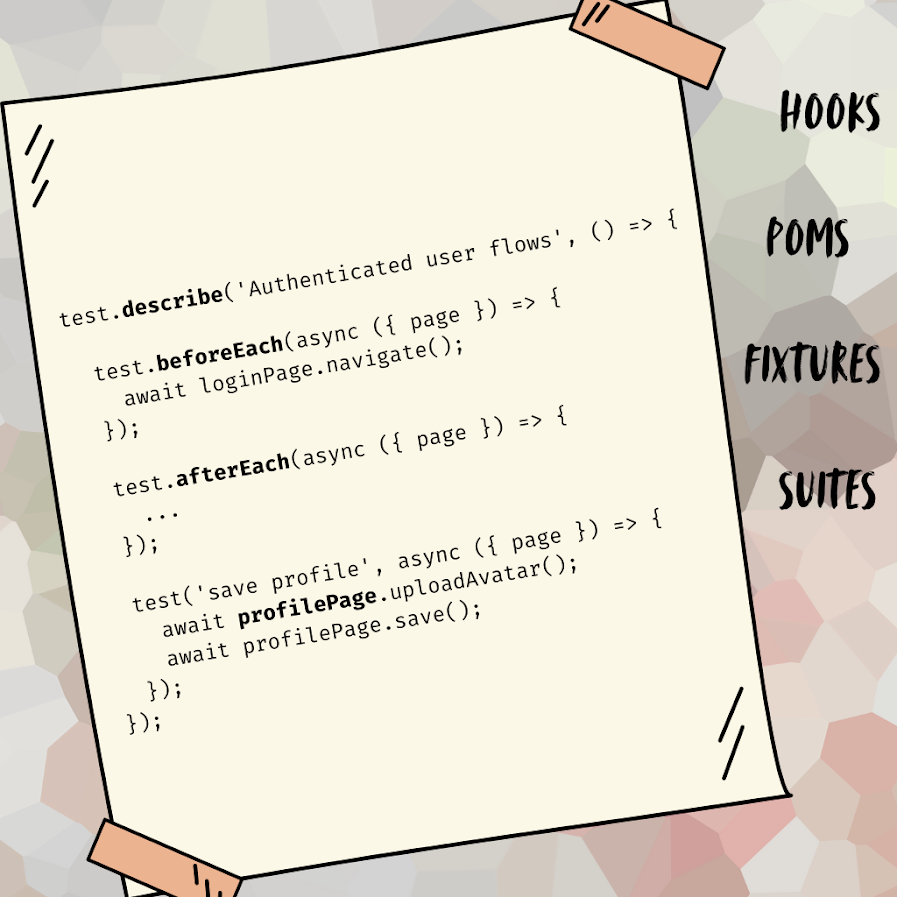
We’re excited to announce that SmartTests now fully support the core Playwright testing patterns and constructs you know and love. This means you can write maintainable, well-structured test suites that leverage Playwright’s powerful features while still getting all the AI-powered adaptability that makes TestChimp SmartTests special.
What Are SmartTests?
For those new to SmartTests, you can think of a SmartTest as a Playwright scripts with couple of twists:
Intent Comments: SmartTest Steps include intent comments that describe what you’re trying to accomplish. When a test runs, it executes as a standard Playwright script for speed and determinism. But when a step fails, our AI agent steps in to fix the issue on the fly and raises a PR with the changes – giving you the best of both worlds: fast script execution and intelligent adaptability.
Screen-state annotation comments: Markers that specify the screen and state the UI is at a given step in the script. These annotations are authored and used by ExploreChimp to tag the bugs to the correct screen-state in the SiteMap.
What's New: Full Playwright Compatibility
SmartTests now support all the essential Playwright patterns that help you build professional, maintainable test suites:
1. Hooks for Setup and Teardown
SmartTests now support all four Playwright hooks at both file and suite levels:
– `beforeAll`– Run once before all tests in a suite
– **`afterAll` – Run once after all tests in a suite
– `beforeEach` – Run before each test
– `afterEach` – Run after each test
This means you can set up test data, initialize page objects, authenticate users, and clean up resources exactly as you would in standard Playwright tests.
2. Page Object Models (POMs)
SmartTests fully support the Page Object Model pattern, allowing you to encapsulate page interactions in reusable classes. This keeps your tests clean, maintainable, and aligned with best practices.
Example:
```typescript
import { Page } from '@playwright/test';

class SignInPage {
constructor(private page: Page) {}

async navigate() {
await this.page.goto('/signin');
}

async login(email: string, password: string) {
await this.page.fill('#email', email);
await this.page.fill('#password', password);
await this.page.click('#sign-in-button');
}
}

test('user can sign in', async ({ page }) => {
const signInPage = new SignInPage(page);
await signInPage.navigate();
await signInPage.login('user@example.com', 'password123');
});
```
3. Fixtures for File Uploads
SmartTests support Playwright fixtures, making it easy to handle file uploads and other test artifacts. Upload your fixture files (like test data, images, or documents) under the fixtures folder in the SmartTests tab, and they will be available during test execution.
4. Playwright Configuration
SmartTests folder contains a `playwright.config.js` file in your project to configure the Playwright execution environment. This is essential for:
- Browser Authentication: Set up HTTP basic auth for staging environments
- Custom Headers: Add authorization tokens, API keys, or custom headers
- Base URLs: Configure default URLs for your test environment
- Viewport Settings: Set default browser viewport sizes
- And more: All standard Playwright configuration options
Example `playwright.config.js`:
“`javascript
const { defineConfig } = require(‘@playwright/test’);
module.exports = defineConfig({
use: {
baseURL: ‘https://staging.example.com’,
httpCredentials: {
username: ‘staging-user’,
password: ‘staging-password’
},
extraHTTPHeaders: {
‘Authorization’: ‘Bearer your-token’,
‘X-Environment’: ‘staging’
}
}
});
“`
5. Test Suites with Multiple Tests
SmartTests support organizing multiple tests in a single file using Playwright’s `test.describe()` blocks. You can create nested suites, group related tests together, and apply suite-level hooks – just like in standard Playwright.
Why This Matters
These additions mean SmartTests are now **fully compatible** with Playwright’s ecosystem. You can:
✅ Write maintainable tests using industry-standard patterns like POMs and hooks
✅ Organize your test suite with proper grouping and structure
✅ Handle complex setups with configuration files and fixtures
✅ Reuse existing Playwright knowledge without learning new patterns
✅ Still get AI-powered fixes when tests fail – the best of both worlds!
Getting Started
If you’re already using SmartTests, you can start using these features immediately. Just structure your tests using standard Playwright patterns, and SmartTests will handle the rest.
For new users, SmartTests work just like Playwright tests – with the added benefit of AI-powered failure recovery & stepwise execution enabling guided exploration.
What's Next?
SmartTests continue to evolve, and we’re committed to maintaining full compatibility with Playwright’s ecosystem while adding intelligent features that make testing easier and more reliable. Stay tuned for more updates!
Got questions or feedback? We’d love to hear from you! Drop us a line at contact@testchimp.io.