Agent Assisted Test Execution
Agent Assisted
Test Execution
Scripted tests, with Agent step-in on demand. Code comments to drive QA Intelligence


Plain Playwright Scripts
TestChimp's SmartTests are standard Playwright scripts. This means:
Run in CI using the Playwright runner you already trust
Run in CI using standard Playwright runner
Fast & Scalable, unlike pure-agentic tests
Maintainable, with no vendor lock-in
import { test, expect } from '@playwright/test'; import {ai} from 'ai-wright'; test('userMessagingFlow', async ( { page, browser, context }) => { var url = process.env.BASE_URL; var username = process.env.USERNAME; await page.goto(url); // @Screen: Login await page.getByLabel('Email').fill(username); await page.getByLabel('Password').fill('...'); // Click on login button await page.getByRole('button').click(); // @Screen: Dashboard await page.getByText('Messages').waitFor();
ai.verify("No error messages");
ai.act("Close cookie modal");
import { test, expect } from '@playwright/test'; import {ai} from 'ai-wright'; test('userMessagingFlow', async ( { page, browser, context }) => { var url = process.env.BASE_URL; var username = process.env.USERNAME; await page.goto(url); // @Screen: Login await page.getByLabel('Email').fill(username); await page.getByLabel('Password').fill('...'); // Click on login button await page.getByRole('button').click(); // @Screen: Dashboard await page.getByText('Messages').waitFor();
AI-Native Steps When Needed
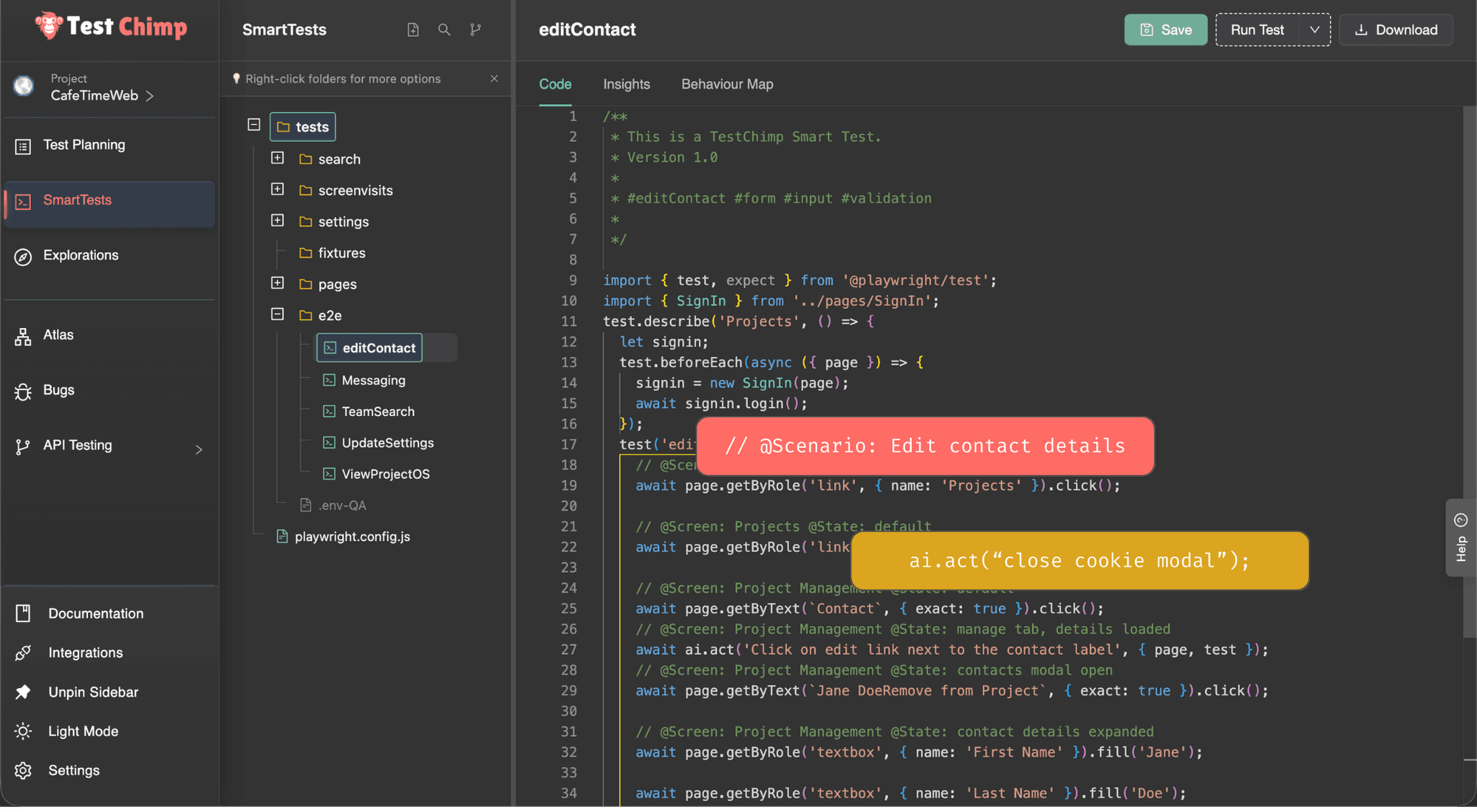
Use AI only where scripted steps become brittle with ai.act, ai.verify.
Easier authoring for complex flows
Less brittle tests
Less brittle tests
Less brittle tests
Retain the speed of scripts, with agentic flexibility
Speed of scripts, with agentic flexibility
QA Intelligence, Driven by Code Comments
QA Intelligence -
Driven by Code Comments
Link to scenarios right from code to enable coverage insights
Mark Screens and States for contextual bug reporting by Exploratory Agents
// @Screen: Dashboard
// @Scenario: checkout success
import { test, expect } from '@playwright/test'; import {ai} from 'ai-wright'; test('userMessagingFlow', async ( { page, browser, context }) => { var url = process.env.BASE_URL; var username = process.env.USERNAME; await page.goto(url); // @Screen: Login await page.getByLabel('Email').fill(username); await page.getByLabel('Password').fill('...'); // Click on login button await page.getByRole('button').click(); // @Screen: Dashboard await page.getByText('Messages').waitFor();
Author with ease
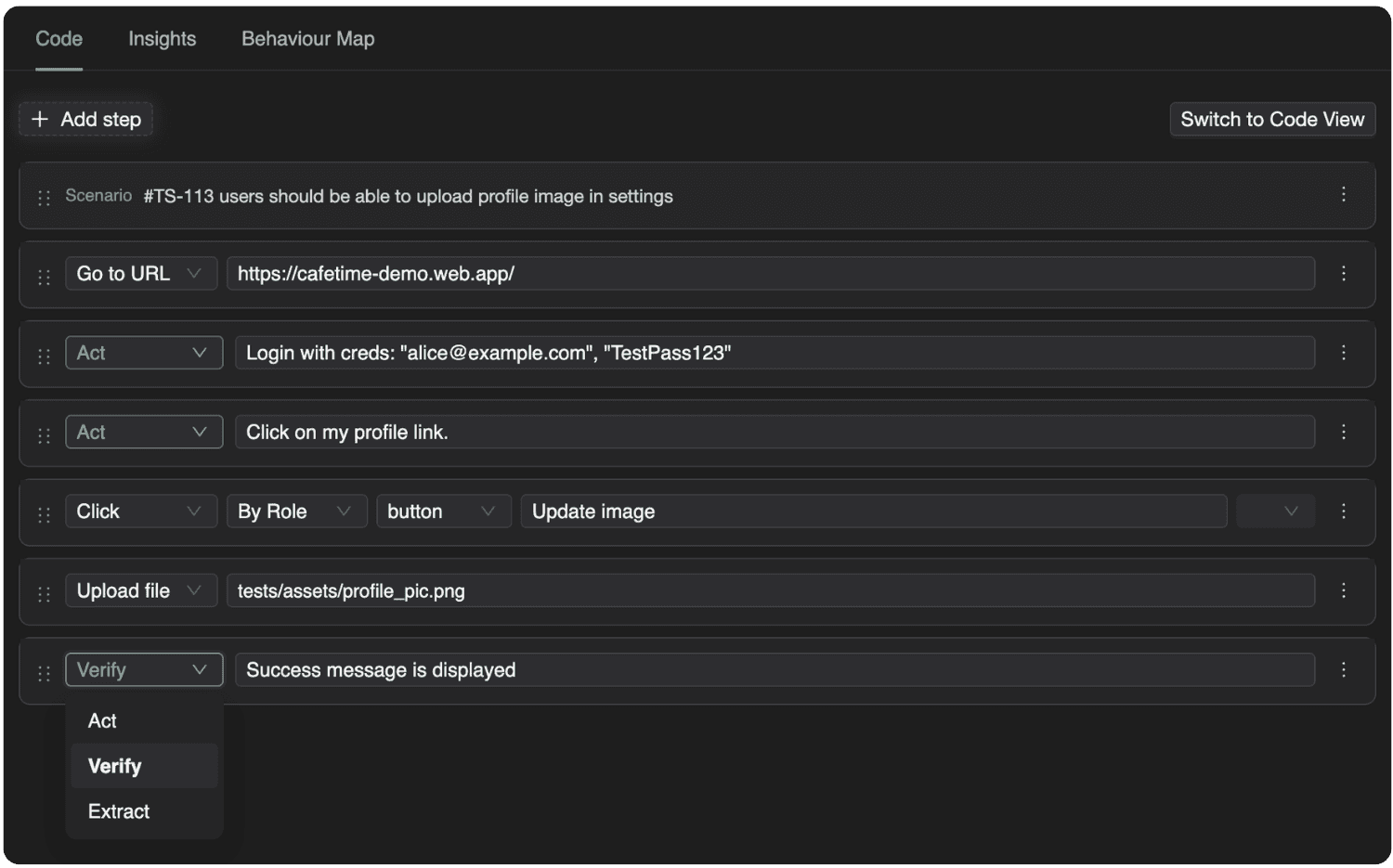
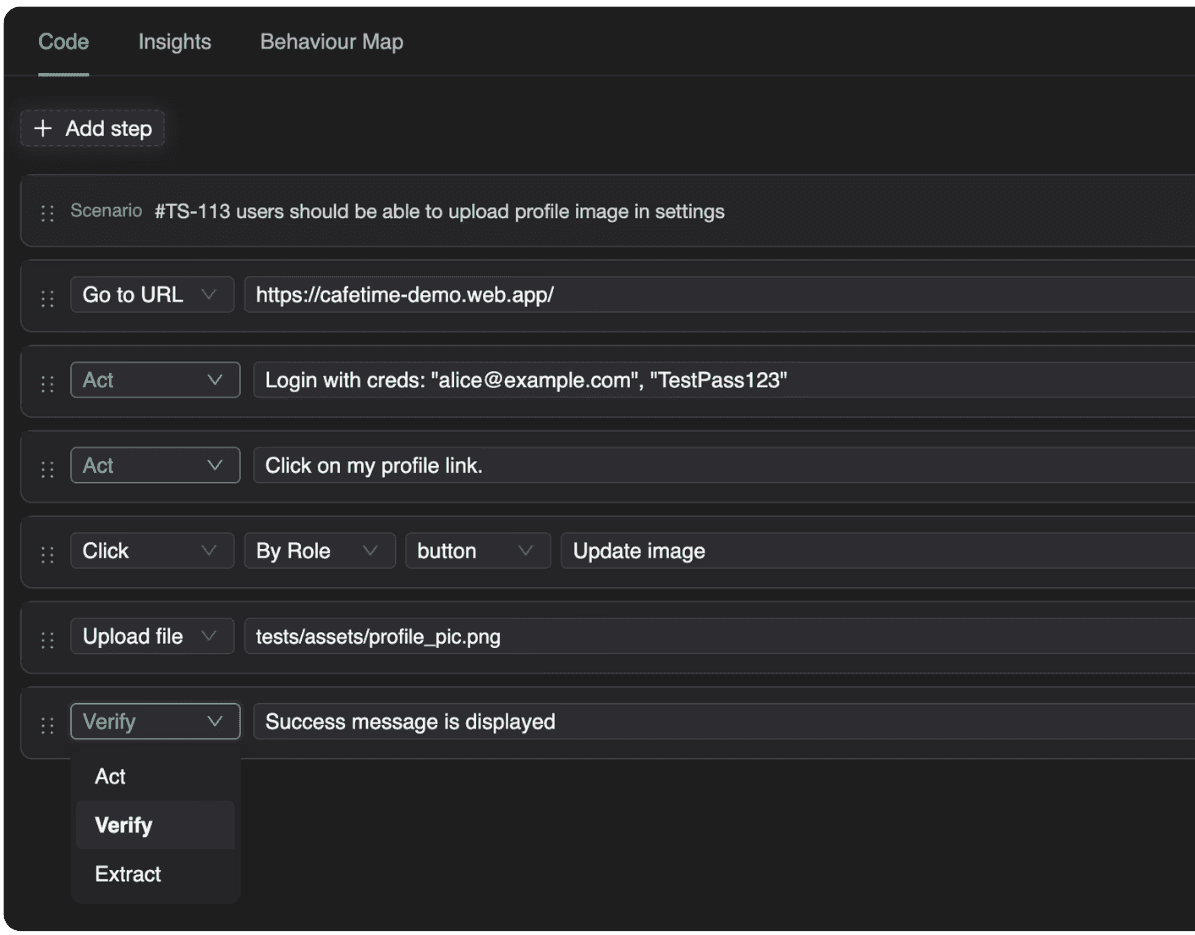
From a plain english scenario
Go from scenario description to executable test in one click
From manual test steps
Record your manual tests with our Chrome Extension to generate automation scripts
Upload existing scripts
Sync your existing playwright test folder or upload your tests directly.
Frequently Asked Questions
How are SmartTests different from plain Playwright scripts?
Traditional scripts can be brittle and flaky for complex interactions. TestChimp augments them with AI-native steps when needed, enabling agent step-in on demand, while keeping tests deterministic and maintainable by being script-first.
Why not rely entirely on agentic testing?
Pure agentic tests are slow (20ms for a script step vs 20s for an agentic step) and non-deterministic, making them not scalable. TestChimp provides a middle ground alternative of including AI-native steps in your existing scripts - retaining maintainability and speed.
How do AI-native steps work inside a test?
Simply say “ai.act(‘do X’)”; The agent steps in, looks at the screen, and decides the action to do based on the english description.
How are executions linked back to test plans?
Each test can reference scenarios in your test plans with a simple comment, allowing execution results, failures, and regressions to map directly back to planned coverage. This removes the need for manually maintained sheets, and makes traceability baked in to the code itself.
How does SmartTests help in Exploratory testing?
Exploratory agents are run using SmartTests as a GPS to guide the agent. This enables controlled navigation, measurable coverage and accurate attribution. // @screen annotations in the code helps agents to tag bugs found aligned with your app structure.
Is this suitable for large, CI-driven test suites?
Yes - SmartTests are just plain Playwright tests, so you can use your existing test runner. AI native step capability is available as an npm library that can be installed so your scripts can continue to run in CI.
Frequently Asked Questions
How are SmartTests different from plain Playwright scripts?
Traditional scripts can be brittle and flaky for complex interactions. TestChimp augments them with AI-native steps when needed, enabling agent step-in on demand, while keeping tests deterministic and maintainable by being script-first.
Why not rely entirely on agentic testing?
Pure agentic tests are slow (20ms for a script step vs 20s for an agentic step) and non-deterministic, making them not scalable. TestChimp provides a middle ground alternative of including AI-native steps in your existing scripts - retaining maintainability and speed.
How do AI-native steps work inside a test?
Simply say “ai.act(‘do X’)”; The agent steps in, looks at the screen, and decides the action to do based on the english description.
How are executions linked back to test plans?
Each test can reference scenarios in your test plans with a simple comment, allowing execution results, failures, and regressions to map directly back to planned coverage. This removes the need for manually maintained sheets, and makes traceability baked in to the code itself.
How does SmartTests help in Exploratory testing?
Exploratory agents are run using SmartTests as a GPS to guide the agent. This enables controlled navigation, measurable coverage and accurate attribution. // @screen annotations in the code helps agents to tag bugs found aligned with your app structure.
Is this suitable for large, CI-driven test suites?
Yes - SmartTests are just plain Playwright tests, so you can use your existing test runner. AI native step capability is available as an npm library that can be installed so your scripts can continue to run in CI.
Frequently Asked Questions
How are SmartTests different from plain scripts?
Traditional scripts can be brittle and flaky for complex interactions. TestChimp augments them with AI-native steps when needed, enabling agent step-in on demand, while keeping tests deterministic and maintainable by being script-first.
Why not rely entirely on agentic testing?
Pure agentic tests are slow (20ms for a script step vs 20s for an agentic step) and non-deterministic, making them not scalable. TestChimp provides a middle ground alternative of including AI-native steps in your existing scripts - retaining maintainability and speed.
How do AI-native steps work inside a test?
Simply say “ai.act(‘do X’)”; The agent steps in, looks at the screen, and decides the action to do based on the english description.
How are executions linked back to test plans?
Each test can reference scenarios in your test plans with a simple comment, allowing execution results, failures, and regressions to map directly back to planned coverage. This removes the need for manually maintained sheets, and makes traceability baked in to the code itself.
How does SmartTests help in Exploratory testing?
Exploratory agents are run using SmartTests as a GPS to guide the agent. This enables controlled navigation, measurable coverage and accurate attribution. // @screen annotations in the code helps agents to tag bugs found aligned with your app structure.
Is this suitable for large, CI-driven test suites?
Yes - SmartTests are just plain Playwright tests, so you can use your existing test runner. AI native step capability is available as an npm library that can be installed so your scripts can continue to run in CI.
Upgrade Your QA Platform Today.

TestChimp
QA Platform Purpose Built for Humans and AI Agents
Get In Touch
Email:
contact@testchimp.io
Phone:
+61 434 336 795
Address:
8a Sinfield Street, Ermington, NSW, AU

TestChimp
QA Platform Purpose Built for Humans and AI Agents
Get In Touch
Email:
contact@testchimp.io
Phone:
+61 434 336 795
Address:
8a Sinfield Street, Ermington, NSW, AU

TestChimp
QA Platform Purpose Built for Humans and AI Agents
Get In Touch
Email:
contact@testchimp.io
Phone:
+61 434 336 795
Address:
8a Sinfield Street, Ermington, NSW, AU