
Catch the UX issues users would leave over.
ExploreChimp walks your app along your tests on every release, checks each affected screen for visual, layout, performance and accessibility issues, and maps what it finds to your app’s screens in Atlas.
14 days, no credit card. Works with any coding agent.
Problem
Users don’t file bugs.They leave.
A test can confirm the promo button works while the promo field is unreadable, the total takes three seconds to paint, and the layout breaks on a small phone. Scripts check behaviour, not experience. Manual exploratory testing catches those issues, but it cannot cover every screen of every release.
- of users are less likely to return after a bad experience
- 88%
- of credibility judgments come from how a site looks
- 75%
- less churn is associated with better usability
- 15%
UX quality, measured on every release.
Your tests already know how to reach every part of the app. TestChimp uses them to put UX agents on the same paths, so UX quality becomes something you can measure and compare release to release.
Walk the app
Reach any screen, every release.
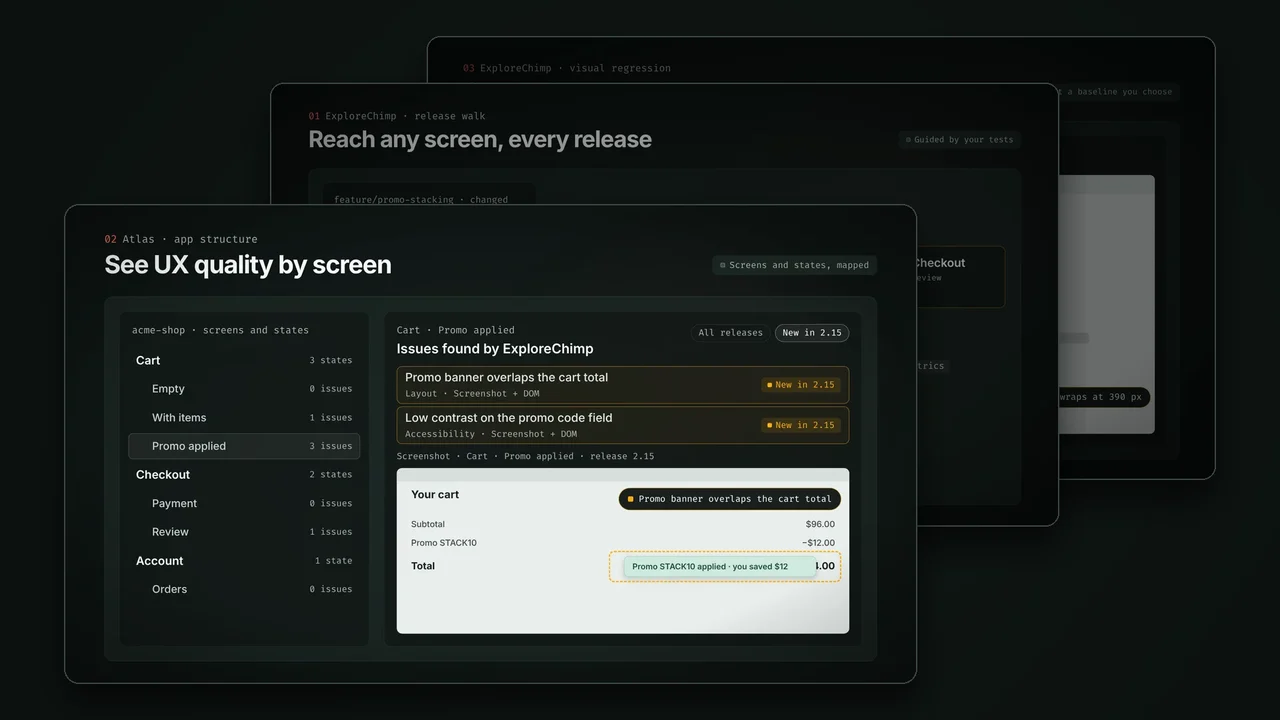
ExploreChimp follows the paths your tests take, so it reaches deep states such as a cart with a promo applied without guessing, and checks the screens a change affects.
Guided by your tests
Atlas
See UX quality by screen.
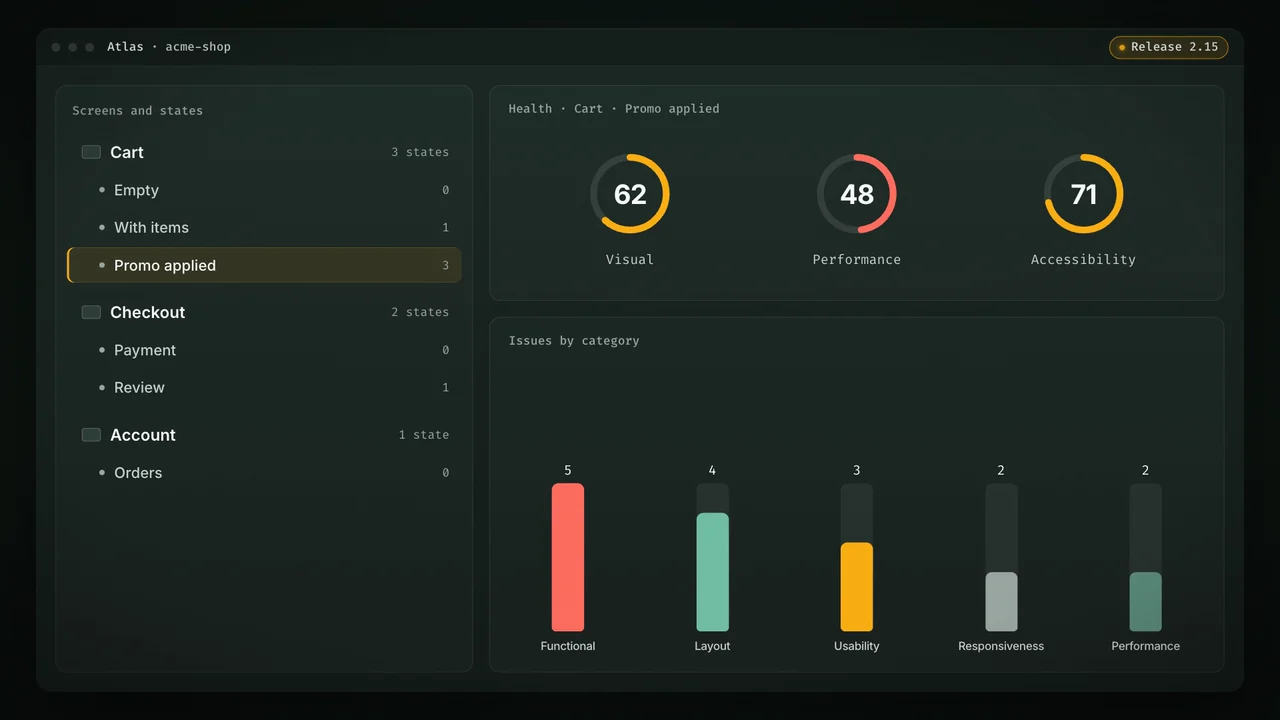
TestChimp builds your app’s structure as screens and states while ExploreChimp walks it. Each screen-state carries the issues found there, by release.
Screens and states, mapped
Visual regression
Catch what moved.
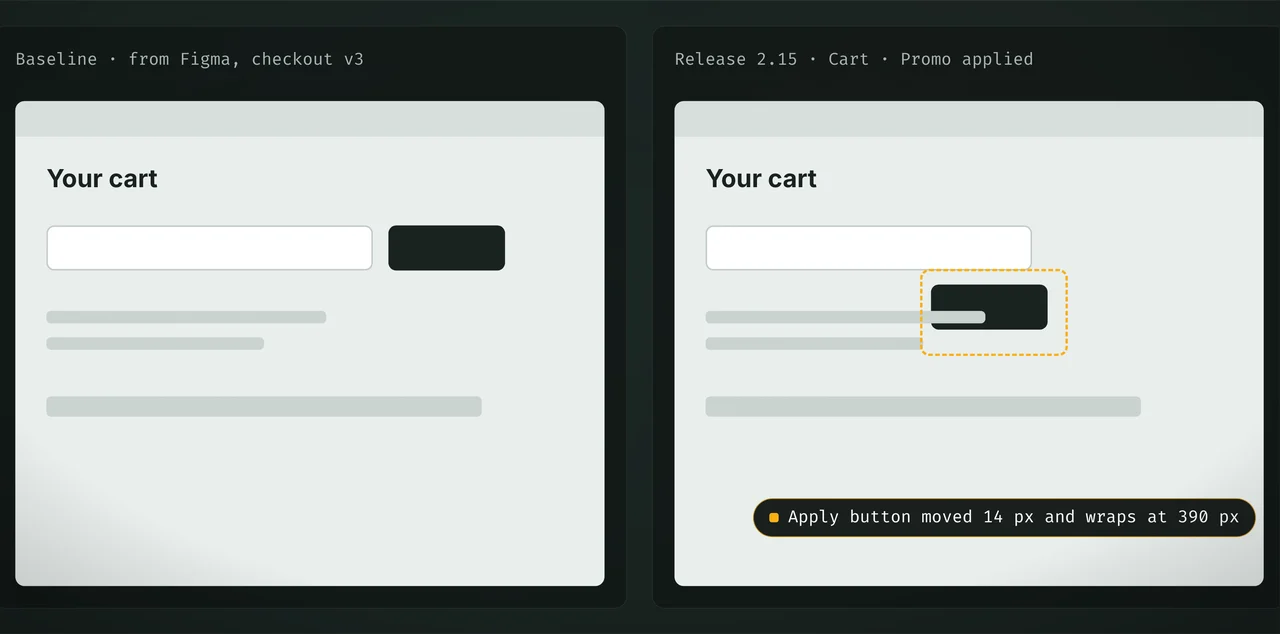
Each screen-state gets a baseline image, captured on the first visit or set by you from a design. Later runs compare against it.
Against a baseline you choose
Your tests are the map.
Exploratory agents that crawl on their own get lost or loop. ExploreChimp follows the paths your instrumented Playwright tests already take, so it reaches any screen and state deterministically, and every finding points at a known place in the app.
Only what the release touched
On a feature branch or a release, TestChimp works out which screens the changes affect and walks the tests that reach them. Each screen is checked from five sources: the DOM, console logs, network activity, screenshots and browser metrics.
- Affected screens found from the branch or release delta.
- Deterministic paths, so a finding can be reproduced.
- Runs inside /testchimp run QA after every feature branch.
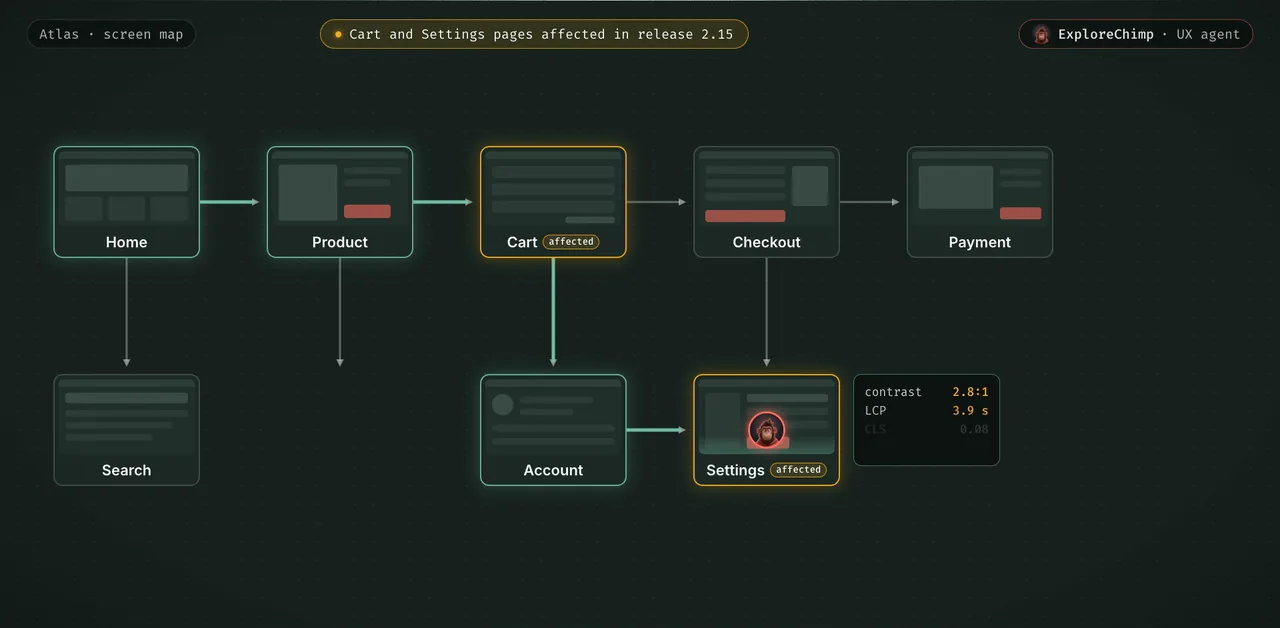
A map of your app, with its issues on it.
Atlas is TestChimp’s view of UX posture laid out the way your app is: screens, and the states each screen can be in. It builds itself as ExploreChimp walks.
Filter by release
Open any screen-state to see the issues ExploreChimp reported there. Filter by release to see only what that release introduced, so a new contrast bug never hides among known ones.
Visual regressions against the design you meant
The first visit to a screen-state keeps its screenshot as the baseline, and later runs compare against it. Set the baseline yourself, for example from the Figma design, and every release is checked against the design rather than against last week’s build.
A specialist for each kind of issue.
Bug source analytics
Visual, layout, performance, accessibility.
Reads the DOM, screenshots, network traffic, console logs and browser metrics together, so one walk catches several kinds of issue.
Localization checker
Every locale you ship.
Loops through your supported locales to find mistranslations, untranslated strings, right-to-left issues and layouts that break in one language.
Theme checker
Light, dark and everything between.
Switches themes to find low contrast, text that blends into its background and colour combinations that don’t work.
Form tester
The inputs real people type.
Tries invalid and edge-case values, such as names with hyphens or emails with special characters, to check validation holds and nothing breaks.
How UX issues usually get found.
| Scripted E2E tests | Manual exploratory testing | Visual diff tools | TestChimp | |
|---|---|---|---|---|
| Finds contrast, layout and visual issues | No | Yes | Partly | Yes |
| Catches console, network and performance issues | Partly | Partly | No | Yes |
| Checks every screen a release affects | No | No | Snapshots only | Yes |
| Reaches deep states deterministically | Yes | Yes | Partly | Yes |
| Compares against a design baseline | No | Partly | Yes | Yes |
| Issues mapped to screens and releases | No | No | Partly | Yes |
| Repeatable on every release | Yes | No | Yes | Yes |
Visual diff tools: Percy, Chromatic and similar.
Questions about UX posture.
Why do exploratory testing if we have automation scripts?
How is ExploreChimp different from an AI agent crawling the app?
What kinds of issues does it find?
Can I set the visual baseline from our designs?
What is Atlas?

Ship releases that feel as good as they work.
Your tests already reach every screen. Let ExploreChimp check them on every release.
14 days, no credit card.